It is currently Sat Jun 27, 2026 3:14 am


All times are UTC - 5 hours [ DST ]


Post new topic Reply to topic  [ 18 posts ] 
Author Message
 Post subject: Eshop product pictures
PostPosted: Mon May 21, 2012 2:58 pm  (#1) 
Offline
New Member

Joined: May 21, 2012
Posts: 2
GIMP Version: 2.8
Operating System: Windows
OS Version: 7
GIMP Experience: Basic Level


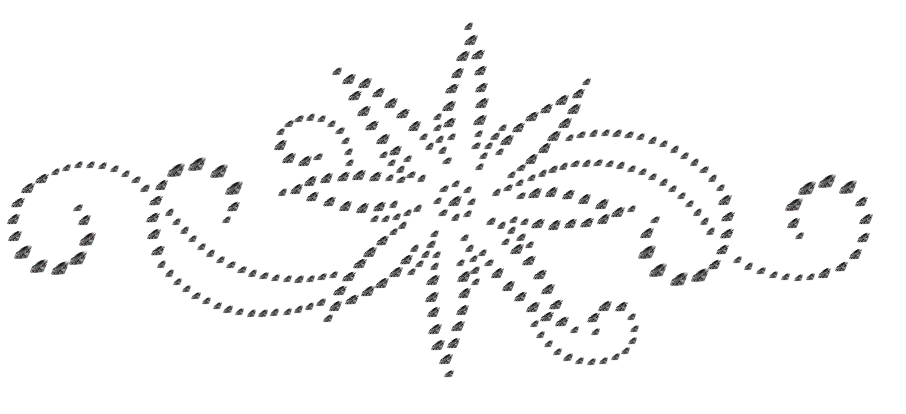
Hi all, I hope you will help with my problem. I am trying to make product pictures of rhinestone applications to my e-shop. I need to get a preview in various colors (nowdays I use about 30 colors of stones).

I have a dotted pattern from software and I need to replace red dots with pictures of stones (white dots on picture).
Image

I was trying to replace red dots one by one with brush - it looks like quite good but there is a problem that I will spend a lot of time with it (I need preview of 300 applications, every application has 250 - 800 stones) and I cant change color of stones. I was trying to change color with Colorize tool but I am not satisfied with result because rhinestones have specific colors.

Do you have any idea how to make it quick?? Thanks for your answers.


Share on Facebook Share on Twitter Share on Orkut Share on Digg Share on MySpace Share on Delicious Share on Technorati
Top
 Post subject: Re: Eshop product pictures
PostPosted: Mon May 21, 2012 3:45 pm  (#2) 
Offline
GimpChat Member
User avatar

Joined: Jan 20, 2012
Posts: 583
Create your designs in the rhinestone brush that you have. Create a new layer on top of that and fill it with what ever color you want as the entire rhinestone color. Go to layer modes and set to the mode color. (PS If that doesn't look good, than mess with the other layer modes. You might find one that looks good for one color but not another)

_________________


"In the face of adversity, there's three things: fly, freeze or fight; We're choosing to fight..."- Guy Boucher, Tampa Bay Lighting Head Coach


Top
 Post subject: Re: Eshop product pictures
PostPosted: Mon May 21, 2012 6:12 pm  (#3) 
Offline
Script Coder
User avatar

Joined: Apr 23, 2010
Posts: 1553
Location: not from Guildford after all
If you download and install the following script, a command will be added ("Filters->Misc->Bauble paste per dejw") which will paste the contents of the clipboard into each of the red dots.

http://chiselapp.com/user/saulgoode/rep ... 89dd53f90c

_________________
Any sufficiently primitive technology is indistinguishable from a rock.


Last edited by saulgoode on Mon May 21, 2012 7:44 pm, edited 1 time in total.

Top
 Post subject: Re: Eshop product pictures
PostPosted: Mon May 21, 2012 7:36 pm  (#4) 
Offline
GimpChat Member
User avatar

Joined: Sep 24, 2010
Posts: 12781
It doesn't show up in GIMP 2.8 Saul; tried re-opening GIMP after refresh failed but to no avail. Not sure why. Would be a cool way to use stipple output for this one too. Anyway, programmer I'm not so maybe someone else can verify this and see if it's just 2.8, 64-bit GIMP or some variation as to why it doesn't show up in misc. :)

edit:

It does show up in procedure list though. Weird. :)


Attachments:
Untitled.png
Untitled.png [ 66.65 KiB | Viewed 3202 times ]

_________________
Lyle

Psalm 109:8

Image
Top
 Post subject: Re: Eshop product pictures
PostPosted: Mon May 21, 2012 7:44 pm  (#5) 
Offline
Script Coder
User avatar

Joined: Apr 23, 2010
Posts: 1553
Location: not from Guildford after all
lylejk wrote:
It doesn't show up in GIMP 2.8 Saul;

edit:

It does show up in procedure list though. Weird. :)

My mistake (nothing to do with GIMP versions). I renamed the script and missed one of the places where it needed changing. Thanks for the report.

I have updated the download link in my previous post, or you can just change the line at the end to:

(script-fu-menu-register "script-fu-sg-dejw-paste"

_________________
Any sufficiently primitive technology is indistinguishable from a rock.


Top
 Post subject: Re: Eshop product pictures
PostPosted: Mon May 21, 2012 8:00 pm  (#6) 
Offline
GimpChat Member
User avatar

Joined: Sep 24, 2010
Posts: 12781
That worked Saul; wish my system was faster though. Like how the brush get's scaled to the size of the stipple. :)


Attachments:
1933_example.png
1933_example.png [ 86.13 KiB | Viewed 3197 times ]

_________________
Lyle

Psalm 109:8

Image
Top
 Post subject: Re: Eshop product pictures
PostPosted: Mon May 21, 2012 8:12 pm  (#7) 
Offline
Script Coder
User avatar

Joined: Apr 23, 2010
Posts: 1553
Location: not from Guildford after all
lylejk wrote:
That worked Saul; wish my system was faster though.

I could make it run faster -- and may do so in the future -- by having it run in the background on a copy of the image. Since this was a quick-n-dirty, one-off script I figured watching it work was more important than speed (and easier to debug).

lylejk wrote:
Like how the brush get's scaled to the size of the stipple. :)

The approach is not perfect, and the size can be off by as much as two pixels in either direction (which can produce elliptical circles). For this reason, I would recommend working at double-size and then downscaling afterward to reduce the impact of this flaw.

If it is known that the rhinestones are perfect circles, the script could be modified to produce a better result.


Attachment:
lyle-bauble.jpg
lyle-bauble.jpg [ 130.41 KiB | Viewed 3192 times ]

_________________
Any sufficiently primitive technology is indistinguishable from a rock.


Last edited by saulgoode on Mon May 21, 2012 8:21 pm, edited 2 times in total.

Top
 Post subject: Re: Eshop product pictures
PostPosted: Mon May 21, 2012 8:18 pm  (#8) 
Offline
GimpChat Member
User avatar

Joined: Apr 08, 2010
Posts: 5420
Location: Northwest Ohio
Bwahahahaha, I always knew Lyle was a jewel of a guy!


Top
 Post subject: Re: Eshop product pictures
PostPosted: Mon May 21, 2012 8:29 pm  (#9) 
Offline
Script Coder
User avatar

Joined: Feb 18, 2011
Posts: 4826
Location: Bendigo Vic. Australia
The script runs for about 1 coffee on 2-6-12 32bit thats purfect
.

_________________
Image
No matter how much you push the envelope, it'll still be stationery.


Top
 Post subject: Re: Eshop product pictures
PostPosted: Mon May 21, 2012 8:35 pm  (#10) 
Offline
GimpChat Member
User avatar

Joined: Sep 24, 2010
Posts: 12781
saulgoode wrote:
lylejk wrote:
That worked Saul; wish my system was faster though.

I could make it run faster -- and may do so in the future -- by having it run in the background on a copy of the image. Since this was a quick-n-dirty, one-off script I figured watching it work was more important than speed (and easier to debug).

lylejk wrote:
Like how the brush get's scaled to the size of the stipple. :)

The approach is not perfect, and the size can be off by as much as two pixels in either direction (which can produce elliptical circles). For this reason, I would recommend working at double-size and then downscaling afterward to reduce the impact of this flaw.

If it is known that the rhinestones are perfect circles, the script could be modified to produce a better result.


Attachment:
lyle-bauble.jpg


Now I'm really afraid Saul. lol

Look forward to the speedup. :)

_________________
Lyle

Psalm 109:8

Image


Top
 Post subject: Re: Eshop product pictures
PostPosted: Mon May 21, 2012 8:42 pm  (#11) 
Offline
GimpChat Member

Joined: Aug 05, 2011
Posts: 606
Location: limestone,ny
nice script saul
runs pretty good here win7 64 4gig
here's a question i've had for a while..is it possible to stop a script while it's running

Image


Top
 Post subject: Re: Eshop product pictures
PostPosted: Mon May 21, 2012 10:30 pm  (#12) 
Offline
Script Coder
User avatar

Joined: Feb 18, 2011
Posts: 4826
Location: Bendigo Vic. Australia
Have you thoght of selecting a layer to get the image from instead of copy paste.The script is loads of fun anyway.

ball bearings

Image

butterflies

Image

diamonds

Image

_________________
Image
No matter how much you push the envelope, it'll still be stationery.


Top
 Post subject: Re: Eshop product pictures
PostPosted: Tue May 22, 2012 5:31 am  (#13) 
Offline
Script Coder
User avatar

Joined: Apr 23, 2010
Posts: 1553
Location: not from Guildford after all
Graechan wrote:
Have you thoght of selecting a layer to get the image from instead of copy paste.The script is loads of fun anyway.

I did not put a lot of thought into the script, though using a layer as the source did briefly fire a couple of synapses (as did using a brush). Basically, I chose the easy way out, which in my opinion is justifiable for a first attempt (no sense in getting fancy if I misconstrued the task).

_________________
Any sufficiently primitive technology is indistinguishable from a rock.


Top
 Post subject: Re: Eshop product pictures
PostPosted: Tue May 22, 2012 7:51 am  (#14) 
Offline
GimpChat Member
User avatar

Joined: Aug 24, 2011
Posts: 1785
Location: Dallas, TX
There are several gemstone brushes available at Deviant Art that would work great for this.

http://browse.deviantart.com/?qh=&secti ... ne+brushes

_________________
Image


Top
 Post subject: Re: Eshop product pictures
PostPosted: Thu May 24, 2012 2:23 pm  (#15) 
Offline
New Member

Joined: May 21, 2012
Posts: 2
Thank you very much for script. There is no problem with speed of making previews - it will save me a lot of time. It´s exactly what I was looking for - I don´t need perfect circles, the main goal is to show how does it looks like in various colors. Now I have a lot of work with e-shop updates :)

Rhinestones definitely not perfect circles - it depends on quality of stones but its possible to say that every stone is original... I am working with rhinestones for 3 years and I checked milions of stones :)


Top
 Post subject: Re: Eshop product pictures
PostPosted: Thu May 24, 2012 2:27 pm  (#16) 
Offline
GimpChat Member
User avatar

Joined: Jan 20, 2012
Posts: 583
Glad the forum could be of some use.

_________________


"In the face of adversity, there's three things: fly, freeze or fight; We're choosing to fight..."- Guy Boucher, Tampa Bay Lighting Head Coach


Top
 Post subject: Re: Eshop product pictures
PostPosted: Mon Mar 11, 2013 5:30 am  (#17) 
Offline
Script Coder
User avatar

Joined: Jun 22, 2010
Posts: 1171
Location: Here and there
gramg wrote:
I was wanting to try this script offered on page 1, but it produces errors as having unbound variable.
Is there a way to fix it? I read up a bit on scripting and there is nothing the matter with this script except that it may be outdated, I guess...for the way scripts are written now. OH well, if anyone knows how, that would be nice...if not...there is still plenty to keep me going. Thanks.


To judge from the un-named unbound variable, you've got a similar problem to dinasset: viewtopic.php?f=9&t=6626 so I'll ask the same question of you- What are you editing the script with?

Kevin


Top
 Post subject: Re: Eshop product pictures
PostPosted: Mon Mar 11, 2013 9:26 am  (#18) 
Offline
GimpChat Member
User avatar

Joined: Apr 07, 2010
Posts: 14182
I love that Gram, I'll bet that would look really pretty on a dark bg.

I got this script but I can't get it to work.

_________________
Image


Top
Post new topic Reply to topic  [ 18 posts ] 

All times are UTC - 5 hours [ DST ]


* Login  


Powered by phpBB3 © phpBB Group