It is currently Sun Sep 13, 2026 2:33 pm


All times are UTC - 5 hours [ DST ]


Post new topic Reply to topic  [ 43 posts ]  Go to page 1, 2, 3  Next
Author Message
 Post subject: A new theme
PostPosted: Tue Jul 17, 2012 9:07 am  (#1) 
Offline
Global Moderator
User avatar

Joined: May 16, 2010
Posts: 16173
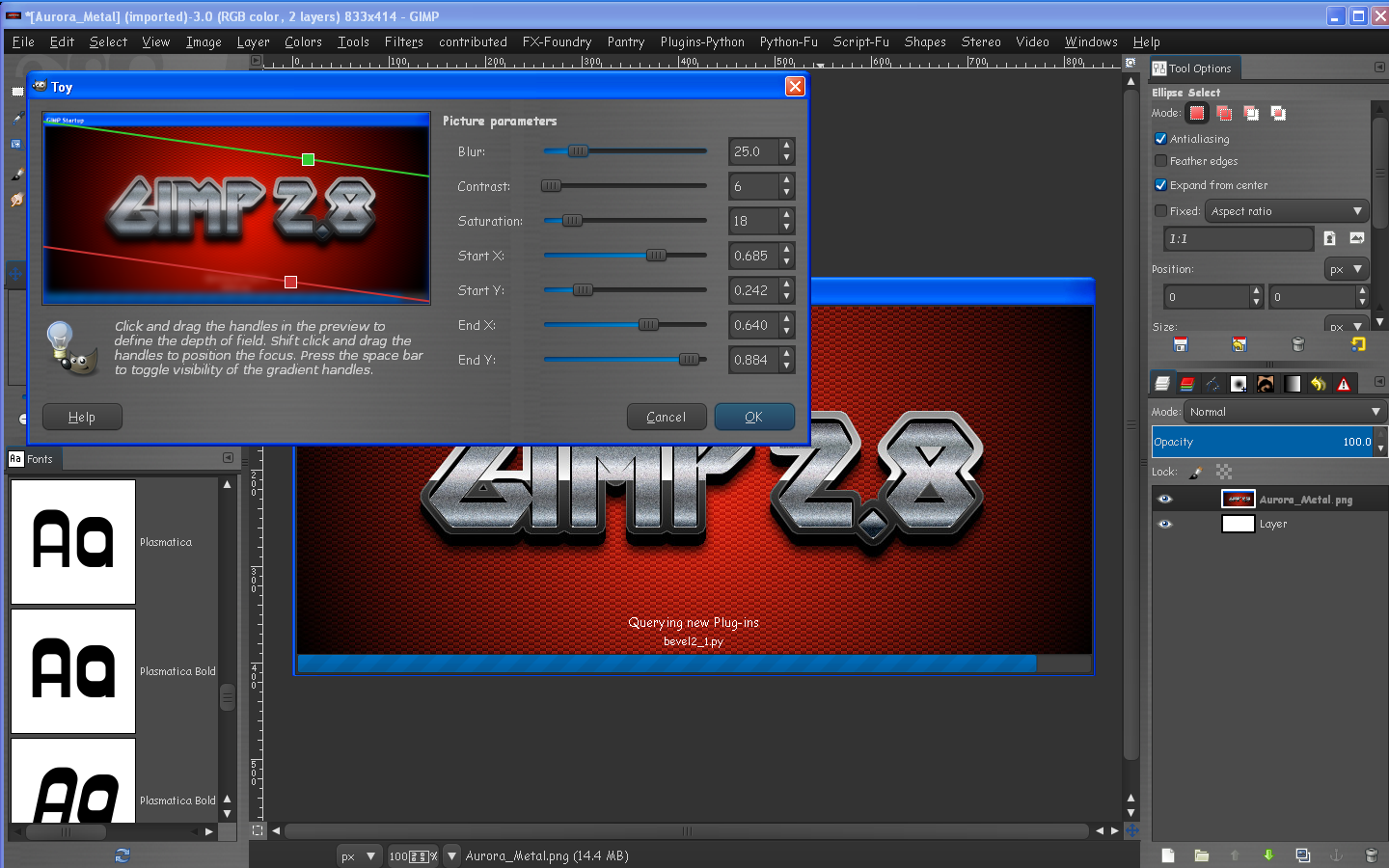
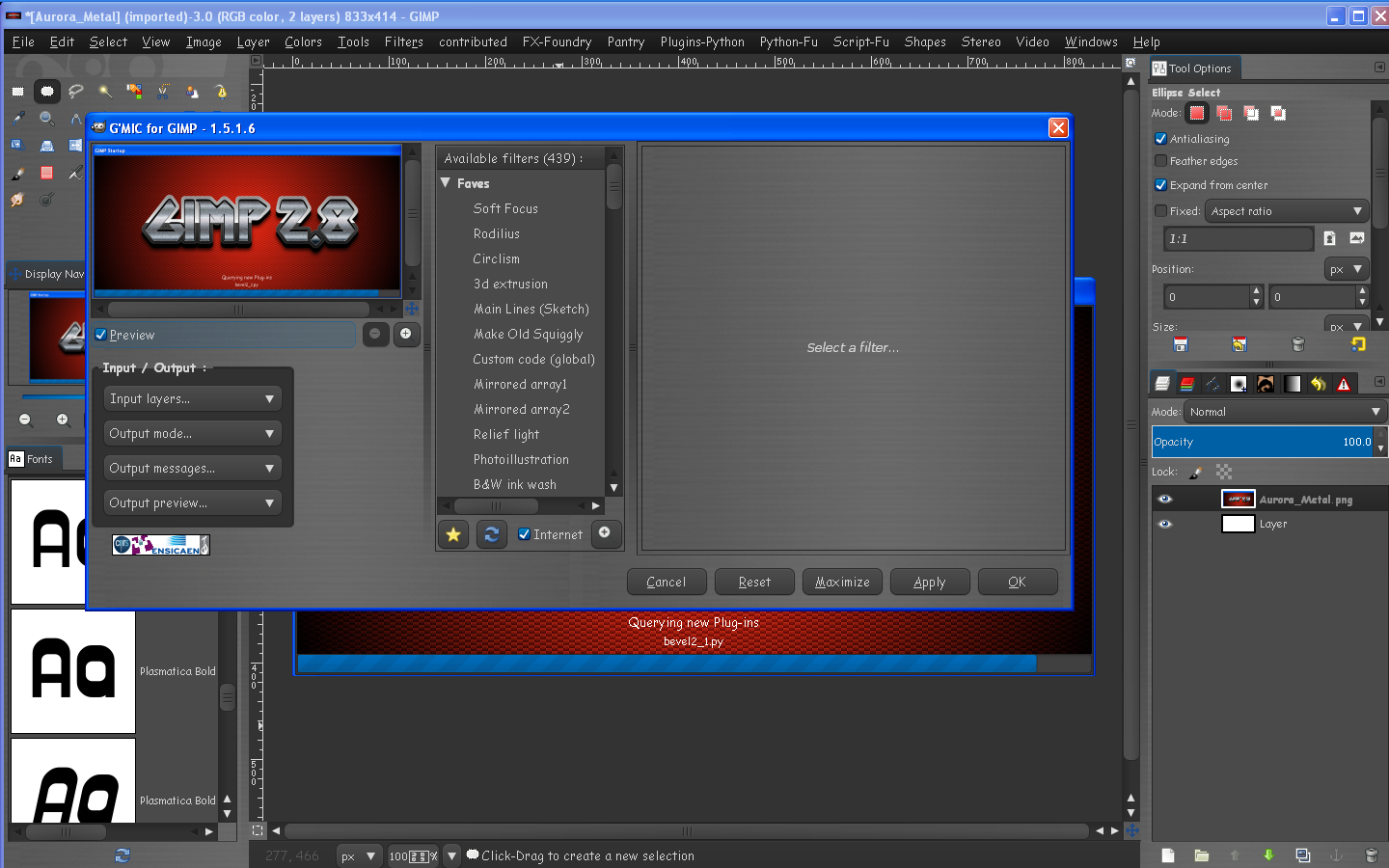
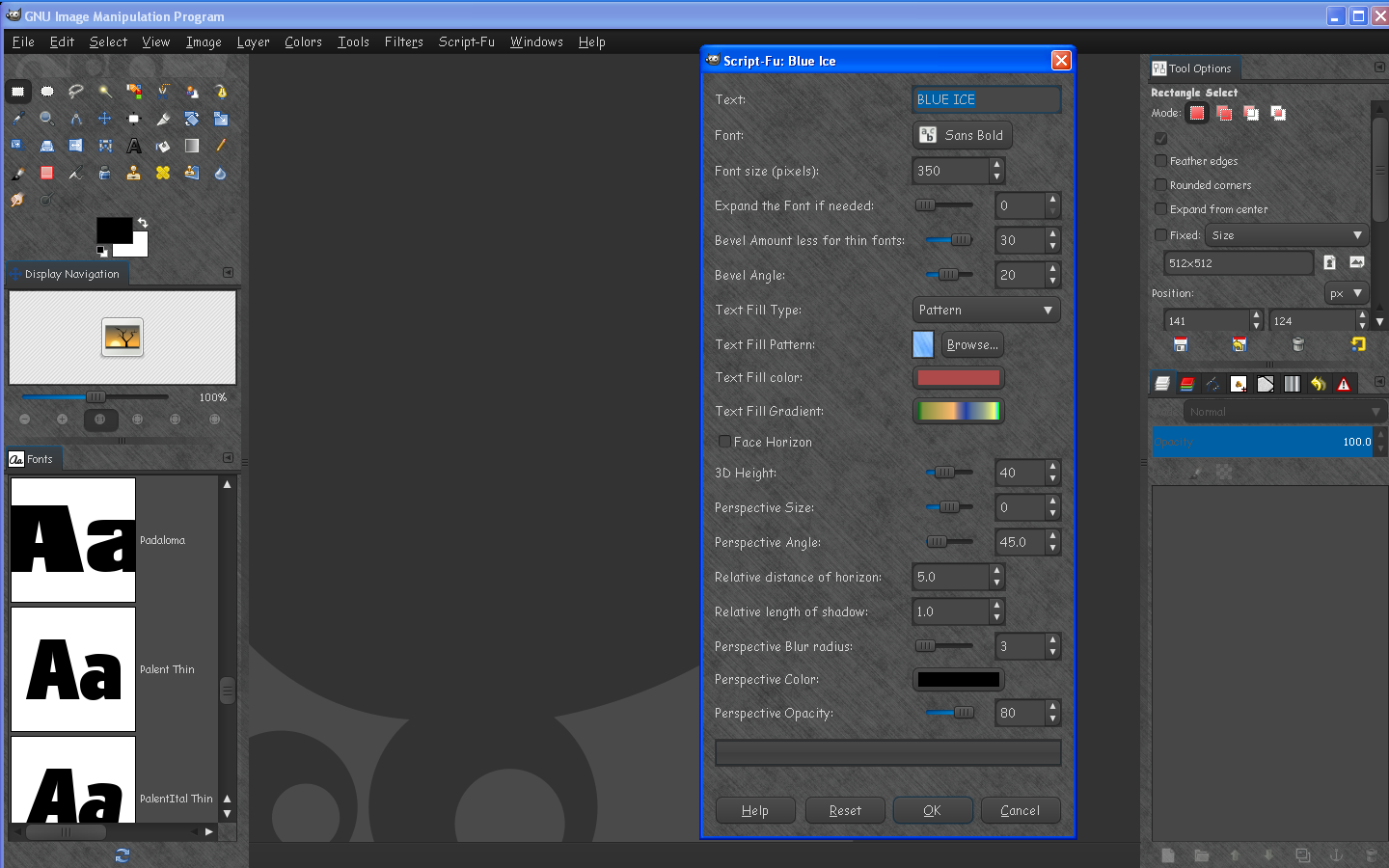
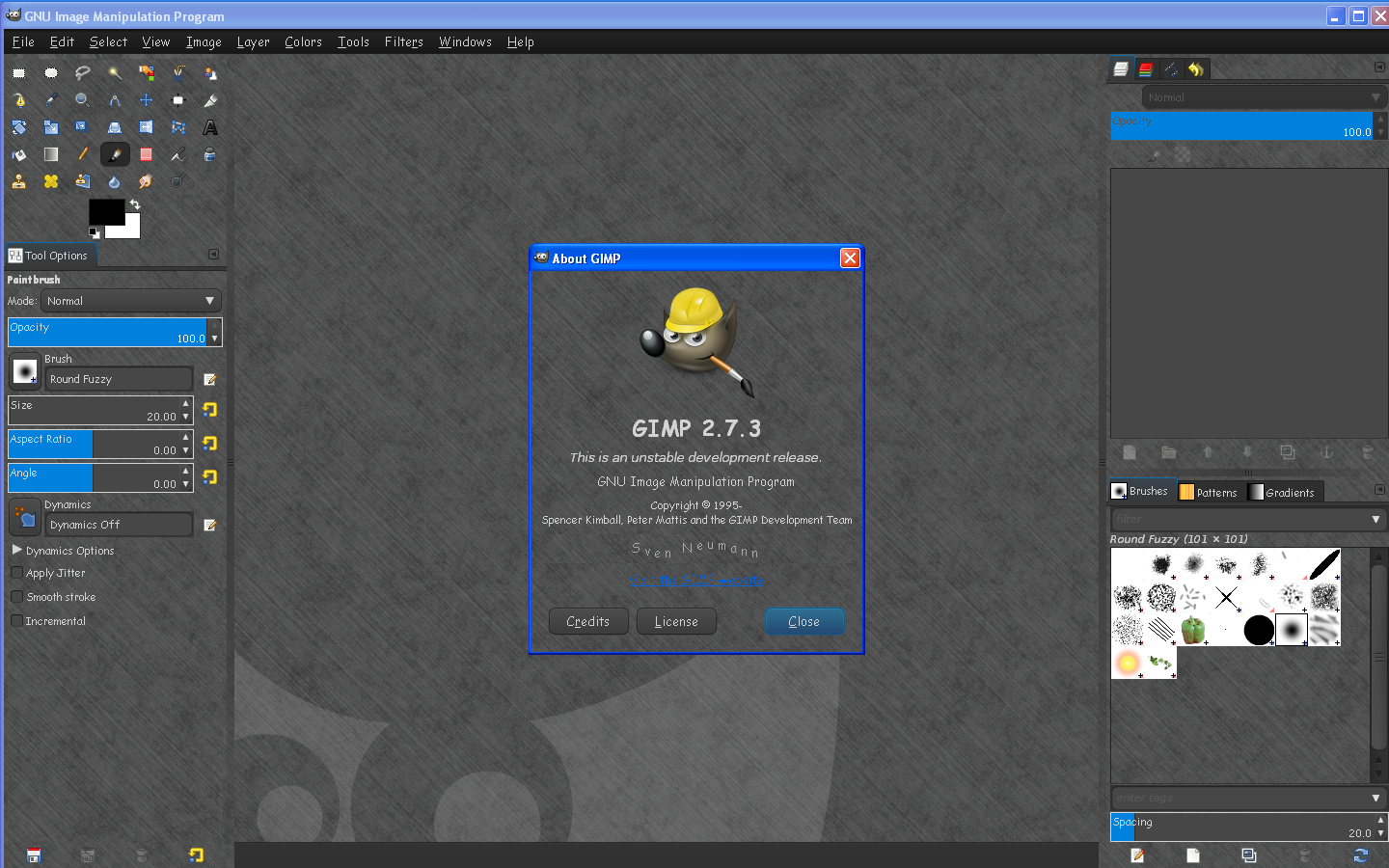
Well i got to fooling around with Graechans wonderful "Your Theme" setup and i happened to stumble upon something new. :)
Introducing Midnight Metal.

Image

Image

Image

Image

Image

Image

Aurora Midnight crossed with a metalic skin. :) :bigthup
Still getting the package together. I still need to figure out how i actually got this to work. :lol

_________________
Image


Share on Facebook Share on Twitter Share on Orkut Share on Digg Share on MySpace Share on Delicious Share on Technorati
Top
 Post subject: Re: A new theme
PostPosted: Tue Jul 17, 2012 11:34 am  (#2) 
Offline
GimpChat Member
User avatar

Joined: Nov 16, 2011
Posts: 5127
Location: Metro Vancouver, BC
Looks good, Rod :coolthup

_________________
Image
Gimp 2.8.18, Linux, median user
Gimp Chat Tutorials Index
Spirit Bear (Kermode)


Top
 Post subject: Re: A new theme
PostPosted: Tue Jul 17, 2012 2:15 pm  (#3) 
Offline
GimpChat Member
User avatar

Joined: Jan 20, 2012
Posts: 583
Wow amazing! I might have to change mine now :D but I will make the bar orange somehow.:P

_________________


"In the face of adversity, there's three things: fly, freeze or fight; We're choosing to fight..."- Guy Boucher, Tampa Bay Lighting Head Coach


Top
 Post subject: Re: A new theme
PostPosted: Wed Jul 18, 2012 3:38 pm  (#4) 
Offline
GimpChat Member
User avatar

Joined: Jan 20, 2012
Posts: 583
Any progress made on this Rod?

_________________


"In the face of adversity, there's three things: fly, freeze or fight; We're choosing to fight..."- Guy Boucher, Tampa Bay Lighting Head Coach


Top
 Post subject: Re: A new theme
PostPosted: Wed Jul 18, 2012 4:02 pm  (#5) 
Offline
GimpChat Member

Joined: Aug 05, 2011
Posts: 606
Location: limestone,ny
I'm waiting too Rod, looks great! :hehe


Top
 Post subject: Re: A new theme
PostPosted: Wed Jul 18, 2012 5:59 pm  (#6) 
Offline
Global Moderator
User avatar

Joined: May 16, 2010
Posts: 16173
Yes i am setting it up so its seamless even while scaling. :) :bigthup
So far it looks good.I even made one in denim (more on that version later).
Here are some screen shots.I will have the entire setup ready soon.

Image

Image

Image

Image

I am trying to make one with bullet holes also. :lol

_________________
Image


Top
 Post subject: Re: A new theme
PostPosted: Wed Jul 18, 2012 6:04 pm  (#7) 
Offline
GimpChat Member
User avatar

Joined: Apr 07, 2010
Posts: 14182
very nice, I like it.

_________________
Image


Top
 Post subject: Re: A new theme
PostPosted: Fri Jul 20, 2012 12:58 pm  (#8) 
Offline
GimpChat Member
User avatar

Joined: Jun 04, 2011
Posts: 254
I have to have this one,and the one with the bullet holes also

_________________
Image


Top
 Post subject: Re: A new theme
PostPosted: Fri Jul 20, 2012 3:22 pm  (#9) 
Offline
Global Moderator
User avatar

Joined: May 16, 2010
Posts: 16173
Okay it's ready for TESTING.

PLEASE, PLEASE, PLEASE, back up your old gtkrc file and anything else that may get over written before using this theme in case you want to change it back. This is somewhat of a permanent type theme as you have to use 2 gtkrc files. :)
Download and unzip the compressed zip file.You will find everything you need inside.
After you read the README file and have everything in it's place ONLY THEN open Gimp-2.8,and go to Edit>Preferences>Themes and select the Midnight Metal theme. The theme will load.
Select ok and your theme should be saved and ready to use.

Tested in all Parthas versions except 64 bit.
This also has been tested in the Gimp-2.7.3 RGGJAN fork


Image

Attachment:
New Theme Midnight-Metal.zip [612.89 KiB]
Downloaded 196 times


This theme does not seem to work with Gimp-2.6.12 PORTABLE version.
So i doubt it will work with the Gimp-2.6.12 install version as well

_________________
Image


Top
 Post subject: Re: A new theme
PostPosted: Fri Jul 20, 2012 5:39 pm  (#10) 
Offline
GimpChat Member
User avatar

Joined: Jan 20, 2012
Posts: 583
Doesn't look like your screen shot to me. Here is what I get:


_________________


"In the face of adversity, there's three things: fly, freeze or fight; We're choosing to fight..."- Guy Boucher, Tampa Bay Lighting Head Coach


Top
 Post subject: Re: A new theme
PostPosted: Fri Jul 20, 2012 6:01 pm  (#11) 
Offline
GimpChat Member

Joined: May 09, 2012
Posts: 914
Bonjour,

Here is an example with "Gimp-2.8.1-64bit-Partha".


EDIT :
I concatenated the two files gtkrc and there is no problem.


Attachments:
gtkrc.zip [8.58 KiB]
Downloaded 115 times
test_theme_rod.png
test_theme_rod.png [ 656.07 KiB | Viewed 1533 times ]
Top
 Post subject: Re: A new theme
PostPosted: Fri Jul 20, 2012 10:02 pm  (#12) 
Offline
Global Moderator
User avatar

Joined: May 16, 2010
Posts: 16173
This is how it works for me in Gimp-2.6.12
This is just sad.I will have to go through and find out why this works for me and not you guys.
Could take awhile. :(

Sorry folks. I must still have something you guys do not.I will have to figure out what it is.Mine doesn't use the extra images for the table, just the bg.png, and the aurora dll file for everything else.
That is just weird. :)

_________________
Image


Top
 Post subject: Re: A new theme
PostPosted: Fri Jul 20, 2012 11:32 pm  (#13) 
Offline
GimpChat Member
User avatar

Joined: Jan 20, 2012
Posts: 583
Did you accidentally grab the wrong gtkrc?

_________________


"In the face of adversity, there's three things: fly, freeze or fight; We're choosing to fight..."- Guy Boucher, Tampa Bay Lighting Head Coach


Top
 Post subject: Re: A new theme
PostPosted: Sat Jul 21, 2012 12:04 am  (#14) 
Offline
Script Coder
User avatar

Joined: Feb 18, 2011
Posts: 4826
Location: Bendigo Vic. Australia
Working on themes can drive any sane person Mad, this was why I had little to loose. Good luck to all who tinker

_________________
Image
No matter how much you push the envelope, it'll still be stationery.


Top
 Post subject: Re: A new theme
PostPosted: Sat Jul 21, 2012 7:16 am  (#15) 
Offline
GimpChat Member

Joined: May 09, 2012
Posts: 914
Bonjour,

@Rod

What is the function of the dll "libaurora.dll" ?
The appearance is identical with or without this DLL.


Top
 Post subject: Re: A new theme
PostPosted: Sat Jul 21, 2012 11:29 am  (#16) 
Offline
GimpChat Member
User avatar

Joined: Jan 20, 2012
Posts: 583
ah I am willing to bet something is supposed to run through that engine but it is not. This is quite the puzzler....

_________________


"In the face of adversity, there's three things: fly, freeze or fight; We're choosing to fight..."- Guy Boucher, Tampa Bay Lighting Head Coach


Top
 Post subject: Re: A new theme
PostPosted: Sat Jul 21, 2012 1:08 pm  (#17) 
Offline
Global Moderator
User avatar

Joined: May 16, 2010
Posts: 16173
Sam that is exactly the problem.My dll file allows the theme to run..ie...loader "blue" color , button shapes, and no stone effect images.
I have all the same files i gave you guys ZWard. I have no idea why this works...it just does for me.

What is stranger is BEFORE i uploaded the zip for you guys, i actually downloaded a brand new version of Parthas RGGJAN fork and added the files per my README.
It worked and i thought it would for you guys too. I am really confused about this one.
If i add these files EXACTLY like Gimp-2.8 to Gimp-2.6 i get the results you guys get - ie...stone images and no dll effect from the aurora file.

Graechan i have a headache :lol

_________________
Image


Top
 Post subject: Re: A new theme
PostPosted: Sat Jul 21, 2012 1:28 pm  (#18) 
Offline
GimpChat Member

Joined: May 09, 2012
Posts: 914
@Rod


I love the theme with brown stones patterns.
Here is the modified theme.
There is no DLL and a single file "gtkrc".

***********************

I will try to modify this theme...


Attachments:
MidnightMetalStones.zip [481.71 KiB]
Downloaded 107 times
Top
 Post subject: Re: A new theme
PostPosted: Sat Jul 21, 2012 1:48 pm  (#19) 
Offline
Global Moderator
User avatar

Joined: May 16, 2010
Posts: 16173
samj wrote:
@Rod


I love the theme with brown stones patterns.
Here is the modified theme.
There is no DLL and a single file "gtkrc".

***********************

I will try to modify this theme...


The theme isn't supposed to have stone images though Sam. :lol
It is supposed to use the included DLL file and it's engine to draw the rest of the interface (like it does for me).
I am missing something somewhere. The question is what?

Did you guys overwrite the old aurora dll included in Parthas install?
You have to replace that one i know that for a fact. Only mine will draw the blue button effect.I tried this with Inkscape and ONLY that dll will work (the one i included)

_________________
Image


Top
 Post subject: Re: A new theme
PostPosted: Sat Jul 21, 2012 2:49 pm  (#20) 
Offline
GimpChat Member

Joined: Jul 14, 2012
Posts: 162
I like the outcome as well even though it's not what you intended.


Top
Post new topic Reply to topic  [ 43 posts ]  Go to page 1, 2, 3  Next

All times are UTC - 5 hours [ DST ]


* Login  


Powered by phpBB3 © phpBB Group