It is currently Mon Sep 14, 2026 12:05 pm


All times are UTC - 5 hours [ DST ]


Post new topic Reply to topic  [ 9 posts ] 
Author Message
 Post subject: Wax Seal script
PostPosted: Sat Oct 23, 2010 4:57 pm  (#1) 
Offline
GimpChat Member
User avatar

Joined: Oct 06, 2010
Posts: 4050
I found this script using Google, and it works in 2.6.11, but doesn't allow you to undo any changes, so if you decide to use it, make duplicates of the test image before running this script, first. You'll get a webpage with the script, just right click the page and "Save As" to your scripts folder.

http://www.ve3syb.ca/software/gimp/2.4/wax-seal.scm

A backtracking on why I sought out this script:

Gimpusers has a tutorial by Devv (Bernhard) that I really like the processed image, but the hoops you have to jump through to get there is a little mind-bending (especially if you want to duplicate this technique often). That tutorial can be found here:

http://www.gimpusers.com/tutorials/crea ... omment9132

It would be nice if someone converted this tutorial into a script, because the results are more realistic. So, in my curiosity, I decided to see if there was in fact, such a script in existence, and found the one mentioned at the top.

There are days where I wish I could just jump into a script and make the changes myself, which I am playing with Python, but its a slow go for me. It would be nice if someone could at least add the ability to "undo" the above script.

_________________
"In order to attain the impossible, one must attempt the absurd."
~ Miguel de Cervantes


Share on Facebook Share on Twitter Share on Orkut Share on Digg Share on MySpace Share on Delicious Share on Technorati
Top
 Post subject: Re: Wax Seal script
PostPosted: Sat Oct 23, 2010 6:07 pm  (#2) 
Offline
GimpChat Member
User avatar

Joined: Jul 04, 2010
Posts: 2253
Location: Retired Moderator Slowly Returning to the Living.
Yes! The tutorial method looks much better. I will look at the tutorial and see if I can't throw something together.

_________________
Artists aren't crazy! We're eccentric! ~G.M. Ross

Image

My Sigs = My Photos
Check out my work at http://www.flickr.com/photos/photomastergreg.


Top
 Post subject: Re: Wax Seal script
PostPosted: Sat Oct 23, 2010 6:15 pm  (#3) 
Offline
GimpChat Member
User avatar

Joined: Oct 06, 2010
Posts: 4050
Thanks, PM. :)

_________________
"In order to attain the impossible, one must attempt the absurd."
~ Miguel de Cervantes


Top
 Post subject: Re: Wax Seal script
PostPosted: Sat Oct 23, 2010 8:16 pm  (#4) 
Offline
GimpChat Member
User avatar

Joined: Jul 04, 2010
Posts: 2253
Location: Retired Moderator Slowly Returning to the Living.
I ran through the tutorial and I'm not sure how to write this as a script, but I will play with the idea. A lot of variables in this, from the wax blob shape, the circle impression size and placement, the bumpmap object and the bumpmap variables. The colors, levels and curves are variable also. I'm still learning my scripting.

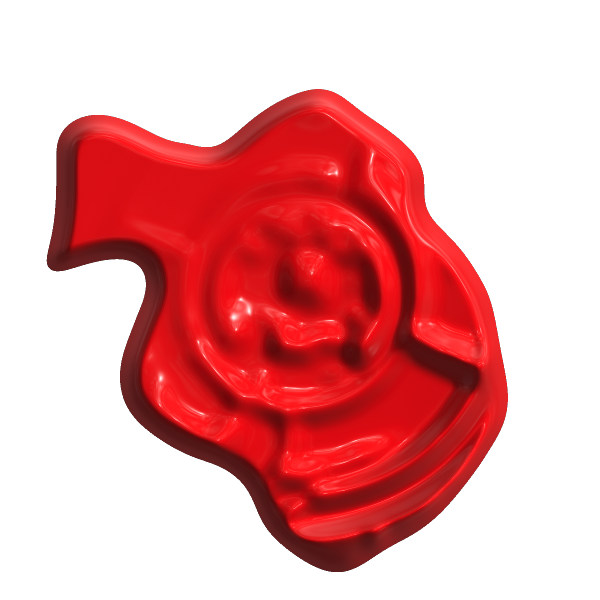
Heres my first run at the tutorial! Needs work, but it is fun!


Attachments:
Waxy2.jpg
Waxy2.jpg [ 144.84 KiB | Viewed 5698 times ]

_________________
Artists aren't crazy! We're eccentric! ~G.M. Ross

Image

My Sigs = My Photos
Check out my work at http://www.flickr.com/photos/photomastergreg.
Top
 Post subject: Re: Wax Seal script
PostPosted: Sat Oct 23, 2010 9:42 pm  (#5) 
Offline
Global Moderator
User avatar

Joined: May 16, 2010
Posts: 16173
Here is my attempt with the script itself, which i believe with some playing around with the variables you can get some great results im sure.It is a nice script.Thanks for sharing it. =)

Image

_________________
Image


Top
 Post subject: Re: Wax Seal script
PostPosted: Sat Oct 23, 2010 10:03 pm  (#6) 
Offline
Global Moderator
User avatar

Joined: May 16, 2010
Posts: 16173
Second attempt is a little better, i raised the lighting more and gave it more grain in the bump map.
It still seems to be missing that nice highlight effect though.
Image

_________________
Image


Top
 Post subject: Re: Wax Seal script
PostPosted: Sat Oct 23, 2010 11:33 pm  (#7) 
Offline
GimpChat Member
User avatar

Joined: Sep 24, 2010
Posts: 12845
Ran Script followed by G'MIC's plastic wrap. Need to play more to get the circular smushed look though. :)


Attachments:
splusgmic.jpg
splusgmic.jpg [ 225.04 KiB | Viewed 5689 times ]

_________________
Lyle

Psalm 109:8

Image
Top
 Post subject: Re: Wax Seal script
PostPosted: Sun Oct 24, 2010 12:04 am  (#8) 
Offline
Global Moderator
User avatar

Joined: May 16, 2010
Posts: 16173
Using emboss on a copy of the original as an overlay layer works great too. =)
Image

Filter Forge has a filter for this also that does a pretty good job.
Image

_________________
Image


Top
 Post subject: Re: Wax Seal script
PostPosted: Sun Oct 24, 2010 5:46 am  (#9) 
Offline
GimpChat Member
User avatar

Joined: Apr 07, 2010
Posts: 14182
Nice job guys..... or should I say, nice blobs.

PM, you are doing a great job on scripting.....

_________________
Image


Top
Post new topic Reply to topic  [ 9 posts ] 

All times are UTC - 5 hours [ DST ]


* Login  


Powered by phpBB3 © phpBB Group