It is currently Sat Sep 05, 2026 4:41 pm


All times are UTC - 5 hours [ DST ]


Post new topic Reply to topic  [ 14 posts ] 
Author Message
 Post subject: Playing with Fire
PostPosted: Sun Nov 11, 2012 12:25 pm  (#1) 
Offline
GimpChat Member
User avatar

Joined: Aug 24, 2011
Posts: 1785
Location: Dallas, TX
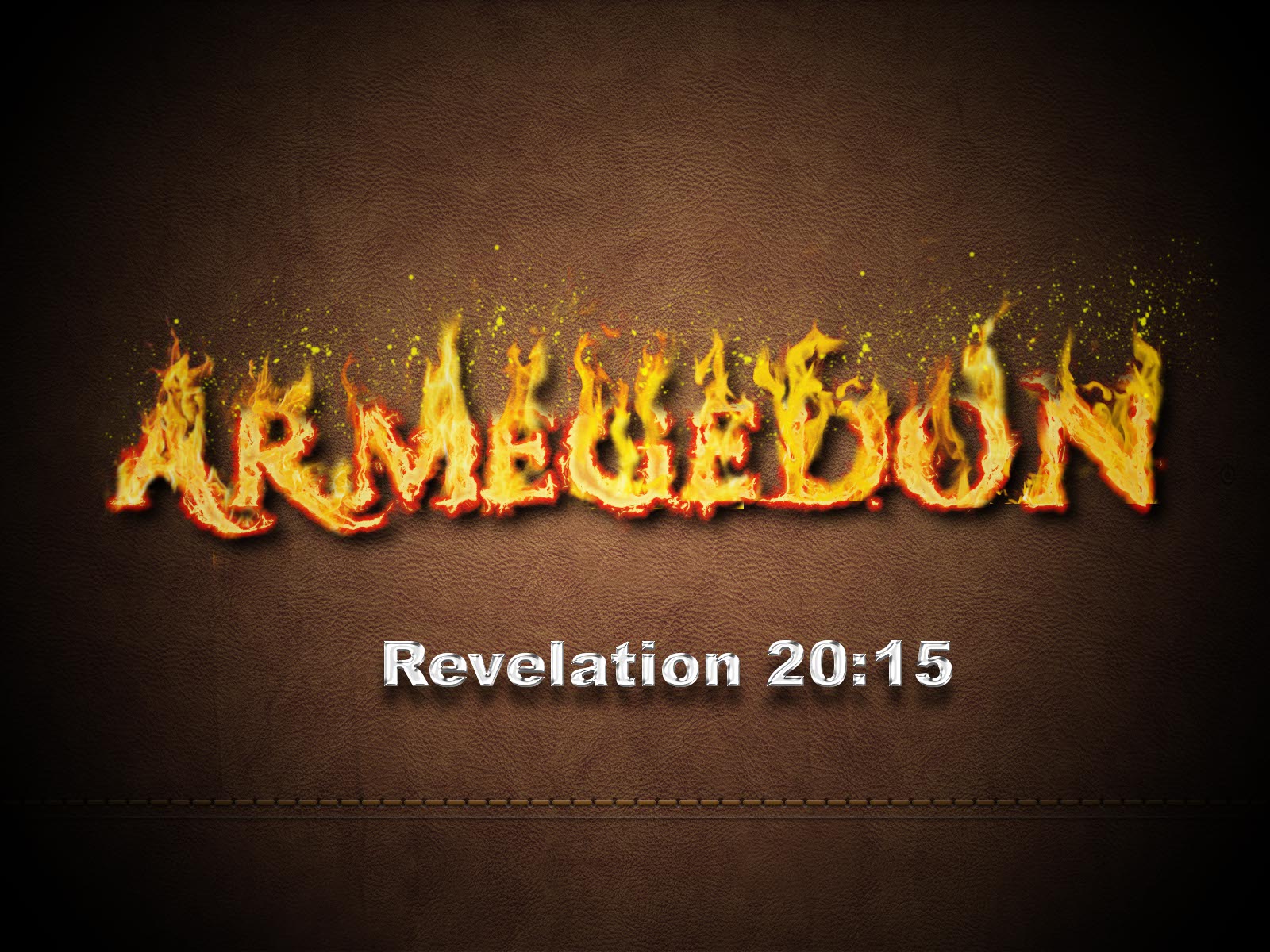
I was looking at several fire tutorials and only saw one that looked really good so I took a stab at it and was surprised how easy it was. Now I can't remember where it was. Anyway, here's my result.

Image

_________________
Image


Share on Facebook Share on Twitter Share on Orkut Share on Digg Share on MySpace Share on Delicious Share on Technorati
Top
 Post subject: Re: Playing with Fire
PostPosted: Sun Nov 11, 2012 12:27 pm  (#2) 
Offline
GimpChat Member
User avatar

Joined: Apr 07, 2010
Posts: 14182
Wow, that is realistic, maybe you had better find it, :teeth

_________________
Image


Top
 Post subject: Re: Playing with Fire
PostPosted: Sun Nov 11, 2012 12:29 pm  (#3) 
Offline
GimpChat Member
User avatar

Joined: Aug 24, 2011
Posts: 1785
Location: Dallas, TX
Thanks Molly, I'm still digging around, it's starting to bug me now.

_________________
Image


Top
 Post subject: Re: Playing with Fire
PostPosted: Sun Nov 11, 2012 12:33 pm  (#4) 
Offline
GimpChat Member
User avatar

Joined: Apr 07, 2010
Posts: 14182
Maybe the dog took it and buried it where you won't find it.

_________________
Image


Top
 Post subject: Re: Playing with Fire
PostPosted: Sun Nov 11, 2012 12:37 pm  (#5) 
Offline
GimpChat Member
User avatar

Joined: Jul 17, 2012
Posts: 2769
looks great !

my only point of criticism would be the yellow splatters above the flames
they look like paint, not sparks

dont you have a history in your browser, Drac ?
you could look it up there


Top
 Post subject: Re: Playing with Fire
PostPosted: Sun Nov 11, 2012 3:11 pm  (#6) 
Offline
GimpChat Member
User avatar

Joined: Aug 24, 2011
Posts: 1785
Location: Dallas, TX
Molly - Nah, the dog only eats tennis balls and an occasional squirrel.

Esper - I have by preferences set to delete browsing history on exit so I don't fill up my cache too quickly. I did find that sucker though. It was a PS tut that I adapted. the sparkes were made with a debris brush and Perhaps I should have scaled it down a bit and used the eraser tool and a soft brush to remove the excess.

http://10steps.sg/tutorials/photoshop/t ... re-effect/

I like everything this guy does.

_________________
Image


Top
 Post subject: Re: Playing with Fire
PostPosted: Sun Nov 11, 2012 3:33 pm  (#7) 
Offline
GimpChat Member
User avatar

Joined: Jul 17, 2012
Posts: 2769
this looks great on its own too

Image


Top
 Post subject: Re: Playing with Fire
PostPosted: Sun Nov 11, 2012 3:35 pm  (#8) 
Offline
GimpChat Member
User avatar

Joined: Apr 07, 2010
Posts: 14182
Yes I thouht that too. It is so nice and shiny.

_________________
Image


Top
 Post subject: Re: Playing with Fire
PostPosted: Sun Nov 11, 2012 4:04 pm  (#9) 
Offline
GimpChat Member
User avatar

Joined: Aug 16, 2012
Posts: 4271
Location: Göteborg, Sweden
draconian: nice work!! looks so good with the fire against the dark leather background. that tutorial looks great too - not sure i could follow a ps tutorial since i haven't used ps for so long, but that's probably no loss - it's not like i lack tutorials to try :).

_________________


Top
 Post subject: Re: Playing with Fire
PostPosted: Sun Nov 11, 2012 4:14 pm  (#10) 
Offline
GimpChat Member

Joined: Aug 27, 2010
Posts: 491
I have to admit, I couldn't follow it: Didn't get very close at all ...

Image


Top
 Post subject: Re: Playing with Fire
PostPosted: Sun Nov 11, 2012 5:00 pm  (#11) 
Offline
GimpChat Member
User avatar

Joined: Jul 17, 2012
Posts: 2769
oh dear, here we go again, lol

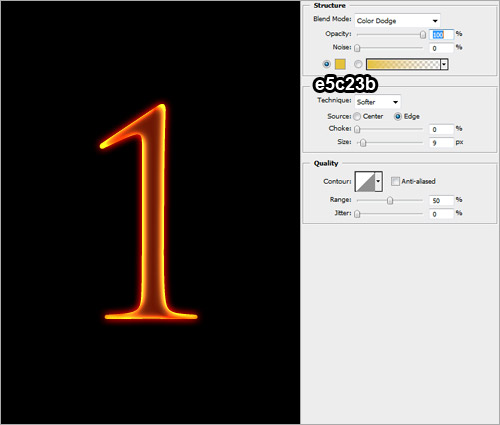
i just want the glow effect and i cannot replicate it exactly with layerfx
had to improvise

what is the equivalent of Color Dodge ?
Attachment:
GlühenDrac.png
GlühenDrac.png [ 148.04 KiB | Viewed 1266 times ]


Top
 Post subject: Re: Playing with Fire
PostPosted: Sun Nov 11, 2012 5:04 pm  (#12) 
Offline
GimpChat Member
User avatar

Joined: Aug 24, 2011
Posts: 1785
Location: Dallas, TX
I didn't follow the tutorial except for general reference. It was done entirely in Gimp. I barely know how to open things in PS and maybe convert or do a save as to something I can use in Gimp.

Mike - Looks pretty good. Try using an eraser and a large fuzzy brush to remove some of the unwanted flames to make it look like the text is actually on fire itself instead of just in the fire.

_________________
Image


Top
 Post subject: Re: Playing with Fire
PostPosted: Sun Nov 11, 2012 5:14 pm  (#13) 
Offline
GimpChat Member
User avatar

Joined: Nov 16, 2011
Posts: 5127
Location: Metro Vancouver, BC
Esper, I think Color Dodge is just Dodge in Gimp.

_________________
Image
Gimp 2.8.18, Linux, median user
Gimp Chat Tutorials Index
Spirit Bear (Kermode)


Top
 Post subject: Re: Playing with Fire
PostPosted: Sun Nov 11, 2012 5:24 pm  (#14) 
Offline
GimpChat Member
User avatar

Joined: Jul 17, 2012
Posts: 2769
Odinbc wrote:
Esper, I think Color Dodge is just Dodge in Gimp.
yes Odinbc, that worked best


Top
Post new topic Reply to topic  [ 14 posts ] 

All times are UTC - 5 hours [ DST ]


* Login  


Powered by phpBB3 © phpBB Group