It is currently Sun Sep 13, 2026 12:38 pm


All times are UTC - 5 hours [ DST ]


Post new topic Reply to topic  [ 45 posts ]  Go to page Previous  1, 2, 3  Next
Author Message
 Post subject: Re: Mapping objects to sphere with less distortion
PostPosted: Tue Dec 25, 2012 12:04 pm  (#21) 
Offline
GimpChat Member
User avatar

Joined: Sep 22, 2012
Posts: 2089
Location: US
Oregonian wrote:
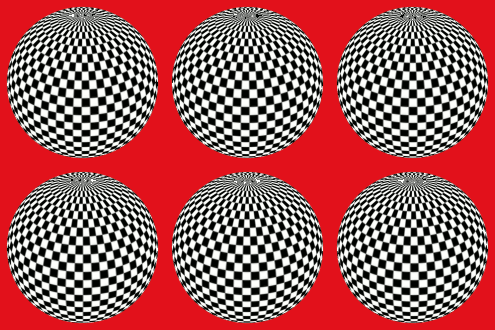
Tried it with a checkerboard. 12 layers. :mrgreen:

Image


Cool, O!
I've tried it with polka-dot some time ago and 6 layers was enough. But again, depends on dots size and the distance between them. Mine were very tiny.
The only thing I forgot to mention describing animation steps: I set frame delays to 20 ms. I'm gonna fix it now.


Top
 Post subject: Re: Mapping objects to sphere with less distortion
PostPosted: Tue Dec 25, 2012 12:55 pm  (#22) 
Offline
GimpChat Member
User avatar

Joined: Apr 07, 2010
Posts: 14182
waffles 12 layers thanks Kit


Image

oops, it is jumping a bit, got to go back and see what happened.

_________________
Image


Top
 Post subject: Re: Mapping objects to sphere with less distortion
PostPosted: Tue Dec 25, 2012 1:15 pm  (#23) 
Offline
GimpChat Member
User avatar

Joined: Apr 07, 2010
Posts: 14182
Did this one with 12 frames and it was jumpy so went to 18 and still jumpy. I started every frame from the background layer, is that right?

Image

_________________
Image


Top
 Post subject: Re: Mapping objects to sphere with less distortion
PostPosted: Tue Dec 25, 2012 1:17 pm  (#24) 
Offline
GimpChat Member
User avatar

Joined: Sep 22, 2012
Posts: 2089
Location: US
molly wrote:
Did this one with 12 frames and it was jumpy so went to 18 and still jumpy. I started every frame from the background layer, is that right?


Try to set Y rotation to 10 degrees for each frame instead of 1 and make less frames (6-8), molly.


Top
 Post subject: Re: Mapping objects to sphere with less distortion
PostPosted: Tue Dec 25, 2012 1:22 pm  (#25) 
Offline
GimpChat Member
User avatar

Joined: Apr 07, 2010
Posts: 14182
ok, I will try that, thanks

Edit: 6 frames
Image

_________________
Image


Top
 Post subject: Re: Mapping objects to sphere with less distortion
PostPosted: Wed Dec 26, 2012 1:35 am  (#26) 
Offline
GimpChat Member

Joined: Oct 31, 2011
Posts: 112
Thank you :D

K1TesseraEna wrote:
hanciong wrote:
how to make the animation?? could you share with me? Thank you :D


It's quite simple. Get your square image with pattern cooked as described. This is going to be your background layer.
To make the animation you need to create 12 frames out of it.
In map object change only the following settings:
...........................
P.S. N of frames depends on the complexity of pattern. Some patterns require 12 frames, some 18.
But in most cases 8, 6 or even 3 frames is enough. The general rule here: 360 must be divisible by N.


Edit. Forgot to mention, when you save this animation as GIF set frame delays to 20ms.


Top
 Post subject: Re: Mapping objects to sphere with less distortion
PostPosted: Wed Dec 26, 2012 9:32 am  (#27) 
Offline
Retired Staff
User avatar

Joined: May 22, 2008
Posts: 6946
Location: Somewhere in GIMP
Played with the map object controls just a little and came up with a round candy mint.
Image

Removed the white from the pattern (color select white, select grow 1, Color to alpha - white) and came up with this. I never know what I learn will turn into.
Image

_________________
Image
World War IV will be fought with sticks and stones. - Albert Einstein


Top
 Post subject: Re: Mapping objects to sphere with less distortion
PostPosted: Wed Dec 26, 2012 9:35 am  (#28) 
Offline
GimpChat Member
User avatar

Joined: Apr 07, 2010
Posts: 14182
sweet, "0" :teeth

_________________
Image


Top
 Post subject: Re: Mapping objects to sphere with less distortion
PostPosted: Wed Dec 26, 2012 11:44 am  (#29) 
Offline
GimpChat Member
User avatar

Joined: Sep 22, 2012
Posts: 2089
Location: US
Oregonian wrote:
Played with the map object controls just a little and came up with a round candy mint.
Image


Cool animation, O!
I'm getting this in Map Object
Image

I blended my candy mint freely, and it resulted in a well noticeable seam.
I know what the problem is. What is the x,y position when you drag a gradient tool? Is it 30.0 by 30.0 at about 45 degree angle?


Top
 Post subject: Re: Mapping objects to sphere with less distortion
PostPosted: Wed Dec 26, 2012 11:49 am  (#30) 
Offline
Retired Staff
User avatar

Joined: May 22, 2008
Posts: 6946
Location: Somewhere in GIMP
... and I know why.

I should have mentioned that I started with an image that was twice as wide as it was high, 600 x 300, and shrank it to 300 x 300.

I just ran that pattern through map object using the 1.5:1 ratio you used and it made a seam like yours shows.

I used all the settings in Map Object that you did except I made the Z rotation 90 permanently. I changed the Y rotation 9 degrees with each layer, and it's 14 layers: 0 - 13. One degree would have taken for ever.

_________________
Image
World War IV will be fought with sticks and stones. - Albert Einstein


Top
 Post subject: Re: Mapping objects to sphere with less distortion
PostPosted: Thu Dec 27, 2012 7:21 am  (#31) 
Offline
Retired Staff
User avatar

Joined: May 22, 2008
Posts: 6946
Location: Somewhere in GIMP
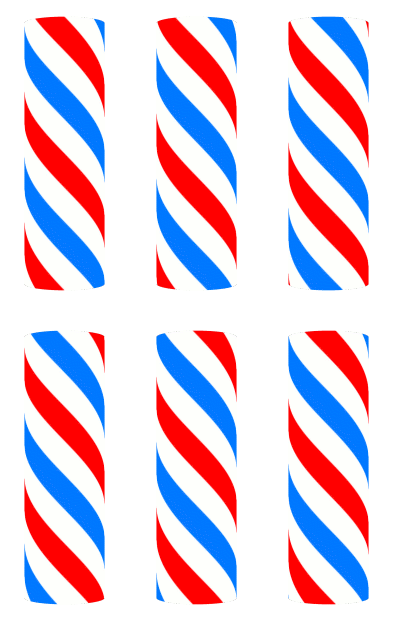
The Spinning Striped Pole tutorial by ccbarr inspired this one. It ended up being 18 layers and the Y rotation was increased 10 degrees each time. It would be nice if the 10-degree incremental rotations could be done in GAP.

If the pole were two colors, it would probably take about half the amount of layers.

Image

Oops, later entry. Forgot the object of this tut was to show a better way of mapping by making shrinking the width of an image.

This pole was done that way, started out 800x400 and scaled to 400 x 400. I like it better anyway, and interestingly enough, it took only 5 layers to turn that pole (only two colors and smaller stripes).

Image

_________________
Image
World War IV will be fought with sticks and stones. - Albert Einstein


Top
 Post subject: Re: Mapping objects to sphere with less distortion
PostPosted: Thu Dec 27, 2012 9:00 am  (#32) 
Offline
GimpChat Member
User avatar

Joined: Sep 22, 2012
Posts: 2089
Location: US
Cool animations, O, and thanks for the link to ccbarr's tutorial! I've somehow missed that.

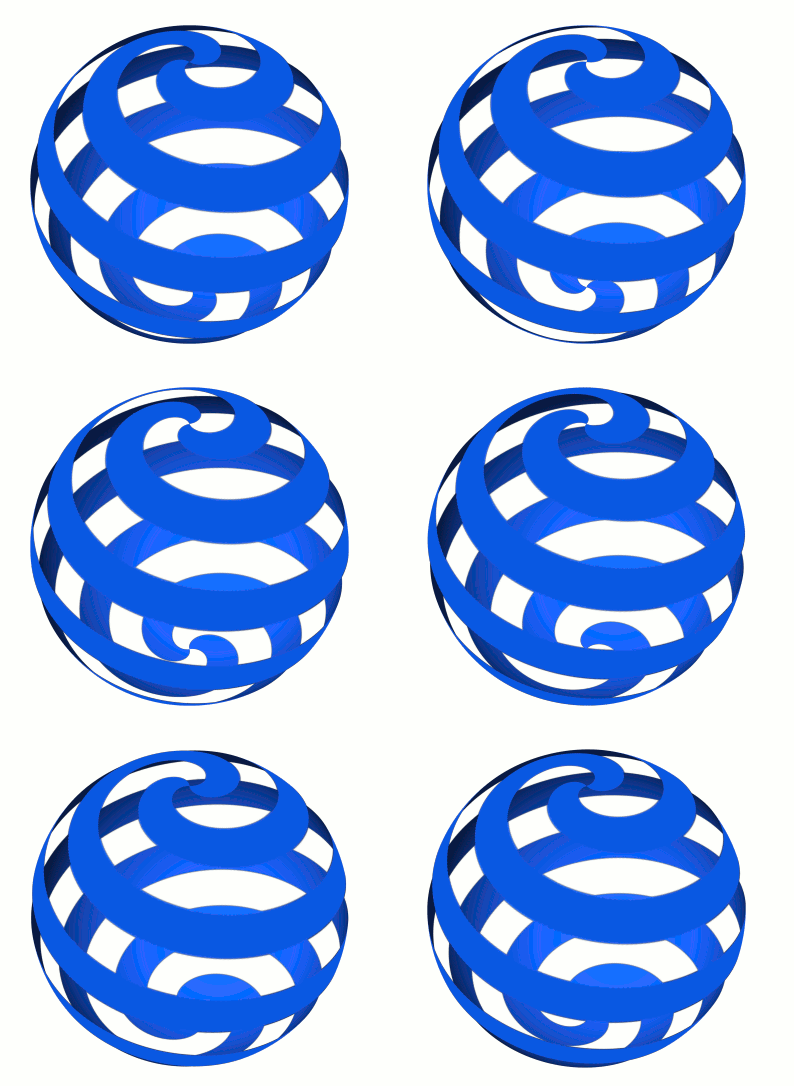
Was playing around with map object and had a shot at making spinning spiral. This one


Image

was made from the pattern below without prior shrinking (obviously, you can skip this part for spirals) and 24 frames.


Image


Obviously, 360/24=15 degrees increment for Y axis per frame.
P.S. The edges came out jagged but I did not have time to fix that, sorry.


Top
 Post subject: Re: Mapping objects to sphere with less distortion
PostPosted: Thu Dec 27, 2012 9:10 am  (#33) 
Offline
Retired Staff
User avatar

Joined: May 22, 2008
Posts: 6946
Location: Somewhere in GIMP
K1te, that is stunning. :yes To me, it's astounding that such a lovely, slow, and smooth animation can be done in so few layers. Thanks for the math.


Image

_________________
Image
World War IV will be fought with sticks and stones. - Albert Einstein


Top
 Post subject: Re: Mapping objects to sphere with less distortion
PostPosted: Thu Dec 27, 2012 9:20 am  (#34) 
Offline
Retired Staff
User avatar

Joined: May 22, 2008
Posts: 6946
Location: Somewhere in GIMP
How many degrees did you slant your pattern?

_________________
Image
World War IV will be fought with sticks and stones. - Albert Einstein


Top
 Post subject: Re: Mapping objects to sphere with less distortion
PostPosted: Thu Dec 27, 2012 9:27 am  (#35) 
Offline
GimpChat Member
User avatar

Joined: Sep 22, 2012
Posts: 2089
Location: US
Thank you, O!
I'm having a problem trying to avoid those jagged edges. They appear when I make a selection by color to cut out white from the pattern.
Adaptive supersampling isn't available as a tool option. I've tried to feather edges and do without antialiasing but the outcome was pretty much the same.
One thing I haven't tried though is to make a path from selection but I think it would be the same awful result.
Do you know any other way to fix that?

Z was around 35 degrees.
Added: forgot to mention, I have to go from 0 to 180 degrees with 15 deg increment, then continue from -180 down to -15.
Actually, got that figured out right away, so the animation came out good from the first attempt.


Top
 Post subject: Re: Mapping objects to sphere with less distortion
PostPosted: Thu Dec 27, 2012 9:42 am  (#36) 
Offline
Retired Staff
User avatar

Joined: May 22, 2008
Posts: 6946
Location: Somewhere in GIMP
Somewhere in G'MIC I think there's a way to make a seamless pattern that turns the stripes for you. If I could just remember which one it was. Was thinking it was plaid, but I can't get it to work with the two stripes.

_________________
Image
World War IV will be fought with sticks and stones. - Albert Einstein


Top
 Post subject: Re: Mapping objects to sphere with less distortion
PostPosted: Thu Dec 27, 2012 10:01 am  (#37) 
Offline
GimpChat Member
User avatar

Joined: Sep 22, 2012
Posts: 2089
Location: US
It's GIMP's limitation. I just looked up the issue discussions at the gimp-dev mailing list.
Other graphic editors don't have such a problem or it's not that bad as in GIMP, especially proprietary software.
What I've learnt, the problem's been around for a long time and could be fixed by the developing team but
nothing has been done yet. And I doubt it will be. At least in the near future. They all busy right now porting GIMP to GEGL.
GEGL is a huge improvement, but someone has to come down to fixing the basic tools too, IMO.


Top
 Post subject: Re: Mapping objects to sphere with less distortion
PostPosted: Thu Dec 27, 2012 10:15 am  (#38) 
Offline
Retired Staff
User avatar

Joined: May 22, 2008
Posts: 6946
Location: Somewhere in GIMP
Found it, it's in G'MIC > Arrays & Frames > Tileable Rotation. I tried it with horizontal stripes and it rotates them with antialiasing but it makes the resulting pattern much larger. Hoping for a workaround ... A 200x200 horizontal stripes image comes out 721x 721 and that's set at the lowest value the filter will tolerate. This is a static sphere made from the resulting pattern and it's 364x364 and I didn't have the fancy rounded ends on my sphere that yours did. It is a bit rough, also.

Image

_________________
Image
World War IV will be fought with sticks and stones. - Albert Einstein


Top
 Post subject: Re: Mapping objects to sphere with less distortion
PostPosted: Thu Dec 27, 2012 10:20 am  (#39) 
Offline
GimpChat Member
User avatar

Joined: Sep 22, 2012
Posts: 2089
Location: US
Thank you for the find, O! It looks very promising. I'm gonna try it later today.
Out for shopping (nephew's birthday).


Top
 Post subject: Re: Mapping objects to sphere with less distortion
PostPosted: Thu Dec 27, 2012 10:47 am  (#40) 
Offline
Retired Staff
User avatar

Joined: May 22, 2008
Posts: 6946
Location: Somewhere in GIMP
Good shopping to you. :bigthup

This sphere started with a smaller image - 200x200 - which resulted in a two striped sphere. Still don't know how you got your ends rounded like you did. It's a very pretty effect. It's 12 layers done in 15 degree increments.

Image

LATER: Came up with rounded ends in this one. Cut the color in the stripe pattern so half was on top and half on bottom. Here's a static result plus the pattern I used. I think it's size dependent though as it doesn't always give rounded ends when the size is increased.
Image

_________________
Image
World War IV will be fought with sticks and stones. - Albert Einstein


Top
Post new topic Reply to topic  [ 45 posts ]  Go to page Previous  1, 2, 3  Next

All times are UTC - 5 hours [ DST ]


* Login  


Powered by phpBB3 © phpBB Group