It is currently Sun Nov 01, 2026 9:48 am


All times are UTC - 5 hours [ DST ]


Post new topic Reply to topic  [ 83 posts ]  Go to page Previous  1, 2, 3, 4, 5  Next
Author Message
 Post subject: Re: Fur script REL 3.1
PostPosted: Sun Mar 17, 2013 2:52 pm  (#41) 
Offline
GimpChat Member
User avatar

Joined: May 27, 2011
Posts: 707
I used selection to path,then alpha to selection
lowered the fur layer and nothing happened


Top
 Post subject: Re: Fur script REL 3.1
PostPosted: Sun Mar 17, 2013 3:19 pm  (#42) 
Offline
GimpChat Member
User avatar

Joined: Aug 16, 2012
Posts: 4271
Location: Göteborg, Sweden
pirate 451: hmm, that should work. what does the original look like?

_________________


Top
 Post subject: Re: Fur script REL 3.1
PostPosted: Sun Mar 17, 2013 3:34 pm  (#43) 
Offline
Retired Staff
User avatar

Joined: May 22, 2008
Posts: 6946
Location: Somewhere in GIMP
I suppose this is another Linux thing: If I change any of the colors, I end up with a solid rectangle of fur, no text.

_________________
Image
World War IV will be fought with sticks and stones. - Albert Einstein


Top
 Post subject: Re: Fur script REL 3.1
PostPosted: Sun Mar 17, 2013 4:25 pm  (#44) 
Offline
GimpChat Member
User avatar

Joined: May 27, 2011
Posts: 707
Anmal
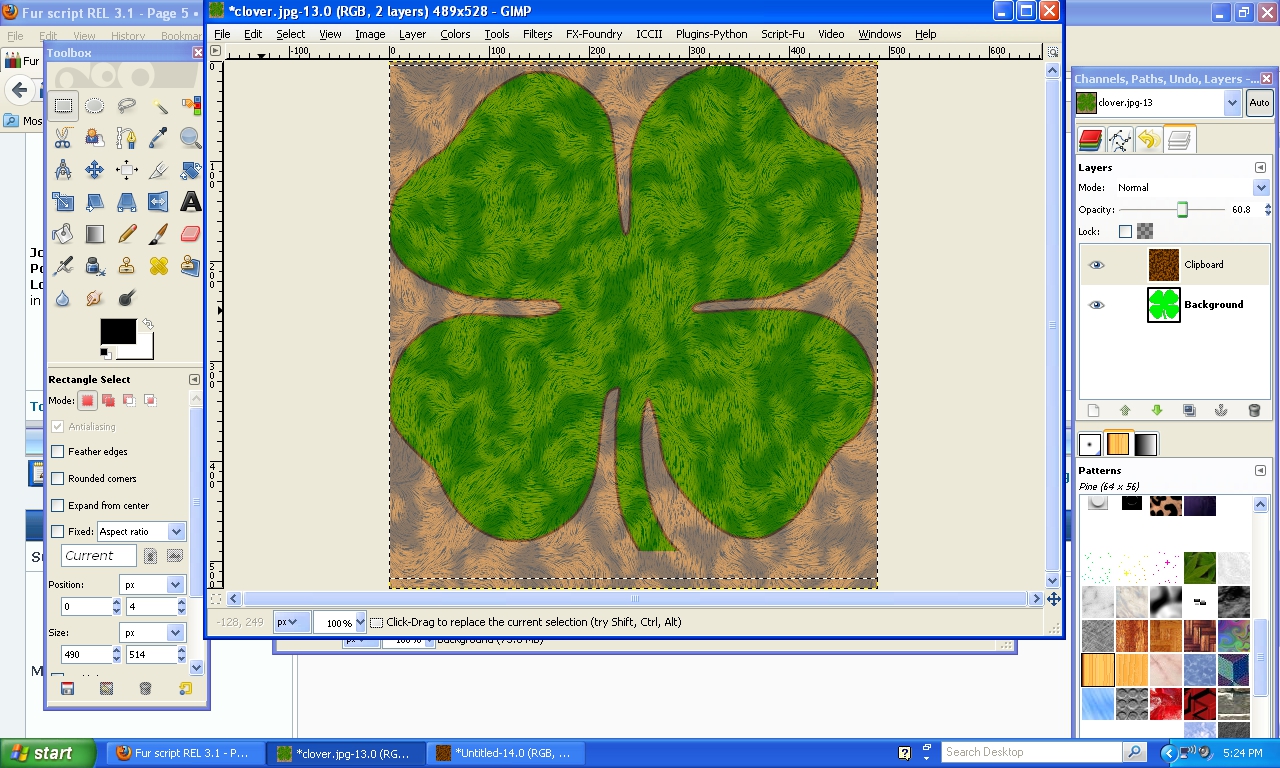
I tried again with a clover,transparent background
same thing,I can't seem to get rid off the fur around the clover
Image


Top
 Post subject: Re: Fur script REL 3.1
PostPosted: Sun Mar 17, 2013 4:38 pm  (#45) 
Hi.
Notice your Background layer in the Layers window is in Bold type? That means that it doesn't have an Alpha Channel. Create a new 'transparent layer'. Put your clover image on that new layer, then run your fur script. That should solve your issue.

fluffybunny


Top
 Post subject: Re: Fur script REL 3.1
PostPosted: Sun Mar 17, 2013 4:46 pm  (#46) 
Offline
GimpChat Member
User avatar

Joined: May 27, 2011
Posts: 707
fluffybunny
Thank You for The idea,but it is still doing the same thing


Top
 Post subject: Re: Fur script REL 3.1
PostPosted: Sun Mar 17, 2013 5:03 pm  (#47) 
pirate541 wrote:
fluffybunny
Thank You for The idea,but it is still doing the same thing

Hi pirate541,
Can you confirm that your clover image is just the green clover and not a green clover on a white background? Show me your screenshot of the layers now that you have the clover on a separate transparent layer...

fluffybunny


Top
 Post subject: Re: Fur script REL 3.1
PostPosted: Sun Mar 17, 2013 5:18 pm  (#48) 
Offline
GimpChat Member
User avatar

Joined: May 27, 2011
Posts: 707
Happy St.Patrick Day !

It worked,thank You both for your help
:hi5

Image


Top
 Post subject: Re: Fur script REL 3.1
PostPosted: Sun Mar 17, 2013 5:43 pm  (#49) 
Offline
GimpChat Member
User avatar

Joined: May 27, 2011
Posts: 707
even though i used the brown hairy pattern,i lowered the opacity until green took over.
I just wanted some sort of "leafy hairy"texture to it without killing the green.
Thank You for liking it :)


Top
 Post subject: Re: Fur script REL 3.1
PostPosted: Sun Mar 17, 2013 5:47 pm  (#50) 
Offline
Script Coder
User avatar

Joined: Feb 18, 2011
Posts: 4826
Location: Bendigo Vic. Australia
A short tutorial on how to use fur 0n a image with existing color and background

step 1/ you can use the existing colors or apply new colors,for existing colors the image is as below

Image

step 2/ make a selection on the areas you would like to apply fur

Image

step 3/ run the fur 3.1 script

Image

_________________
Image
No matter how much you push the envelope, it'll still be stationery.


Top
 Post subject: Re: Fur script REL 3.1
PostPosted: Sun Mar 17, 2013 5:53 pm  (#51) 
Offline
Script Coder
User avatar

Joined: Feb 18, 2011
Posts: 4826
Location: Bendigo Vic. Australia
It's pleasing to see so many people enjoying the script as it was intended to a quick way to apply a fur texture, thank you all for your images

_________________
Image
No matter how much you push the envelope, it'll still be stationery.


Top
 Post subject: Re: Fur script REL 3.1
PostPosted: Sun Mar 17, 2013 6:10 pm  (#52) 
Offline
Script Coder
User avatar

Joined: Feb 18, 2011
Posts: 4826
Location: Bendigo Vic. Australia
Pirate541 could you post your original image for me to look at thank you

_________________
Image
No matter how much you push the envelope, it'll still be stationery.


Top
 Post subject: Re: Fur script REL 3.1
PostPosted: Sun Mar 17, 2013 6:16 pm  (#53) 
Offline
GimpChat Member
User avatar

Joined: May 27, 2011
Posts: 707
Graechan

the clover?

Image


Top
 Post subject: Re: Fur script REL 3.1
PostPosted: Sun Mar 17, 2013 6:44 pm  (#54) 
Offline
GimpChat Member
User avatar

Joined: Apr 07, 2010
Posts: 14182
Blonde's teddy...love your stuff Graechan

Image

_________________
Image


Top
 Post subject: Re: Fur script REL 3.1
PostPosted: Sun Mar 17, 2013 6:58 pm  (#55) 
Offline
Script Coder
User avatar

Joined: Feb 18, 2011
Posts: 4826
Location: Bendigo Vic. Australia
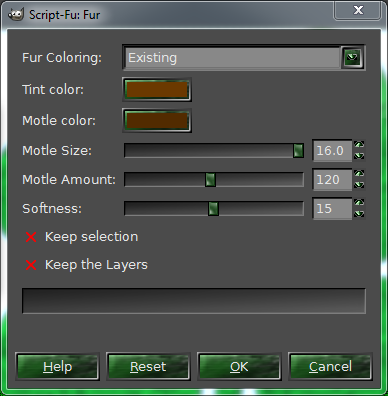
Pirate541 I selected the green and ran fur with values as below note Fur coloring set to 'Existing' the rest of settings set to default

Image

The image returned is below (you do not need to add alpha) just make selection

Image

_________________
Image
No matter how much you push the envelope, it'll still be stationery.


Top
 Post subject: Re: Fur script REL 3.2
PostPosted: Sun Mar 17, 2013 8:58 pm  (#56) 
Offline
Script Coder
User avatar

Joined: Feb 18, 2011
Posts: 4826
Location: Bendigo Vic. Australia
Rel 3.2 posted now bug fixed

_________________
Image
No matter how much you push the envelope, it'll still be stationery.


Top
 Post subject: Re: Fur script REL 3.3
PostPosted: Sun Mar 17, 2013 11:06 pm  (#57) 
Offline
Script Coder
User avatar

Joined: Feb 18, 2011
Posts: 4826
Location: Bendigo Vic. Australia
Rel 3.3 posted now bug fixed

_________________
Image
No matter how much you push the envelope, it'll still be stationery.


Top
 Post subject: Re: Fur script REL 3.3
PostPosted: Mon Mar 18, 2013 12:00 am  (#58) 
Offline
Retired Staff
User avatar

Joined: May 22, 2008
Posts: 6946
Location: Somewhere in GIMP
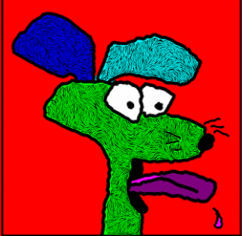
Gotta love it. Way, way cool, Graechan!!!

Image

Image

_________________
Image
World War IV will be fought with sticks and stones. - Albert Einstein


Top
 Post subject: Re: Fur script REL 3.3
PostPosted: Mon Mar 18, 2013 12:47 am  (#59) 
Offline
GimpChat Member
User avatar

Joined: Aug 16, 2012
Posts: 4271
Location: Göteborg, Sweden
O: that's fun :).

_________________


Top
 Post subject: Re: Fur script REL 3.3
PostPosted: Mon Mar 18, 2013 3:29 am  (#60) 
Offline
GimpChat Member
User avatar

Joined: Apr 07, 2010
Posts: 14182
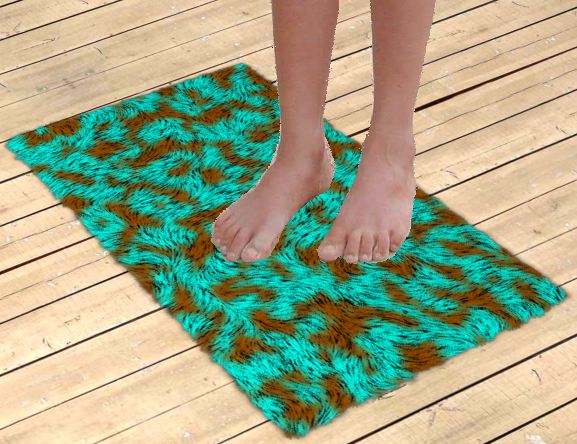
lol. love the mat O.

_________________
Image


Top
Post new topic Reply to topic  [ 83 posts ]  Go to page Previous  1, 2, 3, 4, 5  Next

All times are UTC - 5 hours [ DST ]


* Login  


Powered by phpBB3 © phpBB Group