It is currently Tue Aug 04, 2026 12:27 am


All times are UTC - 5 hours [ DST ]


Post new topic Reply to topic  [ 35 posts ]  Go to page Previous  1, 2
Author Message
 Post subject: Re: Attention 'Scientific Love' Lovers !
PostPosted: Sat Jun 08, 2013 2:30 pm  (#21) 
Offline
GimpChat Member
User avatar

Joined: Nov 15, 2012
Posts: 949
Location: Mesa, AZ
Sexy jelly text too. It's so sweet and juicy. Like jelly! Good job AnMal.

_________________
Image

I now have a Tumblr, check it out!


Top
 Post subject: Re: Attention 'Scientific Love' Lovers !
PostPosted: Sun Jun 09, 2013 2:00 am  (#22) 
Offline
GimpChat Member
User avatar

Joined: Jul 17, 2012
Posts: 2769
finally AnMal :jumpclap
glad it all works now with the updated G'MIC !


in the meantime i experimented with making Chrome, because i was bored and the technique is very curves-shaping related
i tried gradients combined with bevels, satin edges and using lighting effects

that made me try to apply lighting effects to one of the pieces i already did with the layering glows technique and got some pretty nice results.

so here is another mini tutorial:
Radiant Lighting

i think its quite nice how versatile, yet simple this set of techniques has become, even AnMal commented its her favorite tut :rfy

Image


Top
 Post subject: Re: Attention 'Scientific Love' Lovers !
PostPosted: Sun Jun 09, 2013 4:12 am  (#23) 
Offline
GimpChat Member
User avatar

Joined: Aug 16, 2012
Posts: 4271
Location: Göteborg, Sweden
ek22: thank you! i put on some extra highlights from the specular bumps filter, so it got really jelly like.
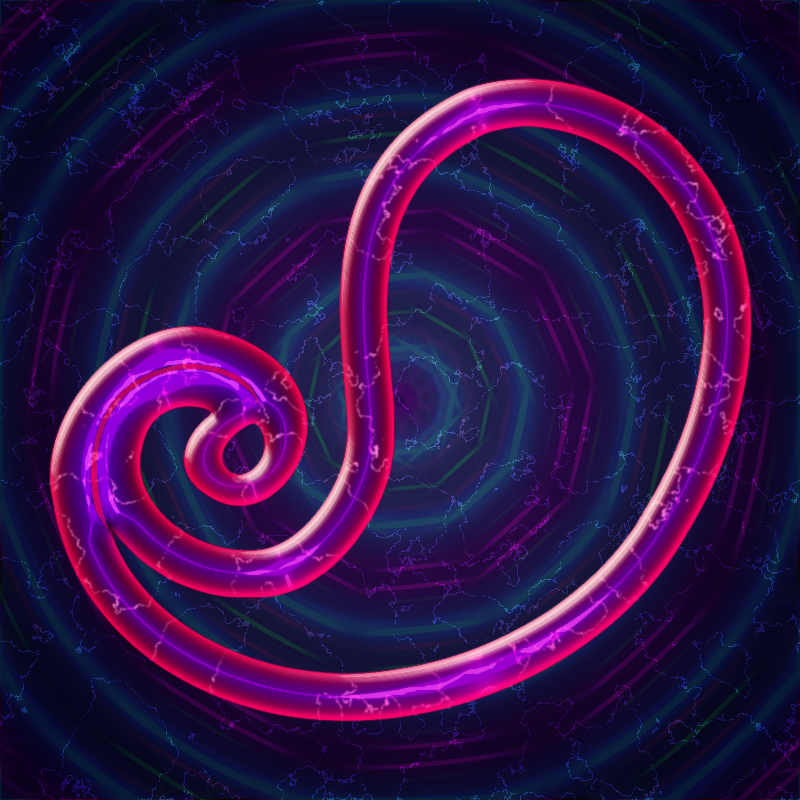
esper: hehe, yes finally! i'm so relieved it wasn't me being an imbecile after all. :hehe looks like you have some more fun stuff to try out there too. i'm a bit irregular in my gimp usage right now (probably will be even more so if this weather lasts because everyone insists on dragging you out in the sun) but i'll definitely look at that mini-tut some time. in the meantime, here's a tronic paisley:

Image

_________________


Top
 Post subject: Re: Attention 'Scientific Love' Lovers !
PostPosted: Sun Jun 09, 2013 1:55 pm  (#24) 
Offline
GimpChat Member
User avatar

Joined: Aug 16, 2012
Posts: 4271
Location: Göteborg, Sweden
i managed to finish the mini-tut with the "beam effect" today too - a shower of rain and some grey skies are very good for productivity :hehe . i put in some extras after i made the lighting effects, highlights from the specular bumps filter and highlights from the gradient smooth filter (both are g'mic filters by jayprich and i use them a lot).
Image

_________________


Top
 Post subject: Re: Attention 'Scientific Love' Lovers !
PostPosted: Mon Jun 10, 2013 3:42 am  (#25) 
Offline
GimpChat Member
User avatar

Joined: Jul 17, 2012
Posts: 2769
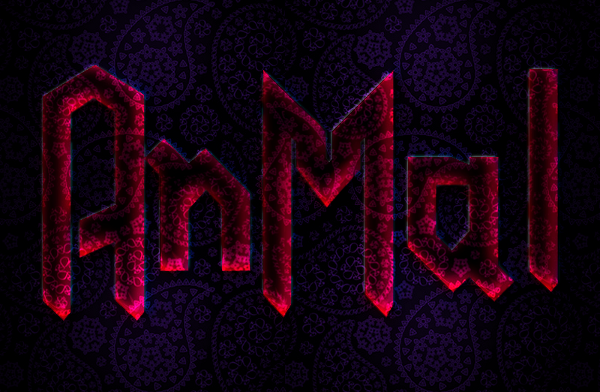
AnMal, the paisley is just wonderful !
looks like a microcosm-paisley watched through a microscope

I like the second piece very much too, as it has this nice gloomy vibe to it
the only thing that irritates me is that it looks quite flat, as if the effect comes form the Lighting filter
are the more than one glow layered ?


Last edited by Esper on Mon Jun 10, 2013 5:49 am, edited 1 time in total.

Top
 Post subject: Re: Attention 'Scientific Love' Lovers !
PostPosted: Mon Jun 10, 2013 5:27 am  (#26) 
Offline
GimpChat Member
User avatar

Joined: Aug 16, 2012
Posts: 4271
Location: Göteborg, Sweden
esper: it does look a bit flat. i think it's because there's not enough contrast betwen the base text and the glow layers. i didn't use black, but a version of the paisley pattern for the base text and i use versions of the paisley patterns for the glow layers too, grading them in colour. probably the colour differences between the glow layers should have been different too. i changed a few things around for my newer version of this, and here's what happened:
Image
Image


the top one is with, the bottom one is without, my extra highlights.

_________________


Top
 Post subject: Re: Attention 'Scientific Love' Lovers !
PostPosted: Mon Jun 10, 2013 5:48 am  (#27) 
Offline
GimpChat Member
User avatar

Joined: Apr 07, 2010
Posts: 14182
AnMal wrote:
esper: it does look a bit flat. i think it's because there's not enough contrast betwen the base text and the glow layers. i didn't use black, but a version of the paisley pattern for the base text and i use versions of the paisley patterns for the glow layers too, grading them in colour. probably the colour differences between the glow layers should have been different too. i changed a few things around for my newer version of this, and here's what happened:the top one is with, the bottom one is without, my extra highlights.


I like them both AnMal. They look 3D to me.

_________________
Image


Top
 Post subject: Re: Attention 'Scientific Love' Lovers !
PostPosted: Mon Jun 10, 2013 6:52 am  (#28) 
Offline
GimpChat Member
User avatar

Joined: Aug 16, 2012
Posts: 4271
Location: Göteborg, Sweden
molly: thank you! i think maybe you're referring to the two in my last post above, though, and esper was talking about the one in my post before that. i agree with you that these two have a nice 3d feel, and i agree with esper that the first one looks a bit flat.

_________________


Top
 Post subject: Re: Attention 'Scientific Love' Lovers !
PostPosted: Mon Jun 10, 2013 7:15 am  (#29) 
Offline
GimpChat Member
User avatar

Joined: Jul 17, 2012
Posts: 2769
i really use channels just for two things.....or lets say three:

01. making my life easier with layereffects, because in the layermask menu you have the option to apply mask from channel
so really the channel is just a saved selection and a sort of backup for the basetext, nothing else

02. sometimes i use channels instead of a bumpmap, because you can blur a channel, just like a layer

03. sometimes i use a saved channel as an improvised mask to see what my final result will look
when you offset and thus drag around glow layers, turning the channel on and giving it full opacity, it blends out everything outside the textboundaries

so using channels is just a convenience for me, no big secrets or anything


Top
 Post subject: Re: Attention 'Scientific Love' Lovers !
PostPosted: Mon Jun 10, 2013 7:49 am  (#30) 
Offline
GimpChat Member
User avatar

Joined: Jul 17, 2012
Posts: 2769
gramg wrote:
My mind can not absorb to understand...I am sorry...it is not your explanation...it just does not really click with me
ok, i understand

just keep in mind:

a saved selection in a channel is just that: a way to save a selection
layermask: a layermask is a way to make something on an existing layer invisible or partly visible, without destroying the original image
think of a mask you put on, it makes your face insivisible but there are regions like eyes and nostrils that are still visible


Top
 Post subject: Re: Attention 'Scientific Love' Lovers !
PostPosted: Mon Jun 10, 2013 4:20 pm  (#31) 
Offline
GimpChat Member
User avatar

Joined: Jul 17, 2012
Posts: 2769
gramg wrote:
PS: and I applied inner glows...I did not see it say outer.
so how did the inner glow get out ? :hehe

no really, under point five you make an Outer Glow

Image


Top
 Post subject: Re: Attention 'Scientific Love' Lovers !
PostPosted: Tue Jun 11, 2013 8:42 am  (#32) 
Offline
GimpChat Member
User avatar

Joined: Apr 08, 2010
Posts: 5420
Location: Northwest Ohio
Layer masks are your friend, so it would be good to get to know about them. It is good to have a non-destructive way to make things visible or invisible, and everything in between, lol. I like that if I mess up, I can just paint things back to how they should be. Channels, to me, are a way to save a selection. I am not sure what else they do, I am just learning about them with Esper's tutorials.


Top
 Post subject: Re: Attention 'Scientific Love' Lovers !
PostPosted: Tue Jun 11, 2013 8:57 am  (#33) 
Offline
GimpChat Member
User avatar

Joined: Apr 08, 2010
Posts: 5420
Location: Northwest Ohio
The only way channels 'clicked' for me was to do some of Espers tutorials several times over. I think I learned about masks early on but didn't really get proficient with them until I went through some of Alex Standiforth's videos. I pretty much learned everything by doing tutorials. By the third or forth time through, I would finally get an idea of what was happening, lol.


Top
 Post subject: Re: Attention 'Scientific Love' Lovers !
PostPosted: Tue Jun 11, 2013 9:08 am  (#34) 
Offline
GimpChat Member
User avatar

Joined: Jul 17, 2012
Posts: 2769
gramg wrote:
Do you have any links to those videos...I could not find any.

i bought Alex' ebook when i started with Gimp
amazon

this is his youtube channel:
http://www.youtube.com/channel/UCKc3GghAviDmTNRXjSyV8yg

and this is his website:
http://gimpedtutorials.com/

i think this is the key-video explaining layermasks

www.youtube.com Video from : www.youtube.com


Top
 Post subject: Re: Attention 'Scientific Love' Lovers !
PostPosted: Tue Jun 11, 2013 10:22 am  (#35) 
Offline
GimpChat Member
User avatar

Joined: Nov 15, 2012
Posts: 949
Location: Mesa, AZ
That's a good tut, he's really good at explaining how masks work. I wouldn't be able to do half the things I do if not for layer masks. Sometimes I wonder if there's anything a mask can't do. But then I remember that it doesn't make breakfast, which is kind of a bummer.

As people said before about channels. I use them for storage too. Since you can have as many channels as you want, you can store different selections in renamed channels for later use.

_________________
Image

I now have a Tumblr, check it out!


Top
Post new topic Reply to topic  [ 35 posts ]  Go to page Previous  1, 2

All times are UTC - 5 hours [ DST ]


* Login  


Powered by phpBB3 © phpBB Group