It is currently Wed Sep 02, 2026 5:35 pm


All times are UTC - 5 hours [ DST ]


Post new topic Reply to topic  [ 35 posts ]  Go to page Previous  1, 2
Author Message
 Post subject: Re: How to Create a Cross Hatch Sketch
PostPosted: Mon Aug 31, 2026 10:10 am  (#21) 
Offline
GimpChat Member
User avatar

Joined: Mar 01, 2014
Posts: 14166
Location: Spain, Aragón
Thank you TeaMouse. I'll do it as you say. :tyspin

_________________
Image

Gimp 2.10.30(samj) portable _ OS Windows 10 Home_ 64bits
Don’t be afraid to start over. It’s a new chance to rebuild what you want.


Top
 Post subject: Re: How to Create a Cross Hatch Sketch
PostPosted: Mon Aug 31, 2026 3:22 pm  (#22) 
Offline
GimpChat Member
User avatar

Joined: Mar 01, 2014
Posts: 14166
Location: Spain, Aragón
:)


Attachments:
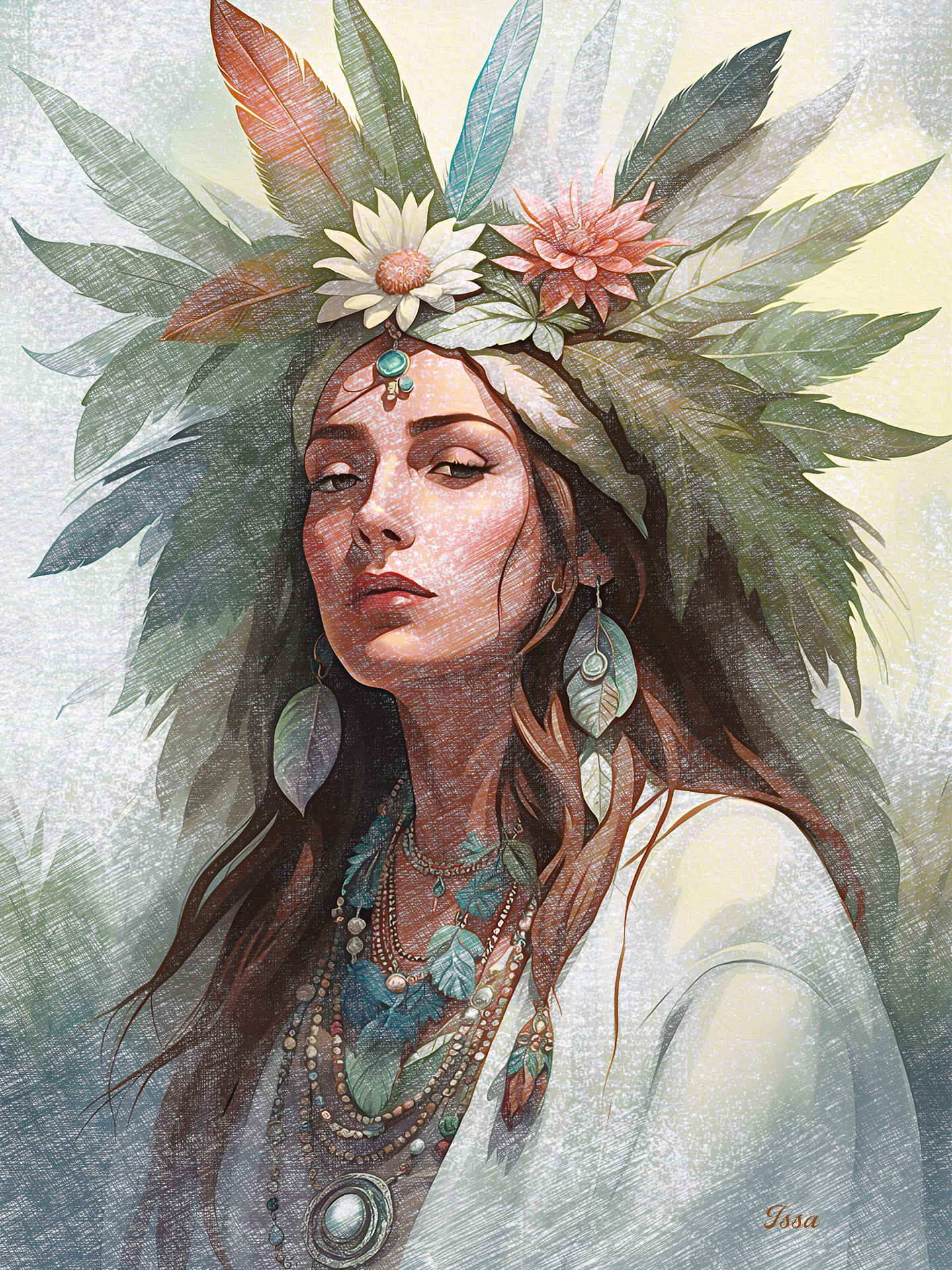
Portrait_Cross-L_O_Sketch-Issa.JPG
Portrait_Cross-L_O_Sketch-Issa.JPG [ 1.61 MiB | Viewed 124 times ]

_________________
Image

Gimp 2.10.30(samj) portable _ OS Windows 10 Home_ 64bits
Don’t be afraid to start over. It’s a new chance to rebuild what you want.
Top
 Post subject: Re: How to Create a Cross Hatch Sketch
PostPosted: Mon Aug 31, 2026 3:40 pm  (#23) 
Offline
GimpChat Member
User avatar

Joined: Jan 01, 2026
Posts: 694
Attachment:
GC - Famous People - 01.png
GC - Famous People - 01.png [ 3.07 MiB | Viewed 124 times ]

In this sketch I used G'MIC-QT "Cubism" Filter on each sketch layer before applying
the masks. Here is the sitings I used.

Attachment:
GC- Cross Hatch Setting - 01.png
GC- Cross Hatch Setting - 01.png [ 29.86 KiB | Viewed 124 times ]

Also changed the order of the patterns I used. Here is that set.

Attachment:
Pencil Art Patterns - 02.zip [2.88 MiB]
Downloaded 5 times

_________________
Image
Gimp 3.2.4 with Nik Collection and G'mic-QT
Windows 11 Pro with 32 Gigs of RAM
Intel(R) Core(TM) Ultra 7
Previous Paint Shop Pro User v9 - 2023


Top
 Post subject: Re: How to Create a Cross Hatch Sketch
PostPosted: Mon Aug 31, 2026 3:47 pm  (#24) 
Offline
GimpChat Member
User avatar

Joined: Jan 01, 2026
Posts: 694
Your last image looks very impressing!!

_________________
Image
Gimp 3.2.4 with Nik Collection and G'mic-QT
Windows 11 Pro with 32 Gigs of RAM
Intel(R) Core(TM) Ultra 7
Previous Paint Shop Pro User v9 - 2023


Top
 Post subject: Re: How to Create a Cross Hatch Sketch
PostPosted: Mon Aug 31, 2026 7:21 pm  (#25) 
Offline
GimpChat Member
User avatar

Joined: Jan 01, 2026
Posts: 694
Attachment:
GC - LightHouse-Sketch-01.jpg
GC - LightHouse-Sketch-01.jpg [ 1.15 MiB | Viewed 116 times ]

_________________
Image
Gimp 3.2.4 with Nik Collection and G'mic-QT
Windows 11 Pro with 32 Gigs of RAM
Intel(R) Core(TM) Ultra 7
Previous Paint Shop Pro User v9 - 2023


Top
 Post subject: Re: How to Create a Cross Hatch Sketch
PostPosted: Mon Aug 31, 2026 8:38 pm  (#26) 
Offline
Administrator
User avatar

Joined: Aug 10, 2012
Posts: 14190
Location: Native to NYC living in Arizona, Gimp 2.8 - 3.0, Win 11 PC.
Issabella wrote:
:)
Image

Lovely results Issa!

:jumpclap :clap :jumpclap

_________________
Image
"A wise man learns more from a foolish question than a fool can learn from a wise answer"
Image


Top
 Post subject: Re: How to Create a Cross Hatch Sketch
PostPosted: Mon Aug 31, 2026 10:21 pm  (#27) 
Offline
Global Moderator
User avatar

Joined: Oct 02, 2014
Posts: 5033
Location: Sydney Australia
Issa - ditto what Wallace said.

_________________
Image

Respect should be offered freely but hard earned


Top
 Post subject: Re: How to Create a Cross Hatch Sketch
PostPosted: Wed Sep 02, 2026 12:12 am  (#28) 
Offline
GimpChat Member
User avatar

Joined: May 10, 2013
Posts: 1440
Location: Finland
TeaMouse wrote:
I know this is long, but photo editing is my hobby, and I go back to the Commadore
days. So moving forward... I did this one in about 15 minutes. And you can too.

Remembering Koala Painter, that was some tedious image editing. :hehe
Thanks for tutorial, looks too long to give it a shot at work so I'll be trying it later.

Issabella once again nailed a tutorial, beautiful result. :clap


Top
 Post subject: Re: How to Create a Cross Hatch Sketch
PostPosted: Wed Sep 02, 2026 1:13 am  (#29) 
Offline
GimpChat Member
User avatar

Joined: Mar 01, 2014
Posts: 14166
Location: Spain, Aragón
Thanks a lot, TeaMouse, Wallace, OMG, Nidhogg :tyspin
I love this style of art and TeaMouse's tutorial is a gem. :clap


Attachments:
lion-Pencil Sketch_Outcome_Issa.jpg
lion-Pencil Sketch_Outcome_Issa.jpg [ 721.46 KiB | Viewed 50 times ]
woman-PencilSketch_Outcome_Issa.jpg
woman-PencilSketch_Outcome_Issa.jpg [ 483.52 KiB | Viewed 50 times ]

_________________
Image

Gimp 2.10.30(samj) portable _ OS Windows 10 Home_ 64bits
Don’t be afraid to start over. It’s a new chance to rebuild what you want.
Top
 Post subject: Re: How to Create a Cross Hatch Sketch
PostPosted: Wed Sep 02, 2026 6:58 am  (#30) 
Offline
GimpChat Member
User avatar

Joined: May 10, 2013
Posts: 1440
Location: Finland
I got lost on step 17. The plasma effect seemed to do nothing, was it supposed to be applied on a new BW copy layer? Well first is speedrun like Super Mario Bros in 5 minutes, looks like a sackcloth lol. Next time I will tweak the levels settings for each sketch layer.
Voltan, the Dark One...The most bad-ass villain ever, he cross-hatched the enemies with his skull pommel sword!

Attachment:
Voltan.jpg
Voltan.jpg [ 760.96 KiB | Viewed 32 times ]


Top
 Post subject: Re: How to Create a Cross Hatch Sketch
PostPosted: Wed Sep 02, 2026 9:31 am  (#31) 
Offline
GimpChat Member
User avatar

Joined: Mar 01, 2014
Posts: 14166
Location: Spain, Aragón
A brilliant outcome Nidhogg, :hi5 :paint
I applied plasma to 8 layer after having applied the previous pattern. I mean first the paper sketch 8 + layer mask. Then to the same layer added the second layer mask to add plasm. Look the litttle shot. (sorry for my poor English)


Attachments:
Plasma.jpg
Plasma.jpg [ 14.19 KiB | Viewed 18 times ]
Retriever_Labrador_CrossSketch_Outcome_Issa.jpg
Retriever_Labrador_CrossSketch_Outcome_Issa.jpg [ 1.6 MiB | Viewed 18 times ]

_________________
Image

Gimp 2.10.30(samj) portable _ OS Windows 10 Home_ 64bits
Don’t be afraid to start over. It’s a new chance to rebuild what you want.
Top
 Post subject: Re: How to Create a Cross Hatch Sketch
PostPosted: Wed Sep 02, 2026 9:31 am  (#32) 
Offline
GimpChat Member
User avatar

Joined: Mar 01, 2014
Posts: 14166
Location: Spain, Aragón
A brilliant outcome Nidhogg, :hi5 :paint
I applied plasma to 8 layer after having applied the previous pattern. I mean first the paper sketch 8 + layer mask. Then to the same layer added the second layer mask to add plasm. Look the litttle shot. (sorry for my poor English)
I used the TeaMouse's tip applying G'mic cubism in this outcome.


Attachments:
Retriever_Labrador_CrossSketch_Outcome_L_O_Issa.jpg
Retriever_Labrador_CrossSketch_Outcome_L_O_Issa.jpg [ 1.63 MiB | Viewed 17 times ]

_________________
Image

Gimp 2.10.30(samj) portable _ OS Windows 10 Home_ 64bits
Don’t be afraid to start over. It’s a new chance to rebuild what you want.


Last edited by Issabella on Wed Sep 02, 2026 9:35 am, edited 1 time in total.
Top
 Post subject: Re: How to Create a Cross Hatch Sketch
PostPosted: Wed Sep 02, 2026 9:38 am  (#33) 
Offline
GimpChat Member
User avatar

Joined: Jan 01, 2026
Posts: 694
Nidhogg wrote:
I got lost on step 17. The plasma effect seemed to do nothing, was it supposed to be applied on a new BW copy layer? Well first is speedrun like Super Mario Bros in 5 minutes, looks like a sackcloth lol. Next time I will tweak the levels settings for each sketch layer.
Voltan, the Dark One...The most bad-ass villain ever, he cross-hatched the enemies with his skull pommel sword!

Attachment:
Voltan.jpg

Still looks great!
The Plasma Layer (step 19) is to help fade in and out the pencil sketch pattern #8.
So that way it helps fill the white area with something which is and extra feature and is not mandatory.

_________________
Image
Gimp 3.2.4 with Nik Collection and G'mic-QT
Windows 11 Pro with 32 Gigs of RAM
Intel(R) Core(TM) Ultra 7
Previous Paint Shop Pro User v9 - 2023


Top
 Post subject: Re: How to Create a Cross Hatch Sketch
PostPosted: Wed Sep 02, 2026 10:00 am  (#34) 
Offline
GimpChat Member
User avatar

Joined: Jan 01, 2026
Posts: 694
Attachment:
GC - Butterfly Cross Sketch Colored.png
GC - Butterfly Cross Sketch Colored.png [ 2.59 MiB | Viewed 14 times ]

What I did in this one was, follow the instruction.
I did not do a layer 8 Pattern sketch in the workflow. After I merged down everything
and applied my color image to color it, made some adjustments. Then I hand painted
some areas with a color layer. Merged down that layer and then I created a full layer of
Pencil Sketch #8 above it set to screen with no Plasma filter applied and then place a
color layer above that. Adjusted both layers to get what you see.

_________________
Image
Gimp 3.2.4 with Nik Collection and G'mic-QT
Windows 11 Pro with 32 Gigs of RAM
Intel(R) Core(TM) Ultra 7
Previous Paint Shop Pro User v9 - 2023


Top
 Post subject: Re: How to Create a Cross Hatch Sketch
PostPosted: Wed Sep 02, 2026 10:05 am  (#35) 
Offline
GimpChat Member
User avatar

Joined: Jan 01, 2026
Posts: 694
Issabella wrote:
A brilliant outcome Nidhogg, :hi5 :paint
I applied plasma to 8 layer after having applied the previous pattern. I mean first the paper sketch 8 + layer mask. Then to the same layer added the second layer mask to add plasm. Look the litttle shot. (sorry for my poor English)
I used the TeaMouse's tip applying G'mic cubism in this outcome.


That like WOW, :coolthup it matches the puppy face perfectly
Makes you look like and artist! :paint .

_________________
Image
Gimp 3.2.4 with Nik Collection and G'mic-QT
Windows 11 Pro with 32 Gigs of RAM
Intel(R) Core(TM) Ultra 7
Previous Paint Shop Pro User v9 - 2023


Top
Post new topic Reply to topic  [ 35 posts ]  Go to page Previous  1, 2

All times are UTC - 5 hours [ DST ]


* Login  


Powered by phpBB3 © phpBB Group