It is currently Fri Sep 04, 2026 12:15 am


All times are UTC - 5 hours [ DST ]


Post new topic Reply to topic  [ 41 posts ]  Go to page Previous  1, 2, 3  Next
Author Message
 Post subject: Re: How to Create a Cross Hatch Sketch
PostPosted: Mon Aug 31, 2026 10:10 am  (#21) 
Offline
GimpChat Member
User avatar

Joined: Mar 01, 2014
Posts: 14168
Location: Spain, Aragón
Thank you TeaMouse. I'll do it as you say. :tyspin

_________________
Image

Gimp 2.10.30(samj) portable _ OS Windows 10 Home_ 64bits
Don’t be afraid to start over. It’s a new chance to rebuild what you want.


Top
 Post subject: Re: How to Create a Cross Hatch Sketch
PostPosted: Mon Aug 31, 2026 3:22 pm  (#22) 
Offline
GimpChat Member
User avatar

Joined: Mar 01, 2014
Posts: 14168
Location: Spain, Aragón
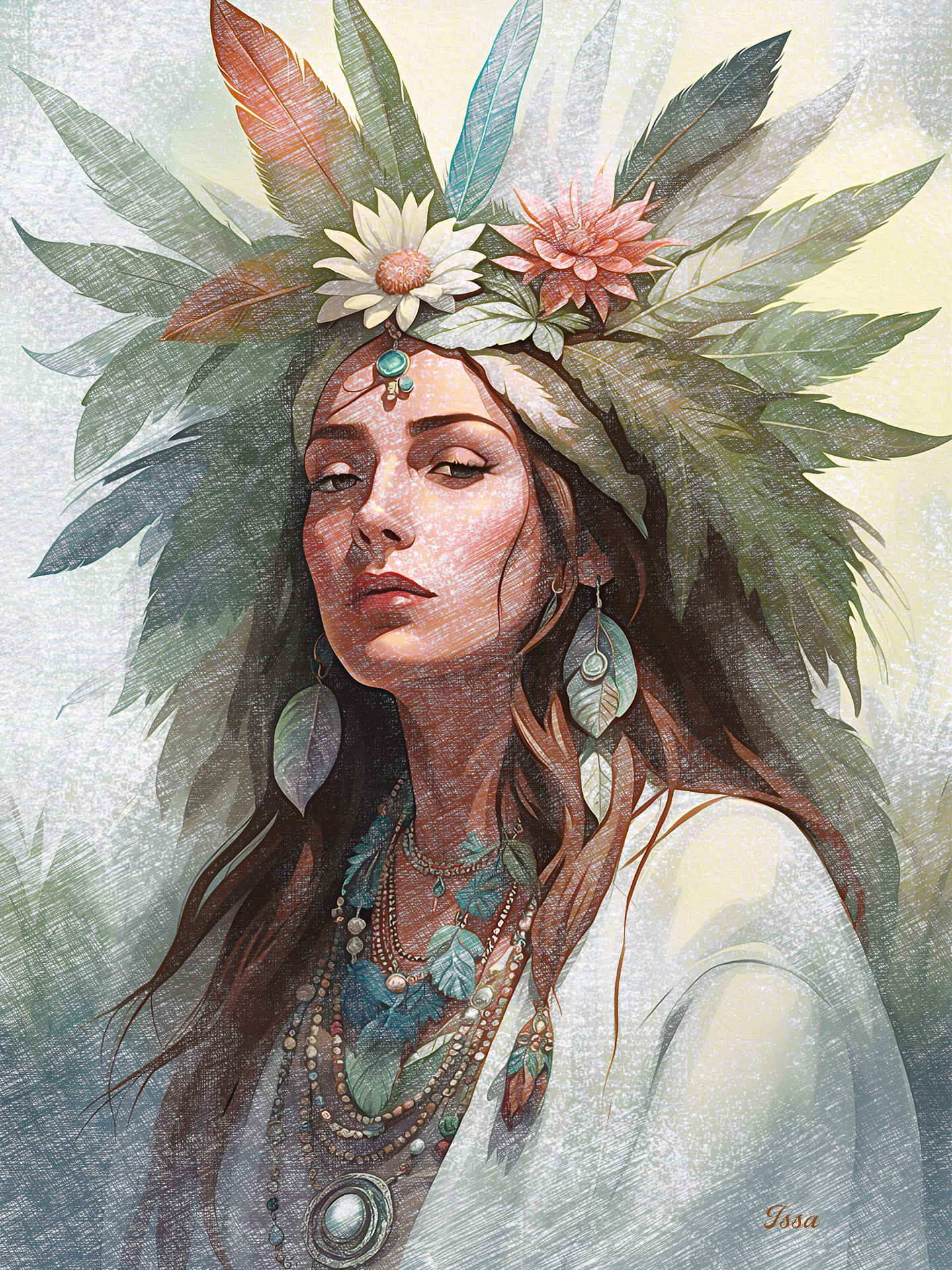
:)


Attachments:
Portrait_Cross-L_O_Sketch-Issa.JPG
Portrait_Cross-L_O_Sketch-Issa.JPG [ 1.61 MiB | Viewed 199 times ]

_________________
Image

Gimp 2.10.30(samj) portable _ OS Windows 10 Home_ 64bits
Don’t be afraid to start over. It’s a new chance to rebuild what you want.
Top
 Post subject: Re: How to Create a Cross Hatch Sketch
PostPosted: Mon Aug 31, 2026 3:40 pm  (#23) 
Offline
GimpChat Member
User avatar

Joined: Jan 01, 2026
Posts: 700
Attachment:
GC - Famous People - 01.png
GC - Famous People - 01.png [ 3.07 MiB | Viewed 199 times ]

In this sketch I used G'MIC-QT "Cubism" Filter on each sketch layer before applying
the masks. Here is the sitings I used.

Attachment:
GC- Cross Hatch Setting - 01.png
GC- Cross Hatch Setting - 01.png [ 29.86 KiB | Viewed 199 times ]

Also changed the order of the patterns I used. Here is that set.

Attachment:
Pencil Art Patterns - 02.zip [2.88 MiB]
Downloaded 6 times

_________________
Image
Gimp 3.2.4 with Nik Collection and G'mic-QT
Windows 11 Pro with 32 Gigs of RAM
Intel(R) Core(TM) Ultra 7
Previous Paint Shop Pro User v9 - 2023


Top
 Post subject: Re: How to Create a Cross Hatch Sketch
PostPosted: Mon Aug 31, 2026 3:47 pm  (#24) 
Offline
GimpChat Member
User avatar

Joined: Jan 01, 2026
Posts: 700
Your last image looks very impressing!!

_________________
Image
Gimp 3.2.4 with Nik Collection and G'mic-QT
Windows 11 Pro with 32 Gigs of RAM
Intel(R) Core(TM) Ultra 7
Previous Paint Shop Pro User v9 - 2023


Top
 Post subject: Re: How to Create a Cross Hatch Sketch
PostPosted: Mon Aug 31, 2026 7:21 pm  (#25) 
Offline
GimpChat Member
User avatar

Joined: Jan 01, 2026
Posts: 700
Attachment:
GC - LightHouse-Sketch-01.jpg
GC - LightHouse-Sketch-01.jpg [ 1.15 MiB | Viewed 191 times ]

_________________
Image
Gimp 3.2.4 with Nik Collection and G'mic-QT
Windows 11 Pro with 32 Gigs of RAM
Intel(R) Core(TM) Ultra 7
Previous Paint Shop Pro User v9 - 2023


Top
 Post subject: Re: How to Create a Cross Hatch Sketch
PostPosted: Mon Aug 31, 2026 8:38 pm  (#26) 
Offline
Administrator
User avatar

Joined: Aug 10, 2012
Posts: 14192
Location: Native to NYC living in Arizona, Gimp 2.8 - 3.0, Win 11 PC.
Issabella wrote:
:)
Image

Lovely results Issa!

:jumpclap :clap :jumpclap

_________________
Image
"A wise man learns more from a foolish question than a fool can learn from a wise answer"
Image


Top
 Post subject: Re: How to Create a Cross Hatch Sketch
PostPosted: Mon Aug 31, 2026 10:21 pm  (#27) 
Offline
Global Moderator
User avatar

Joined: Oct 02, 2014
Posts: 5034
Location: Sydney Australia
Issa - ditto what Wallace said.

_________________
Image

Respect should be offered freely but hard earned


Top
 Post subject: Re: How to Create a Cross Hatch Sketch
PostPosted: Wed Sep 02, 2026 12:12 am  (#28) 
Offline
GimpChat Member
User avatar

Joined: May 10, 2013
Posts: 1441
Location: Finland
TeaMouse wrote:
I know this is long, but photo editing is my hobby, and I go back to the Commadore
days. So moving forward... I did this one in about 15 minutes. And you can too.

Remembering Koala Painter, that was some tedious image editing. :hehe
Thanks for tutorial, looks too long to give it a shot at work so I'll be trying it later.

Issabella once again nailed a tutorial, beautiful result. :clap


Top
 Post subject: Re: How to Create a Cross Hatch Sketch
PostPosted: Wed Sep 02, 2026 1:13 am  (#29) 
Offline
GimpChat Member
User avatar

Joined: Mar 01, 2014
Posts: 14168
Location: Spain, Aragón
Thanks a lot, TeaMouse, Wallace, OMG, Nidhogg :tyspin
I love this style of art and TeaMouse's tutorial is a gem. :clap


Attachments:
lion-Pencil Sketch_Outcome_Issa.jpg
lion-Pencil Sketch_Outcome_Issa.jpg [ 721.46 KiB | Viewed 125 times ]
woman-PencilSketch_Outcome_Issa.jpg
woman-PencilSketch_Outcome_Issa.jpg [ 483.52 KiB | Viewed 125 times ]

_________________
Image

Gimp 2.10.30(samj) portable _ OS Windows 10 Home_ 64bits
Don’t be afraid to start over. It’s a new chance to rebuild what you want.
Top
 Post subject: Re: How to Create a Cross Hatch Sketch
PostPosted: Wed Sep 02, 2026 6:58 am  (#30) 
Offline
GimpChat Member
User avatar

Joined: May 10, 2013
Posts: 1441
Location: Finland
I got lost on step 17. The plasma effect seemed to do nothing, was it supposed to be applied on a new BW copy layer? Well first is speedrun like Super Mario Bros in 5 minutes, looks like a sackcloth lol. Next time I will tweak the levels settings for each sketch layer.
Voltan, the Dark One...The most bad-ass villain ever, he cross-hatched the enemies with his skull pommel sword!

Attachment:
Voltan.jpg
Voltan.jpg [ 760.96 KiB | Viewed 107 times ]


Top
 Post subject: Re: How to Create a Cross Hatch Sketch
PostPosted: Wed Sep 02, 2026 9:31 am  (#31) 
Offline
GimpChat Member
User avatar

Joined: Mar 01, 2014
Posts: 14168
Location: Spain, Aragón
A brilliant outcome Nidhogg, :hi5 :paint
I applied plasma to 8 layer after having applied the previous pattern. I mean first the paper sketch 8 + layer mask. Then to the same layer added the second layer mask to add plasm. Look the litttle shot. (sorry for my poor English)


Attachments:
Plasma.jpg
Plasma.jpg [ 14.19 KiB | Viewed 93 times ]
Retriever_Labrador_CrossSketch_Outcome_Issa.jpg
Retriever_Labrador_CrossSketch_Outcome_Issa.jpg [ 1.6 MiB | Viewed 93 times ]

_________________
Image

Gimp 2.10.30(samj) portable _ OS Windows 10 Home_ 64bits
Don’t be afraid to start over. It’s a new chance to rebuild what you want.
Top
 Post subject: Re: How to Create a Cross Hatch Sketch
PostPosted: Wed Sep 02, 2026 9:31 am  (#32) 
Offline
GimpChat Member
User avatar

Joined: Mar 01, 2014
Posts: 14168
Location: Spain, Aragón
A brilliant outcome Nidhogg, :hi5 :paint
I applied plasma to 8 layer after having applied the previous pattern. I mean first the paper sketch 8 + layer mask. Then to the same layer added the second layer mask to add plasm. Look the litttle shot. (sorry for my poor English)
I used the TeaMouse's tip applying G'mic cubism in this outcome.


Attachments:
Retriever_Labrador_CrossSketch_Outcome_L_O_Issa.jpg
Retriever_Labrador_CrossSketch_Outcome_L_O_Issa.jpg [ 1.63 MiB | Viewed 92 times ]

_________________
Image

Gimp 2.10.30(samj) portable _ OS Windows 10 Home_ 64bits
Don’t be afraid to start over. It’s a new chance to rebuild what you want.


Last edited by Issabella on Wed Sep 02, 2026 9:35 am, edited 1 time in total.
Top
 Post subject: Re: How to Create a Cross Hatch Sketch
PostPosted: Wed Sep 02, 2026 9:38 am  (#33) 
Offline
GimpChat Member
User avatar

Joined: Jan 01, 2026
Posts: 700
Nidhogg wrote:
I got lost on step 17. The plasma effect seemed to do nothing, was it supposed to be applied on a new BW copy layer? Well first is speedrun like Super Mario Bros in 5 minutes, looks like a sackcloth lol. Next time I will tweak the levels settings for each sketch layer.
Voltan, the Dark One...The most bad-ass villain ever, he cross-hatched the enemies with his skull pommel sword!

Attachment:
Voltan.jpg

Still looks great!
The Plasma Layer (step 19) is to help fade in and out the pencil sketch pattern #8.
So that way it helps fill the white area with something which is and extra feature and is not mandatory.

_________________
Image
Gimp 3.2.4 with Nik Collection and G'mic-QT
Windows 11 Pro with 32 Gigs of RAM
Intel(R) Core(TM) Ultra 7
Previous Paint Shop Pro User v9 - 2023


Top
 Post subject: Re: How to Create a Cross Hatch Sketch
PostPosted: Wed Sep 02, 2026 10:00 am  (#34) 
Offline
GimpChat Member
User avatar

Joined: Jan 01, 2026
Posts: 700
Attachment:
GC - Butterfly Cross Sketch Colored.png
GC - Butterfly Cross Sketch Colored.png [ 2.59 MiB | Viewed 89 times ]

What I did in this one was, follow the instruction.
I did not do a layer 8 Pattern sketch in the workflow. After I merged down everything
and applied my color image to color it, made some adjustments. Then I hand painted
some areas with a color layer. Merged down that layer and then I created a full layer of
Pencil Sketch #8 above it set to screen with no Plasma filter applied and then place a
color layer above that. Adjusted both layers to get what you see.

_________________
Image
Gimp 3.2.4 with Nik Collection and G'mic-QT
Windows 11 Pro with 32 Gigs of RAM
Intel(R) Core(TM) Ultra 7
Previous Paint Shop Pro User v9 - 2023


Top
 Post subject: Re: How to Create a Cross Hatch Sketch
PostPosted: Wed Sep 02, 2026 10:05 am  (#35) 
Offline
GimpChat Member
User avatar

Joined: Jan 01, 2026
Posts: 700
Issabella wrote:
A brilliant outcome Nidhogg, :hi5 :paint
I applied plasma to 8 layer after having applied the previous pattern. I mean first the paper sketch 8 + layer mask. Then to the same layer added the second layer mask to add plasm. Look the litttle shot. (sorry for my poor English)
I used the TeaMouse's tip applying G'mic cubism in this outcome.


That like WOW, :coolthup it matches the puppy face perfectly
Makes you look like and artist! :paint .

_________________
Image
Gimp 3.2.4 with Nik Collection and G'mic-QT
Windows 11 Pro with 32 Gigs of RAM
Intel(R) Core(TM) Ultra 7
Previous Paint Shop Pro User v9 - 2023


Top
 Post subject: Re: How to Create a Cross Hatch Sketch
PostPosted: Thu Sep 03, 2026 12:34 am  (#36) 
Offline
GimpChat Member
User avatar

Joined: May 10, 2013
Posts: 1441
Location: Finland
Thank you for the clarification TeaMouse & Issabella. This time I used almost the correct values.
For coloring copied the original layer to top of the stack, changed layer Mode to LCh Color, added saturation. Reduced size.
Had an idea to use something else than high pass for the extra lines, but that is for next run.
Nice Puppy and Butterly.

Screen from Michael Mann's "The Keep".

Attachment:
TheKeep.jpg
TheKeep.jpg [ 1.7 MiB | Viewed 62 times ]


Top
 Post subject: Re: How to Create a Cross Hatch Sketch
PostPosted: Thu Sep 03, 2026 1:12 am  (#37) 
Offline
GimpChat Member
User avatar

Joined: Mar 01, 2014
Posts: 14168
Location: Spain, Aragón
TeaMouse, your outcome is really beautiful, texture and colors are perfect IMO :clap
Nidhogg, Wow! you got a beautiful image with charm. :clap
I love this thread, it's :coolthup

_________________
Image

Gimp 2.10.30(samj) portable _ OS Windows 10 Home_ 64bits
Don’t be afraid to start over. It’s a new chance to rebuild what you want.


Top
 Post subject: Re: How to Create a Cross Hatch Sketch
PostPosted: Thu Sep 03, 2026 1:57 pm  (#38) 
Offline
GimpChat Member
User avatar

Joined: Mar 01, 2014
Posts: 14168
Location: Spain, Aragón
TeaMouse, I think you're opening the door to more possibilities in this type of graphic art.
I like that it can even be modified with other aspects depending on how the final method is applied.
I've applied some variation. :)
Thank you so much for starting this thread and for your tutorial.


Attachments:
steam-train_Canvas_Issa.jpg
steam-train_Canvas_Issa.jpg [ 1.04 MiB | Viewed 19 times ]
steam-train_B&W_Issa.jpg
steam-train_B&W_Issa.jpg [ 704.81 KiB | Viewed 19 times ]
steam-train_C+S_Issa.jpg
steam-train_C+S_Issa.jpg [ 992.3 KiB | Viewed 19 times ]

_________________
Image

Gimp 2.10.30(samj) portable _ OS Windows 10 Home_ 64bits
Don’t be afraid to start over. It’s a new chance to rebuild what you want.
Top
 Post subject: Re: How to Create a Cross Hatch Sketch
PostPosted: Thu Sep 03, 2026 3:52 pm  (#39) 
Offline
GimpChat Member
User avatar

Joined: Jan 01, 2026
Posts: 700
That's why I said that everyone needs to try this.
It is a step up from being a novice user. There are so much
you can do with this techne. It not so much about the cross
hatch sketch itself, but to become more creative in the things you
do with it. Things like developing something totally different
with other patterns to create something new. Color
or monotones. The possibilities are so high, that why each
layer is open to being adjusted after you completed the basic
steps. You don't like a layer, delete it and do it over again. Or
use other adjusting tools and filters. The patterns I posted are
bold lines, I have a set of fine line patterns, which are the very
first set I made, but I'm missing one of them, I'll look again
see if can find the complete set. Maybe this is your cup of tea!

_________________
Image
Gimp 3.2.4 with Nik Collection and G'mic-QT
Windows 11 Pro with 32 Gigs of RAM
Intel(R) Core(TM) Ultra 7
Previous Paint Shop Pro User v9 - 2023


Top
 Post subject: Re: How to Create a Cross Hatch Sketch
PostPosted: Thu Sep 03, 2026 6:42 pm  (#40) 
Offline
GimpChat Member
User avatar

Joined: Jan 01, 2026
Posts: 700
Attachment:
Fine Line Sketch - 01.jpg
Fine Line Sketch - 01.jpg [ 621.27 KiB | Viewed 10 times ]

This set of patterns are the first set I made, they are fine lines (Version 1), instead of bold lines.
If you want give them a road test. Look for: "Pencil Fine Lines Style #(number)" in your patterns
after you copy them there. The zip file has been updated to fix pattern 8, my bad.

Attachment:
Pencil Regular Pattern Lines.zip [4.67 MiB]
Downloaded 1 time

_________________
Image
Gimp 3.2.4 with Nik Collection and G'mic-QT
Windows 11 Pro with 32 Gigs of RAM
Intel(R) Core(TM) Ultra 7
Previous Paint Shop Pro User v9 - 2023


Last edited by TeaMouse on Thu Sep 03, 2026 8:46 pm, edited 4 times in total.

Top
Post new topic Reply to topic  [ 41 posts ]  Go to page Previous  1, 2, 3  Next

All times are UTC - 5 hours [ DST ]


* Login  


Powered by phpBB3 © phpBB Group