It is currently Tue Oct 27, 2026 5:45 pm


All times are UTC - 5 hours [ DST ]


Post new topic Reply to topic  [ 37 posts ]  Go to page Previous  1, 2
Author Message
 Post subject: Re: Text Art with a Different Approach
PostPosted: Sun Nov 13, 2011 6:52 pm  (#21) 
Offline
GimpChat Member
User avatar

Joined: Oct 06, 2010
Posts: 4050
No preset was made, just a brush. I do share that on the blog as a png, but you'll need to rename the file to .pgm.

_________________
"In order to attain the impossible, one must attempt the absurd."
~ Miguel de Cervantes


Top
 Post subject: Re: Text Art with a Different Approach
PostPosted: Sun Nov 13, 2011 7:12 pm  (#22) 
Offline
GimpChat Member
User avatar

Joined: Oct 06, 2010
Posts: 4050
Molly, your second example is fantastic. O, your's as well. Awesome stuff!

_________________
"In order to attain the impossible, one must attempt the absurd."
~ Miguel de Cervantes


Top
 Post subject: Re: Text Art with a Different Approach
PostPosted: Sun Nov 13, 2011 7:15 pm  (#23) 
Offline
GimpChat Member
User avatar

Joined: Apr 07, 2010
Posts: 14182
just sent you a pm. I redid it and replaced the other one. I am happier with this one.

_________________
Image


Top
 Post subject: Re: Text Art with a Different Approach
PostPosted: Sun Nov 13, 2011 9:11 pm  (#24) 
Offline
GimpChat Member
User avatar

Joined: Apr 08, 2010
Posts: 5420
Location: Northwest Ohio
sorry, Molly, I don't have time to figure this all out! I will get to it one of these days. I would like to have my text less jumbled.


Top
 Post subject: Re: Text Art with a Different Approach
PostPosted: Sun Nov 13, 2011 10:23 pm  (#25) 
Offline
GimpChat Member
User avatar

Joined: Sep 24, 2010
Posts: 12853
Thanks for the new GIMPressionist brush Mahvin. :)


Attachments:
DSC00422crp.png
DSC00422crp.png [ 860.69 KiB | Viewed 1549 times ]

_________________
Lyle

Psalm 109:8

Image
Top
 Post subject: Re: Text Art with a Different Approach
PostPosted: Sun Nov 13, 2011 10:26 pm  (#26) 
Offline
GimpChat Member
User avatar

Joined: Oct 06, 2010
Posts: 4050
2-ton, what is there to figure out? Just state what you don't understand and I'll elaborate a little more. This is not really a complicated process. I think some are confusing the text brush as some sort of elaborate process. It's not.

1. You make a brush, like you'd make any brush, only the background needs to be BLACK and the objects WHITE text. Save it as a brushname.pgm in GIMP to the .gimp-2.6/gimpressionist/Brushes folder. If there isn't a folder there named Brushes, create one.

2. The video shows the settings (which you can pause for a still shot) and input in GIMPressionist. The only settings is the selection of the new text brush on the Brush tab, and inserting new parameters under the Size tab. That's it. Update the preview, and press OK.

3. The rest is just changing layer modes from overlay to hard light, and if you want, desaturate.

_________________
"In order to attain the impossible, one must attempt the absurd."
~ Miguel de Cervantes


Top
 Post subject: Re: Text Art with a Different Approach
PostPosted: Sun Nov 13, 2011 11:20 pm  (#27) 
Offline
GimpChat Member
User avatar

Joined: Apr 08, 2010
Posts: 5420
Location: Northwest Ohio
Yes, it looks like I could follow the tut, but I have to figure out the font I want, the words I want, the word sizes, the picture I want to use...I know it isn't that big of a deal, but that is what I meant by having to figure it out! I do have a question...how would I make my brush so the text isn't quite so jumbled on top of each other when gimpressionist is run.


Top
 Post subject: Re: Text Art with a Different Approach
PostPosted: Sun Nov 13, 2011 11:25 pm  (#28) 
Offline
GimpChat Member
User avatar

Joined: Oct 06, 2010
Posts: 4050
I'm actually experimenting with that now (overlap). I know that using only straight lines of text (with no curves) doesn't look all that great. You could start out by just using one word, or a couple of letters. Transparency on general tab (in GIMPressionist) isn't working to my liking.

_________________
"In order to attain the impossible, one must attempt the absurd."
~ Miguel de Cervantes


Top
 Post subject: Re: Text Art with a Different Approach
PostPosted: Mon Nov 14, 2011 1:55 am  (#29) 
Offline
Global Moderator
User avatar

Joined: May 16, 2010
Posts: 16213
Excellent Mahvin! :)


Top
 Post subject: Re: Text Art with a Different Approach
PostPosted: Mon Nov 14, 2011 2:46 am  (#30) 
Offline
GimpChat Member
User avatar

Joined: Oct 06, 2010
Posts: 4050
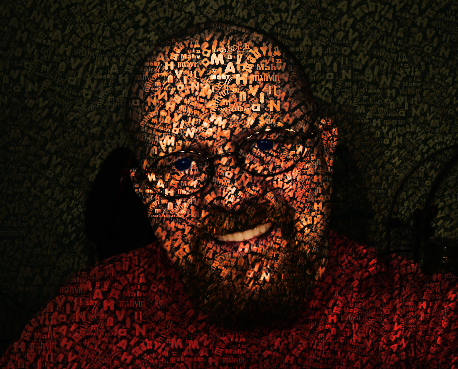
I'm learning a few things.

1) Stroke density on Placement tab controls how thick the brush layers are. The higher the number, the more strokes, vice-versa.

2)On the General tab, a few notable settings. If you use drop shadow, make your settings very low. For instance, shadow depth and blur. If you raise these too high, it bleeds together way too much. However, the Shadow Darken at higher settings looks a lot better, giving more depth to the brush layers. Paint edges, if I ever turn it off, nothing gets added to the image.

3)The Size tab: these settings really depend on the size of your drawing. My experience is, since the Preview window won't allow you to see a larger size, it tends to be misleading (the strokes seem too big for the image) but in reality, it's probably at the right size. Practicing makes perfect.

4)Orientation tab still confuses me. Directions is the only setting I understand. Which is basically how many different applications the brush gets passed to the image.

The labeling of the angle settings seems easy to understand, but there is no way for me to prove it's actually working because every time you update, the brush gets moved to a different orientation whether the angle settings are used or not. There needs to be a wire grid or something to help us see the orientation.

Someone needs to clean this application up and improve it. It's pretty powerful to use, once you start figuring out how to manipulate it.

Medium to dark tone images work best with the text effect with medium to dark backgrounds. Bright images aren't working too well for me.
Image

_________________
"In order to attain the impossible, one must attempt the absurd."
~ Miguel de Cervantes


Top
 Post subject: Re: Text Art with a Different Approach
PostPosted: Mon Nov 14, 2011 3:10 am  (#31) 
Offline
GimpChat Member

Joined: Apr 12, 2010
Posts: 5870
About the preview in the partha build the preview size is much bigger.(x4)
I post the hacked code time ago in the registry so the same may be done for Linux (recompiling the plugin )

_________________
My 3D Gallery on Deviantart http://photocomix2.deviantart.com/
Main gallery http://www.flickriver.com/photos/photocomix-mandala/
Mandala and simmetry http://www.flickriver.com/photos/photocomix_mandala/

Image

Mrs Wilbress


Top
 Post subject: Re: Text Art with a Different Approach
PostPosted: Mon Nov 14, 2011 4:05 am  (#32) 
Offline
GimpChat Member
User avatar

Joined: Oct 06, 2010
Posts: 4050
I'm not sure how this is going to work for 2.6, though. How do I compile this without a makefile or configure file?

_________________
"In order to attain the impossible, one must attempt the absurd."
~ Miguel de Cervantes


Top
 Post subject: Re: Text Art with a Different Approach
PostPosted: Mon Nov 14, 2011 4:36 am  (#33) 
Offline
GimpChat Member

Joined: Apr 12, 2010
Posts: 5870
that is a good question
i solved for me by recompiling all gimp with the modified plugins code but may be a smarter way

not sure where i uploaded but i have the code for 2.6 and 2.7

_________________
My 3D Gallery on Deviantart http://photocomix2.deviantart.com/
Main gallery http://www.flickriver.com/photos/photocomix-mandala/
Mandala and simmetry http://www.flickriver.com/photos/photocomix_mandala/

Image

Mrs Wilbress


Top
 Post subject: Re: Text Art with a Different Approach
PostPosted: Mon Nov 14, 2011 4:38 am  (#34) 
Offline
GimpChat Member

Joined: Apr 12, 2010
Posts: 5870
a bit OT i have also a modified source for gif saving (different default "save as animation" ..what other reasons to save as gif) and jpg (different default quality 95)

_________________
My 3D Gallery on Deviantart http://photocomix2.deviantart.com/
Main gallery http://www.flickriver.com/photos/photocomix-mandala/
Mandala and simmetry http://www.flickriver.com/photos/photocomix_mandala/

Image

Mrs Wilbress


Top
 Post subject: Re: Text Art with a Different Approach
PostPosted: Mon Nov 14, 2011 4:39 am  (#35) 
Offline
Global Moderator
User avatar

Joined: May 16, 2010
Posts: 16213
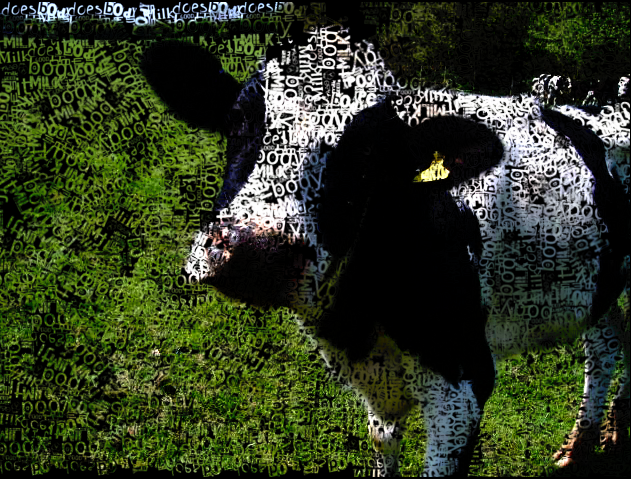
Here is one i did with Kevin's text art script, and bytes and pixels word art plugin.
I created the text in word art, then ran Kevin's script. :)

Image


Top
 Post subject: Re: Text Art with a Different Approach
PostPosted: Mon Nov 14, 2011 5:26 am  (#36) 
Offline
GimpChat Member
User avatar

Joined: Apr 07, 2010
Posts: 14182
Cool Cow, Rod

_________________
Image


Top
 Post subject: Re: Text Art with a Different Approach
PostPosted: Mon Nov 14, 2011 1:28 pm  (#37) 
Offline
Global Moderator
User avatar

Joined: May 16, 2010
Posts: 16213
molly wrote:
Cool Cow, Rod


Thanks Molly. :)

I just wish i could get the bytes and pixels wordart python script to work in Gimp-2.7.4
For some reason it won't even show up.I wonder if this could be the call to gettext version in the script?


Top
Post new topic Reply to topic  [ 37 posts ]  Go to page Previous  1, 2

All times are UTC - 5 hours [ DST ]


* Login  


Powered by phpBB3 © phpBB Group