It is currently Wed Nov 18, 2026 9:26 pm


All times are UTC - 5 hours [ DST ]


Post new topic Reply to topic  [ 6 posts ] 
Author Message
 Post subject: Egyptian neck wear?
PostPosted: Thu Jun 07, 2012 9:50 am  (#1) 
Offline
Global Moderator
User avatar

Joined: May 16, 2010
Posts: 16275
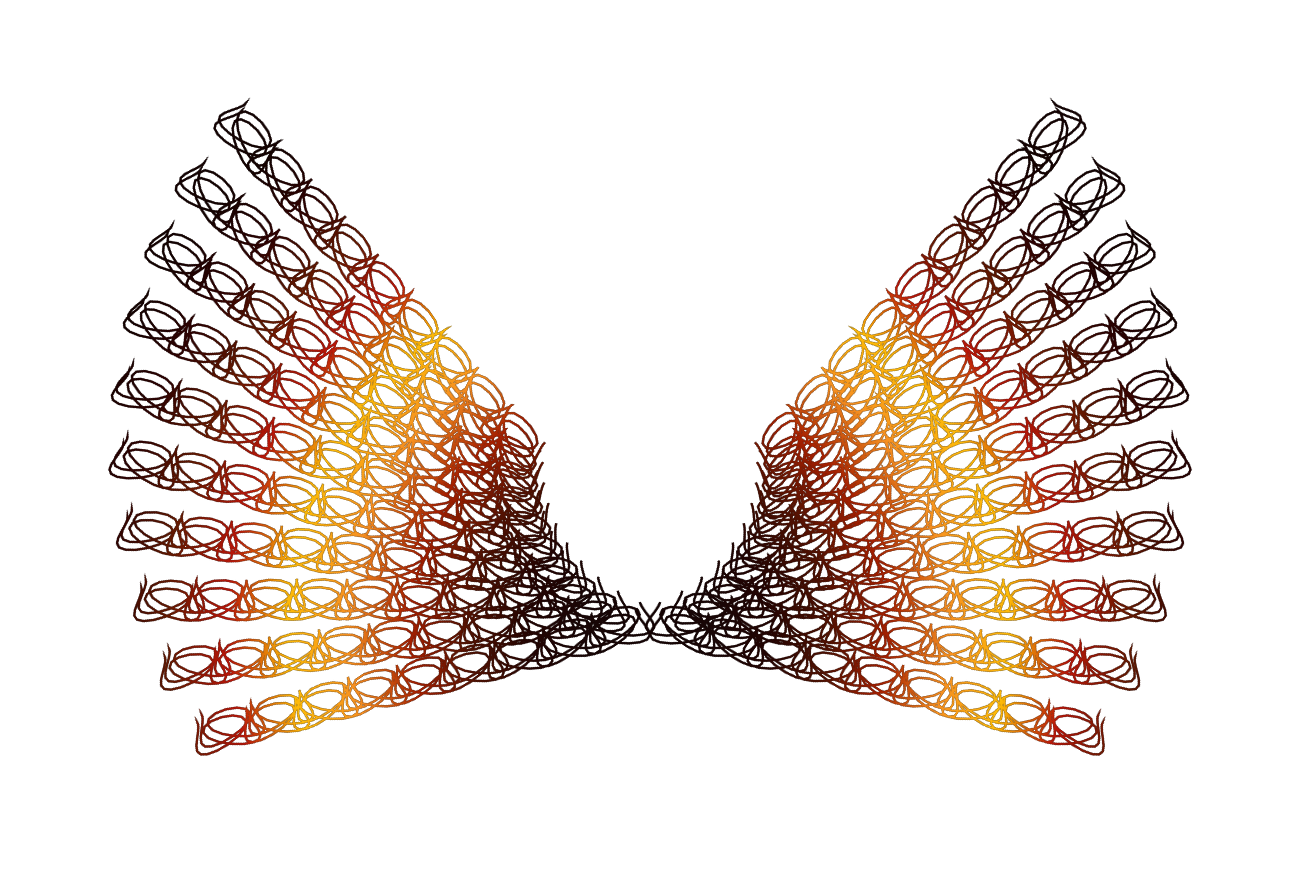
Or possibly wings. :)

Vector Paths 2 Beta. :) :bigthup
B and P this plug-in is outstanding!

Image

_________________
Image


Share on Facebook Share on Twitter Share on Orkut Share on Digg Share on MySpace Share on Delicious Share on Technorati
Top
 Post subject: Re: Egyptian neck wear?
PostPosted: Thu Jun 07, 2012 10:43 am  (#2) 
Offline
GimpChat Member
User avatar

Joined: Mar 23, 2012
Posts: 7388
Location: Göteborg at last!
That's beautiful Rod. I'm jealous - I can't work out how to use the plugin.


Top
 Post subject: Re: Egyptian neck wear?
PostPosted: Thu Jun 07, 2012 12:27 pm  (#3) 
Offline
GimpChat Member
User avatar

Joined: Apr 30, 2010
Posts: 1937
Location: Missouri
Me either, it seems to be only for smart people.

_________________
Image
The last time I kept an open mind,
my brain fell out and the dog grabbed it.
Now it's full of dirt, toothmarks, and dog slobber.
No more open minds or dogs for me.


Top
 Post subject: Re: Egyptian neck wear?
PostPosted: Thu Jun 07, 2012 1:23 pm  (#4) 
Offline
GimpChat Member
User avatar

Joined: Sep 24, 2010
Posts: 12863
Looks cool Rod; too lazy to play today (even lazier then usual). Might just wait until B&P releases this one anyway. :)

_________________
Lyle

Psalm 109:8

Image


Top
 Post subject: Re: Egyptian neck wear?
PostPosted: Thu Jun 07, 2012 1:27 pm  (#5) 
Offline
GimpChat Member
User avatar

Joined: Apr 07, 2010
Posts: 14182
Did you look at these examples?


Attachments:
Vector Path 2 Gimp Plug examples.pdf.7z [449.02 KiB]
Downloaded 106 times

_________________
Image
Top
 Post subject: Re: Egyptian neck wear?
PostPosted: Thu Jun 07, 2012 6:17 pm  (#6) 
Offline
Global Moderator
User avatar

Joined: May 16, 2010
Posts: 16275
Yes just take a look at the PDF included and you can kind of get a picture on how it works.Also just playing around with the settings and watching what happens helps a lot.
X and Y rotation works as if you are moving the center rotation point (X = left or right) (Y= up or down)
Rotation angle is the direction amount of the rotation (left or right)
Same with the beginning of each formula - If you place a number with a + or - sign after, you move the entire path on the image window. For instance if i wanted to center the ENTIRE path in the horizontal i would use 75+ at the beginning of the X formula.Or whatever number centers the path. If you make a mistake on the formula input fields the plug in will let you know it. :) - Another nice feature about the plug-in.
Plus many more available features for tweaking the path.
If you want a more even path look try either adding a few more points or subtracting some.
I was able to get an exact look on each end of a path by doing just that.
Just play with it for a bit and you will get pretty comfortable with the settings.

_________________
Image


Top
Post new topic Reply to topic  [ 6 posts ] 

All times are UTC - 5 hours [ DST ]


* Login  


Powered by phpBB3 © phpBB Group