Esper wrote:
Rod wrote:
Try GMIC>Rendering>3D Extrusion it works very nicely on plain black text.
so that was there all the time, but nobody mentioned it ?

i tried using the script, but im getting weird effects which is quite frustrasting
downloaded the G'Mic reference pdf, but there are no instructions how to use this script (or so it seemed to me)
am i missing something ? i need a manual with explanatiosn what each slider does

If you are on Linux use an editor and copy this line into your
.gmic_faves file.(its in your
home directory)
{3d extrusion-Text}{3d extrusion}{gimp_extrude3d}{gimp_extrude3d_preview}{36.0625}{578}{0.556452}{1024}{1024}{0.665323}{41}{20.5}{22.5}{45}{0}{0}{-100}{0.5}{0.7}{5}
Make sure its all one line (no spaces), and no white space either.
If in windows your
.gmic_faves file will be in your
Application Data folder.
Restart GMIC and you will find it in your faves list as
3d extrusion-Text.
Study the settings and you should be able to mimic it with your own text.
Depth controls the extrude width.
Hope that helps.

 Login
Login Register
 Tweets
 FAQ
FAQ Advanced Search












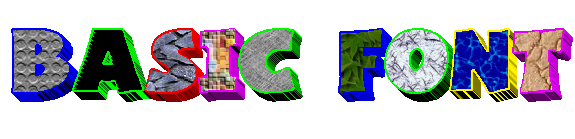

 i have never thought of using text as a brush - still thinking outside the box. it's a really cool effect, he4rty!





