It is currently Wed Sep 30, 2026 12:32 am


All times are UTC - 5 hours [ DST ]


Post new topic Reply to topic  [ 15 posts ] 
Author Message
 Post subject: Lately an issue
PostPosted: Sun Oct 26, 2014 3:57 pm  (#1) 
Offline
GimpChat Member
User avatar

Joined: May 27, 2011
Posts: 707
GIMP Version: 2.8.10
Operating System: Windows
GIMP Experience: Beginner Level


Most times now a days,when I try to undo a layer,the edit(undo) is greyed out.
It doesn't happen every time,but it is happening a lot..
I end up by having to delete that layer and work on it again..very aggravating
Any idea why it is happening?


Share on Facebook Share on Twitter Share on Orkut Share on Digg Share on MySpace Share on Delicious Share on Technorati
Top
 Post subject: Re: Lately an issue
PostPosted: Sun Oct 26, 2014 4:27 pm  (#2) 
Offline
Administrator
User avatar

Joined: Aug 10, 2012
Posts: 14219
Location: Native to NYC living in Arizona, Gimp 2.8 - 3.0, Win 11 PC.
It could have something to do with the allocated "Undo History" memory, but I'm not entirely sure.
You can increase this in Preferences>Environment.
There's a minimal and maximum undo levels memory, beyond which GIMP will begin to delete the oldest items.

You may already know this, but If you undo one or more actions and then operate on the image in any way except by using Undo or Redo, it will no longer be possible to redo those actions, they are lost forever.

_________________
Image
"A wise man learns more from a foolish question than a fool can learn from a wise answer"
Image


Top
 Post subject: Re: Lately an issue
PostPosted: Sun Oct 26, 2014 4:39 pm  (#3) 
Offline
GimpChat Member
User avatar

Joined: May 27, 2011
Posts: 707
Wallace
Thank You for Your reply
so do I increase "maximum undo memory? "


Top
 Post subject: Re: Lately an issue
PostPosted: Sun Oct 26, 2014 4:47 pm  (#4) 
Offline
Administrator
User avatar

Joined: Aug 10, 2012
Posts: 14219
Location: Native to NYC living in Arizona, Gimp 2.8 - 3.0, Win 11 PC.
pirate541 wrote:
Wallace
Thank You for Your reply
so do I increase "maximum undo memory? "

Yes, you can try this and see how it goes.
Even though I'm not sure that this is the real reason for your issue, it won't do any harm to increase the undo levels memory.

_________________
Image
"A wise man learns more from a foolish question than a fool can learn from a wise answer"
Image


Top
 Post subject: Re: Lately an issue
PostPosted: Sun Oct 26, 2014 4:48 pm  (#5) 
Offline
GimpChat Member
User avatar

Joined: May 27, 2011
Posts: 707
Wallace
I'll try that,even though the undo ,when it decides to go on a strike,does it on the first undo I try


Top
 Post subject: Re: Lately an issue
PostPosted: Sun Oct 26, 2014 4:51 pm  (#6) 
Offline
Administrator
User avatar

Joined: Aug 10, 2012
Posts: 14219
Location: Native to NYC living in Arizona, Gimp 2.8 - 3.0, Win 11 PC.
pirate541 wrote:
Wallace
I'll try that,even though the undo ,when it decides to go on a strike,does it on the first undo I try

That's odd...
Increasing the allocated undo memory may not have any effect then.

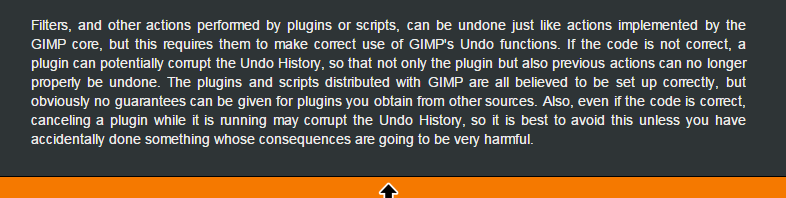
Found this at gimp.org documention...
Image

_________________
Image
"A wise man learns more from a foolish question than a fool can learn from a wise answer"
Image


Top
 Post subject: Re: Lately an issue
PostPosted: Sun Oct 26, 2014 5:04 pm  (#7) 
Offline
GimpChat Member
User avatar

Joined: May 27, 2011
Posts: 707
Wallace

I'll see if it helps,because like I said,it doesn't happen every time
When it does that,and i go to history,the box blinks several times but no layers show on it to undo.


BUT the layers show on the main box and all I can do is delete them

Image


Top
 Post subject: Re: Lately an issue
PostPosted: Sun Oct 26, 2014 5:18 pm  (#8) 
Offline
Administrator
User avatar

Joined: Aug 10, 2012
Posts: 14219
Location: Native to NYC living in Arizona, Gimp 2.8 - 3.0, Win 11 PC.
pirate541 wrote:
Wallace

I'll see if it helps,because like I said,it doesn't happen every time
When it does that,and i go to history,the box blinks several times but no layers show on it to undo.


BUT the layers show on the main box and all I can do is delete them

[ Image ]

It's difficult to tell what you're trying to illustrate with your screenshot, but I do understand what is occurring and I don't really know what might be causing this issue.
Have you made any recent additions to your scripts and or plugins?
Maybe by removing any recently added scripts/plugins could help to clear this issue.

_________________
Image
"A wise man learns more from a foolish question than a fool can learn from a wise answer"
Image


Top
 Post subject: Re: Lately an issue
PostPosted: Sun Oct 26, 2014 5:25 pm  (#9) 
Offline
GimpChat Member
User avatar

Joined: May 27, 2011
Posts: 707
no, no new scripts or plugins.
What I was showing is the layer when i open gimp,but if I go to undo or history (which is another box) nothing shows.
But You're right,come to think about it,it does that with scripts that generates several layers.But I did not D/L nw ones,it just started doing this last week.


Top
 Post subject: Re: Lately an issue
PostPosted: Sun Oct 26, 2014 6:03 pm  (#10) 
Offline
Administrator
User avatar

Joined: Aug 10, 2012
Posts: 14219
Location: Native to NYC living in Arizona, Gimp 2.8 - 3.0, Win 11 PC.
pirate541 wrote:
no, no new scripts or plugins.
What I was showing is the layer when i open gimp,but if I go to undo or history (which is another box) nothing shows.
But You're right,come to think about it,it does that with scripts that generates several layers.But I did not D/L nw ones,it just started doing this last week.

Well...
Sorry I couldn't be of more help to you, but maybe someone else will come along and be able to give you more insight into this issue.
I'm stumped... :puzzled

_________________
Image
"A wise man learns more from a foolish question than a fool can learn from a wise answer"
Image


Top
 Post subject: Re: Lately an issue
PostPosted: Sun Oct 26, 2014 8:36 pm  (#11) 
Offline
GimpChat Member
User avatar

Joined: May 27, 2011
Posts: 707
Thank You for trying:)


Top
 Post subject: Re: Lately an issue
PostPosted: Sun Oct 26, 2014 10:35 pm  (#12) 
Offline
Administrator
User avatar

Joined: Aug 10, 2012
Posts: 14219
Location: Native to NYC living in Arizona, Gimp 2.8 - 3.0, Win 11 PC.
pirate541 wrote:
Thank You for trying:)

:bigthup

_________________
Image
"A wise man learns more from a foolish question than a fool can learn from a wise answer"
Image


Top
 Post subject: Re: Lately an issue
PostPosted: Mon Oct 27, 2014 1:29 am  (#13) 
Offline
GimpChat Member
User avatar

Joined: Jan 20, 2013
Posts: 14835
Location: roma, italy
there are scripts which do not allow "undoing"
did you check whether it happens with "specific" scripts?

_________________
"Where am I ?"


Top
 Post subject: Re: Lately an issue
PostPosted: Mon Oct 27, 2014 2:36 am  (#14) 
Offline
Script Coder
User avatar

Joined: Oct 25, 2010
Posts: 4812
pirate541 wrote:
GIMP Version: 2.8.10
Operating System: Windows
GIMP Experience: Beginner Level


Most times now a days,when I try to undo a layer,the edit(undo) is greyed out.
It doesn't happen every time,but it is happening a lot..
I end up by having to delete that layer and work on it again..very aggravating
Any idea why it is happening?

I have seen this happen when some script/filter misbehaves and leaves the undo stack disabled. This can be fixed:
  • Make sure you have only one image open in Gimp
  • Start the python console
  • Copy the following line:
    gimp.image_list()[0].enable_undo()

    and strike [enter]
  • If the answer is "True" my hypothesis was correct. If "False" then I'm wrong. If anything else then you mistyped something :)
Note that the procedure above just allows the undo stack to operate again but will not restore its contents, so you can't undo action prior to this fix. You still have to find which script/filter you use that causes this problem and have it fixed (report the bug or else).

_________________
Image


Top
 Post subject: Re: Lately an issue
PostPosted: Tue Oct 28, 2014 5:10 pm  (#15) 
Offline
GimpChat Member
User avatar

Joined: May 27, 2011
Posts: 707
Ofnuts

This is what I get:

GIMP 2.8.10 Python Console
Python 2.7.5 (default, May 15 2013, 22:43:36) [MSC v.1500 32 bit (Intel)]
>>>
>>> gimp.image_list()[0].enable_undo()
Traceback (most recent call last):
File "<input>", line 1, in <module>
IndexError: list index out of range
>>>


Top
Post new topic Reply to topic  [ 15 posts ] 

All times are UTC - 5 hours [ DST ]


* Login  


Powered by phpBB3 © phpBB Group