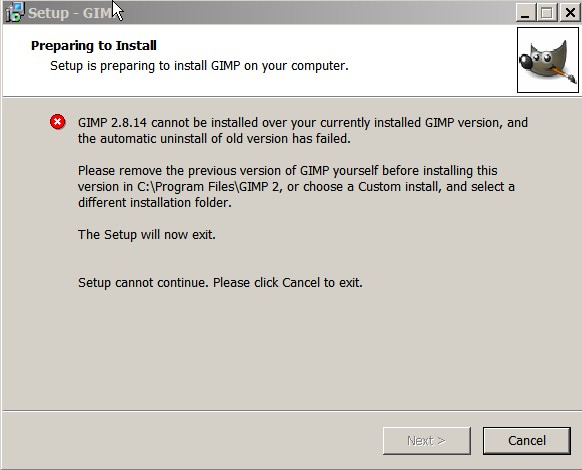
As you say, installing Gimp 2.8.14 will uninstall Gimp 2.6.x and try and migrate your profile from \.gimp-2.6 to \.gimp-2.8
However the reverse is not true, so once Gimp 2.8.x is up and running you can re-install Gimp 2.6.x
No Oz mirrors ;( try
ftp://ftp.mirrorservice.org/sites/ftp.g ... etup-1.exeThe files go in different folders 2.8 is C:\Program Files\GIMP 2 (note the space and 2.6 is C:\Program Files\GIMP-2.0
I have not tried this but I would rename C:\Program Files\GIMP-2.0 to maybe GIMP-bak before installing 2.8. That should save it. I would also rename your 2.6 profile so that Gimp 2.8 starts off with a clean one.
Gimp writes very few registry entries, mostly associations and a bit of uninstalling data. It is almost portable so you should be able to change the name back and probably have to make a new shortcut.
 Login
Login Register
 Tweets
 FAQ
FAQ Advanced Search