Quote:
...I also need to put the picture in a better place on the screen, how do I move it about?
Move the canvas around? Various ways.
1. Should work, but who knows with a Mac. Hold the spacebar down and drag the canvas.
2. If you resize your Gimp window to something suitable the little four-way arrow icon moves the canvas around.
3. Windows -> Dockable Dialogues -> Navigation opens a little window.
edit: then of course there might be some scroll bars somewhere

Attachment:
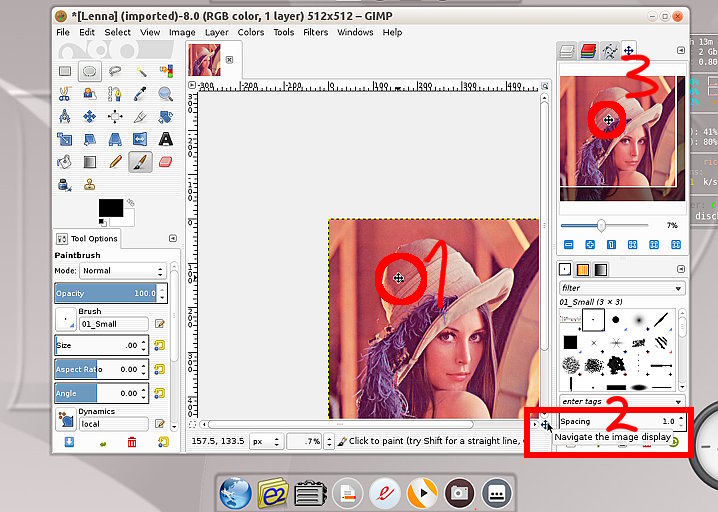 movecanvas.jpg [ 93.85 KiB | Viewed 3221 times ]
 Login
Login Register
 Tweets
 FAQ
FAQ Advanced Search



