Ahh and here we are back to the 3-point-path

Make a new doc - grab your paths tool - create one point - create a second point - hold down the ctrl key and click on the first point.You now have a 2 line path. Trust me it's there.

Now grab one path line and move it away from the other one.
Select the edit option in the paths tool options dialog - add 2 nodes, one in the center of each path line.
Re-Select the design option in the tool options dialog.
Hold down the shift key and select one of the center nodes handles.Move the handle up or down.
Do the same with the other center node.Select the layers dialog and make a new layer.
Select the paths dialog , select your path layer, and in the tool options select selection from path.
Select the layers dialog and fill it in with whatever color you like.
The Path - 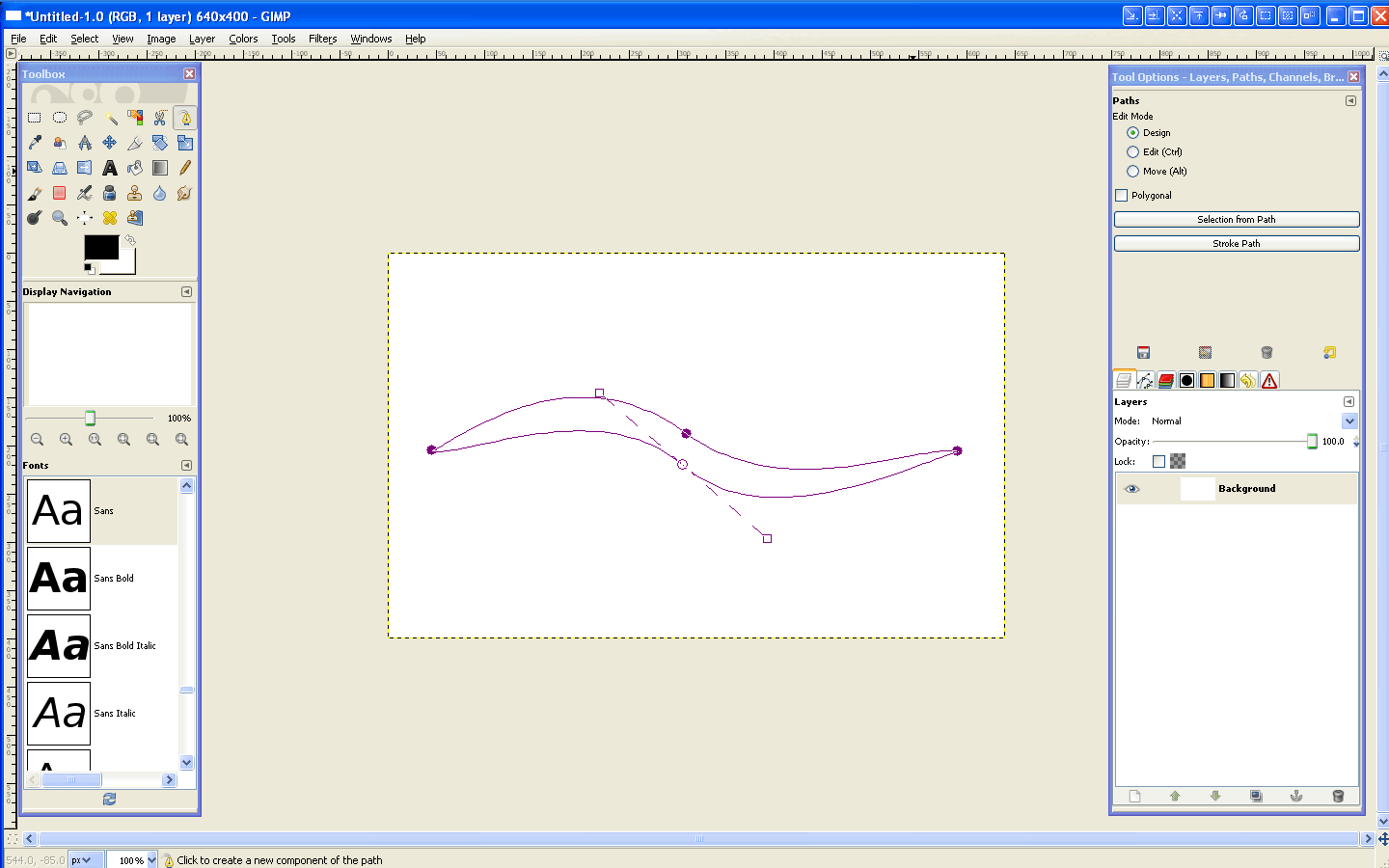
The Fill -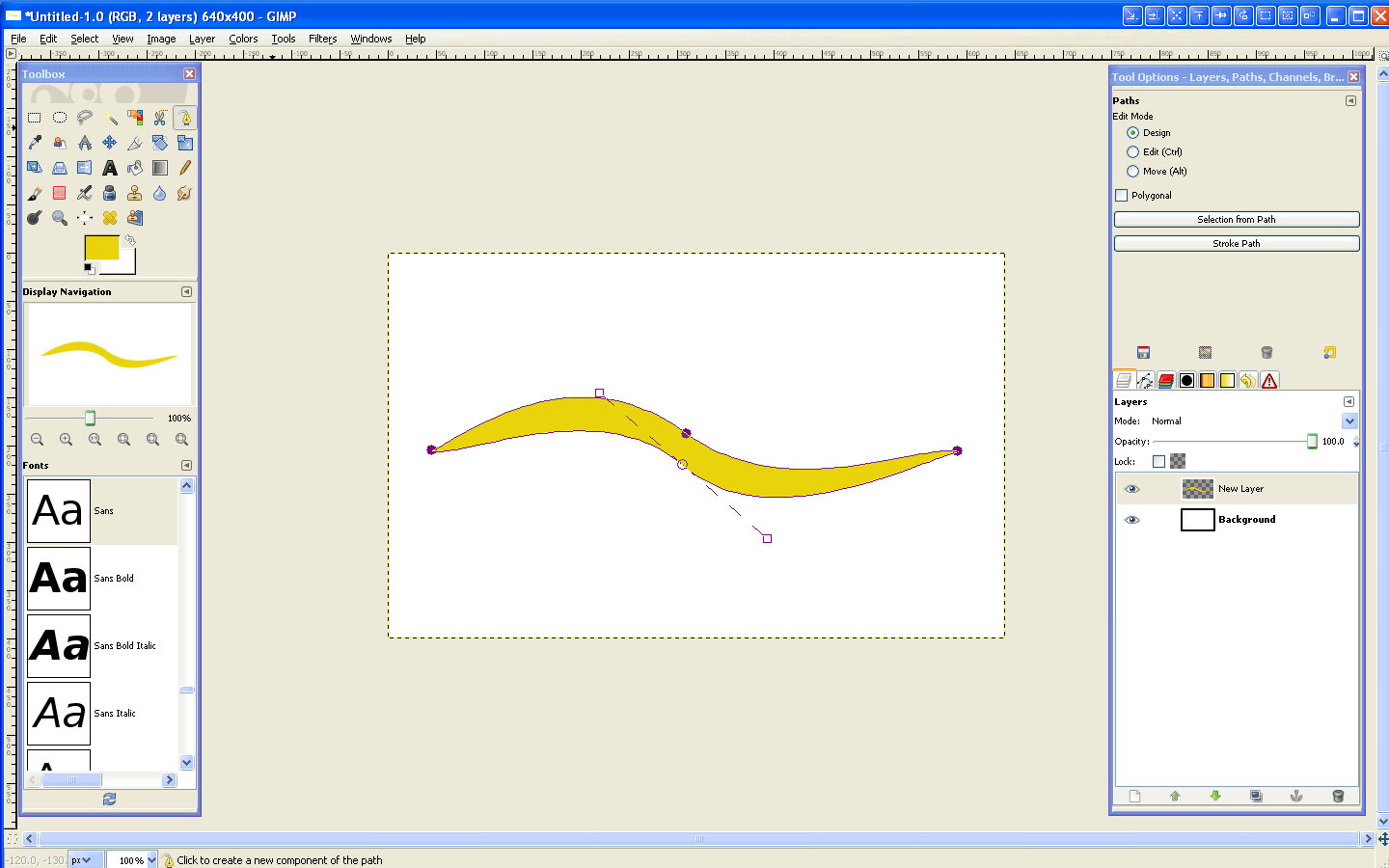
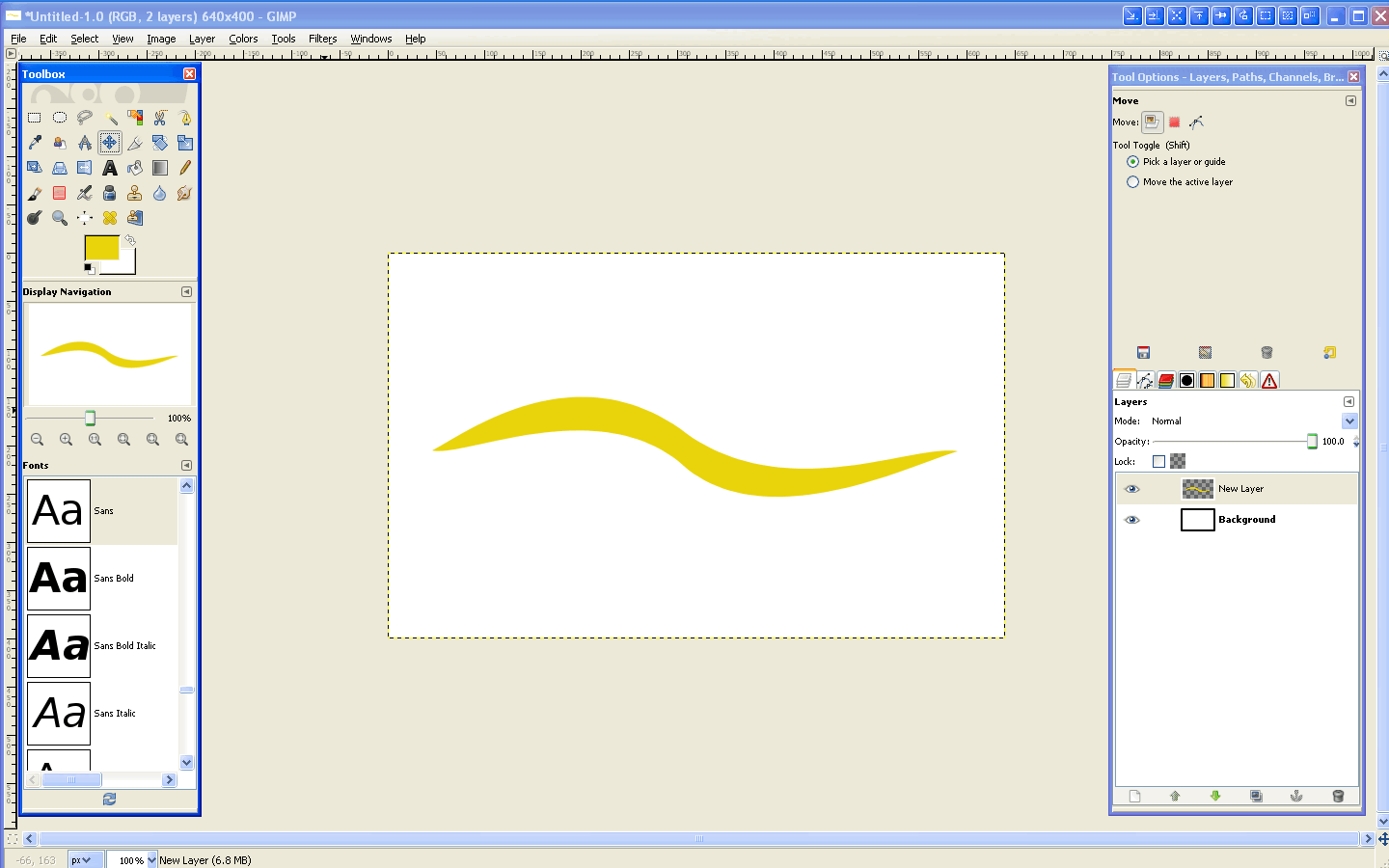
Choose a different tool in the toolbox to hide the path line.
 Login
 Register
 Tweets
 FAQ
 Advanced Search













 that's what I wanted to know