ofnuts wrote:
Caz wrote:
Thanks guys. Bit embarrassing but I misunderstood the tutorial I was trying to follow. What I was suppose to do was set the different shades of grey to percentage values. I figured it out in the end and with the help of a hex table for shades of grey was able to finish the tutorial. Each shade has to be set manually in the colour swatch so it quite time consuming but effective.
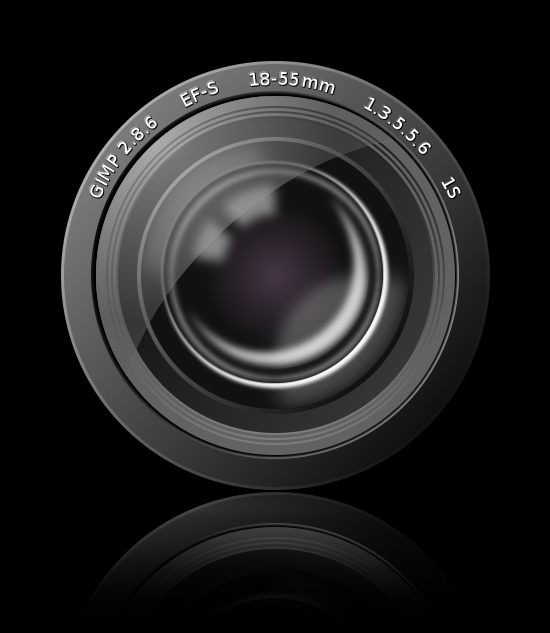
This is what I came up with. It's from a photoshop tutorial but works well in Gimp. Just have to see now if I can turn it into a vector graphic.[
Image ]
The lens marking should read 1/3.5-5.6.
Also, there is absolutely nothing blurry in a camera lens. All the reflections are very sharp, even if distorted. Any blur makes the lens appear dusty or misted(*).
(*) Strangely, when looking for lens pictures on Google, all the ones with blurry reflections where actually CGI...
I got it wrong and this was a tutorial for Illustrator and the point that I was lost on was for the reflections. I used the path tool and then filled with white as per the instructions, but after filling with white the instructions were to feather the selection by 3 pixels. That didn't seem to make any change in Gimp so I figured I'd blur the reflection instead, probably a bad move. Going to experiment some more on the reflections and sharpen them up, and change the lens markings to what they should be.
Esper wrote:
that came out great !
you should have done this as a vector from the start, now you will have to do it all over again

Cheers.
I was hoping I might be able to use the xcf in Inkscape, or import the image in some way, probably not though. I'm a once in a blue moon user of Inkscape and if I used it for a long tutorial like the lens one I'd probably give up half way through. I just don't know it well enough.
he4rty wrote:
Caz, nice results.
Cheers. I thought it turned out well too.
 Login
Login Register
 Tweets
 FAQ
FAQ Advanced Search