It is currently Sat Jun 20, 2026 1:07 am


All times are UTC - 5 hours [ DST ]


Post new topic Reply to topic  [ 152 posts ]  Go to page Previous  1, 2, 3, 4, 5, 6 ... 8  Next
Author Message
 Post subject: Re: Multiple Brush Fill Rel2 [will ignore non selected layers]
PostPosted: Tue Jul 02, 2013 2:20 am  (#41) 
Offline
Global Moderator
User avatar

Joined: May 16, 2010
Posts: 16037
:lol happens to the best of us Graechan. :)

_________________
Image


Top
 Post subject: Re: Multiple Brush Fill Rel2 [will ignore non selected layers]
PostPosted: Tue Jul 02, 2013 2:34 am  (#42) 
Offline
Script Coder
User avatar

Joined: Feb 18, 2011
Posts: 4826
Location: Bendigo Vic. Australia
Rod Is everything working OK now

_________________
Image
No matter how much you push the envelope, it'll still be stationery.


Top
 Post subject: Re: Multiple Brush Fill Rel2 [will ignore non selected layers]
PostPosted: Tue Jul 02, 2013 3:06 am  (#43) 
Offline
Global Moderator
User avatar

Joined: May 16, 2010
Posts: 16037
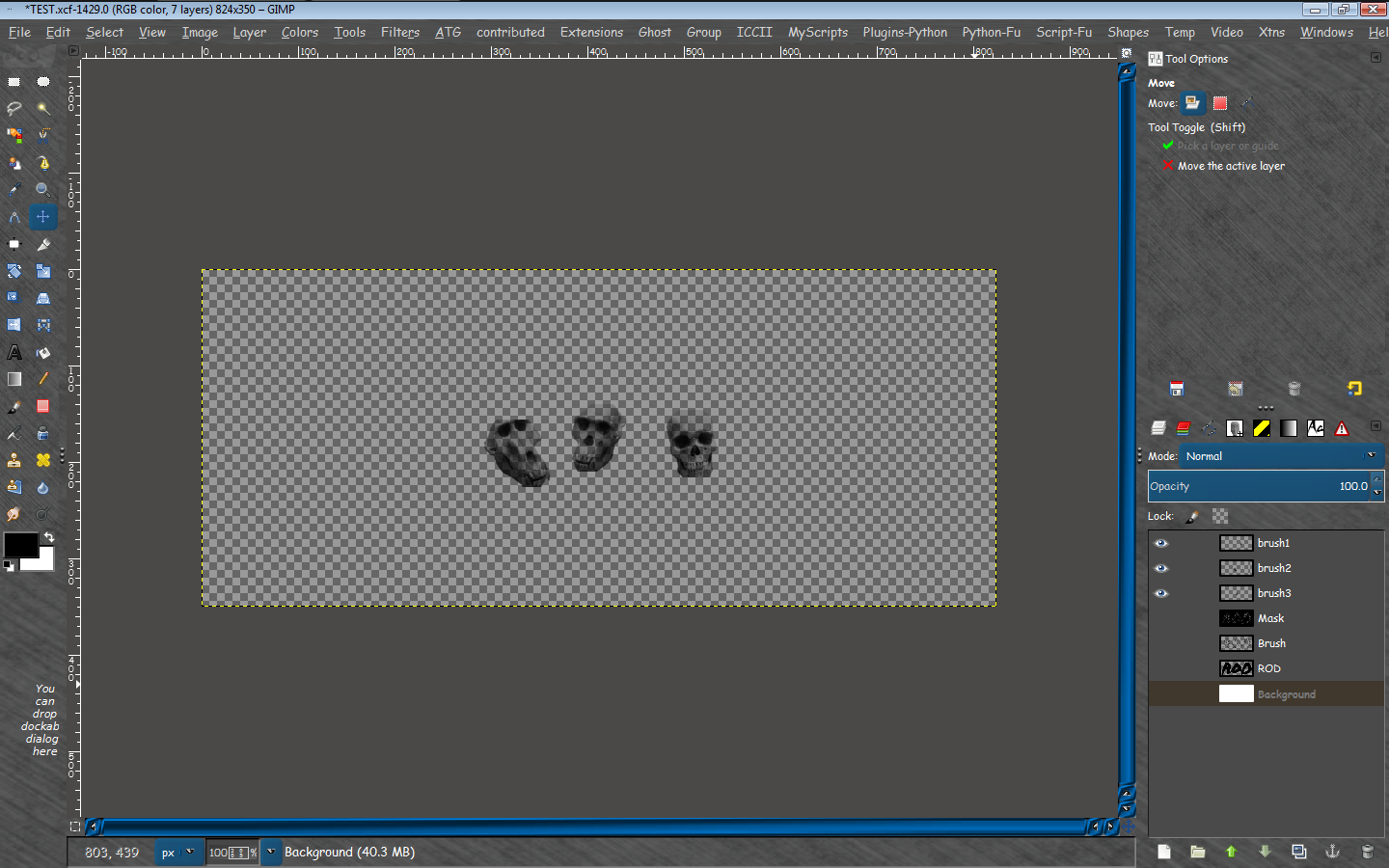
Well the brushes have a very thin alpha that shows up in the render. A brush with a square edge around it.
Image
Pretty sure the problem is with the transparency in the ABR brushes. If i use a brush on a transparent layer with a colored bg you can see right through the brush. Duplicating the brush makes it too dark. I will have to go through them all alpha to select, add a white bg and flatten them all. This is the only way they seem to work. :)

Thanks for trying though Graechan.

_________________
Image


Top
 Post subject: Re: Multiple Brush Fill Rel2 [will ignore non selected layers]
PostPosted: Tue Jul 02, 2013 3:22 am  (#44) 
Offline
Global Moderator
User avatar

Joined: May 16, 2010
Posts: 16037
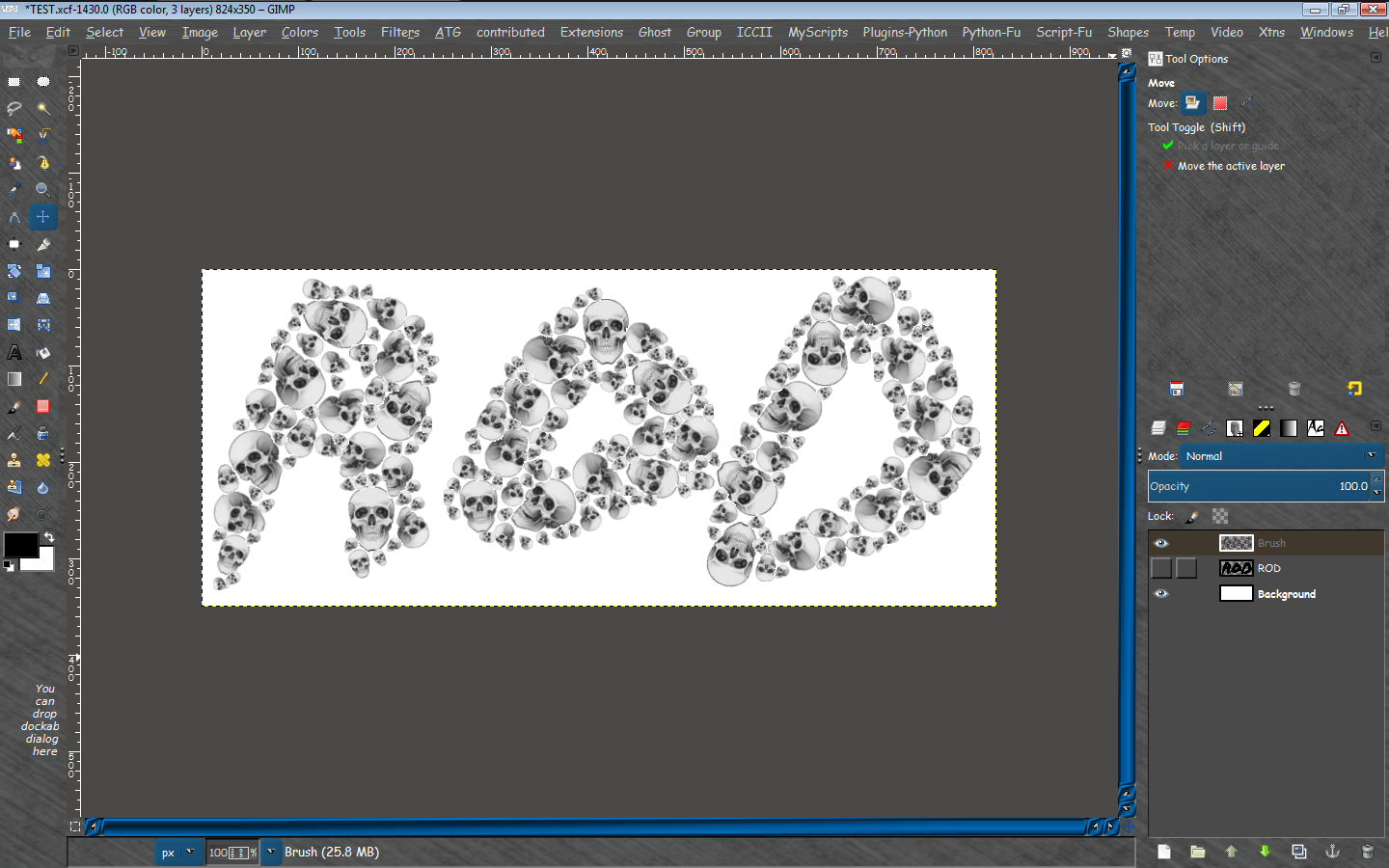
HAH! - Works now. :)
Must have still had the wrong file.

Image

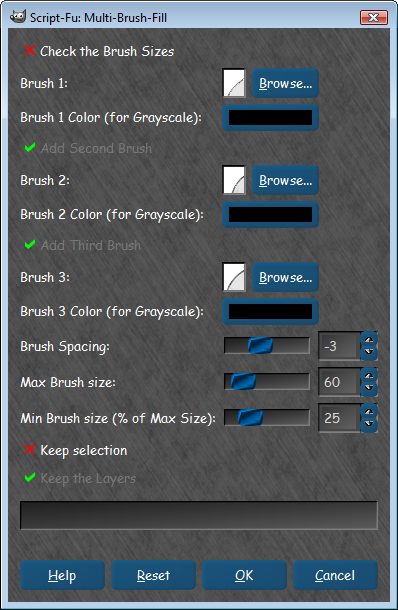
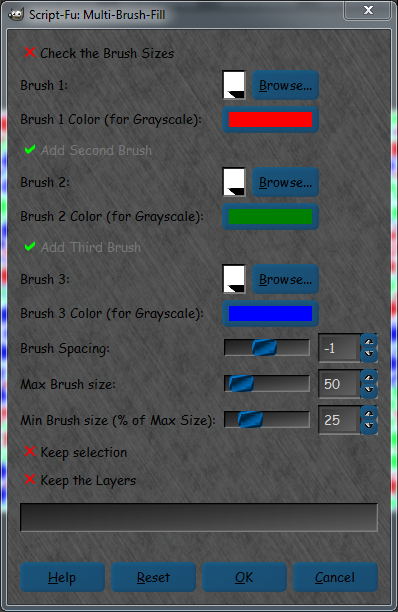
My settings
Image

_________________
Image


Top
 Post subject: Re: Multiple Brush Fill Rel2 [will ignore non selected layers]
PostPosted: Tue Jul 02, 2013 3:27 am  (#45) 
Offline
Global Moderator
User avatar

Joined: May 16, 2010
Posts: 16037
Thanks Graechan for the update. :)

_________________
Image


Top
 Post subject: Re: Multiple Brush Fill Rel2 [will ignore non selected layers]
PostPosted: Tue Jul 02, 2013 7:44 am  (#46) 
Offline
GimpChat Member
User avatar

Joined: May 27, 2011
Posts: 707
graechan

When i ran the script,it ignores selected and non selected layers :P
it's probably something i am doing wrong..again lol


Top
 Post subject: Re: Multiple Brush Fill Rel2 [will ignore non selected layers]
PostPosted: Tue Jul 02, 2013 7:05 pm  (#47) 
Offline
Script Coder
User avatar

Joined: Feb 18, 2011
Posts: 4826
Location: Bendigo Vic. Australia
pirate541 wrote:
graechan

When i ran the script,it ignores selected and non selected layers :P
it's probably something i am doing wrong..again lol

I'm not sure what you mean here could you elaborate more, the script uses a selection, or the selected layer to create a selection from it's existing alpha channel,or an alpha channel provide by the script.
All non selected layers are set to invisible for the duration of the script.

All that is required from the user is to select at least 1 brush and run with 'check size' selected this will show if your brush size is correct because it displays the brushes and the mask i.e. the mask size is the transparent part of the mask layer.

If you are satisfied then 'undo' and Filters/Re-show and then run with 'check size' in the Menu de-selected

_________________
Image
No matter how much you push the envelope, it'll still be stationery.


Top
 Post subject: Re: Multiple Brush Fill Rel2 [will ignore non selected layers]
PostPosted: Tue Jul 02, 2013 7:29 pm  (#48) 
Offline
GimpChat Member
User avatar

Joined: May 27, 2011
Posts: 707
Graechan
I start with a black background,add text,make text transaparent,then i tried both alpha select and no alpha select text,chose a brsu on the text,in that case,it was a bubble brush,and all i get is a blue circle in the middle of the text after i run the script,and yes i checked size.


Top
 Post subject: Re: Multiple Brush Fill Rel2 [will ignore non selected layers]
PostPosted: Tue Jul 02, 2013 9:24 pm  (#49) 
Offline
Script Coder
User avatar

Joined: Feb 18, 2011
Posts: 4826
Location: Bendigo Vic. Australia
Pirate all you need is a selection ,or layer capable of having a selection made, then call the script, it's the script that creates the mask

_________________
Image
No matter how much you push the envelope, it'll still be stationery.


Top
 Post subject: Re: Multiple Brush Fill Rel2 [will ignore non selected layers]
PostPosted: Tue Jul 02, 2013 9:40 pm  (#50) 
Offline
Global Moderator
User avatar

Joined: May 16, 2010
Posts: 16037
Pirate these are my steps.
Create a new image
Create a text layer, or shape layer (these are optional if you want a square fill just create a bg layer)
Select the bg, text or shape layer you want to create the mask FROM. Or make a selection.
Now open Filters>Render>Multi Brush Fill
Select at least 1 brush. You can use a GIH if you select the same brush for each brush value.
I have not tried different GIH brushes you may want to. SOME (not all) ABR brushes now work also.Be sure to set the brush colors to black for those though.
Select a max brush size and min % of that size.
I usually select keep layers, and selection if i make a selection.
Make sure to check the check brush size option at the top and run the filter.
Look at the results to assure the brush size isn't too large.
Now do a undo> Multifill
Filters>Reshow Multifill
Uncheck check brush size
Run the script again.
If you get a GMIC error try a smaller size for the brush.
The script will create a mask from the selected layer or a selection you make filled with your brush shapes.If you used a GIH it will take the first 3 shapes (images) of the brush and use those.It did for me anyways. :) This could vary. Using three different brushes is probably the best way to go.

That's it. The script should run correctly following those directions.

_________________
Image


Top
 Post subject: Re: Multiple Brush Fill Rel2 [will ignore non selected layers]
PostPosted: Tue Jul 02, 2013 9:43 pm  (#51) 
Offline
GimpChat Member
User avatar

Joined: May 27, 2011
Posts: 707
Graechan,this is all i get

Image


Top
 Post subject: Re: Multiple Brush Fill Rel2 [will ignore non selected layers]
PostPosted: Tue Jul 02, 2013 9:58 pm  (#52) 
Offline
Global Moderator
User avatar

Joined: May 16, 2010
Posts: 16037
Pirate see here.
viewtopic.php?f=9&t=7750&start=40#p100752

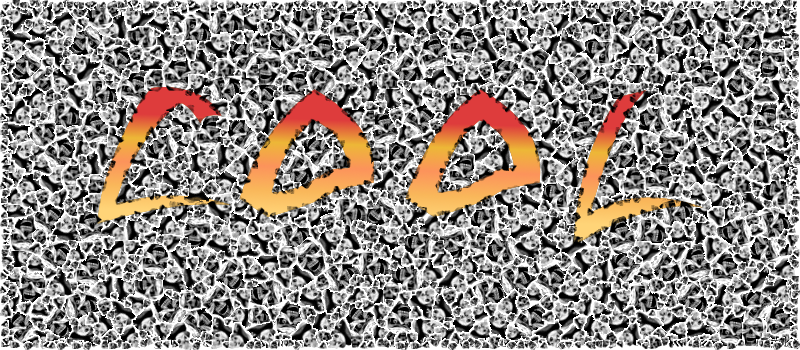
Here is a neat effect - text mask but select invert. Layer to image size. :)
Then after running the filter i select invert again and fill the text area with a gradient. :bigthup
Image

_________________
Image


Top
 Post subject: Re: Multiple Brush Fill Rel2 [will ignore non selected layers]
PostPosted: Tue Jul 02, 2013 10:04 pm  (#53) 
Offline
Global Moderator
User avatar

Joined: May 16, 2010
Posts: 16037
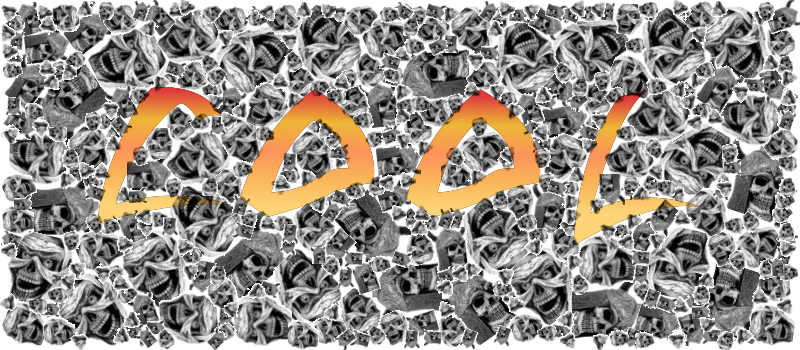
Here is one with larger brush sizes.ABR brushes all mind you. Thanks Graechan!

Image

Love this filter. :bigthup

_________________
Image


Top
 Post subject: Re: Multiple Brush Fill Rel2 [will ignore non selected layers]
PostPosted: Tue Jul 02, 2013 10:13 pm  (#54) 
Offline
Script Coder
User avatar

Joined: Feb 18, 2011
Posts: 4826
Location: Bendigo Vic. Australia
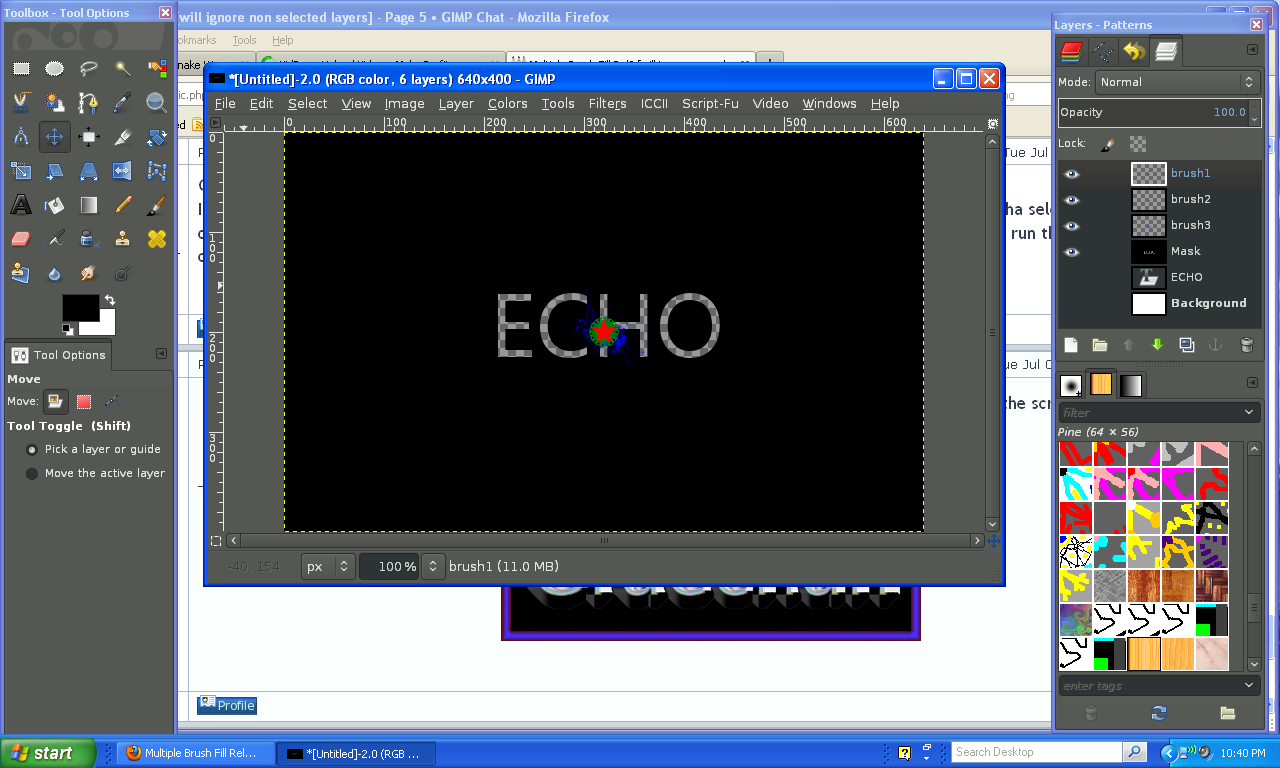
If you ran the script without 'check brush size' selected then your brush is to big
(the mask part the script is the transparent part, either decrease your brush size or increase your text size)
It's the blue brush that is definitely too big

Image

_________________
Image
No matter how much you push the envelope, it'll still be stationery.


Top
 Post subject: Re: Multiple Brush Fill Rel2 [will ignore non selected layers]
PostPosted: Tue Jul 02, 2013 10:25 pm  (#55) 
Offline
Script Coder
User avatar

Joined: Feb 18, 2011
Posts: 4826
Location: Bendigo Vic. Australia
Rod I love the 'Pack Sprites' Filter as well,
It's one of the best in the Gmic arsenal which is why I have tried to simplify the steps to achieving a good result from it's use

_________________
Image
No matter how much you push the envelope, it'll still be stationery.


Top
 Post subject: Re: Multiple Brush Fill Rel2 [will ignore non selected layers]
PostPosted: Tue Jul 02, 2013 10:32 pm  (#56) 
Offline
GimpChat Member
User avatar

Joined: May 27, 2011
Posts: 707
brush is smaller than textin this one,and still doing the same thing
brush size is checked

Image


Top
 Post subject: Re: Multiple Brush Fill Rel2 [will ignore non selected layers]
PostPosted: Tue Jul 02, 2013 10:49 pm  (#57) 
Offline
Global Moderator
User avatar

Joined: May 16, 2010
Posts: 16037
pirate541 wrote:
brush is smaller than textin this one,and still doing the same thing
brush size is checked

[ Image ]


Now undo multifill
Filters>reshow multifill, and run the filter with the check brush size (unchecked) to get final render.

_________________
Image


Top
 Post subject: Re: Multiple Brush Fill Rel2 [will ignore non selected layers]
PostPosted: Wed Jul 03, 2013 12:54 am  (#58) 
Offline
Retired Staff
User avatar

Joined: May 22, 2008
Posts: 6946
Location: Somewhere in GIMP
I LOVE this script. Thanks so much, Graechan!

Image

_________________
Image
World War IV will be fought with sticks and stones. - Albert Einstein


Top
 Post subject: Re: Multiple Brush Fill Rel2 [will ignore non selected layers]
PostPosted: Wed Jul 03, 2013 4:18 am  (#59) 
Offline
Global Moderator
User avatar

Joined: Apr 01, 2012
Posts: 8378
Location: On the other side of your screen
Very nice Oregonian. :bigthup


I am jealous. Still cant get this to work for me. I downloaded the release 2 twice to make sure I had the right one. All I get is the same as what pirate is/was getting.
I don't want to have to but I can only think of installing Gimp again?

_________________
Image
Free Fun Photo Editing & resources
Poems from the Lord
Gimp Newby
Gimp version 3.2.0 and GMIC-Qt 3.7.5 OS :- Windows 10 Home 64


Top
 Post subject: Re: Multiple Brush Fill Rel2 [will ignore non selected layers]
PostPosted: Wed Jul 03, 2013 4:20 am  (#60) 
Offline
GimpChat Member
User avatar

Joined: Apr 07, 2010
Posts: 14182
nice O.

_________________
Image


Top
Post new topic Reply to topic  [ 152 posts ]  Go to page Previous  1, 2, 3, 4, 5, 6 ... 8  Next

All times are UTC - 5 hours [ DST ]


* Login  


Powered by phpBB3 © phpBB Group