It is currently Fri Aug 07, 2026 9:32 am


All times are UTC - 5 hours [ DST ]


Post new topic Reply to topic  [ 29 posts ]  Go to page Previous  1, 2
Author Message
 Post subject: Re: removing a shadow
PostPosted: Sun Sep 01, 2013 8:24 am  (#21) 
Offline
GimpChat Member
User avatar

Joined: Apr 22, 2010
Posts: 126
ofnuts not everyone.lol

Image

_________________
Image


Top
 Post subject: Re: removing a shadow
PostPosted: Sun Sep 01, 2013 8:27 am  (#22) 
Offline
New Member

Joined: Aug 31, 2013
Posts: 3
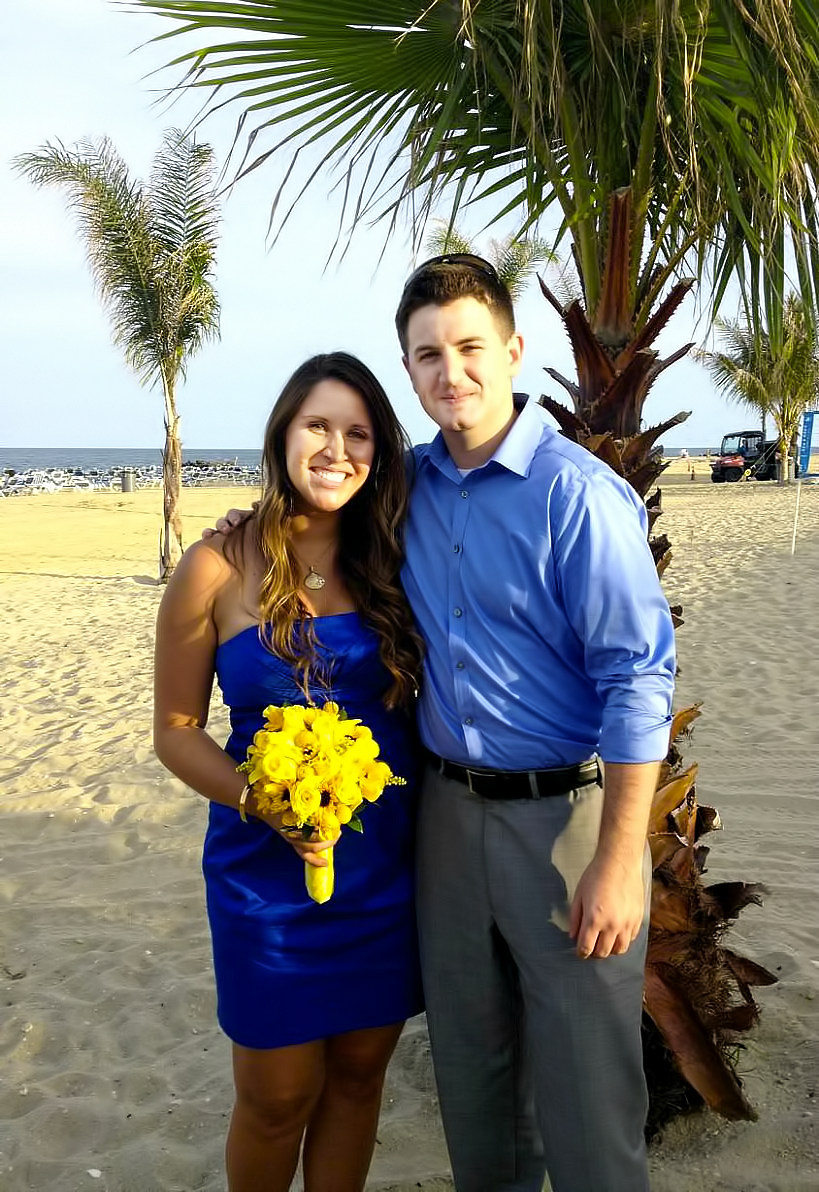
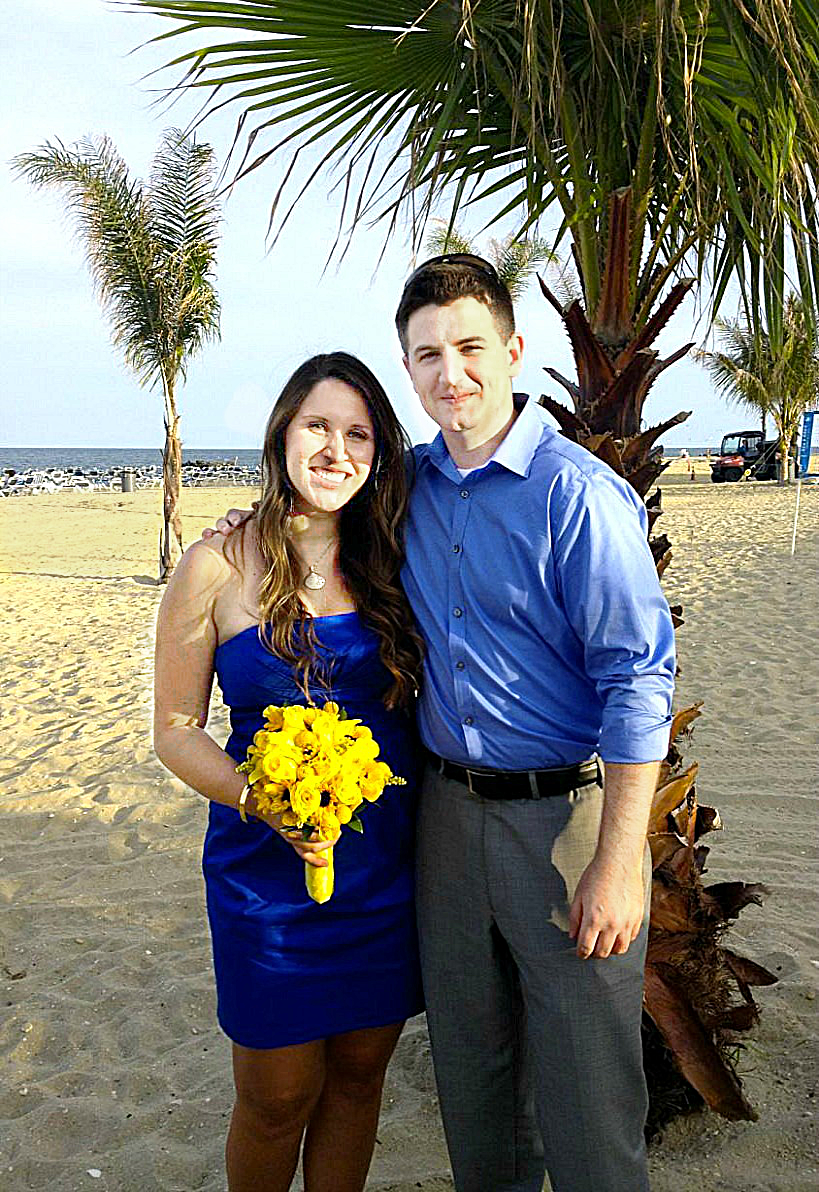
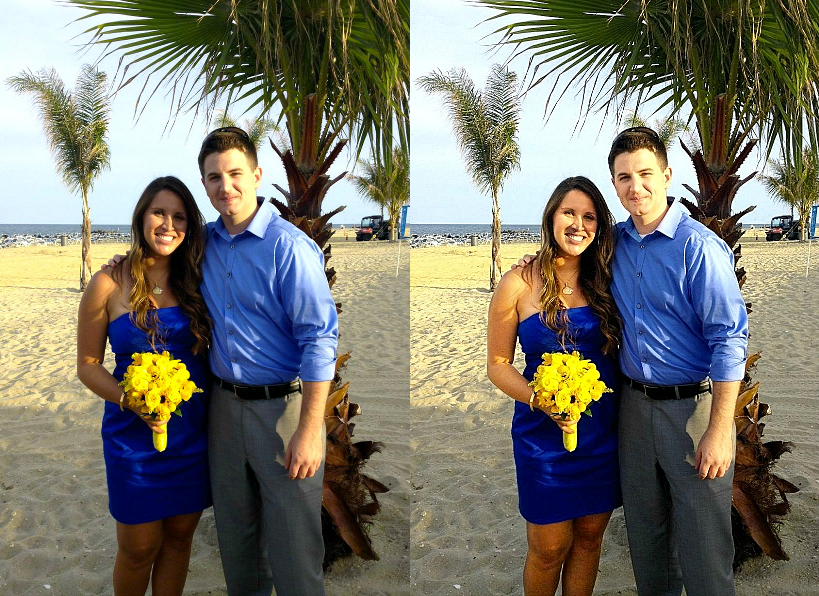
His face looks great! I was actually hoping to remove the shadow from my face (the girl)- any tips or help on how to do that? Thanks!!!


Top
 Post subject: Re: removing a shadow
PostPosted: Sun Sep 01, 2013 8:28 am  (#23) 
Offline
New Member

Joined: Aug 31, 2013
Posts: 3
Oh WOW... pogogogo you got most of it off, thanks!!


Top
 Post subject: Re: removing a shadow
PostPosted: Sun Sep 01, 2013 1:37 pm  (#24) 
Offline
GimpChat Member
User avatar

Joined: Jan 10, 2013
Posts: 863
Nice Pogogogo :bigthup
That your image has a softness that can not reproduce. :hoh
The filters in GMIC - Repair, it did not help. :(
Image
I thought the guy was jreegs18.

_________________
bbbbbbbbbbbImage
bbbbbbbbbbb Be patient, English is not my language.


Top
 Post subject: Re: removing a shadow
PostPosted: Sun Sep 01, 2013 3:55 pm  (#25) 
Offline
Script Coder
User avatar

Joined: Oct 25, 2010
Posts: 4812
pogogogo wrote:
ofnuts not everyone.lol

[ Image ]

Not too bad but you didn't remove the shadow, you lightened the face. So now you have to de-tan the arms and shoulders to match...

My own take:
- free hand selection on the shadow
- add layer, fill selection with light gray (80%)
- set layer to "soft light"
- adjust opacity to taste.

Attachment:
LessShadow.jpg

LessShadow.jpg [ 270.93 KiB | Viewed 2439 times ]

_________________
Image


Top
 Post subject: Re: removing a shadow
PostPosted: Sun Sep 01, 2013 5:19 pm  (#26) 
Offline
GimpChat Member
User avatar

Joined: Jan 10, 2013
Posts: 863
ofnuts wrote:
Averaged color sample in neck shadow: value 109,109,109
Averaged color sample in neck light: value 189,189,189

Ratio: 109*255/189=147

Add white layer in "divide" mode above picture
Set FG color to 147,147,147

Paint white layer over shadow, the tough part is to get the border just right:

ofnuts wrote:
My own take:
- free hand selection on the shadow
- add layer, fill selection with light gray (80%)
- set layer to "soft light"
- adjust opacity to taste.

Attachment:
LessShadow.jpg

Wow! :wow
I love when I learn how these techniques!
This greatly facilitates the entire work, and the result is great!
Thx Ofnuts! :bowdown :tyspin

_________________
bbbbbbbbbbbImage
bbbbbbbbbbb Be patient, English is not my language.


Top
 Post subject: Re: removing a shadow
PostPosted: Sun Sep 01, 2013 5:35 pm  (#27) 
Offline
GimpChat Member
User avatar

Joined: Apr 07, 2010
Posts: 14182
Nice job but that hard line under her right cheek (her left) would look better if is was softened or feathered. Looks to me like a purple mask or shiner under that eye ... sorry, but maybe it is just me.

_________________
Image


Top
 Post subject: Re: removing a shadow
PostPosted: Sun Sep 01, 2013 6:23 pm  (#28) 
Offline
GimpChat Member
User avatar

Joined: Jan 10, 2013
Posts: 863
I agree with u Molly! :yesnod
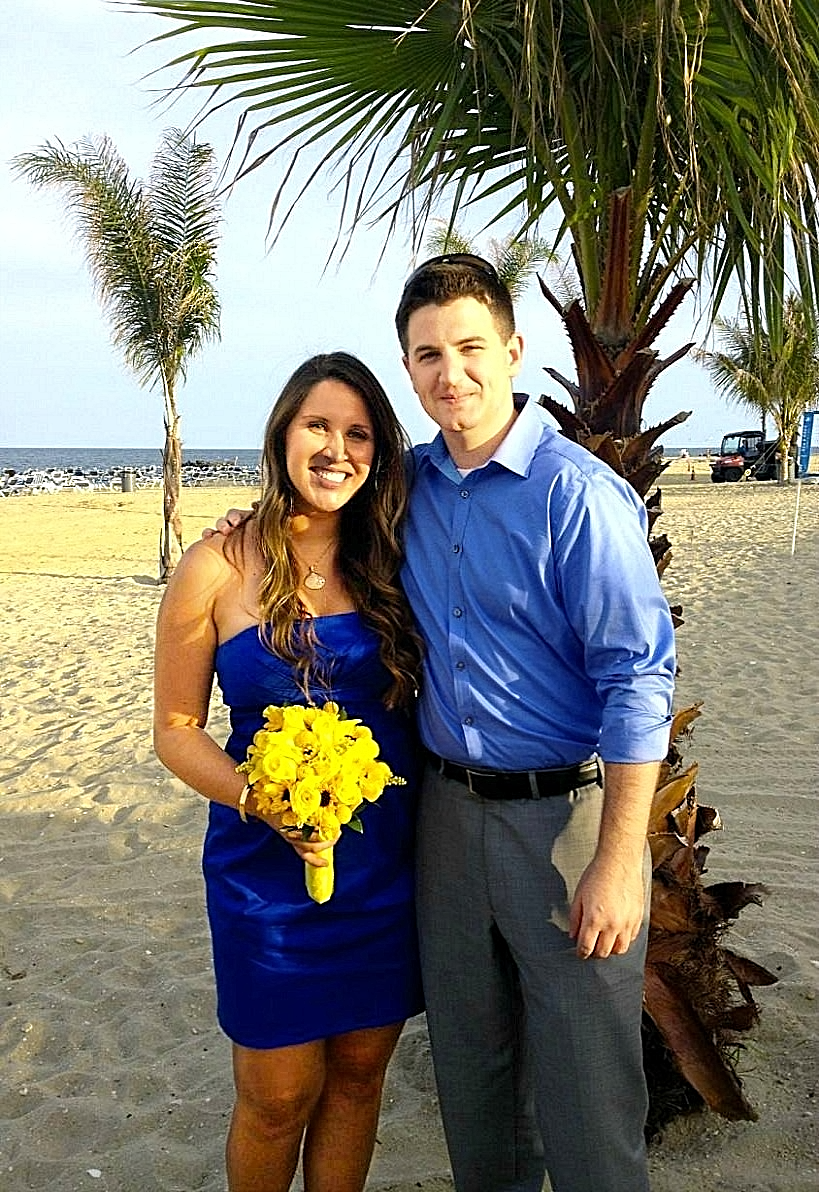
My focus in this edition is in the shade. The image could receive other improvements, but really just wanted to play in alleviate the shadows.

Using another technique "Approximating Tones". Not 100% applied (Laziness was higher) :mrgreen:
Image
Image

_________________
bbbbbbbbbbbImage
bbbbbbbbbbb Be patient, English is not my language.


Top
 Post subject: Re: removing a shadow
PostPosted: Sun Sep 01, 2013 7:04 pm  (#29) 
Offline
Script Coder
User avatar

Joined: Oct 25, 2010
Posts: 4812
molly wrote:
Nice job but that hard line under her right cheek (her left) would look better if is was softened or feathered. Looks to me like a purple mask or shiner under that eye ... sorry, but maybe it is just me.


Yes, the shadow line is a bit sharp, but I'm not trying to get a perfect picture, just giving ideas of what can be done. To get a good picture we should start from the original, and the JPEG header of that one says "Embettered by PicMonkey. http://www.picmonkey.com"... Piling up correction over correction never gives good results (when you process it, it is obvious that the color on the OP's face has already been altered).

_________________
Image


Top
Post new topic Reply to topic  [ 29 posts ]  Go to page Previous  1, 2

All times are UTC - 5 hours [ DST ]


* Login  


Powered by phpBB3 © phpBB Group