It is currently Thu Aug 06, 2026 3:11 am


All times are UTC - 5 hours [ DST ]


Post new topic Reply to topic  [ 20 posts ] 
Author Message
 Post subject: Can anyone enhance this photo?
PostPosted: Sun Oct 06, 2013 1:24 am  (#1) 
Offline
Global Moderator
User avatar

Joined: Apr 01, 2012
Posts: 8448
Location: On the other side of your screen
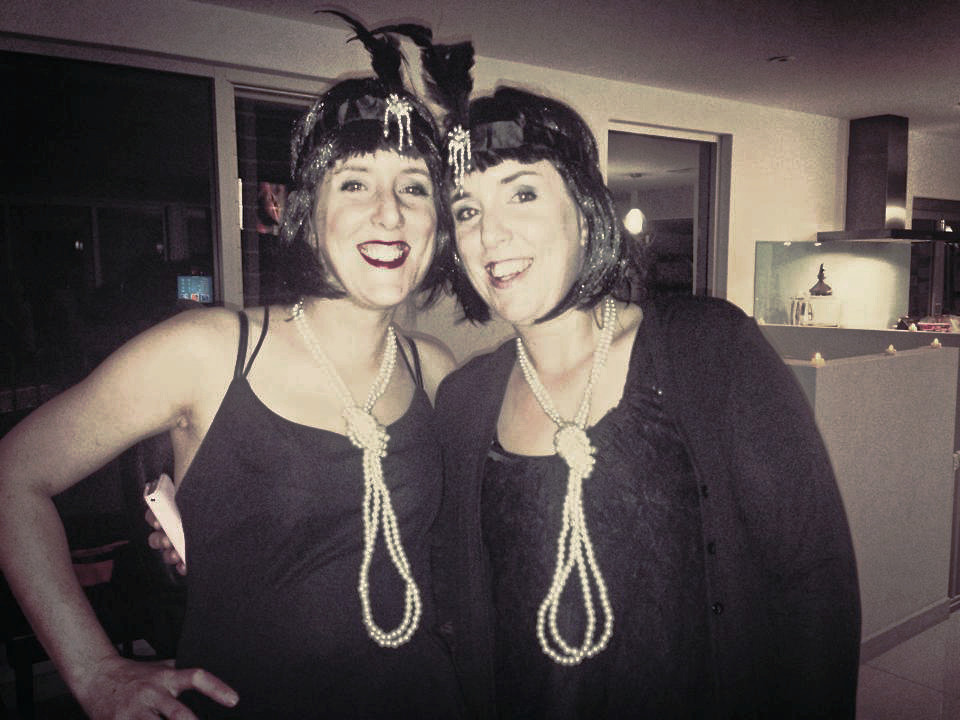
My girls went to a "Great Gatsby" party and had this photo taken on a mobile and posted to facebook. I have tried to enhance it but keep getting a dark stripe on the left of Vanessa's face.
Image
They really look the 'part' and I would love to print a photo out of this. Can anyone do anything to better it?

_________________
Image
Free Fun Photo Editing & resources
Poems from the Lord
Gimp Newby
Gimp version 3.2.4 and GMIC-Qt 4.0.2 OS :- Windows 10 Home 64


Share on Facebook Share on Twitter Share on Orkut Share on Digg Share on MySpace Share on Delicious Share on Technorati
Top
 Post subject: Re: Can anyone enhance this photo?
PostPosted: Sun Oct 06, 2013 1:38 am  (#2) 
Offline
Script Coder
User avatar

Joined: Apr 23, 2010
Posts: 1553
Location: not from Guildford after all
You need to hang out with better photographers. :hehe

_________________
Any sufficiently primitive technology is indistinguishable from a rock.


Top
 Post subject: Re: Can anyone enhance this photo?
PostPosted: Sun Oct 06, 2013 2:02 am  (#3) 
Offline
Global Moderator
User avatar

Joined: Apr 01, 2012
Posts: 8448
Location: On the other side of your screen
lol saulgoode. I just had another look. I think the marking is probably from something around their faces. It is actually on both girls.

_________________
Image
Free Fun Photo Editing & resources
Poems from the Lord
Gimp Newby
Gimp version 3.2.4 and GMIC-Qt 4.0.2 OS :- Windows 10 Home 64


Top
 Post subject: Re: Can anyone enhance this photo?
PostPosted: Sun Oct 06, 2013 2:47 am  (#4) 
Offline
GimpChat Member
User avatar

Joined: Mar 23, 2012
Posts: 7388
Location: Göteborg at last!
I duplicated the layer and put the top layer into multiply mode. This seems to have brought out a little detail.

Image


Top
 Post subject: Re: Can anyone enhance this photo?
PostPosted: Sun Oct 06, 2013 3:02 am  (#5) 
Offline
Global Moderator
User avatar

Joined: Apr 01, 2012
Posts: 8448
Location: On the other side of your screen
Thank you Erisian

_________________
Image
Free Fun Photo Editing & resources
Poems from the Lord
Gimp Newby
Gimp version 3.2.4 and GMIC-Qt 4.0.2 OS :- Windows 10 Home 64


Top
 Post subject: Re: Can anyone enhance this photo?
PostPosted: Sun Oct 06, 2013 3:38 am  (#6) 
Offline
GimpChat Member
User avatar

Joined: Jan 10, 2013
Posts: 863
saulgoode wrote:
You need to hang out with better photographers. :hehe
:hehe
Sally, I can try a better result then more time. Just woke up, and could not resist giving it a try.
Maybe this topic you can be helpful - viewtopic.php?f=18&t=2922
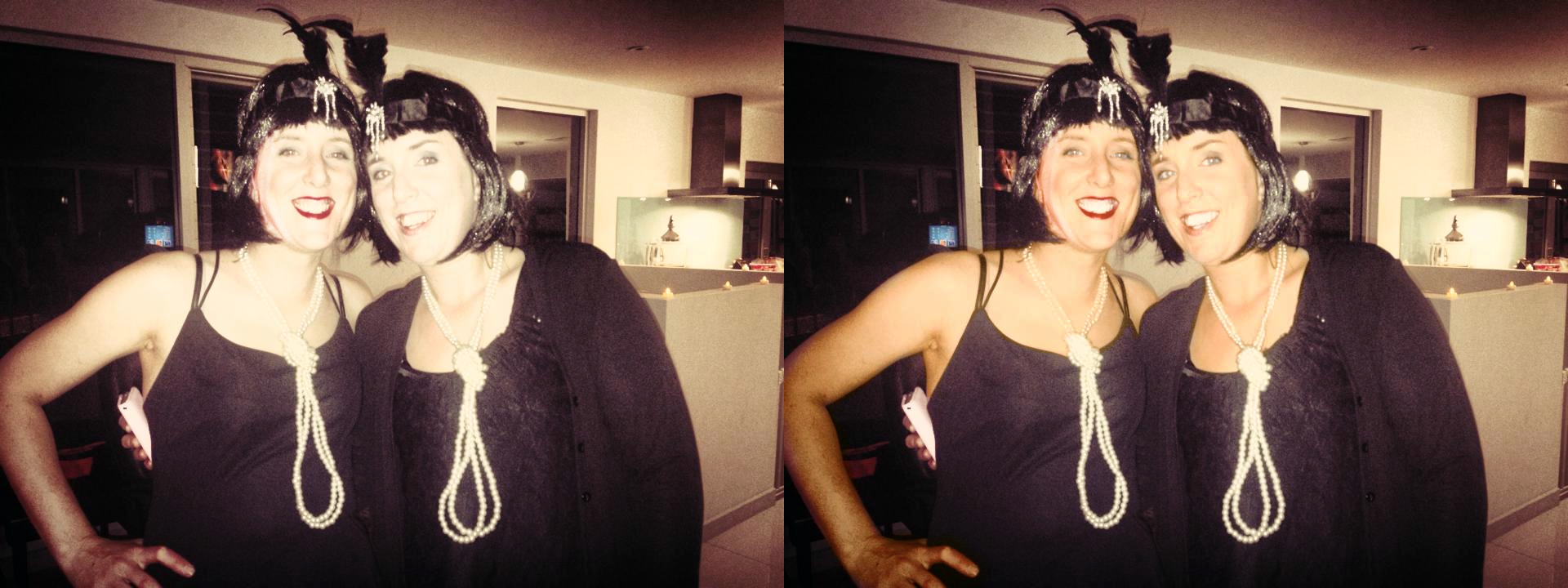
My attempt.
Image
Both above were edited.
In the left picture kept skin tone, and tried to attenuate the stripe on the face.
On the right, I added a tan.

_________________
bbbbbbbbbbbImage
bbbbbbbbbbb Be patient, English is not my language.


Last edited by Akros on Sun Oct 06, 2013 12:04 pm, edited 1 time in total.

Top
 Post subject: Re: Can anyone enhance this photo?
PostPosted: Sun Oct 06, 2013 5:48 am  (#7) 
Offline
GimpChat Member
User avatar

Joined: Aug 16, 2012
Posts: 4271
Location: Göteborg, Sweden
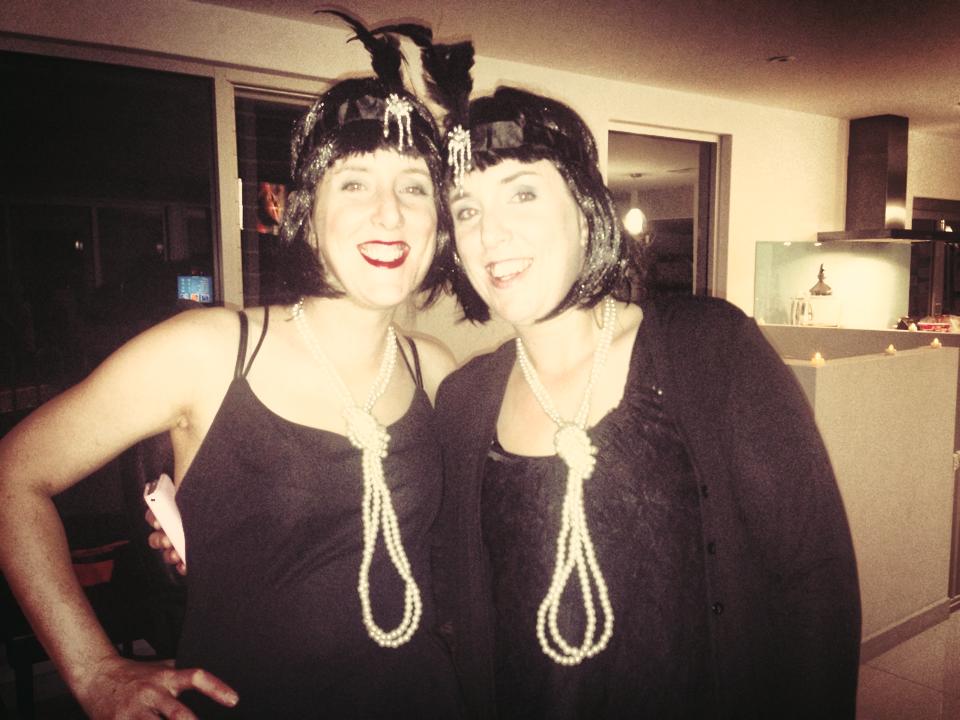
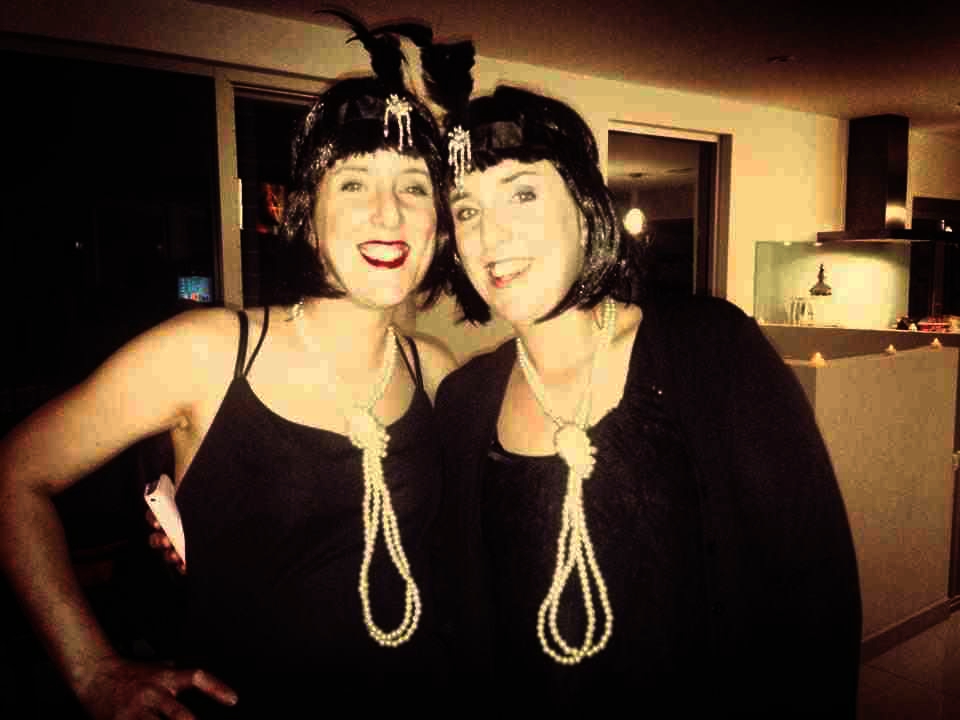
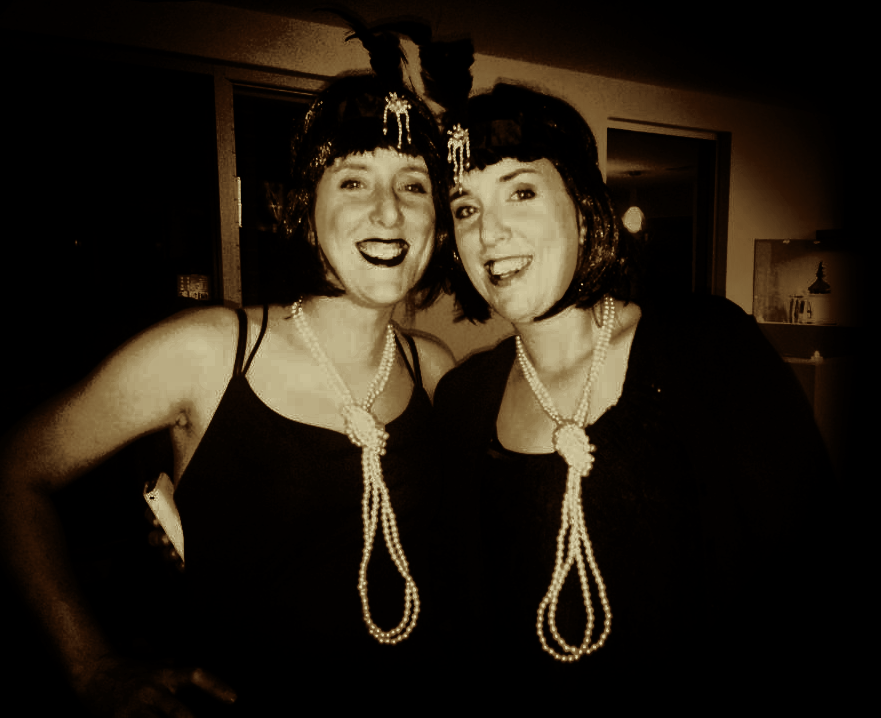
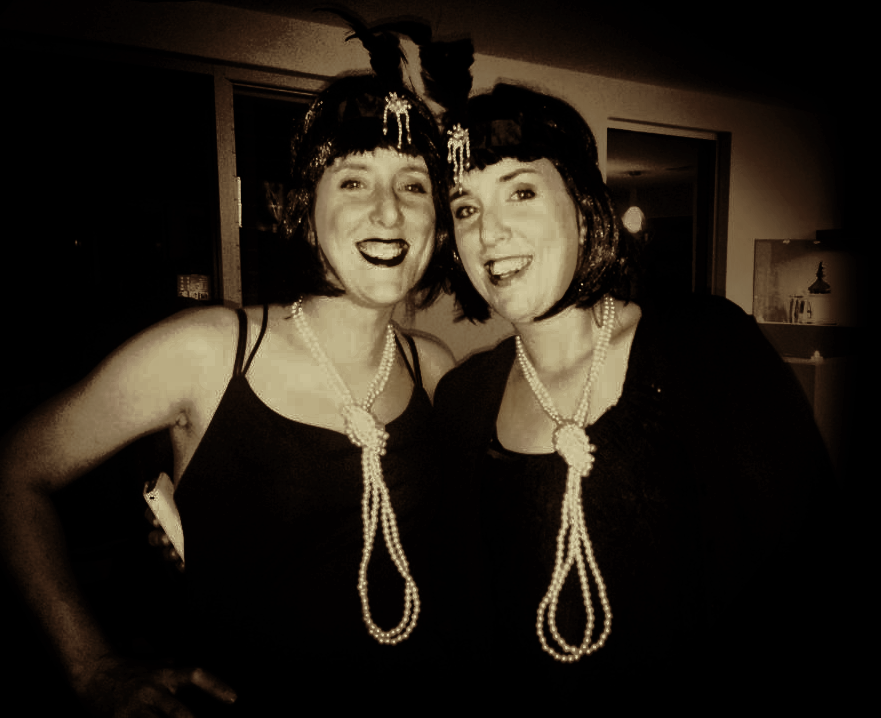
sallyanne: whew, this really is a tough one!! i've made some different attempts and i'm not really happy with any of them, but at least i have some that (to me at least) look good enough to post. i had to get very creative with the original, though, so maybe i've destroyed what you liked about it?
to begin with, i thought the light in the right side was distracting and i thought the girls would look better if they were more in focus. also, i thought an old fashioned looking vignette might go well with the gatsby look. so i made a dark vignette and cropped the picture a bit. after that i tried to paint away some of the dark shadows in the girls' faces and i hope i didn't make them look all plastic and weird now! i tried to enhance the contrasts in some places and tone it down in others and i did the same with the darkness and light. in the end i thought the colour versions all looked bad no matter how i manipulated the colours, so i desaturated and put a sepia tone on - that too went well with the gatsby theme, at least in my mind.
Image
Image
Image
Image

_________________


Top
 Post subject: Re: Can anyone enhance this photo?
PostPosted: Sun Oct 06, 2013 6:02 am  (#8) 
Offline
GimpChat Member
User avatar

Joined: Mar 23, 2012
Posts: 7388
Location: Göteborg at last!
They look great AnMal. Sepia works well with these.


Top
 Post subject: Re: Can anyone enhance this photo?
PostPosted: Sun Oct 06, 2013 6:26 am  (#9) 
Offline
Global Moderator
User avatar

Joined: Apr 01, 2012
Posts: 8448
Location: On the other side of your screen
Wow you did a great job Anmal. I love them all. I was more interested in just the girls in the pictures so cropping them didn't bother me at all. Thanks a lot.

Thank you for your quick try too Akros. I would be interested to see what you can do given more time.

I have spent the last hour or two on it but no luck here.

_________________
Image
Free Fun Photo Editing & resources
Poems from the Lord
Gimp Newby
Gimp version 3.2.4 and GMIC-Qt 4.0.2 OS :- Windows 10 Home 64


Top
 Post subject: Re: Can anyone enhance this photo?
PostPosted: Sun Oct 06, 2013 6:43 am  (#10) 
Offline
GimpChat Member
User avatar

Joined: Aug 16, 2012
Posts: 4271
Location: Göteborg, Sweden
sallyanne: glad you liked them! it really is a difficult original to work with, good luck with the editing!

_________________


Top
 Post subject: Re: Can anyone enhance this photo?
PostPosted: Sun Oct 06, 2013 7:12 am  (#11) 
Offline
GimpChat Member
User avatar

Joined: Sep 22, 2012
Posts: 2089
Location: US
Very good job, AnMal! You did recover pixel information on twins faces and vignetting was a good addition too.


Top
 Post subject: Re: Can anyone enhance this photo?
PostPosted: Sun Oct 06, 2013 8:08 am  (#12) 
Offline
Global Moderator
User avatar

Joined: Apr 01, 2012
Posts: 8448
Location: On the other side of your screen
Close K1TesseraEna. They are two of three. Always get called twins as the other is a boy.

_________________
Image
Free Fun Photo Editing & resources
Poems from the Lord
Gimp Newby
Gimp version 3.2.4 and GMIC-Qt 4.0.2 OS :- Windows 10 Home 64


Top
 Post subject: Re: Can anyone enhance this photo?
PostPosted: Sun Oct 06, 2013 11:20 am  (#13) 
Offline
GimpChat Member
User avatar

Joined: Dec 11, 2011
Posts: 532
I took a stab at it. I'm not sure if i did any good. but here it is.my copy is on the left. the original on the right.

Attachment:
gimptest1.jpg
gimptest1.jpg [ 745.46 KiB | Viewed 3203 times ]

_________________
Image


Top
 Post subject: Re: Can anyone enhance this photo?
PostPosted: Sun Oct 06, 2013 1:41 pm  (#14) 
Offline
Global Moderator
User avatar

Joined: Apr 01, 2012
Posts: 8448
Location: On the other side of your screen
Thank you rdgracer. It is a hard one. You did well to get the details to show but I don't think they are that colour even if they put tanning stuff on their skin. I didn't see them this night but I would guess they would have worn light make up on their faces too.

_________________
Image
Free Fun Photo Editing & resources
Poems from the Lord
Gimp Newby
Gimp version 3.2.4 and GMIC-Qt 4.0.2 OS :- Windows 10 Home 64


Top
 Post subject: Re: Can anyone enhance this photo?
PostPosted: Sun Oct 06, 2013 4:37 pm  (#15) 
Offline
GimpChat Member
User avatar

Joined: Nov 15, 2012
Posts: 949
Location: Mesa, AZ
Image

Here's my try. I tried to balance the colors and recover some of the details that washed out on the ladies faces. Sharpened a little bit, color balanced and adjusted contrast and overall brightness. Hope that helps.

_________________
Image

I now have a Tumblr, check it out!


Top
 Post subject: Re: Can anyone enhance this photo?
PostPosted: Mon Oct 07, 2013 1:15 am  (#16) 
Offline
Global Moderator
User avatar

Joined: Apr 01, 2012
Posts: 8448
Location: On the other side of your screen
Not bad ek22. Thank you

_________________
Image
Free Fun Photo Editing & resources
Poems from the Lord
Gimp Newby
Gimp version 3.2.4 and GMIC-Qt 4.0.2 OS :- Windows 10 Home 64


Top
 Post subject: Re: Can anyone enhance this photo?
PostPosted: Mon Oct 07, 2013 6:15 am  (#17) 
Offline
Global Moderator
User avatar

Joined: Apr 01, 2012
Posts: 8448
Location: On the other side of your screen
Thanks Akros.

_________________
Image
Free Fun Photo Editing & resources
Poems from the Lord
Gimp Newby
Gimp version 3.2.4 and GMIC-Qt 4.0.2 OS :- Windows 10 Home 64


Top
 Post subject: Re: Can anyone enhance this photo?
PostPosted: Mon Oct 07, 2013 6:18 am  (#18) 
Offline
GimpChat Member
User avatar

Joined: Apr 07, 2010
Posts: 14182
saulgoode wrote:
You need to hang out with better photographers. :hehe

that is funny Saul... I like that humour of yours.

_________________
Image


Top
 Post subject: Re: Can anyone enhance this photo?
PostPosted: Mon Oct 07, 2013 11:06 am  (#19) 
Offline
GimpChat Member
User avatar

Joined: Jan 10, 2013
Posts: 863
sallyanne wrote:
Thanks Akros.

You are welcome sally
I tried again. :mrgreen:
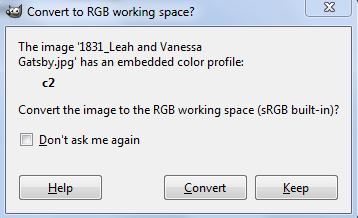
By opening the file the following message appears:
Image
Not sure if this somehow compromises image editing.
Thy girls have a spontaneous smile! It is pleasurable to edit an image contagious like that! :bigthup
Image

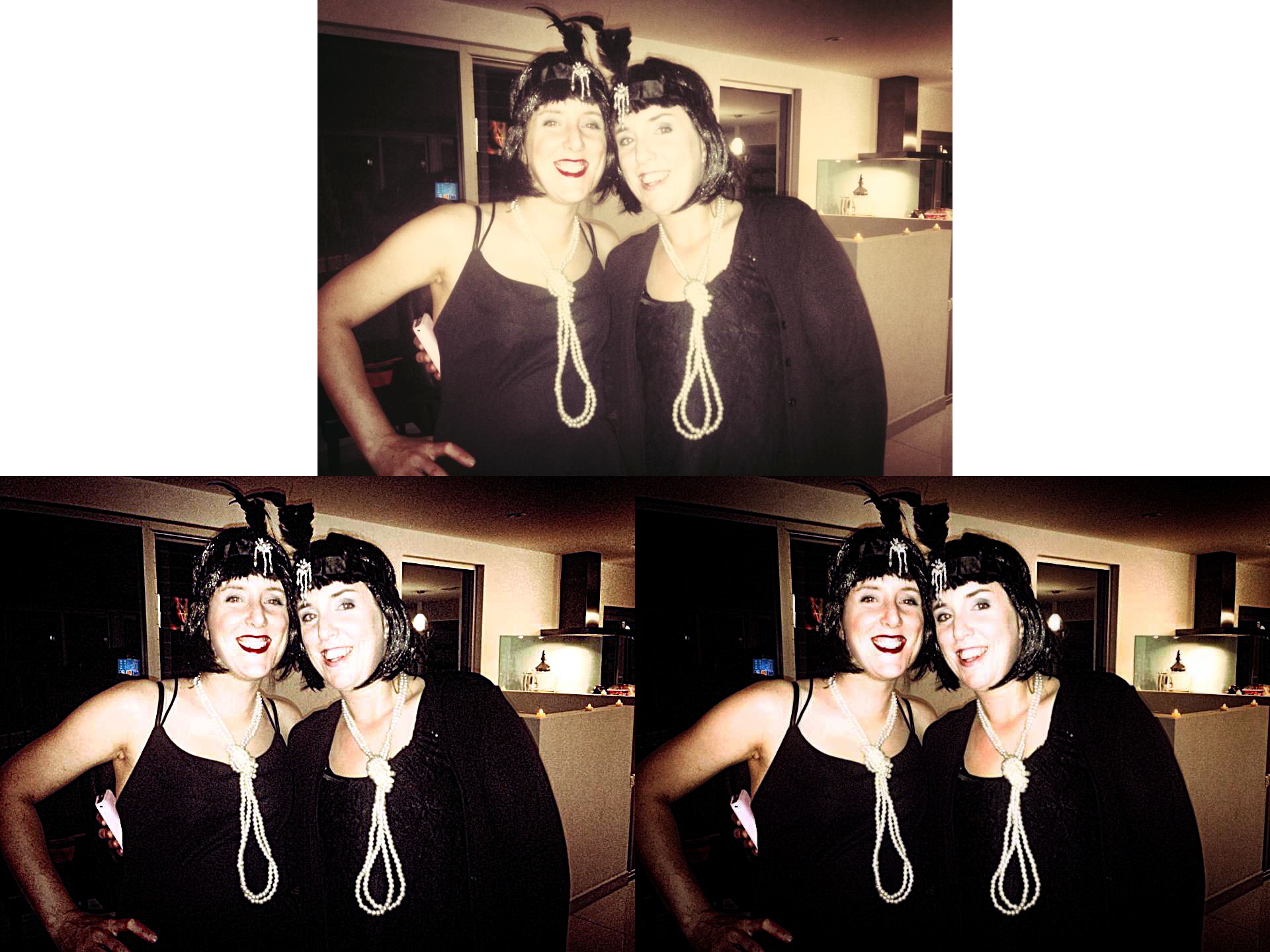
bbbbbbbbbbOriginal
With brightness - With tanning

Though I can not get a satisfactory result, it is always good to have a challenge like that. For always trying to learn, and seeing the results of the other members.
In any case it is worth remembering "You need to hang out with better photographers"
Thx!

_________________
bbbbbbbbbbbImage
bbbbbbbbbbb Be patient, English is not my language.


Top
 Post subject: Re: Can anyone enhance this photo?
PostPosted: Mon Oct 07, 2013 2:23 pm  (#20) 
Offline
GimpChat Member
User avatar

Joined: Nov 15, 2012
Posts: 949
Location: Mesa, AZ
I like when my friends send me pics that are in the total loss category and I make things reappear that were seemingly lost forever. *pets the gimp*
Makes me look all magical. I don't dissuade the notion.

_________________
Image

I now have a Tumblr, check it out!


Top
Post new topic Reply to topic  [ 20 posts ] 

All times are UTC - 5 hours [ DST ]


* Login  


Powered by phpBB3 © phpBB Group