It is currently Thu Nov 12, 2026 10:51 pm


All times are UTC - 5 hours [ DST ]


Post new topic Reply to topic  [ 309 posts ]  Go to page Previous  1 ... 8, 9, 10, 11, 12, 13, 14 ... 16  Next
Author Message
 Post subject: Re: Learning MyPaint Projects
PostPosted: Thu Nov 14, 2013 5:19 pm  (#201) 
Offline
GimpChat Member
User avatar

Joined: Apr 07, 2010
Posts: 14182
That looks very nice Moko... Do you still have the layers so I can see exactly what you did. I don't quite understand but if I saw it I might.

_________________
Image


Top
 Post subject: Re: Learning MyPaint Projects
PostPosted: Thu Nov 14, 2013 5:43 pm  (#202) 
Offline
GimpChat Member
User avatar

Joined: Aug 28, 2012
Posts: 3060
Location: Idk where I am.
Ahhh I didn't save, but I can do it again, I'll do it when I get back to the laptop. :D

_________________
Image
Reality is a lovely place...But I wouldn't wanna live there.


Top
 Post subject: Re: Learning MyPaint Projects
PostPosted: Thu Nov 14, 2013 5:46 pm  (#203) 
Offline
GimpChat Member
User avatar

Joined: Apr 07, 2010
Posts: 14182
Thanks Moko, no hurry. I appreciate it.

_________________
Image


Top
 Post subject: Re: Learning MyPaint Projects
PostPosted: Thu Nov 14, 2013 7:11 pm  (#204) 
Offline
GimpChat Member
User avatar

Joined: Aug 28, 2012
Posts: 3060
Location: Idk where I am.
Attachment:
4molly.zip [4.89 MiB]
Downloaded 97 times


I had issues uploading cause of size and stuff, I hope this works! :hoh
If it works, I hope it helps! :3

_________________
Image
Reality is a lovely place...But I wouldn't wanna live there.


Top
 Post subject: Re: Learning MyPaint Projects
PostPosted: Thu Nov 14, 2013 7:41 pm  (#205) 
Offline
GimpChat Member
User avatar

Joined: Apr 07, 2010
Posts: 14182
Thank you Moko, I have never done anything like that before. I like the results though, thank you. I will try this as soon as I get caught up with some stuff.

_________________
Image


Top
 Post subject: Re: Learning MyPaint Projects
PostPosted: Thu Nov 14, 2013 7:44 pm  (#206) 
Offline
GimpChat Member
User avatar

Joined: Aug 28, 2012
Posts: 3060
Location: Idk where I am.
You're Welcome! :D

_________________
Image
Reality is a lovely place...But I wouldn't wanna live there.


Top
 Post subject: Re: Learning MyPaint Projects
PostPosted: Thu Nov 14, 2013 7:59 pm  (#207) 
Offline
GimpChat Member
User avatar

Joined: Apr 07, 2010
Posts: 14182
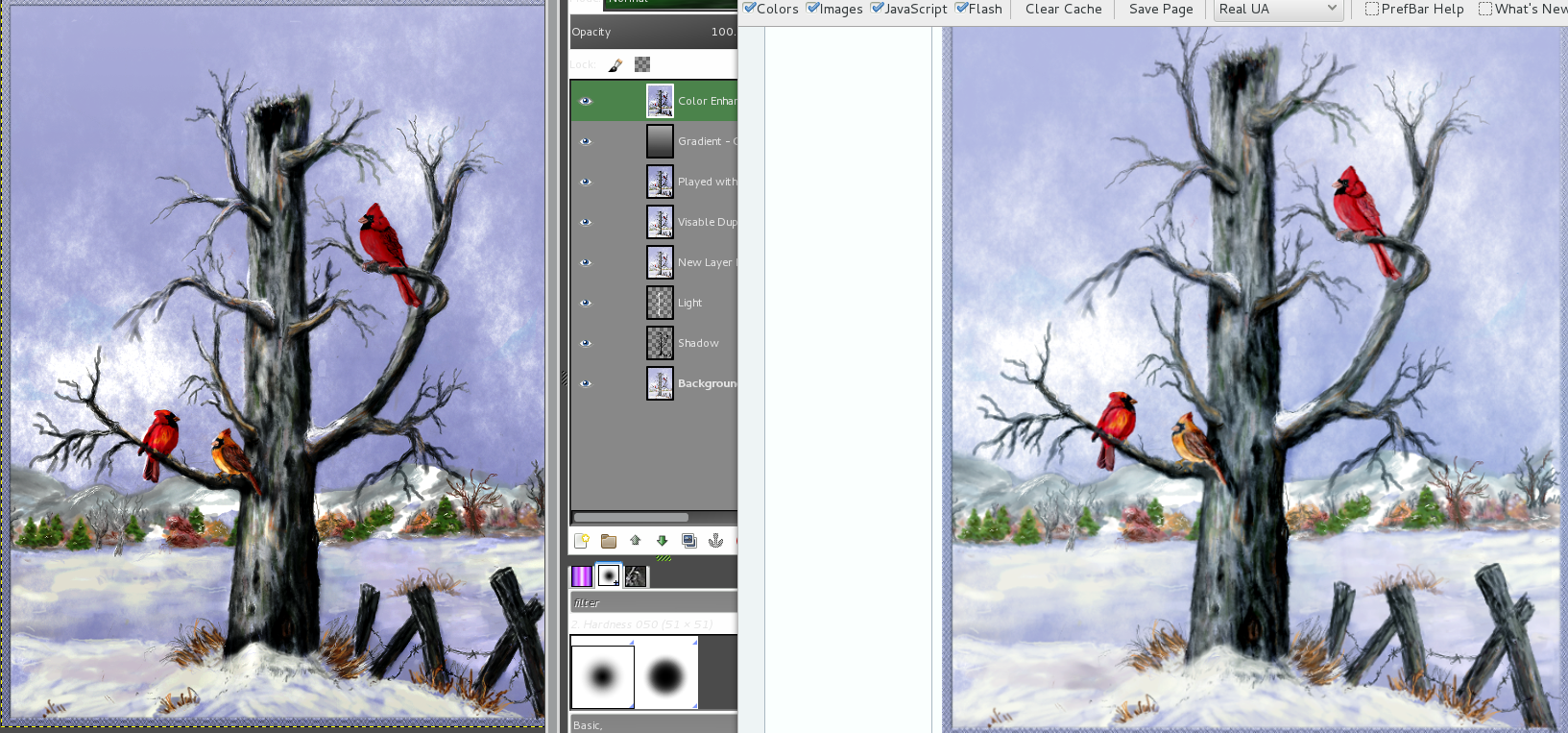
@Moko, Just looking at the two side by side, I like the first one you did the best. I like the blue tones and the fence is too dark in the second one. Here is the two together side by side. The one on the right, I like best, the other one is very nice but too dark.

Image

_________________
Image


Top
 Post subject: Re: Learning MyPaint Projects
PostPosted: Thu Nov 14, 2013 9:33 pm  (#208) 
Offline
GimpChat Member
User avatar

Joined: Aug 28, 2012
Posts: 3060
Location: Idk where I am.
ahh I did the same thing for both, but the gradient I used was more blue on the first one but I couldn't find the right color blue D:! And I couldn't get curves EXACT but I did the same thing both times.

_________________
Image
Reality is a lovely place...But I wouldn't wanna live there.


Top
 Post subject: Re: Learning MyPaint Projects
PostPosted: Fri Nov 15, 2013 1:00 am  (#209) 
Offline
GimpChat Member
User avatar

Joined: Dec 11, 2011
Posts: 532
molly wrote:
Well, RD and Odin, I don't know if this looks any better or not but let me know please.
[ Image ]


Much better Molly..... :coolthup :bigthup

_________________
Image


Top
 Post subject: Re: Learning MyPaint Projects
PostPosted: Fri Nov 15, 2013 5:33 am  (#210) 
Offline
GimpChat Member
User avatar

Joined: Apr 07, 2010
Posts: 14182
thank you RD

_________________
Image


Top
 Post subject: Re: Learning MyPaint Projects
PostPosted: Sat Nov 16, 2013 5:59 pm  (#211) 
Offline
GimpChat Member
User avatar

Joined: Feb 16, 2013
Posts: 74
Lovely painting molly although it reminds me that winters coming brrr.
I always like to see people using the blend modes to their advantage.

I've seen several concept artist using overlays etc. to enhance their work.
I know some digital painters even paint pictures completely in black and white.
the color using overlays
youtube example of blend modes coloring
plus greyscale layer could be used for displacement map base for texture mapping creating more wrap around like 3d textures.

lol if only they had a texture brush with built in displacement for more natural volumetric style painting in real time.
Once again very lovely classy picture Molly just curious is it snowing where your at right now lol.


Top
 Post subject: Re: Learning MyPaint Projects
PostPosted: Sat Nov 16, 2013 6:43 pm  (#212) 
Offline
GimpChat Member
User avatar

Joined: Dec 11, 2011
Posts: 532
hey molly i kinda of thought of something that could really make this painting. add some falling snow as though it was still snowing...it maybe the thing this painting needs to finish it off(not that it really needs it.) just a thought..

_________________
Image


Top
 Post subject: Re: Learning MyPaint Projects
PostPosted: Sat Nov 16, 2013 7:11 pm  (#213) 
Offline
GimpChat Member
User avatar

Joined: Apr 07, 2010
Posts: 14182
@Heroik No, we haven't had any snow yet. It was 58 Degrees F here today.
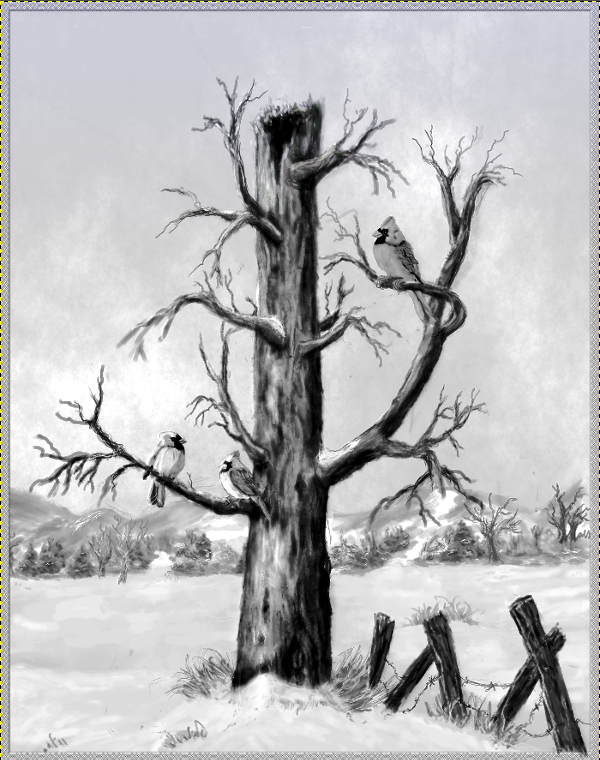
Thank you for your feed back. I did desaturate that painting last night and I like the effects really well.
Image


RD, thank you again and when we get snow, if we do I will make that picture have some animated stuff falling down. :lol

_________________
Image


Top
 Post subject: Re: Learning MyPaint Projects
PostPosted: Tue Dec 10, 2013 10:13 am  (#214) 
Offline
GimpChat Member
User avatar

Joined: Apr 07, 2010
Posts: 14182
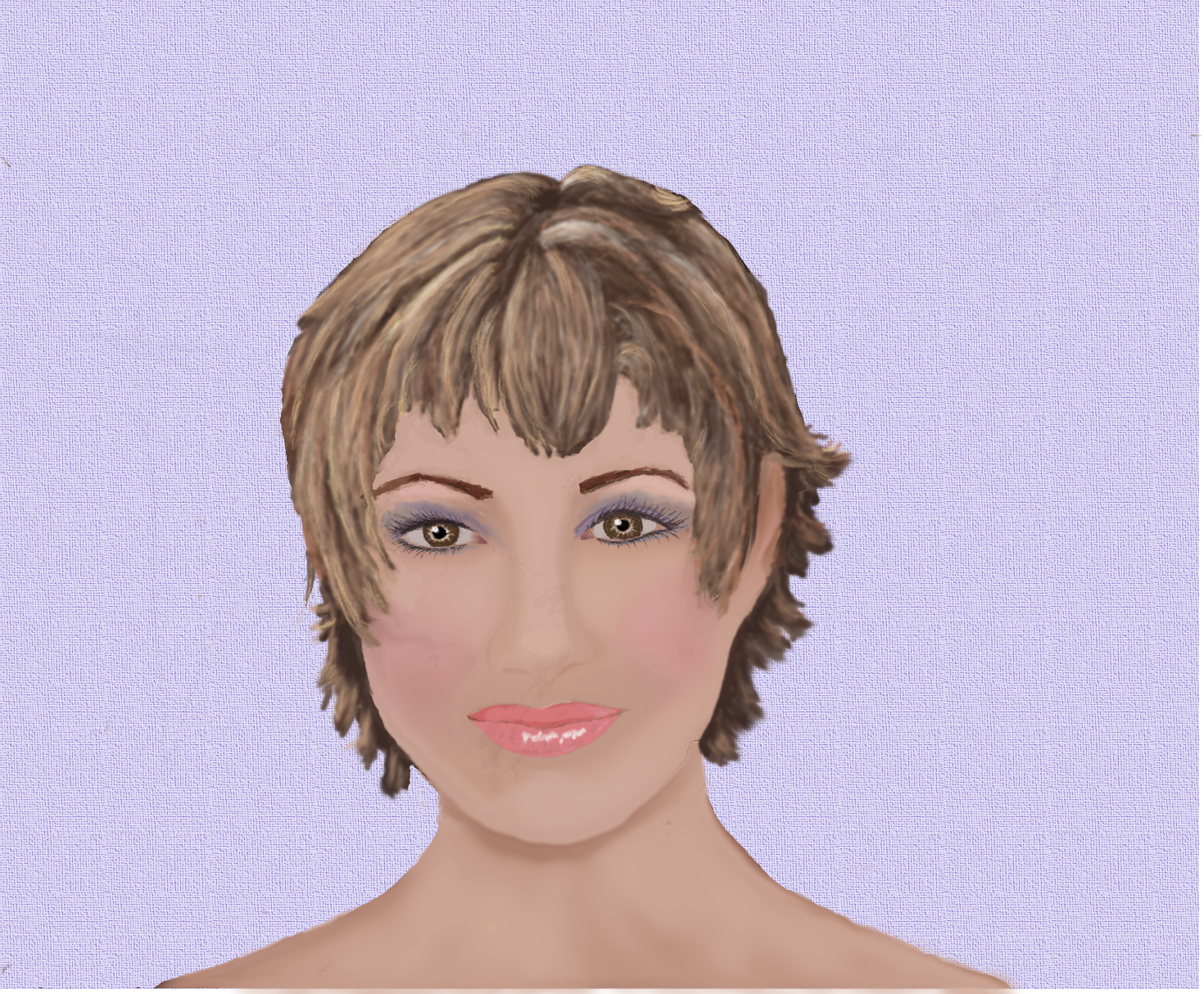
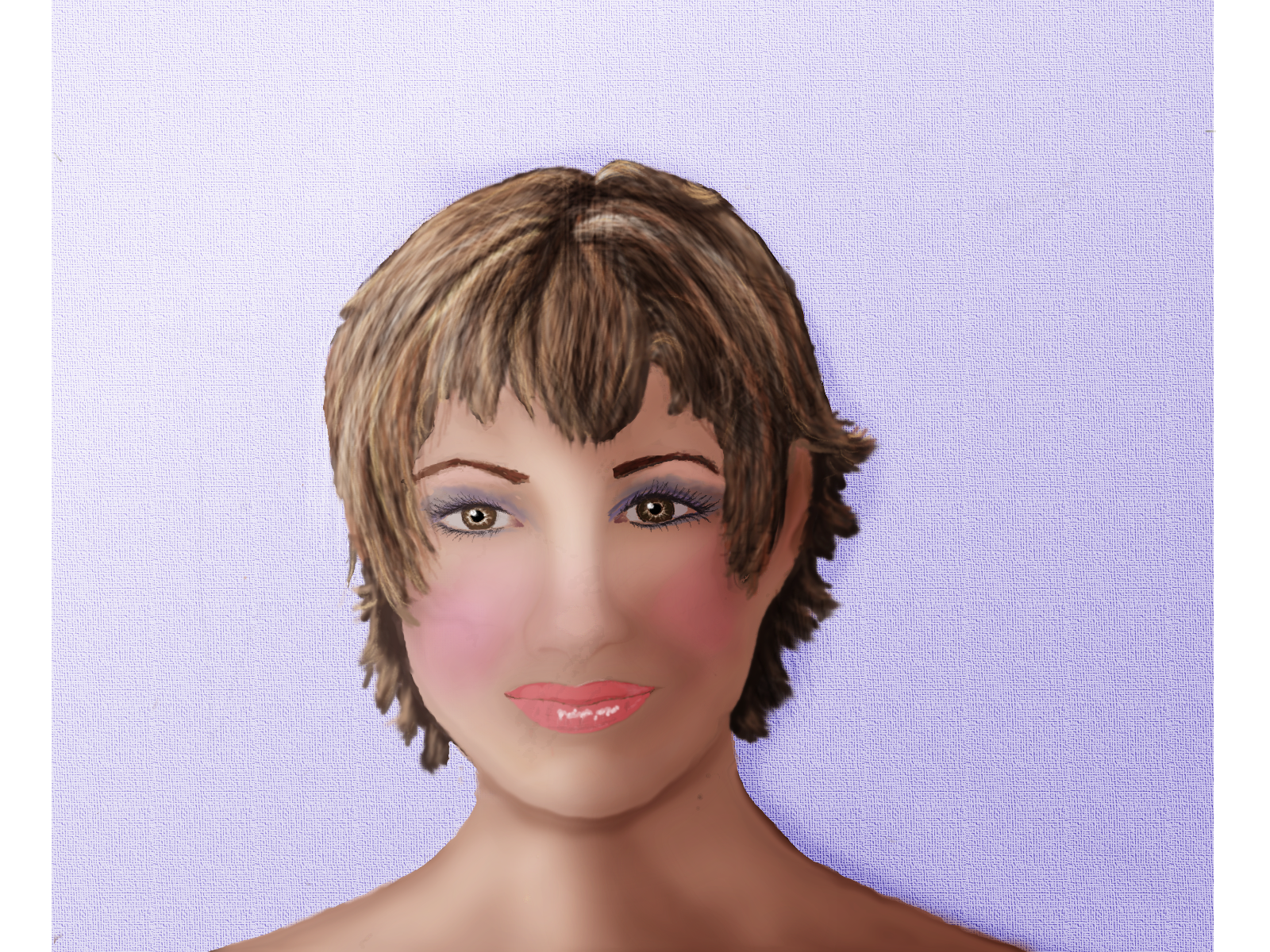
I have been working on this girl for over and month and I scrapped it many times in between. Arisian wouldn't let me give up on it.
It has some good features, but I would appreciate some comments, good or bad for what you see could be improved. This is from scratch so may be a little lop sided. especially the left cheek. :oops:
number 1, when I used the dream smoothing GMIC plug-in, it made a very nice job of the smoothing but it left artifacts behind I couldn't get rid of. around the nose and left cheek.
Number 2, I tried making layers to bring some shine to the hair but it still remains flat and icky.
Okay, now be kind but firm. :teeth
Image

_________________
Image


Top
 Post subject: Re: Learning MyPaint Projects
PostPosted: Tue Dec 10, 2013 5:16 pm  (#215) 
Offline
GimpChat Member
User avatar

Joined: Aug 16, 2012
Posts: 4271
Location: Göteborg, Sweden
molly: this really is great, molly! erisian did a good thing for once when he told you to keep working on it :).
i think the lips are looking fantastic and so are the eyes. i don't really see what it is you're not happy about?
about using smoothing filters on the skin: if you smooth a duplicate layer and give the duplicate layer a layer mask i think it might be easier to correct things that went wrong in the process.
about the hair: hmm... i think it needs more darkness to bring out the shine by contrast. i think i would have tried duplicate the hair and put it to overlay, then play with layer masks and opacity and possibly also with the "hue, saturation and luminance" tool under colours til i found something that suited me.

_________________


Top
 Post subject: Re: Learning MyPaint Projects
PostPosted: Tue Dec 10, 2013 5:27 pm  (#216) 
Offline
GimpChat Member
User avatar

Joined: Apr 07, 2010
Posts: 14182
Thank you so much AnMal, I haven't worked much with layer masks but I will try anything to make the hair shiny. I watched lots of tutes but they just didn't work for me. I appreciate your feedback, you are sweet.
I still have the XCF so I will try using the dupe and overlay and mask.

_________________
Image


Top
 Post subject: Re: Learning MyPaint Projects
PostPosted: Tue Dec 10, 2013 6:24 pm  (#217) 
Offline
GimpChat Member
User avatar

Joined: Aug 28, 2012
Posts: 3060
Location: Idk where I am.
I think she looks quite real! A few things stand out though:
Her face seems to need some more dynamic shading (if you're aiming for realistic) and the hair seems a bit too blurry imo.
The nose is also not symmetrical.

But all in all I think she's very pretty! :3

I added some shading just to give you an idea of what I mean.

Image

_________________
Image
Reality is a lovely place...But I wouldn't wanna live there.


Top
 Post subject: Re: Learning MyPaint Projects
PostPosted: Tue Dec 10, 2013 6:44 pm  (#218) 
Offline
GimpChat Member
User avatar

Joined: Apr 07, 2010
Posts: 14182
Thank you Moko, that looks nice.
I new about the lopsided face but I messed around with it for so long I just couldn't fix it. The left side of the face is fatter than the right and the right nostril is a little higher at the bottom. I just want to be able to fix that dam hair, grrr. I tried what AnMal said and duped the hair, changed layer mode on the dupe layer to overlay and added a white layer mask. I painted with a darker color and it showed what I was doing on the mask but when I applied the mask it didn't darken it. Anyway, maybe my next one will be better. I really like the feed back so keep them coming.

_________________
Image


Top
 Post subject: Re: Learning MyPaint Projects
PostPosted: Tue Dec 10, 2013 6:49 pm  (#219) 
Offline
GimpChat Member
User avatar

Joined: Mar 23, 2012
Posts: 7388
Location: Göteborg at last!
Finally I've been able to see your painting Molly. You have done an excellent job. I'm going to prepare an XCF for you with some suggested lights and shadows and if you want to you can work these in in your own style. I'm really glad you decided not to bin this.


Top
 Post subject: Re: Learning MyPaint Projects
PostPosted: Tue Dec 10, 2013 6:56 pm  (#220) 
Offline
GimpChat Member
User avatar

Joined: Apr 07, 2010
Posts: 14182
Thank you Eris, looking forward to it.

Moko, how did you add that shading to the right side without messing with the colors, is that a shadow or what?

_________________
Image


Top
Post new topic Reply to topic  [ 309 posts ]  Go to page Previous  1 ... 8, 9, 10, 11, 12, 13, 14 ... 16  Next

All times are UTC - 5 hours [ DST ]


* Login  


Powered by phpBB3 © phpBB Group