It is currently Tue Nov 24, 2026 2:19 pm


All times are UTC - 5 hours [ DST ]


Post new topic Reply to topic  [ 17 posts ] 
Author Message
 Post subject: The RGGJAN Portable
PostPosted: Thu Nov 21, 2013 4:45 pm  (#1) 
Offline
GimpChat Member

Joined: Nov 20, 2013
Posts: 15
GIMP Version: 2.8.4
Operating System: Windows
GIMP Experience: Intermediate Level


Is this out??? I read 10 pages and am not sure. Got a new 32G thumb I'd like to get it on... any links for a portable with it all? gimc, gap, ect... Thx


Share on Facebook Share on Twitter Share on Orkut Share on Digg Share on MySpace Share on Delicious Share on Technorati
Top
 Post subject: Re: The RGGJAN Portable
PostPosted: Thu Nov 21, 2013 4:46 pm  (#2) 
Offline
GimpChat Member
User avatar

Joined: Mar 23, 2012
Posts: 7388
Location: Göteborg at last!
http://www.partha.com/


Top
 Post subject: Re: The RGGJAN Portable
PostPosted: Thu Nov 21, 2013 4:48 pm  (#3) 
Offline
GimpChat Member

Joined: Nov 20, 2013
Posts: 15
Erisian wrote:
http://www.partha.com/


Thank You !!!


Top
 Post subject: Re: The RGGJAN Portable
PostPosted: Thu Nov 21, 2013 4:50 pm  (#4) 
Offline
GimpChat Member
User avatar

Joined: Mar 23, 2012
Posts: 7388
Location: Göteborg at last!
You're welcome


Top
 Post subject: Re: The RGGJAN Portable
PostPosted: Thu Nov 21, 2013 5:16 pm  (#5) 
Offline
GimpChat Member
User avatar

Joined: Apr 07, 2010
Posts: 14182
I thought there was only the one version of RGGJAN Gimp, and I think that was back in Gimp-2.6.7. Is it also out in 2.8.4?

_________________
Image


Top
 Post subject: Re: The RGGJAN Portable
PostPosted: Thu Nov 21, 2013 5:20 pm  (#6) 
Offline
GimpChat Member
User avatar

Joined: Mar 23, 2012
Posts: 7388
Location: Göteborg at last!
It's 2.7 4 in Parthas


Top
 Post subject: Re: The RGGJAN Portable
PostPosted: Thu Nov 21, 2013 5:26 pm  (#7) 
Offline
GimpChat Member
User avatar

Joined: Apr 07, 2010
Posts: 14182
That was the confusing part, the way the first post was worded, I thought he was asking for RGGJAN portable in 2.8.4. I had it and that foreground tool works great.

_________________
Image


Top
 Post subject: Re: The RGGJAN Portable
PostPosted: Thu Nov 21, 2013 5:30 pm  (#8) 
Offline
GimpChat Member

Joined: Nov 20, 2013
Posts: 15
GIMP_Extensions_v2.8.20130215.exe 24.4 MB... Will this go in the portable? I haven't got gap( is there a better way to get video to .gif ?) script fu either... Is there a tut on the better selector method ? Thats All I promise... tonight :{))


Top
 Post subject: Re: The RGGJAN Portable
PostPosted: Thu Nov 21, 2013 5:33 pm  (#9) 
Offline
GimpChat Member

Joined: Nov 20, 2013
Posts: 15
molly wrote:
That was the confusing part, the way the first post was worded, I thought he was asking for RGGJAN portable in 2.8.4. I had it and that foreground tool works great.


I'm sorry yes thats what I meant, plus the latest Portable too. Will they go together. I'm wanting to get my stuff on a portable so I can totally re-install Gimp on my computer, the lastest 2.8 Thx


Top
 Post subject: Re: The RGGJAN Portable
PostPosted: Thu Nov 21, 2013 10:43 pm  (#10) 
Offline
GimpChat Member

Joined: Jul 11, 2010
Posts: 349
From an earlier post of mine:

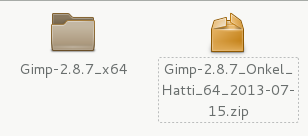
You may want to try Onkel Hatti's portable version v2.8.7. He has modified the original RGGJAN. I find that it works better and it has additional options.

Website: http://sourceforge.net/projects/gimp-pa ... kel_Hatti/

File for 32bit: http://sourceforge.net/projects/gimp-pa ... p/download

File for 64bit: http://sourceforge.net/projects/gimp-pa ... p/download


Top
 Post subject: Re: The RGGJAN Portable
PostPosted: Fri Nov 22, 2013 3:59 am  (#11) 
Offline
GimpChat Member

Joined: Nov 20, 2013
Posts: 15
bilbo9955 wrote:
From an earlier post of mine:

You may want to try Onkel Hatti's portable version v2.8.7. He has modified the original RGGJAN. I find that it works better and it has additional options.

Website: http://sourceforge.net/projects/gimp-pa ... kel_Hatti/

File for 32bit: http://sourceforge.net/projects/gimp-pa ... p/download

File for 64bit: http://sourceforge.net/projects/gimp-pa ... p/download


Thank You ! I got it... installed.


Top
 Post subject: Re: The RGGJAN Portable
PostPosted: Fri Nov 22, 2013 1:24 pm  (#12) 
Offline
GimpChat Member
User avatar

Joined: Apr 07, 2010
Posts: 14182
I copied it on to a USB and I can't run it in Linux, so I went over to Windows and it opens fine there. I am not sure now how it works. I had it before but it was 3 yrs ago.
I opened a pic of a girl with long wispy hair, I clicked the foreground tool and selected all around inside the girl without going outside into the part I want to cut out. After I made that selection it turned red with the ants still active. I clicked enter and nothing happens.
If I remember correctly, isn't it supposed to make a new transparent layer above the original with the background cut away? This isn't happening.
I looked for an hr for that RGGLAN vid of his demo but it just won't come up anywhere.
Is anyone out there having the same problem, or am I doing something wrong.

Image

_________________
Image


Top
 Post subject: Re: The RGGJAN Portable
PostPosted: Fri Nov 22, 2013 1:36 pm  (#13) 
Offline
GimpChat Member

Joined: Nov 20, 2013
Posts: 15
molly wrote:
I copied it on to a USB and I can't run it in Linux, so I went over to Windows and it opens fine there. I am not sure now how it works. I had it before but it was 3 yrs ago.
I opened a pic of a girl with long wispy hair, I clicked the foreground tool and selected all around inside the girl without going outside into the part I want to cut out. After I made that selection it turned red with the ants still active. I clicked enter and nothing happens.
If I remember correctly, isn't it supposed to make a new transparent layer above the original with the background cut away? This isn't happening.
I looked for an hr for that RGGLAN vid of his demo but it just won't come up anywhere.
Is anyone out there having the same problem, or am I doing something wrong.

[ Image ]


Thx Molly for showing interest :{)) I went back to the first recommendation, because comes with Gmic in it. I really want to try the forground selection and study the tuts... and wondering if I can get the latest verision of it in the (http://www.partha.com/ ) I have... I also need Gap...and solid tuts on how to make .gif's from video... for now. Heard you was away... glad your back :{))


Top
 Post subject: Re: The RGGJAN Portable
PostPosted: Fri Nov 22, 2013 2:15 pm  (#14) 
Offline
GimpChat Member
User avatar

Joined: Apr 07, 2010
Posts: 14182
Sallyanne was the one that was away.

_________________
Image


Top
 Post subject: Re: The RGGJAN Portable
PostPosted: Fri Nov 22, 2013 2:31 pm  (#15) 
Offline
GimpChat Member

Joined: Nov 20, 2013
Posts: 15
molly wrote:
Sallyanne was the one that was away.

Sorry... New...but thx again :{))


Top
 Post subject: Re: The RGGJAN Portable
PostPosted: Fri Nov 22, 2013 6:46 pm  (#16) 
Offline
GimpChat Member

Joined: Jul 11, 2010
Posts: 349
@molly

Either version of the plugin can be frustrating at times. Usually I would do the hair and than the rest of the of what I want on another layer. I find that setting the percentage slider to 9 helps a lot. You draw an outline around the outside and color the area that you want, When you release the mouse button, the little timer should start and you will see it attempt to do t the selection. If it doesn't select enough to your liking, color in more area. Repeat the process until you have what you want. At this point you would press enter, and you will have a new layer produced of your selection with transparency.

If nothing happens after you do your first coloring, I have found that that particular selection will never work. That is why I start out with the hair, I have had much better luck that way. It does an outstanding job on hair, that is when it works.For me it has worked most of the time.

I can't find anything to determine what will work and what won't.


Top
 Post subject: Re: The RGGJAN Portable
PostPosted: Fri Nov 22, 2013 6:54 pm  (#17) 
Offline
GimpChat Member
User avatar

Joined: Apr 07, 2010
Posts: 14182
@ bilbo9955, thank you.
I got the RGGLAN video, I know now what it was that I forgot to do. I selected around the edge but forgot the paint part. Thanks anyway. That is a good idea to just do the hair first. That is the part most people have their problems with. This saves out all those tiny little hairs that make it look less chopped.
It should have been in one of the newer versions of Gimp by now... It is one of my most wanted new add-ons.
Now when I want to use it I have to restart into Windoze to use it. drats.

_________________
Image


Top
Post new topic Reply to topic  [ 17 posts ] 

All times are UTC - 5 hours [ DST ]


cron

* Login  


Powered by phpBB3 © phpBB Group