It is currently Tue Nov 24, 2026 4:37 pm


All times are UTC - 5 hours [ DST ]


Post new topic Reply to topic  [ 37 posts ]  Go to page Previous  1, 2
Author Message
 Post subject: Re: Toolbox problem
PostPosted: Sat Nov 23, 2013 11:13 am  (#21) 
Offline
GimpChat Member
User avatar

Joined: Nov 21, 2013
Posts: 33
molly wrote:
If you upload a file once, you can't upload it again as the same name. Change the name, or put a number beside it like file.jpg change to file1.jpg, something like that and it will upload.


Thanks molly - that makes sense, though i still don't know how to get more than 1 file/img into the same post


Top
 Post subject: Re: Toolbox problem
PostPosted: Sat Nov 23, 2013 11:16 am  (#22) 
Offline
Global Moderator
User avatar

Joined: May 16, 2010
Posts: 16309
fatbass wrote:
molly wrote:
If you upload a file once, you can't upload it again as the same name. Change the name, or put a number beside it like file.jpg change to file1.jpg, something like that and it will upload.


Thanks molly - that makes sense, though i still don't know how to get more than 1 file/img into the same post


You can just upload each one separately. :)

_________________
Image


Top
 Post subject: Re: Toolbox problem
PostPosted: Sat Nov 23, 2013 11:20 am  (#23) 
Offline
GimpChat Member
User avatar

Joined: Apr 07, 2010
Posts: 14182
Use the full editor page.
click your upload button, browse, click the file you want, add file then submit.
click your upload button again, browse and click your second file, add file then submit
do the same thing for the third file. After you have the three files into your page, then submit the post

_________________
Image


Top
 Post subject: Re: Toolbox problem
PostPosted: Sat Nov 23, 2013 11:22 am  (#24) 
Offline
Global Moderator
User avatar

Joined: May 16, 2010
Posts: 16309
fatbass wrote:
So rod - i couldn't drag anything anywhere this time, as the dodge n burn palette didnt even appear, like it did before


Double click any tool in the toolbox and the tool options for that tool will open. Then simply dock it to the bottom of the toolbox. You may want to widen the toolbox also. Then if you select Windows>Single window mode you will have a one window layout.

Also be sure and go to Edit>Preferences>Window management and tick save windows on exit.
:bigthup

_________________
Image


Top
 Post subject: Re: Toolbox problem
PostPosted: Sat Nov 23, 2013 11:24 am  (#25) 
Offline
GimpChat Member
User avatar

Joined: Nov 21, 2013
Posts: 33
Thanks for the file upload tip molly - and will try that next rod, and see if that works


Top
 Post subject: Re: Toolbox problem
PostPosted: Sat Nov 23, 2013 11:27 am  (#26) 
Offline
GimpChat Member
User avatar

Joined: Nov 21, 2013
Posts: 33
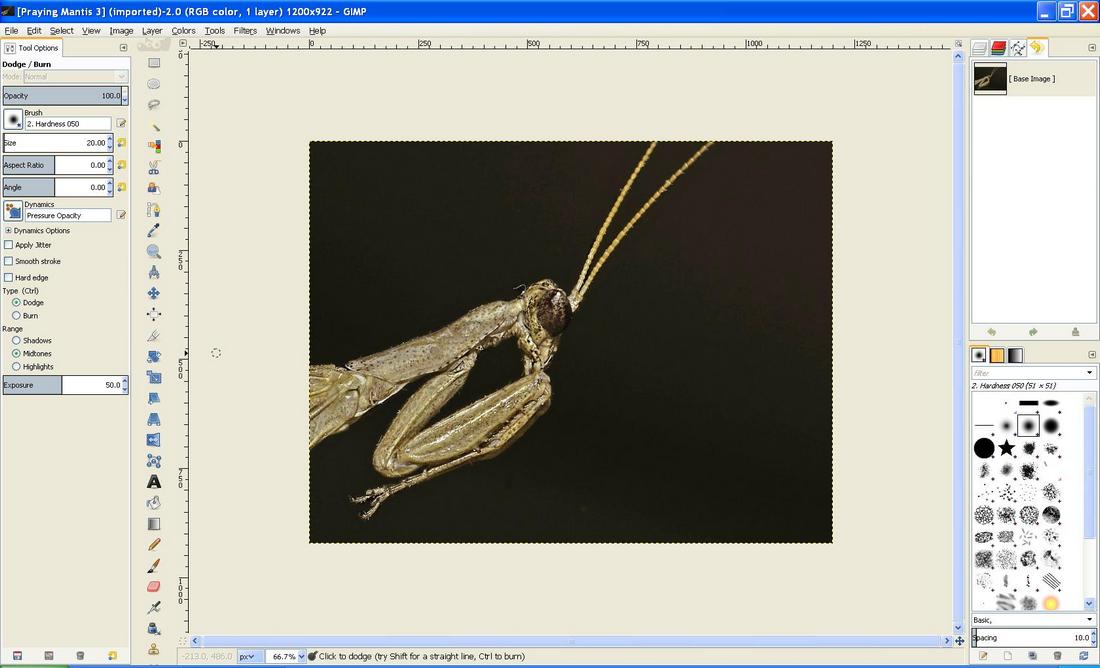
Aha ! Now that more like it. Ok, the main view has changed a bit from how gimp first looked, but this now looks more like the view i'd prefer

cheers rod !


Last edited by fatbass on Sat Nov 23, 2013 11:30 am, edited 1 time in total.

Top
 Post subject: Re: Toolbox problem
PostPosted: Sat Nov 23, 2013 11:29 am  (#27) 
Offline
GimpChat Member
User avatar

Joined: Nov 21, 2013
Posts: 33
Image


Top
 Post subject: Re: Toolbox problem
PostPosted: Sat Nov 23, 2013 11:35 am  (#28) 
Offline
GimpChat Member
User avatar

Joined: Apr 07, 2010
Posts: 14182
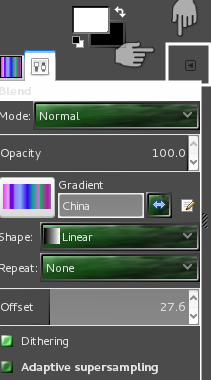
OR you can click button shown on screen shot, click add tab and select tool options

Image

_________________
Image


Top
 Post subject: Re: Toolbox problem
PostPosted: Sat Nov 23, 2013 11:49 am  (#29) 
Offline
GimpChat Member
User avatar

Joined: Nov 21, 2013
Posts: 33
Molly, i dont want to mess with it anymore in case something else disappears or rearranges itself. I need to get used to this weird program :)


Top
 Post subject: Re: Toolbox problem
PostPosted: Sat Nov 23, 2013 11:50 am  (#30) 
Offline
GimpChat Member
User avatar

Joined: Nov 21, 2013
Posts: 33
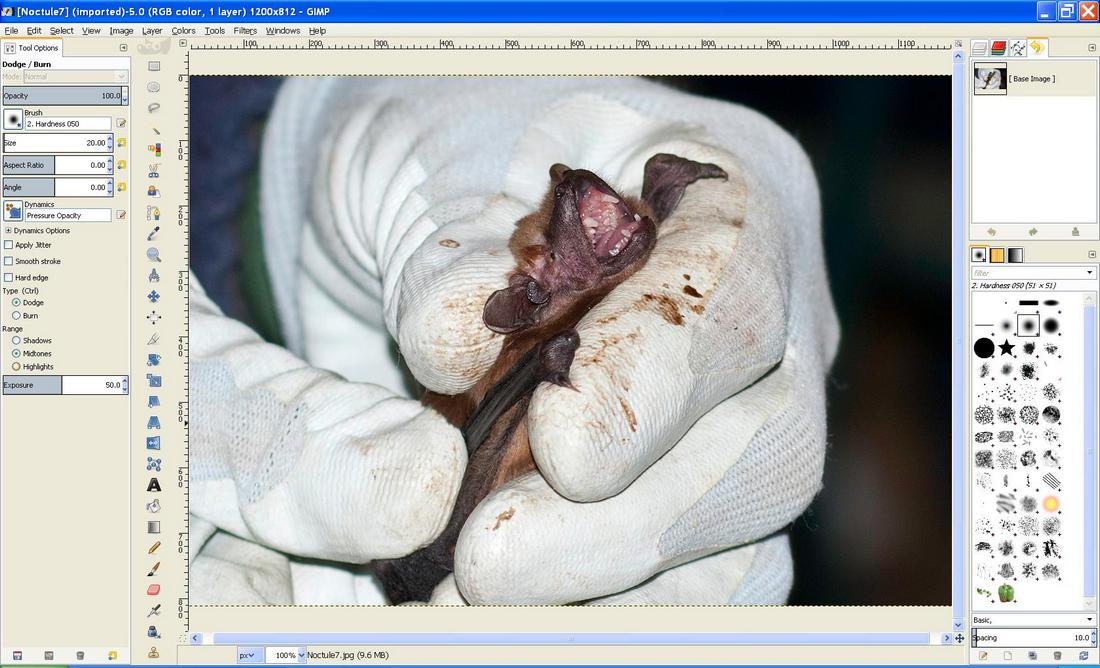
This kinda looks ok at the moment

Image


Last edited by fatbass on Sat Nov 23, 2013 11:54 am, edited 1 time in total.

Top
 Post subject: Re: Toolbox problem
PostPosted: Sat Nov 23, 2013 11:53 am  (#31) 
Offline
GimpChat Member
User avatar

Joined: Apr 07, 2010
Posts: 14182
What is that?

_________________
Image


Top
 Post subject: Re: Toolbox problem
PostPosted: Sat Nov 23, 2013 11:55 am  (#32) 
Offline
Global Moderator
User avatar

Joined: May 16, 2010
Posts: 16309
Cheers! Glad you got it working. Here is mine. Gimp-Painter layout though. ;)
And my own Dynamic Metalic Blue Licorice theme.

Image

_________________
Image


Top
 Post subject: Re: Toolbox problem
PostPosted: Sat Nov 23, 2013 11:56 am  (#33) 
Offline
GimpChat Member
User avatar

Joined: Nov 21, 2013
Posts: 33
Its a Noctule bat. I went on a bat tour around West Oxfordshire. Incredible creatures - we have 17 species in the UK ( 18 debatable ), which surprised me a lot


Top
 Post subject: Re: Toolbox problem
PostPosted: Sat Nov 23, 2013 11:57 am  (#34) 
Offline
GimpChat Member
User avatar

Joined: Nov 21, 2013
Posts: 33
Rod wrote:
Cheers! Glad you got it working. Here is mine. Gimp-Painter layout though. ;)
And my own Dynamic Metalic Blue Licorice theme.

[ Image ]


Thats pretty fancy looking - i'm not going to attempt anything like that :coolthup


Top
 Post subject: Re: Toolbox problem
PostPosted: Sat Nov 23, 2013 11:59 am  (#35) 
Offline
GimpChat Member
User avatar

Joined: Nov 21, 2013
Posts: 33
Hey - can i just say i was pleasantly surprised with how quickly all the help appeared in this thread ?

TVM !


Top
 Post subject: Re: Toolbox problem
PostPosted: Sat Nov 23, 2013 12:04 pm  (#36) 
Offline
Global Moderator
User avatar

Joined: May 16, 2010
Posts: 16309
fatbass wrote:
Hey - can i just say i was pleasantly surprised with how quickly all the help appeared in this thread ?

TVM !

This is a wonderful GIMP forum. :)

By the way the theme is easy to install. The layout i have is only available in GIMP Painter. The theme however (colors and interface images), works on all GIMP versions built for windows. :)

_________________
Image


Top
 Post subject: Re: Toolbox problem
PostPosted: Sat Nov 23, 2013 12:12 pm  (#37) 
Offline
GimpChat Member
User avatar

Joined: Nov 21, 2013
Posts: 33
I'll stick to simple , then when i've started to master a few things, i may go a bit bling :)


Top
Post new topic Reply to topic  [ 37 posts ]  Go to page Previous  1, 2

All times are UTC - 5 hours [ DST ]


* Login  


Powered by phpBB3 © phpBB Group