It is currently Fri Sep 25, 2026 10:13 am


All times are UTC - 5 hours [ DST ]


Post new topic Reply to topic  [ 1370 posts ]  Go to page Previous  1 ... 10, 11, 12, 13, 14, 15, 16 ... 69  Next
Author Message
 Post subject: Re: Bevel Reflect Logo V1.3 (Eliminate Extraneous Lines)
PostPosted: Tue Feb 25, 2014 11:44 am  (#241) 
Offline
GimpChat Member
User avatar

Joined: May 27, 2011
Posts: 707
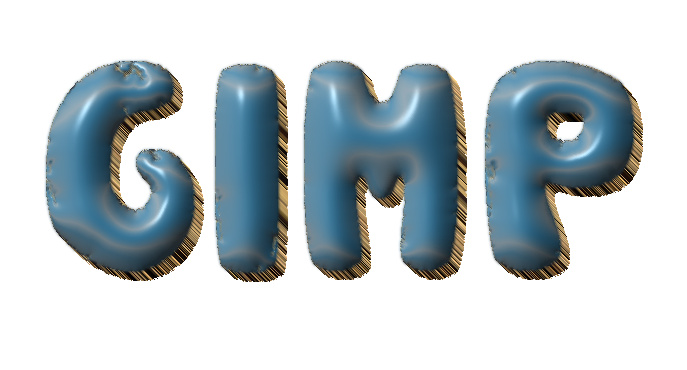
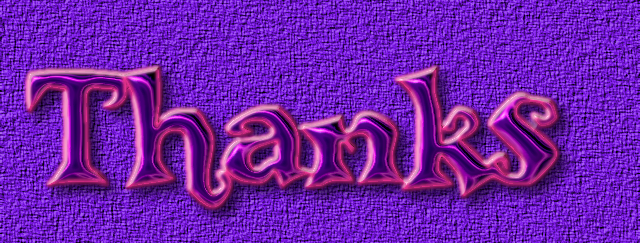
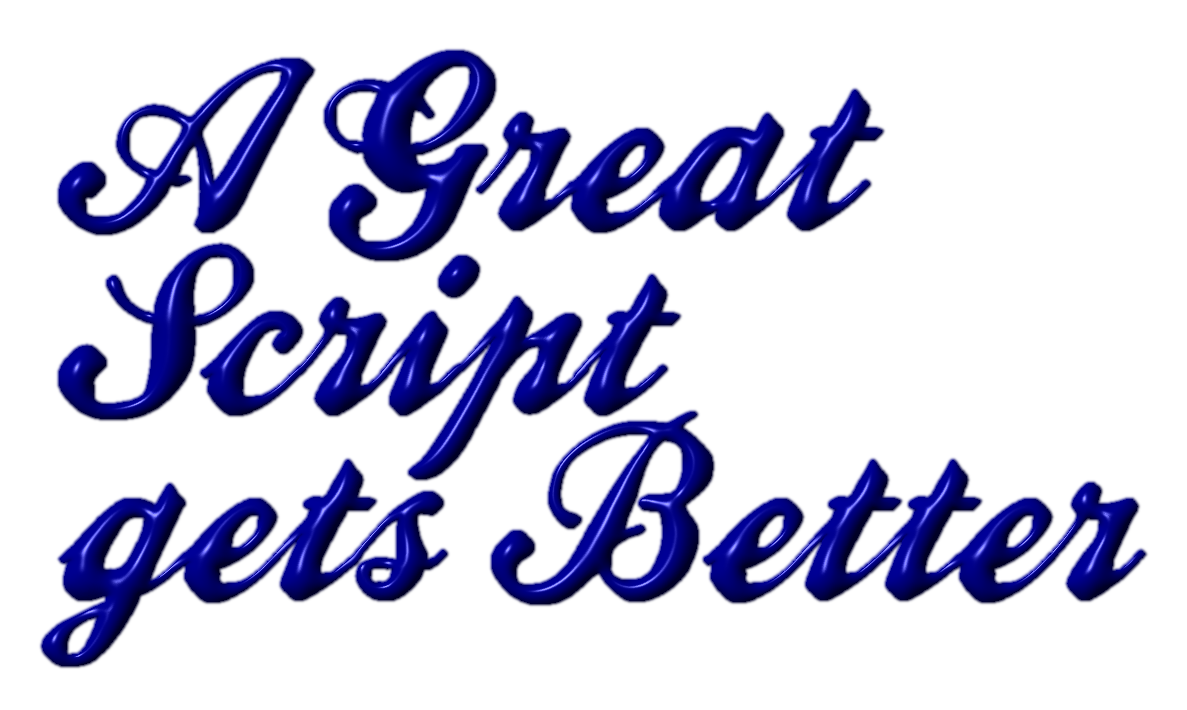
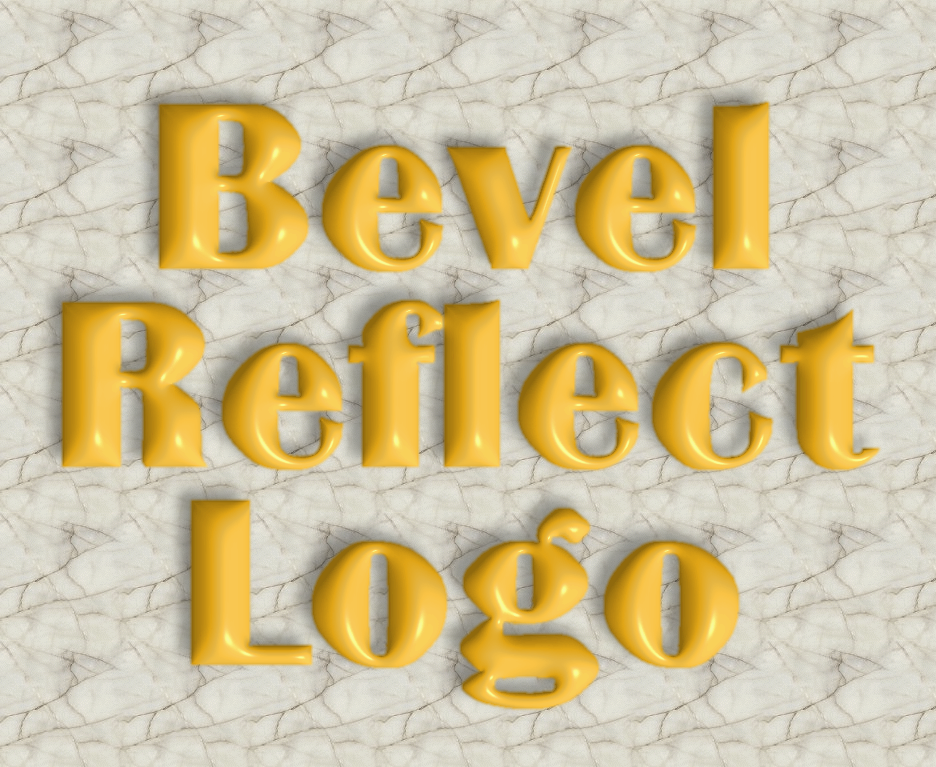
Great script and thank You for Your help Gnutux
Wallace: Thank You for the spheres:)

Image

Image

Image


Top
 Post subject: Re: Bevel Reflect Logo V1.3 (Eliminate Extraneous Lines)
PostPosted: Tue Feb 25, 2014 11:49 am  (#242) 
Offline
GimpChat Member
User avatar

Joined: Apr 07, 2010
Posts: 14182
Very nice pirate.

_________________
Image


Top
 Post subject: Re: Bevel Reflect Logo V1.3 (Eliminate Extraneous Lines)
PostPosted: Tue Feb 25, 2014 11:50 am  (#243) 
Offline
GimpChat Member
User avatar

Joined: May 27, 2011
Posts: 707
Thank You Molly :)


Top
 Post subject: Re: Bevel Reflect Logo V1.3 (Eliminate Extraneous Lines)
PostPosted: Wed Feb 26, 2014 10:33 am  (#244) 
Offline
GimpChat Member
User avatar

Joined: Aug 30, 2012
Posts: 2174
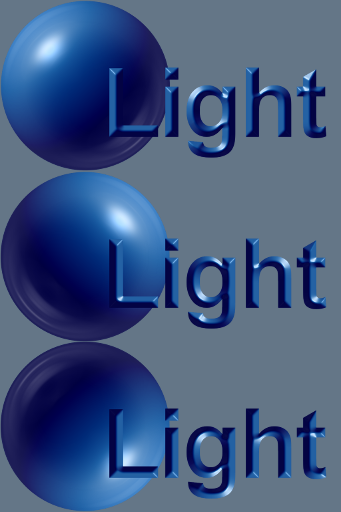
I know I've mentioned lighting before in this thread but was playing around today with the script when I suddenly thought, I wonder if the position of the environment sphere lighting has any effect on the outcome. So I tried this by rotating my sphere 90' clockwise on each of the resulting layers and I managed to get a change in lighting direction.

Image

_________________
Image


Top
 Post subject: Re: Bevel Reflect Logo V1.3 (Eliminate Extraneous Lines)
PostPosted: Wed Feb 26, 2014 11:24 am  (#245) 
Offline
GimpChat Member
User avatar

Joined: Apr 07, 2010
Posts: 14182
They are really cool he4rty, they look just like plastic.

_________________
Image


Top
 Post subject: Re: Bevel Reflect Logo V1.3 (Eliminate Extraneous Lines)
PostPosted: Wed Feb 26, 2014 1:33 pm  (#246) 
Offline
Administrator
User avatar

Joined: Aug 10, 2012
Posts: 14209
Location: Native to NYC living in Arizona, Gimp 2.8 - 3.0, Win 11 PC.
he4rty wrote:
I know I've mentioned lighting before in this thread but was playing around today with the script when I suddenly thought, I wonder if the position of the environment sphere lighting has any effect on the outcome. So I tried this by rotating my sphere 90' clockwise on each of the resulting layers and I managed to get a change in lighting direction.

[ Image ]

Nice results he4rty! :bigthup

_________________
Image
"A wise man learns more from a foolish question than a fool can learn from a wise answer"
Image


Top
 Post subject: Re: Bevel Reflect Logo V1.3 (Eliminate Extraneous Lines)
PostPosted: Wed Feb 26, 2014 4:38 pm  (#247) 
Offline
GimpChat Founder
User avatar

Joined: May 22, 2008
Posts: 5241
Location: Gimpville
Nice work He4rty.

So, the direction the light is coming in on the spherical environment map will be translated to the emapped object. That does make sense.

Thanks for cluing us in on your testing. That's good to know. :hehe

_________________
“If you reach for the stars, you just might land on a decently sized hill.” - Stuart Hill


Top
 Post subject: Re: Bevel Reflect Logo V1.3 (Eliminate Extraneous Lines)
PostPosted: Thu Feb 27, 2014 3:17 am  (#248) 
Offline
GimpChat Member
User avatar

Joined: Apr 09, 2011
Posts: 1764
beautiful results


Top
 Post subject: Re: Bevel Reflect Logo V1.3 (Eliminate Extraneous Lines)
PostPosted: Sat Mar 01, 2014 11:56 am  (#249) 
Offline
GimpChat Member
User avatar

Joined: Aug 30, 2012
Posts: 2174
Been playing some more with this script, mainly working with various layers

Image

_________________
Image


Top
 Post subject: Re: Bevel Reflect Logo V1.3 (Eliminate Extraneous Lines)
PostPosted: Sat Mar 01, 2014 12:20 pm  (#250) 
Offline
GimpChat Member
User avatar

Joined: Sep 22, 2012
Posts: 2089
Location: US
he4rty wrote:
I know I've mentioned lighting before in this thread but was playing around today with the script when I suddenly thought, I wonder if the position of the environment sphere lighting has any effect on the outcome. So I tried this by rotating my sphere 90' clockwise on each of the resulting layers and I managed to get a change in lighting direction.

[ Image ]


You nailed it he4rty! That's what the main implementation of the ML Bevel Reflect plugin is about.
Like in 3d programs (Blender, 3ds max and such) when the environment lighting (the brightest pixels of HDRi image) is the only source of light,
that leaves you with two options to change the direction of light - either to rotate HDRi image mapped on the dome [3ds max] or
rotate the whole scene [Blender]. I don't know if you're familiar with 3D apps workflow but your intuition steered you in the right direction.

Beautiful images he4rty!


Top
 Post subject: Re: Bevel Reflect Logo V1.3 (Eliminate Extraneous Lines)
PostPosted: Sat Mar 01, 2014 12:25 pm  (#251) 
Offline
GimpChat Member
User avatar

Joined: Aug 30, 2012
Posts: 2174
K1TesseraEna wrote:
he4rty wrote:
I know I've mentioned lighting before in this thread but was playing around today with the script when I suddenly thought, I wonder if the position of the environment sphere lighting has any effect on the outcome. So I tried this by rotating my sphere 90' clockwise on each of the resulting layers and I managed to get a change in lighting direction.

[ Image ]


You nailed it he4rty! That's what the main implementation of the ML Bevel Reflect plugin is about.
Like in 3d programs (Blender, 3ds max and such) when the environment lighting (the brightest pixels of HDRi image) is the only source of light,
that leaves you with two options to change the direction of light - either to rotate HDRi image placed on the dome [3ds max] or
rotate the whole scene [Blender]. I don't know if you're familiar with 3D apps workflow but your intuition steered you in the right direction.

Beautiful images he4rty!


Thanks for the compliment, my only adventure into 3d graphics is opening blender, beginning to sweat and shake at the screen layout, then closing it down and breathing a big sigh of relief.

_________________
Image


Top
 Post subject: Re: Bevel Reflect Logo V1.3 (Eliminate Extraneous Lines)
PostPosted: Sat Mar 01, 2014 4:16 pm  (#252) 
Offline
GimpChat Founder
User avatar

Joined: May 22, 2008
Posts: 5241
Location: Gimpville
he4rty wrote:
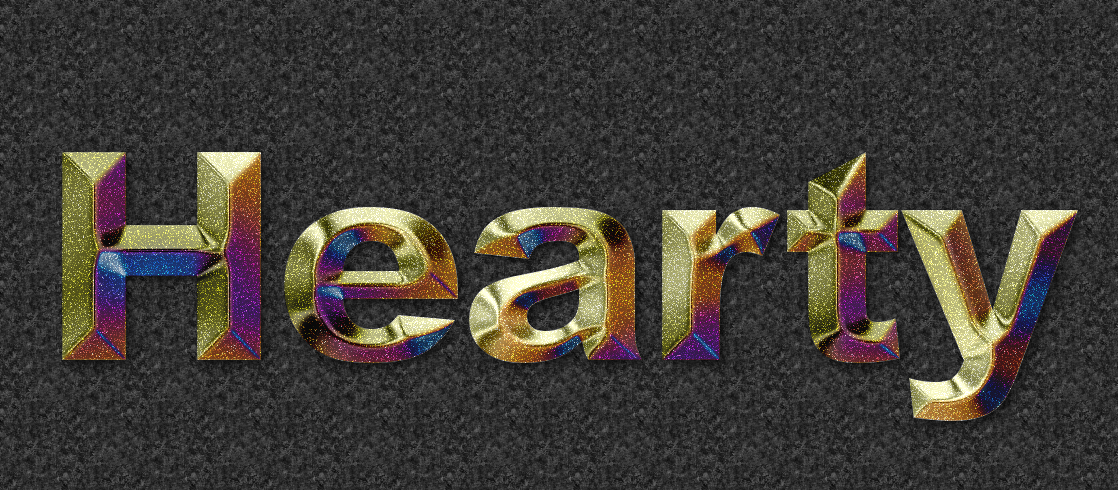
Been playing some more with this script, mainly working with various layers

That looks really good, He4rty. The metal flake surface is a nice touch.

On a side note, I'm planning on adding an option for light direction, which will rotate the generated spherical environment map, as you demonstrated earlier. :)

_________________
“If you reach for the stars, you just might land on a decently sized hill.” - Stuart Hill


Top
 Post subject: Re: Bevel Reflect Logo V1.3 (Eliminate Extraneous Lines)
PostPosted: Sun Mar 02, 2014 11:48 am  (#253) 
Offline
GimpChat Member
User avatar

Joined: Apr 07, 2010
Posts: 14182
addictive script
Image

Image

Image

_________________
Image


Top
 Post subject: Re: Bevel Reflect Logo V1.4 (Enhanced Text, Solid Color, Light Directi
PostPosted: Wed Mar 05, 2014 2:38 pm  (#254) 
Offline
GimpChat Founder
User avatar

Joined: May 22, 2008
Posts: 5241
Location: Gimpville
Those look very nice, Molly! :cool

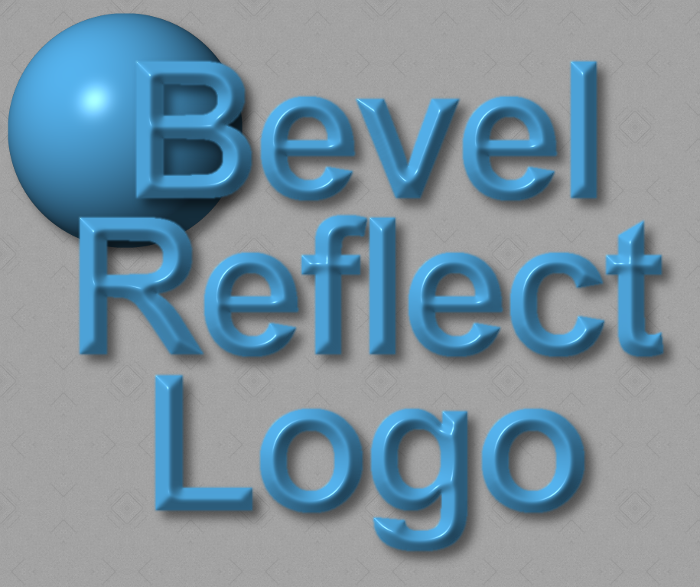
Bevel Reflect Logo has been updated to V1.4, with the addition of several new features.

The text entry area of the FIle/Create/Logo module has been expanded to include multiple lines of text, with letter spacing, line spacing and text justification.

The ability to generate a solid color spherical map has been added. Simply select the "Solid Color" option under the "Emap Type" dropdown. The active Foreground color will be used to generate the solid color map.

Lighting direction and specular highlight intensity options have also been added.

Image

Image
Image

The update is available on GIMP Scripts.

Due to the number of input options available to the user, I highly recommend updating GIMP with the new Scrolling Spript-Fu Interface.

Questions, comments and results should be posted back to this thread. I hope you find these updates useful.

_________________
“If you reach for the stars, you just might land on a decently sized hill.” - Stuart Hill


Top
 Post subject: Re: Bevel Reflect Logo V1.4 (Enhanced Text, Solid Color, Light Directi
PostPosted: Wed Mar 05, 2014 2:57 pm  (#255) 
Offline
GimpChat Member
User avatar

Joined: Apr 07, 2010
Posts: 14182
Quote:
Those look very nice, Molly! :cool

Thanks

Wow, that royal blue one really jumps out. nice Tux
Image

Image

_________________
Image


Top
 Post subject: Re: Bevel Reflect Logo V1.4 (Enhanced Text, Solid Color, Light Directi
PostPosted: Wed Mar 05, 2014 4:40 pm  (#256) 
Offline
GimpChat Member

Joined: Aug 27, 2010
Posts: 491
Thank You, Tux. This script is excellent.


Top
 Post subject: Re: Bevel Reflect Logo V1.4 (Enhanced Text, Solid Color, Light Directi
PostPosted: Wed Mar 05, 2014 7:27 pm  (#257) 
Offline
Script Coder
User avatar

Joined: Feb 18, 2011
Posts: 4826
Location: Bendigo Vic. Australia
GnuTux isn't it nice to throw of the shackles :hehe [an added color selector under the gradient selector for
the 'Spherical Solid' (Active Color)], would be nice.
I also changed the light direction to '(315 0 360 1 45 0 0) to make it easier to go to the required lighting direction
Image

_________________
Image
No matter how much you push the envelope, it'll still be stationery.


Top
 Post subject: Re: Bevel Reflect Logo V1.4 (Enhanced Text, Solid Color, Light Directi
PostPosted: Wed Mar 05, 2014 7:52 pm  (#258) 
Offline
GimpChat Founder
User avatar

Joined: May 22, 2008
Posts: 5241
Location: Gimpville
Thanks, Mike & Molly!

Graechan, not being constrained by the size limitations of the Script-Fu dialog is like breaking free from being trapped in a small box, which we literally were. :hehe

Those are good suggestions. I'm not sure what happened to your text though. It looks a bit blurry. :|

Here's some butterscotch text. :mrgreen:

Image

_________________
“If you reach for the stars, you just might land on a decently sized hill.” - Stuart Hill


Top
 Post subject: Re: Bevel Reflect Logo V1.4 (Enhanced Text, Solid Color, Light Directi
PostPosted: Wed Mar 05, 2014 10:05 pm  (#259) 
Offline
Script Coder
User avatar

Joined: Feb 18, 2011
Posts: 4826
Location: Bendigo Vic. Australia
I did my text quickly without reading all the settings, I'm sure there is something I could do to fix this. I'll try more next time

_________________
Image
No matter how much you push the envelope, it'll still be stationery.


Top
 Post subject: Re: Bevel Reflect Logo V1.4 (Enhanced Text, Solid Color, Light Directi
PostPosted: Thu Mar 06, 2014 2:26 am  (#260) 
Offline
Script Coder
User avatar

Joined: Feb 18, 2011
Posts: 4826
Location: Bendigo Vic. Australia
This time I paid attention to the settings
Molly's Strawberries
Image

_________________
Image
No matter how much you push the envelope, it'll still be stationery.


Top
Post new topic Reply to topic  [ 1370 posts ]  Go to page Previous  1 ... 10, 11, 12, 13, 14, 15, 16 ... 69  Next

All times are UTC - 5 hours [ DST ]


* Login  


Powered by phpBB3 © phpBB Group