It is currently Mon Aug 03, 2026 12:20 am


All times are UTC - 5 hours [ DST ]


Post new topic Reply to topic  [ 1370 posts ]  Go to page Previous  1 ... 11, 12, 13, 14, 15, 16, 17 ... 69  Next
Author Message
 Post subject: Re: Bevel Reflect Logo V1.4 (Enhanced Text, Solid Color, Light Directi
PostPosted: Thu Mar 06, 2014 3:58 am  (#261) 
Offline
GimpChat Member
User avatar

Joined: Apr 07, 2010
Posts: 14182
That is really cool Graechan, I love it. Could you or would you paste a screen shot of your settings, how you got you text that way, pleeeeeeeze?
Tux, I really love the butterscotch too.
I think I finally got it the way I want, but now can't remember what I did. grrrrr :gaah
Image

_________________
Image


Top
 Post subject: Re: Bevel Reflect Logo V1.4 (Enhanced Text, Solid Color, Light Directi
PostPosted: Thu Mar 06, 2014 6:20 am  (#262) 
Offline
Global Moderator
User avatar

Joined: Apr 01, 2012
Posts: 8447
Location: On the other side of your screen
molly wrote:
That is really cool Graechan, I love it. Could you or would you paste a screen shot of your settings, how you got you text that way, pleeeeeeeze?

Tux, I really love the butterscotch too.

I like your strawberry one too Molly
have tried a couple but I still cannot get really good edges
Image
Image
Not sure how I got the pink or blue background

_________________
Image
Free Fun Photo Editing & resources
Poems from the Lord
Gimp Newby
Gimp version 3.2.4 and GMIC-Qt 4.2.0 OS :- Windows 10 Home 64


Last edited by sallyanne on Thu Mar 06, 2014 7:31 am, edited 1 time in total.

Top
 Post subject: Re: Bevel Reflect Logo V1.4 (Enhanced Text, Solid Color, Light Directi
PostPosted: Thu Mar 06, 2014 6:54 am  (#263) 
Offline
GimpChat Member
User avatar

Joined: Apr 07, 2010
Posts: 14182
Your colored one is really nice sallyanne.

_________________
Image


Top
 Post subject: Re: Bevel Reflect Logo V1.4 (Enhanced Text, Solid Color, Light Directi
PostPosted: Thu Mar 06, 2014 7:34 am  (#264) 
Offline
Global Moderator
User avatar

Joined: Apr 01, 2012
Posts: 8447
Location: On the other side of your screen
Thanks Molly. I have seen some great ones in here but cannot get anything like them.

_________________
Image
Free Fun Photo Editing & resources
Poems from the Lord
Gimp Newby
Gimp version 3.2.4 and GMIC-Qt 4.2.0 OS :- Windows 10 Home 64


Top
 Post subject: Re: Bevel Reflect Logo V1.4 (Enhanced Text, Solid Color, Light Directi
PostPosted: Thu Mar 06, 2014 7:41 am  (#265) 
Offline
GimpChat Member
User avatar

Joined: Apr 07, 2010
Posts: 14182
Are you using the file > Create Logo Sallyanne? Gimpchat.com > bevel reflect logo?

_________________
Image


Top
 Post subject: Re: Bevel Reflect Logo V1.4 (Enhanced Text, Solid Color, Light Directi
PostPosted: Thu Mar 06, 2014 7:58 am  (#266) 
Offline
GimpChat Founder
User avatar

Joined: May 22, 2008
Posts: 5241
Location: Gimpville
Graechan & Molly, y'all's strawberry text looks great. I thought Molly's strawberry sphere was a map for this script too. :hehe

sallyanne wrote:
Not sure how I got the pink or blue background

That's a normal map, Sallyanne. You get that if your select normal map from the Environment Map Type dropdown.

sallyanne wrote:
have tried a couple but I still cannot get really good edges

What kind of result do you get if you use the default settings from the File/Create/Logo menu? You should get relatively smooth edges, unless your font is not anti-aliased or unless you've changed the starting text/image in some way. You don't need to manually select the text in any way (unless you want to apply BRL to only a section of the image).

There is also an edge smoothing option included in the script.

Assuming your font is anti-aliased, one good way to deal with jagged edges is by using the steps posted here.

_________________
“If you reach for the stars, you just might land on a decently sized hill.” - Stuart Hill


Top
 Post subject: Re: Bevel Reflect Logo V1.4 (Enhanced Text, Solid Color, Light Directi
PostPosted: Thu Mar 06, 2014 8:09 am  (#267) 
Offline
Global Moderator
User avatar

Joined: Apr 01, 2012
Posts: 8447
Location: On the other side of your screen
molly wrote:
Are you using the file > Create Logo Sallyanne? Gimpchat.com > bevel reflect logo?

Yes I am. I have both the ML Bevel Reflect and Bevel reflect logo downloads too.

@GnuTux I did my first (silver) one with out a map of any sort (none) using mostly default and what I meant by not getting a good result was I didn't have such a marked bevel. Once I change the default settings I couldn't seem to get them back. I guess I just had to shut down gimp and open it up again.


Time for me to go - Night :otb

_________________
Image
Free Fun Photo Editing & resources
Poems from the Lord
Gimp Newby
Gimp version 3.2.4 and GMIC-Qt 4.2.0 OS :- Windows 10 Home 64


Top
 Post subject: Re: Bevel Reflect Logo V1.4 (Enhanced Text, Solid Color, Light Directi
PostPosted: Thu Mar 06, 2014 8:11 am  (#268) 
Offline
GimpChat Member
User avatar

Joined: Apr 07, 2010
Posts: 14182
salllyanne, to get back to the default settings, you go to the bottom of the dialogue and click Reset.

_________________
Image


Top
 Post subject: Re: Bevel Reflect Logo V1.4 (Enhanced Text, Solid Color, Light Directi
PostPosted: Thu Mar 06, 2014 4:54 pm  (#269) 
Offline
Global Moderator
User avatar

Joined: Apr 01, 2012
Posts: 8447
Location: On the other side of your screen
Thanks Molly (hits head- should have looked there)

_________________
Image
Free Fun Photo Editing & resources
Poems from the Lord
Gimp Newby
Gimp version 3.2.4 and GMIC-Qt 4.2.0 OS :- Windows 10 Home 64


Top
 Post subject: Re: Bevel Reflect Logo V1.4 (Enhanced Text, Solid Color, Light Directi
PostPosted: Thu Mar 06, 2014 5:32 pm  (#270) 
Offline
GimpChat Member
User avatar

Joined: Apr 07, 2010
Posts: 14182
@sallyanne... Image

_________________
Image


Top
 Post subject: Re: Bevel Reflect Logo V1.4 (Enhanced Text, Solid Color, Light Directi
PostPosted: Fri Mar 07, 2014 5:38 am  (#271) 
Offline
GimpChat Member
User avatar

Joined: Apr 07, 2010
Posts: 14182
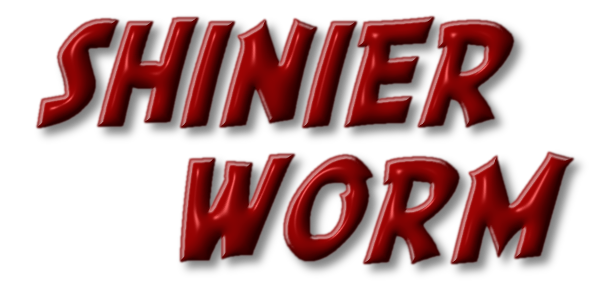
I think I have the what I call the worm settings, finally.
Image

Image

Image

_________________
Image


Top
 Post subject: Re: Bevel Reflect Logo V1.3 (Eliminate Extraneous Lines)
PostPosted: Fri Mar 07, 2014 6:07 am  (#272) 
Offline
Global Moderator
User avatar

Joined: Apr 01, 2012
Posts: 8447
Location: On the other side of your screen
he4rty wrote:
Been playing some more with this script, mainly working with various layers

Nice :bigthup was that just one map or a few?

_________________
Image
Free Fun Photo Editing & resources
Poems from the Lord
Gimp Newby
Gimp version 3.2.4 and GMIC-Qt 4.2.0 OS :- Windows 10 Home 64


Top
 Post subject: Re: Bevel Reflect Logo V1.4 (Enhanced Text, Solid Color, Light Directi
PostPosted: Fri Mar 07, 2014 6:19 am  (#273) 
Offline
Global Moderator
User avatar

Joined: Apr 01, 2012
Posts: 8447
Location: On the other side of your screen
molly wrote:
@sallyanne... [ Image ]

LOL I think the hand will do. Don't want concussion.
Opened up BRL again tonight and saw what you mentioned. I still can't believe I didn't look. There is a reset in almost every script.

_________________
Image
Free Fun Photo Editing & resources
Poems from the Lord
Gimp Newby
Gimp version 3.2.4 and GMIC-Qt 4.2.0 OS :- Windows 10 Home 64


Top
 Post subject: Re: Bevel Reflect Logo V1.4 (Enhanced Text, Solid Color, Light Directi
PostPosted: Fri Mar 07, 2014 6:29 am  (#274) 
Offline
GimpChat Member
User avatar

Joined: Jan 20, 2013
Posts: 590
Very nice work, Molly.

_________________
Image


Top
 Post subject: Re: Bevel Reflect Logo V1.4 (Enhanced Text, Solid Color, Light Directi
PostPosted: Fri Mar 07, 2014 6:52 am  (#275) 
Offline
GimpChat Member
User avatar

Joined: Apr 07, 2010
Posts: 14182
Thanks Carlos, couldn't get it as shiny as the ones Tux did but I didn't try any curves, maybe that would help.

_________________
Image


Top
 Post subject: Re: Bevel Reflect Logo V1.4 (Enhanced Text, Solid Color, Light Directi
PostPosted: Fri Mar 07, 2014 8:17 am  (#276) 
Offline
GimpChat Founder
User avatar

Joined: May 22, 2008
Posts: 5241
Location: Gimpville
molly wrote:
I think I have the what I call the worm settings, finally.

The first one looks really nice. Molly. The other two have a little too much contrast and saturation for my taste. If there is too much contrast and saturation in the original color/gradient/map, the result becomes washed out and you lose the beveling and highlights.

The example below is from using a color that is just too light.

Image

_________________
“If you reach for the stars, you just might land on a decently sized hill.” - Stuart Hill


Top
 Post subject: Re: Bevel Reflect Logo V1.4 (Enhanced Text, Solid Color, Light Directi
PostPosted: Fri Mar 07, 2014 8:23 am  (#277) 
Offline
GimpChat Member
User avatar

Joined: Apr 07, 2010
Posts: 14182
I didn't add any contrast, I did it the same way as the top one but with different font. Are you saying the colors I chose should be darker? If so, I could try that, I want a real shiny worm. :teeth

_________________
Image


Top
 Post subject: Re: Bevel Reflect Logo V1.4 (Enhanced Text, Solid Color, Light Directi
PostPosted: Fri Mar 07, 2014 8:33 am  (#278) 
Offline
GimpChat Founder
User avatar

Joined: May 22, 2008
Posts: 5241
Location: Gimpville
Yes, if the starting color/gradient/map is too light or if I add too much saturation (or contrast/lightness/brightness), I lose the shininess.

Here is the another example, where I just darkened the green for generating the map.

Image

_________________
“If you reach for the stars, you just might land on a decently sized hill.” - Stuart Hill


Top
 Post subject: Re: Bevel Reflect Logo V1.4 (Enhanced Text, Solid Color, Light Directi
PostPosted: Fri Mar 07, 2014 8:40 am  (#279) 
Offline
GimpChat Member
User avatar

Joined: Apr 07, 2010
Posts: 14182
Yay, that is what I want... thank you, I will try some more when I get back from Cogego store.

_________________
Image


Top
 Post subject: Re: Bevel Reflect Logo V1.4 (Enhanced Text, Solid Color, Light Directi
PostPosted: Fri Mar 07, 2014 10:57 am  (#280) 
Offline
GimpChat Member
User avatar

Joined: Apr 07, 2010
Posts: 14182
One I used Graechan's hi-lites and one not.
Image

Image

_________________
Image


Top
Post new topic Reply to topic  [ 1370 posts ]  Go to page Previous  1 ... 11, 12, 13, 14, 15, 16, 17 ... 69  Next

All times are UTC - 5 hours [ DST ]


* Login  


Powered by phpBB3 © phpBB Group