It is currently Sun Nov 08, 2026 1:09 pm


All times are UTC - 5 hours [ DST ]


Post new topic Reply to topic  [ 20 posts ] 
Author Message
 Post subject: Yellow World
PostPosted: Fri Mar 14, 2014 4:54 pm  (#1) 
Offline
GimpChat Member
User avatar

Joined: Apr 27, 2010
Posts: 1510
Location: Sweden
Image
(click for DA version)

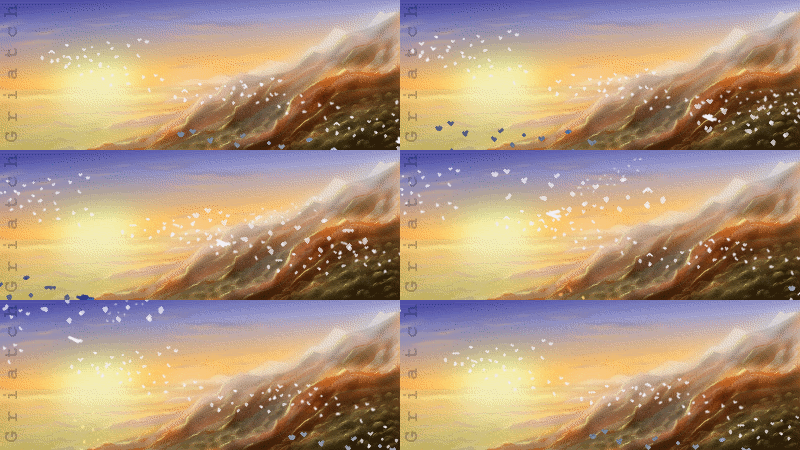
A landscape image done for a birthday card. In the distance are two characters of mine.

First inspiration for the light structure is from romantic 19th century paintings by John Atkinson Grimshaw; but I moved more and more towards my own style as I worked on it.

Krita + Gimp, some five hours.
.
Griatch

_________________


Share on Facebook Share on Twitter Share on Orkut Share on Digg Share on MySpace Share on Delicious Share on Technorati
Top
 Post subject: Re: Yellow World
PostPosted: Fri Mar 14, 2014 4:57 pm  (#2) 
Offline
GimpChat Member
User avatar

Joined: Mar 23, 2012
Posts: 7388
Location: Göteborg at last!
That is bursting with atmosphere and happiness. I love it!


Top
 Post subject: Re: Yellow World
PostPosted: Fri Mar 14, 2014 5:08 pm  (#3) 
Offline
GimpChat Member
User avatar

Joined: Jun 02, 2013
Posts: 2090
Very nice.

_________________
Image


Top
 Post subject: Re: Yellow World
PostPosted: Fri Mar 14, 2014 5:17 pm  (#4) 
Offline
GimpChat Member
User avatar

Joined: Apr 07, 2010
Posts: 14182
Absolutely beautiful. I just love it. Can't think of what else to say.

_________________
Image


Top
 Post subject: Re: Yellow World
PostPosted: Fri Mar 14, 2014 5:33 pm  (#5) 
Offline
GimpChat Member

Joined: Nov 04, 2013
Posts: 207
Nice!


Top
 Post subject: Re: Yellow World
PostPosted: Fri Mar 14, 2014 6:52 pm  (#6) 
Offline
GimpChat Member
User avatar

Joined: Sep 24, 2010
Posts: 12854
The ambiance is superb Griatch. :)

_________________
Lyle

Psalm 109:8

Image


Top
 Post subject: Re: Yellow World
PostPosted: Sat Mar 15, 2014 3:41 am  (#7) 
Offline
GimpChat Member
User avatar

Joined: Mar 01, 2014
Posts: 14230
Location: Spain, Aragón
Griatch, I'd be so happy if you told me how to do such a beautiful effect. Is it possible with Gimp?
Thanks in advance. :)

_________________
Image

Gimp 2.10.36 (samj) portable _ OS Windows 10 Home_ 64bits
Don’t be afraid to start over. It’s a new chance to rebuild what you want.


Top
 Post subject: Re: Yellow World
PostPosted: Sat Mar 15, 2014 4:30 am  (#8) 
Offline
Global Moderator
User avatar

Joined: Apr 01, 2012
Posts: 8498
Location: On the other side of your screen
Brilliant :paint

_________________
Image
Free Fun Photo Editing & resources
Poems from the Lord
Gimp Newby
Gimp version 3.2.6 and GMIC-Qt 4.0.2 OS :- Windows 10 Home 64


Top
 Post subject: Re: Yellow World
PostPosted: Sat Mar 15, 2014 5:20 am  (#9) 
Offline
GimpChat Member
User avatar

Joined: Aug 16, 2012
Posts: 4271
Location: Göteborg, Sweden
griatch: busvackert! i love the warm light and the atmosphere and the way the sunshine is sifted through the pattern of empty branches. especially the detail of that small bush or whatever it is to the left is so impressive, just the way afternoon light would work. beautiful work on the colouring.
i think one of the characters is that troll you've painted in an armchair, don't think i recognise the other one.

_________________


Top
 Post subject: Re: Yellow World
PostPosted: Sat Mar 15, 2014 12:50 pm  (#10) 
Offline
GimpChat Member
User avatar

Joined: Jun 25, 2011
Posts: 914
Location: Mount Olive, North Carolina
I really like the atmosphere :)

I keep meaning to give Krita a go, but I have some weird dependency issues that keep me from installing it.


Top
 Post subject: Re: Yellow World
PostPosted: Tue Mar 18, 2014 12:43 pm  (#11) 
Offline
GimpChat Member
User avatar

Joined: Aug 28, 2012
Posts: 3060
Location: Idk where I am.
I loveeeeeeeeeeeeee this, it's so pretty and relaxing!
Are the distant characters Blackback ( think that's his name, the troll merchant fella) and the Jester?
It's so far away I can't tell if it's the jester or the troll girl, I think I might see a tail but I'm not sure. xD

_________________
Image
Reality is a lovely place...But I wouldn't wanna live there.


Top
 Post subject: Re: Yellow World
PostPosted: Wed Mar 19, 2014 5:10 am  (#12) 
Offline
GimpChat Member
User avatar

Joined: Mar 19, 2014
Posts: 23
Location: in another dimension
I really like how the foreground road looks. It has a very great mood. The trees looks barren though and the background trees looks weird with the transparency at the top and being branchless. The grass field on the right also look too smooth. Is that on purpose? I really also would like to know how to paint grass in GIMP. Any tips?


Top
 Post subject: Re: Yellow World
PostPosted: Wed Mar 19, 2014 10:32 am  (#13) 
Offline
GimpChat Member
User avatar

Joined: Dec 10, 2013
Posts: 1004
Beautiful, soothing, tranquil - great work.

_________________
Image
Macbook Air - MacOS Sierra 10.12
McGimp 2.8.14
G'mic 1.6.5


Top
 Post subject: Re: Yellow World
PostPosted: Fri Mar 21, 2014 6:02 pm  (#14) 
Offline
GimpChat Member
User avatar

Joined: Apr 27, 2010
Posts: 1510
Location: Sweden
Thanks for the nice comments everyone! :)

Erisian wrote:
That is bursting with atmosphere and happiness. I love it!

Interesting that you'd see "happiness" alongside the ambience. :) Thanks for the comment!
molly wrote:
Absolutely beautiful. I just love it. Can't think of what else to say.
lylejk wrote:
The ambiance is superb Griatch. :)

Glad to hear this. :)
Issabella wrote:
Griatch, I'd be so happy if you told me how to do such a beautiful effect. Is it possible with Gimp?
Thanks in advance. :)

This is mostly traditional painting techniques. I'm using Krita since it has more specialized brushes but you could certainly do this in GIMP too if you preferred (I've done so many times in the past). The light is mostly done manually but some of the shine (especially that which shines past the leaves to the left) is made with a dodge-brush. The equivalent in GIMP is the dodge tool using a fuzzy brush and low opacity.
I have made many tutorials on how to create paintings in GIMP, check out my signature for the link to them. Ask if you have any further questions. :)
AnMal wrote:
griatch: busvackert! i love the warm light and the atmosphere and the way the sunshine is sifted through the pattern of empty branches. especially the detail of that small bush or whatever it is to the left is so impressive, just the way afternoon light would work. beautiful work on the colouring.
i think one of the characters is that troll you've painted in an armchair, don't think i recognise the other one.

Spent a lot of time on the lighting here, so it's good you think it looks realistic. I was happy with that left-side brushwork. :) The big character in the distance is indeed good ol' Blackback the troll. The smaller one could be a few different ones, but it's most likely the jester, I'd like to think.
merrak wrote:
I really like the atmosphere :)
I keep meaning to give Krita a go, but I have some weird dependency issues that keep me from installing it.

I had that issue for a long time too - compiling Krita from sources is a bit annoying and it has some really hefty KDE dependencies. But since Krita started offering development-snapshot PPAs, installing problems are pretty much gone on Debian-derived systems. I use the unstable PPA snapshot myself, from http://krita.org/download.
Mokonafan wrote:
I loveeeeeeeeeeeeee this, it's so pretty and relaxing!
Are the distant characters Blackback ( think that's his name, the troll merchant fella) and the Jester?
It's so far away I can't tell if it's the jester or the troll girl, I think I might see a tail but I'm not sure. xD

It's indeed Blackback, the merchant troll! The troll girl is a lot taller than the other one, so I think your guess of the Jester is probably pretty correct. Thanks for the comment!
Ralmon Meril wrote:
I really like how the foreground road looks. It has a very great mood. The trees looks barren though and the background trees looks weird with the transparency at the top and being branchless. The grass field on the right also look too smooth. Is that on purpose? I really also would like to know how to paint grass in GIMP. Any tips?

It is always good with feedback. There is some transparency going on there, that is true, I could probably have cleaned those up a bit more. I did try to add more branches towards the top of the image but I found that this gives a "ceiling" to the image and makes it look claustrophobic and closed-in - so I opted to make make them more sparse for this reason. Not sure I'd agree on the grass field, it has quite a lot of structure but I suspect you might need to look at the larger-size image to see it.
Grass in gimp is done in the same way you'd do it using normal pencils or oils on canvas. I usually use a hard, round brush and low opacity to paint out the general structure. Then you apply strands in a slightly different colour to cover the "lower part" of the grass - and so on. The main important aspect is to always vary your hues - nature is not homogenously coloured. I have a tutorial that covers making grass, you can find it here.
conbagui wrote:
Griatch your work is awesome. :clap :jumpclap You have a special talent in the touch of your work.
Dalia wrote:
Beautiful, soothing, tranquil - great work.

Thanks a lot!
.
Griatch

_________________


Top
 Post subject: Re: Yellow World
PostPosted: Sat Mar 22, 2014 10:31 pm  (#15) 
Offline
GimpChat Member
User avatar

Joined: Mar 19, 2014
Posts: 23
Location: in another dimension
The tutorial as great and helpful. I would try your technique, though, your grass is much more prominent in the tutorial than in this painting.

About the trees, why don't you try what David Revoy does to his Alice in Wonderland (please search for it I can't seem to post off-site urls).

Look at the background. You can see trees, mountains and castles there but they never really detracts with the foreground. I think it is because he uses very low contrast and monochromatic treatment for them. They rigester more like mist that solid entities. Maybe you could do the same to your background trees and make them part of the sky.


Top
 Post subject: Re: Yellow World
PostPosted: Sat Mar 22, 2014 11:28 pm  (#16) 
Offline
GimpChat Member
User avatar

Joined: Feb 12, 2014
Posts: 27
Location: Brazil
I saw some of your drawings. They are great.

You could spend more time drawing beautiful girls. :mrgreen:

_________________
Image


Top
 Post subject: Re: Yellow World
PostPosted: Sun Mar 23, 2014 3:34 am  (#17) 
Offline
GimpChat Member
User avatar

Joined: Apr 27, 2010
Posts: 1510
Location: Sweden
Ralmon Meril wrote:
The tutorial as great and helpful. I would try your technique, though, your grass is much more prominent in the tutorial than in this painting.

About the trees, why don't you try what David Revoy does to his Alice in Wonderland (please search for it I can't seem to post off-site urls).

Look at the background. You can see trees, mountains and castles there but they never really detracts with the foreground. I think it is because he uses very low contrast and monochromatic treatment for them. They rigester more like mist that solid entities. Maybe you could do the same to your background trees and make them part of the sky.

Glad the tutorial is useful. :) Yes, David's Alice in wonderland is a very nice piece! (although made in a quite different style) and you are correct that merging trees (and other things) with the background color through low-contrast is a nice and semi-subtle way of adding depth. You can see this technique used in parts of this painting too, but low-contrast effects like this is only possible (realistically) if you either have fog or the distance is big enough so as to have enough atmosphere between the viewer and the object - the closest row of trees is too close for more than a hint of this. But by all means - it's certainly possible I should have refactored the background to offer a further viewing distance in places to lighten it up a bit. It's worth thinking about. Thanks a lot for the feedback and suggestions! :)

Ieocda wrote:
I saw some of your drawings. They are great.


You could spend more time drawing beautiful girls. :mrgreen:

I have done some of those on occation too. ;)
.
Griatch

_________________


Top
 Post subject: Re: Yellow World
PostPosted: Sun Mar 23, 2014 6:57 am  (#18) 
Offline
GimpChat Member
User avatar

Joined: Apr 07, 2010
Posts: 14182
Ralmon Meril wrote:
The tutorial as great and helpful. I would try your technique, though, your grass is much more prominent in the tutorial than in this painting.

About the trees, why don't you try what David Revoy does to his Alice in Wonderland (please search for it I can't seem to post off-site urls).

Look at the background. You can see trees, mountains and castles there but they never really detracts with the foreground. I think it is because he uses very low contrast and monochromatic treatment for them. They rigester more like mist that solid entities. Maybe you could do the same to your background trees and make them part of the sky.

http://deevad.deviantart.com/

_________________
Image


Top
 Post subject: Re: Yellow World
PostPosted: Mon May 05, 2014 2:31 pm  (#19) 
Offline
GimpChat Member

Joined: May 05, 2014
Posts: 5
Perfectly chosen colour scheme; I commend you on your excellent work!


Top
 Post subject: Re: Yellow World
PostPosted: Sat May 31, 2014 2:32 am  (#20) 
Offline
GimpChat Member
User avatar

Joined: Apr 27, 2010
Posts: 1510
Location: Sweden
Thanks, AFarmaAnt. :)
.
Griatch

_________________


Top
Post new topic Reply to topic  [ 20 posts ] 

All times are UTC - 5 hours [ DST ]


* Login  


Powered by phpBB3 © phpBB Group