It is currently Thu Nov 26, 2026 11:38 pm


All times are UTC - 5 hours [ DST ]


Post new topic Reply to topic  [ 2 posts ] 
Author Message
 Post subject: Sample Points on a Intel Mac 10.6.2
PostPosted: Tue Mar 25, 2014 4:55 pm  (#1) 
Offline
New Member

Joined: Mar 25, 2014
Posts: 1
GIMP Version: 2.8.10
Operating System: Mac OS
OS Version: 10.6.2
GIMP Experience: Beginner Level

List any relevant plug-ins or scripts:
Match Color


The sample points don't even work for me.
No, "To create a sample point, Ctrl-click on one of the two measure rules of the image window and drag the mouse pointer. Two perpendicular guides appear. The sample point is where both guides intersect. You can see its coordinates in the lower left corner and the information bar of the image window. Release the mouse button."
I also don't get the sample points dialog to function.
Like, the second image light grey background image with the green rectangle.
But instead, it looks like the first dark grey background image.


Attachment:
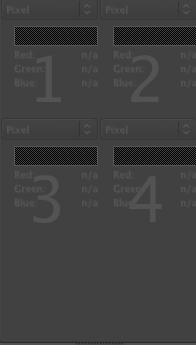
Sample Points 1.jpg
Sample Points 1.jpg [ 17.76 KiB | Viewed 1767 times ]


Attachments:
sample-points-dialog.png
sample-points-dialog.png [ 4.44 KiB | Viewed 1767 times ]
Share on Facebook Share on Twitter Share on Orkut Share on Digg Share on MySpace Share on Delicious Share on Technorati
Top
 Post subject: Re: Sample Points on a Intel Mac 10.6.2
PostPosted: Wed Mar 26, 2014 12:27 pm  (#2) 
Offline
GimpChat Member
User avatar

Joined: Nov 16, 2011
Posts: 5127
Location: Metro Vancouver, BC
This tutorial by patdavid might be worth a look, it uses sample points extensively.
More Curves (matching tones).

_________________
Image
Gimp 2.8.18, Linux, median user
Gimp Chat Tutorials Index
Spirit Bear (Kermode)


Top
Post new topic Reply to topic  [ 2 posts ] 

All times are UTC - 5 hours [ DST ]


* Login  


Powered by phpBB3 © phpBB Group

