It is currently Sat Aug 22, 2026 10:02 am


All times are UTC - 5 hours [ DST ]


Post new topic Reply to topic  [ 16 posts ] 
Author Message
 Post subject: Re: Deluxe Text Tutorial
PostPosted: Sat May 03, 2014 2:25 am  (#1) 
Offline
GimpChat Member
User avatar

Joined: Mar 01, 2014
Posts: 14140
Location: Spain, Aragón
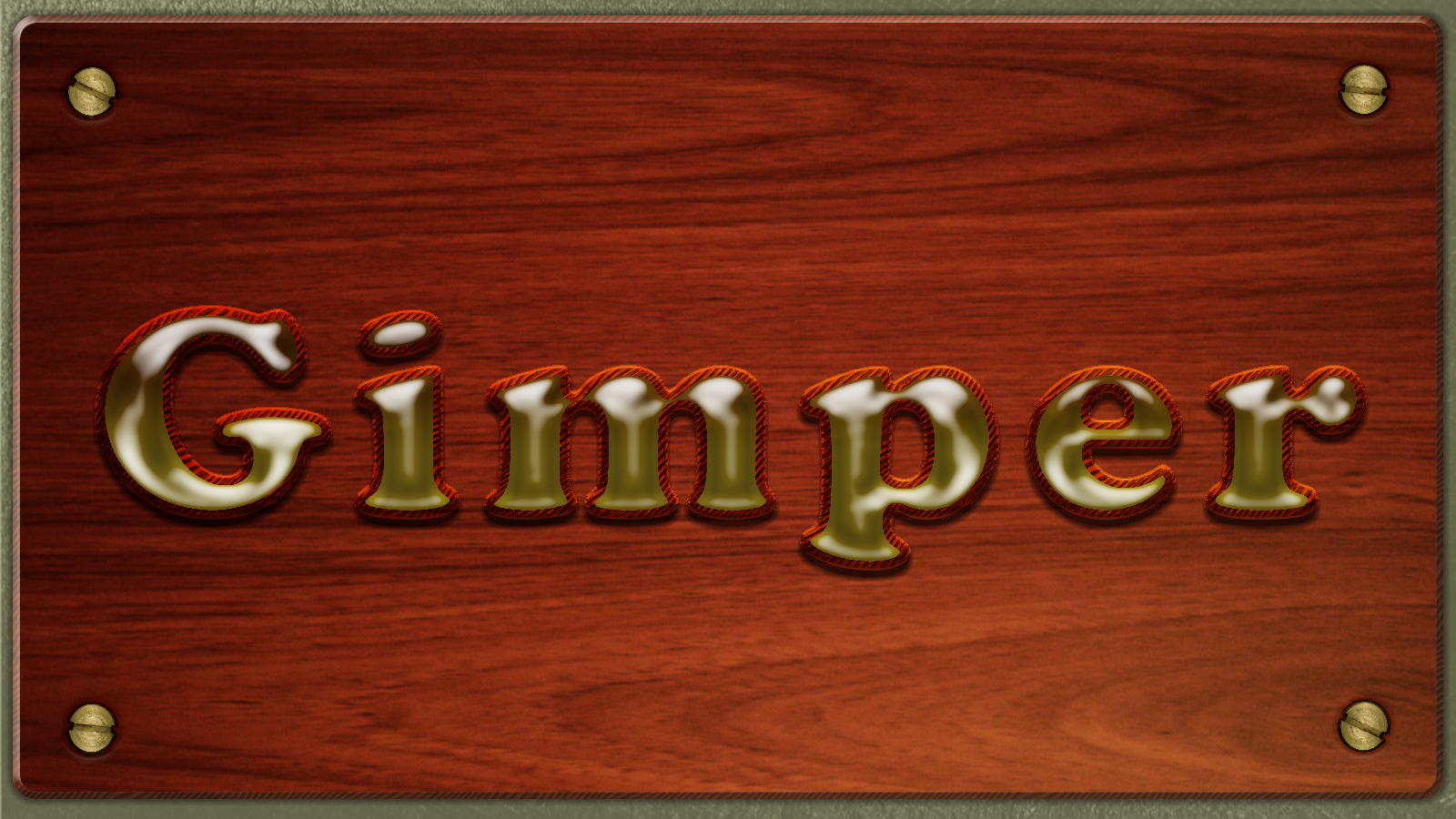
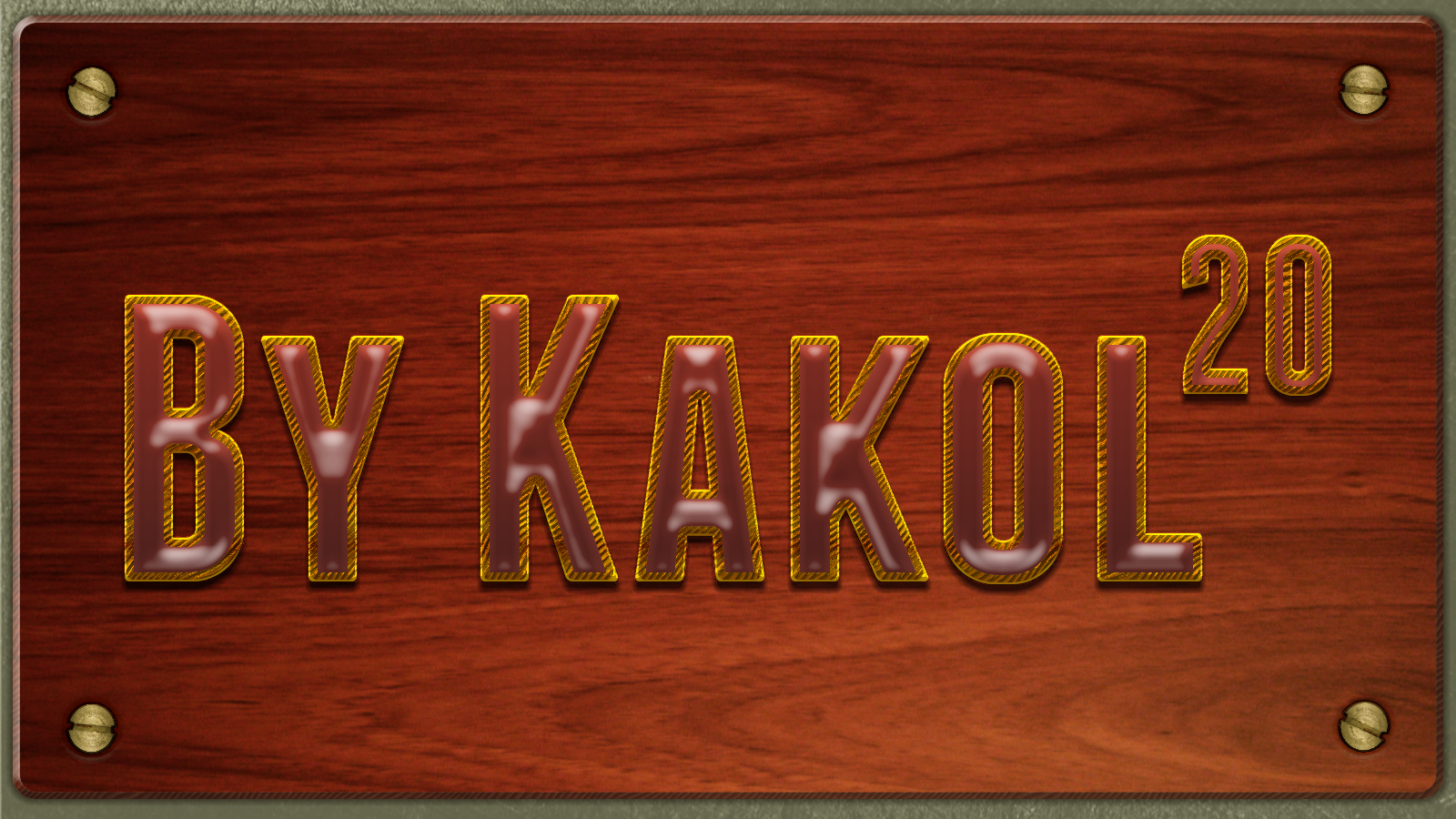
Thank you very much Conbagui for your beautiful text. Here my try, I've enjoy iy very much, :clap :paint


Attachments:
Wood plate-screws.jpg
Wood plate-screws.jpg [ 1.44 MiB | Viewed 6657 times ]

_________________
Image

Gimp 2.10.30(samj) portable _ OS Windows 10 Home_ 64bits
Don’t be afraid to start over. It’s a new chance to rebuild what you want.
Share on Facebook Share on Twitter Share on Orkut Share on Digg Share on MySpace Share on Delicious Share on Technorati
Top
 Post subject: Re: Deluxe Text Tutorial (Added Brown Slate texture pattern)
PostPosted: Sat May 03, 2014 3:23 pm  (#2) 
Offline
GimpChat Member
User avatar

Joined: Apr 26, 2014
Posts: 3820
Location: belgium
Image

conbagui,
thanks for the patern brown slate
Now I could make the text tutorial deluxe.
it's a beautiful picture and fantastic that we can customize the color to our own taste

conbagui,
this is what you meant to post my picture here


Top
 Post subject: Re: Deluxe Text Tutorial (Added Brown Slate texture pattern)
PostPosted: Sun May 04, 2014 3:13 am  (#3) 
Offline
GimpChat Member
User avatar

Joined: Apr 26, 2014
Posts: 3820
Location: belgium
conbagui,

sorry if my explanation is short
because I can not so good english writing
I am looking for a link where I can download colors
I want more color in my color gradients set up, now I only have the gimp standard colors.
the same for the letter fonts
can you help me please
Thanks in advance, gimper66


Top
 Post subject: Re: Deluxe Text Tutorial (Added Brown Slate texture pattern)
PostPosted: Sun May 04, 2014 6:43 am  (#4) 
Offline
GimpChat Member
User avatar

Joined: Dec 08, 2013
Posts: 1088
gimper66 wrote:
conbagui,

sorry if my explanation is short
because I can not so good english writing
I am looking for a link where I can download colors
I want more color in my color gradients set up, now I only have the gimp standard colors.
the same for the letter fonts
can you help me please
Thanks in advance, gimper66


Have you tried sample to gradient script? http://gimpscripts.com/2011/12/sample-a ... ng-a-path/

_________________
Image


Top
 Post subject: Re: Deluxe Text Tutorial (Added Brown Slate texture pattern)
PostPosted: Sun May 04, 2014 11:56 am  (#5) 
Offline
GimpChat Member
User avatar

Joined: Apr 26, 2014
Posts: 3820
Location: belgium
thanks everyone for the help, the colors are flying me around the ears :tyspin


Top
 Post subject: Re: Deluxe Text Tutorial (Added Brown Slate texture pattern)
PostPosted: Sun May 04, 2014 4:16 pm  (#6) 
Offline
GimpChat Member
User avatar

Joined: Dec 08, 2013
Posts: 1088
:) :) :)
gimper66 wrote:
thanks everyone for the help, the colors are flying me around the ears :tyspin

_________________
Image


Top
 Post subject: Re: Deluxe Text Tutorial (Added Brown Slate texture pattern)
PostPosted: Tue May 06, 2014 7:21 am  (#7) 
Offline
GimpChat Member
User avatar

Joined: Jan 20, 2013
Posts: 590
conbagui, I followed your tutorial strictly, but the result does not look like yours. I noticed that the biggest difference between my results and yours is in step 11: apply bevel and emboss to the gradient layer. Your result shows the texture and mine does not. Is it possible that the setting you used is no different than what was posted? I noticed the other results posted are also not equal to yours.


Attachments:
Que luxo.png
Que luxo.png [ 2 MiB | Viewed 4631 times ]

_________________
Image


Last edited by Carlos Diniz on Wed May 07, 2014 6:49 am, edited 1 time in total.
Top
 Post subject: Re: Deluxe Text Tutorial (Added Brown Slate texture pattern)
PostPosted: Wed May 07, 2014 6:51 am  (#8) 
Offline
GimpChat Member
User avatar

Joined: Jan 20, 2013
Posts: 590
Thanks, conbagui.

_________________
Image


Top
 Post subject: Re: Deluxe Text Tutorial (Added Brown Slate texture pattern)
PostPosted: Wed May 07, 2014 10:07 am  (#9) 
Offline
GimpChat Member
User avatar

Joined: Jan 20, 2013
Posts: 590
Thanks, conbagui. I did as you said. The problem was solved, but I did not like my results. I eliminated the gradient highlight layer and I put a gradient inner glow layer.


Attachments:
Que luxo inner glow.png
Que luxo inner glow.png [ 2.02 MiB | Viewed 4609 times ]

_________________
Image
Top
 Post subject: Re: Deluxe Text Tutorial (Added Brown Slate texture pattern)
PostPosted: Thu May 08, 2014 7:15 am  (#10) 
Offline
GimpChat Member
User avatar

Joined: Jan 20, 2013
Posts: 590
conbagui, thanks for your reply.

_________________
Image


Top
 Post subject: Re: Deluxe Text Tutorial (Added Brown Slate texture pattern)
PostPosted: Fri Oct 31, 2014 4:27 am  (#11) 
Offline
GimpChat Member
User avatar

Joined: Dec 08, 2013
Posts: 1088
:bump :bigthup

_________________
Image


Top
 Post subject: Re: Deluxe Text Tutorial (Added Brown Slate texture pattern)
PostPosted: Sat Nov 01, 2014 4:53 pm  (#12) 
Offline
GimpChat Member
User avatar

Joined: Jun 14, 2014
Posts: 9
I can't figure out why my outline is different to others'.
Image

_________________
Image


Top
 Post subject: Re: Deluxe Text Tutorial (Added Brown Slate texture pattern)
PostPosted: Sun Nov 02, 2014 6:24 am  (#13) 
Offline
GimpChat Member
User avatar

Joined: Apr 11, 2013
Posts: 57
Location: Scotland, Isle of Arran
A very interesting tutorial, thanks a lot. As I have a slow connection, I prefer to print out longer (or picture heavy) tuts, therefore I downloaded your tutorial pdf to create a booklet A5. So, first step is to use the command
pdf2ps filename.pdf filename.ps


However, I got the following message:
arran@Arran-14:~/deluxe-schrift$ pdf2ps deluxetext_tut.pdf deluxe-text.ps
   **** Warning:  An error occurred while reading an XREF table.
   **** The file has been damaged.  This may have been caused
   **** by a problem while converting or transfering the file.
   **** Ghostscript will attempt to recover the data.

   **** This file had errors that were repaired or ignored.
   **** The file was produced by:
   **** >>>> Microsoft� Word 2010 <<<<
   **** Please notify the author of the software that produced this
   **** file that it does not conform to Adobe's published PDF
   **** specification.


The ps file looks OK and I will go on with the rest of the commands.

_________________
Kubuntu 14.04, 14.10, Monitor HP ZR30w, Scanner Epson V300 photo


Top
 Post subject: Re: Deluxe Text Tutorial (Added Brown Slate texture pattern)
PostPosted: Mon Nov 03, 2014 10:35 am  (#14) 
Offline
GimpChat Member
User avatar

Joined: Apr 11, 2013
Posts: 57
Location: Scotland, Isle of Arran
The booklet is now printed, but I already fail at step 2:
Quote: «...make both invisble. Select the Original Test layer...». I understand this. But then the I get the error message:
Quote:
Fehler beim Ausführen von script-fu-layer-effects-drop-shadow:
Error: ( : 1) Procedure execution of gimp-selection-layer-alpha failed on invalid input arguments: Objekt »The Corries« (7) kann nicht verwendet werden, weil es zu keinem Bild hinzugefügt wurde
Meaning: Error in executing. Object The Corries can not be used, because it has not been added to a picture.
However, both of the text layers are labelled with «The Corries» and «The Corries #1»

What I do also not understand, the file has been installed automatically with the installation from the repos of Gimp-Registry and I had the .scm-version under «scripts» and the .py version under plugins». So, before I tried the above run, I DELETED the .scm version, closed Gimp and restarted anew. I definitively have no version any longer in the scripts folder, but line 1 suggests it used exactly the .scm-version. the .py version is correctly in the plug.in folder.

The layout of the filter is completely different from yours. See screenshot illustrating my points.


Attachments:
layer-effects.jpg
layer-effects.jpg [ 47.75 KiB | Viewed 3010 times ]

_________________
Kubuntu 14.04, 14.10, Monitor HP ZR30w, Scanner Epson V300 photo
Top
 Post subject: Re: Deluxe Text Tutorial (Added Brown Slate texture pattern)
PostPosted: Mon Nov 03, 2014 12:39 pm  (#15) 
Offline
GimpChat Member
User avatar

Joined: Apr 11, 2013
Posts: 57
Location: Scotland, Isle of Arran
conbagui wrote:
Hi Arran. Yo said that you deleted the scm version and you installed the py. Now when you go to Layer>Layer Effects>Drop Shadow, does it give you the layout that you posted here?
Yes.

conbagui wrote:
Once you place the .py file on the user/.gimp 2.8/plug-ins, restart gimp and you should find it in Layer>Layer Effects.
ALL my Gimp ressources are NOT in the home, but in /media/benutzer/gimp/ressourcen/brushes or scripts or plugins, etc. Of course the correct paths are registered in the appropriate place. Please no discussion about this, I have absolutely no user files in my home just the user-specific configuration files from the operating systems. All others are on 2 1TB HDs
I find the Layer Effects in a menu tab called FX-Foundry.

_________________
Kubuntu 14.04, 14.10, Monitor HP ZR30w, Scanner Epson V300 photo


Top
 Post subject: Re: Deluxe Text Tutorial (Added Brown Slate texture pattern)
PostPosted: Mon Nov 03, 2014 1:31 pm  (#16) 
Offline
GimpChat Member
User avatar

Joined: Apr 11, 2013
Posts: 57
Location: Scotland, Isle of Arran
OK, let's hope.

@ any Moderator or Administrator:
Is it possible you open a new thread with the title «Layer Effects in Linux (*buntu)»? I will then transfer my question into this new topic. And these obviously wrong placed contribuitions here could be deleted?

_________________
Kubuntu 14.04, 14.10, Monitor HP ZR30w, Scanner Epson V300 photo


Top
Post new topic Reply to topic  [ 16 posts ] 

All times are UTC - 5 hours [ DST ]


* Login  


Powered by phpBB3 © phpBB Group