It is currently Mon Sep 28, 2026 9:55 am


All times are UTC - 5 hours [ DST ]


Post new topic Reply to topic  [ 16 posts ] 
Author Message
 Post subject: Tessellating in GIMP?
PostPosted: Wed May 28, 2014 7:12 am  (#1) 
Offline
GimpChat Member

Joined: May 24, 2014
Posts: 14
GIMP Version: 2.8.10
Operating System: Windows
GIMP Experience: Beginner Level


I've been computer tessellating with MS Paint for 14 years, but the problem is, I can only rotate the tiles by 90 degree increments. I'd like to learn the simplest/quickest method for tessellating in GIMP so that I can rotate ANY increment (like 60 degrees, for example). The one and only "tutorial" for it I found online was terribly abstruse and made no sense to me. I also searched here at this site and found nothing.

I'm hugely new to GIMP (as in "fingerpainting" level, so to speak), so I need a step-by-step tute, if anybody might be up for making one, either visual (video) or written.

Thanx in advance!


Share on Facebook Share on Twitter Share on Orkut Share on Digg Share on MySpace Share on Delicious Share on Technorati
Top
 Post subject: Re: Tessellating in GIMP?
PostPosted: Wed May 28, 2014 7:57 am  (#2) 
Offline
GimpChat Member
User avatar

Joined: Sep 24, 2010
Posts: 12849
You should be able to do an arbitrary angle rotation on any layer you choose Nooby.


Attachments:
arb.png
arb.png [ 482.33 KiB | Viewed 7047 times ]

_________________
Lyle

Psalm 109:8

Image
Top
 Post subject: Re: Tessellating in GIMP?
PostPosted: Wed May 28, 2014 12:31 pm  (#3) 
Offline
GimpChat Member
User avatar

Joined: Jul 17, 2012
Posts: 2769
im not sure what you mean with tessellating

i guess the pattern fill in Gimp is a kind of tessellating
but you have to be able to create seamless patterns and you cant rotate the pattern

to me tessellating sounds like tiled clones in Inkscape
you can create very complex stuff with it, buts its not easy to wrap your head around

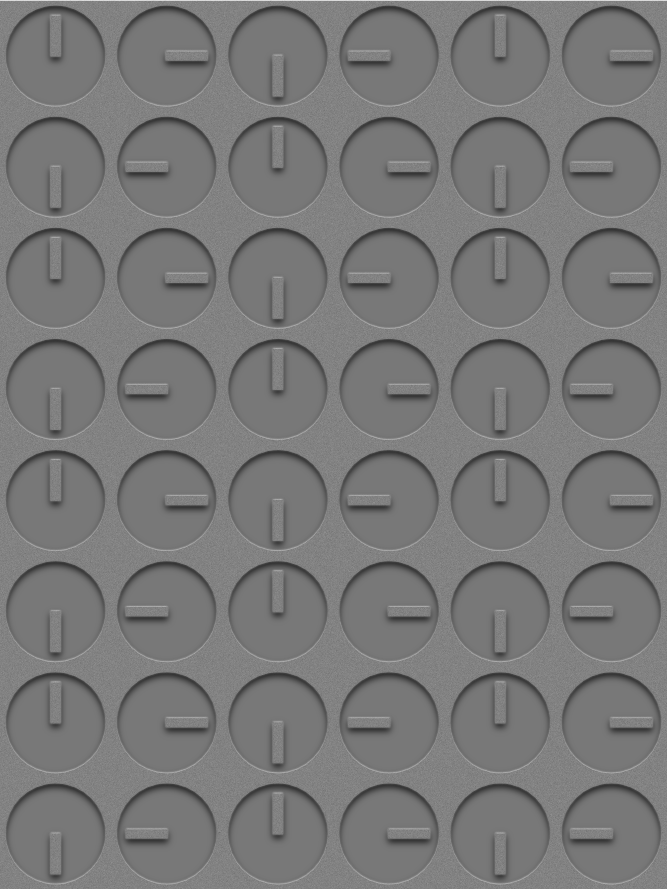
i made my clocks image over on my blog with tiled clones

Image

im not sure how good tiled clones raster images will look in Inkscape, but you can give it a try
Tav has an online manual, here:
http://tavmjong.free.fr/INKSCAPE/MANUAL/html/Tiles.html

EDIT:
i totally forgot about the clone layer tool, its a bit like tiled clones, but for Gimp
http://registry.gimp.org/node/25422


Top
 Post subject: Re: Tessellating in GIMP?
PostPosted: Wed May 28, 2014 4:09 pm  (#4) 
Offline
GimpChat Member
User avatar

Joined: Mar 10, 2014
Posts: 845
thank you Esper to address to Clone layer tool plug-in; it's very useful!


Top
 Post subject: Re: Tessellating in GIMP?
PostPosted: Wed May 28, 2014 4:22 pm  (#5) 
Offline
GimpChat Member
User avatar

Joined: Jul 17, 2012
Posts: 2769
Marcello wrote:
thank you Esper to address to Clone layer tool plug-in; it's very useful!
yes Marcello, i love it
but it seems everybody prefers the multi-replicate script, which is very similar


Top
 Post subject: Re: Tessellating in GIMP?
PostPosted: Wed May 28, 2014 4:54 pm  (#6) 
Offline
GimpChat Member
User avatar

Joined: Mar 10, 2014
Posts: 845
are you referring the script in channel dialog?


Top
 Post subject: Re: Tessellating in GIMP?
PostPosted: Wed May 28, 2014 4:59 pm  (#7) 
Offline
GimpChat Member
User avatar

Joined: Jul 17, 2012
Posts: 2769
Marcello wrote:
are you referring the script in channel dialog?
yes

http://gimpscripts.com/2014/01/multi-replicate/


Top
 Post subject: Re: Tessellating in GIMP?
PostPosted: Wed May 28, 2014 8:22 pm  (#8) 
Offline
GimpChat Member
User avatar

Joined: Sep 24, 2010
Posts: 12849
Tessellating is a special type of seamless texture Esper requiring some clever tricks to pull off. Escher was a master of this. Check link below. :)

http://www.tessellations.org/

_________________
Lyle

Psalm 109:8

Image


Top
 Post subject: Re: Tessellating in GIMP?
PostPosted: Wed May 28, 2014 8:35 pm  (#9) 
Offline
GimpChat Member

Joined: May 24, 2014
Posts: 14
Lyle, Esper and Marcello, thanx for your suggestions. :bigthup I will check them out and see if I can do them. And yah, it's true, in a nutshell, tessellating is simply tiled clones. Totally addictive, LOL!


Top
 Post subject: Re: Tessellating in GIMP?
PostPosted: Wed May 28, 2014 8:39 pm  (#10) 
Offline
GimpChat Member
User avatar

Joined: Sep 24, 2010
Posts: 12849
Below's a tessellation that I did a few years back. Can't find the one I did which is better, but you can get an idea (and yes, it's seamless). :)

http://www.dpreview.com/forums/post/23958615

_________________
Lyle

Psalm 109:8

Image


Top
 Post subject: Re: Tessellating in GIMP?
PostPosted: Wed May 28, 2014 9:02 pm  (#11) 
Offline
Script Coder
User avatar

Joined: May 07, 2014
Posts: 4557
Location: Canada
I read this post followed some links and somehow ended up downloading the demo app of TesselManiac.com. Now i know what tessellation yeh! It's tricky to get shapes you want.


Attachments:
tessellation.jpg
tessellation.jpg [ 1.45 MiB | Viewed 2864 times ]

_________________
Image
Visualize your and others dreams coming true.
Top
 Post subject: Re: Tessellating in GIMP?
PostPosted: Wed May 28, 2014 9:49 pm  (#12) 
Offline
GimpChat Member
User avatar

Joined: Sep 24, 2010
Posts: 12849
OK; found a few more of my tessellating renders, but still not the one I liked the best (my mind's eye better that is; lol). Thanks for motivating me to finding these. :)

http://www.dpreview.com/forums/post/37002838
http://www.dpreview.com/forums/post/24483381
http://www.dpreview.com/forums/post/29159673
http://www.dpreview.com/forums/post/34287999
http://www.dpreview.com/forums/post/32129998
http://www.dpreview.com/forums/post/30289386
http://www.dpreview.com/forums/post/23874279
http://www.dpreview.com/forums/post/33345325

_________________
Lyle

Psalm 109:8

Image


Top
 Post subject: Re: Tessellating in GIMP?
PostPosted: Thu May 29, 2014 9:27 pm  (#13) 
Offline
GimpChat Member

Joined: May 24, 2014
Posts: 14
lylejk wrote:
Below's a tessellation that I did a few years back. Can't find the one I did which is better, but you can get an idea (and yes, it's seamless). :)

http://www.dpreview.com/forums/post/23958615
Interesting! I've never seen it done with photos like that. :kpix Also really liked the 2 dog tessies. :)

trandoductin wrote:
I read this post followed some links and somehow ended up downloading the demo app of TesselManiac.com. Now i know what tessellation yeh! It's tricky to get shapes you want.
Those are great! You're right about the tetchiness of getting the shape you envision: it's easier with a program, but a real killer when you try it "manually" (i.e. using MS Paint or GIMP or whatever). I call my type of tessellating "Advents Calendar" method, bec. I never know what the shape is going to be till I actually finish cutting out the "bites."


Last edited by Nooby on Thu May 29, 2014 9:35 pm, edited 1 time in total.

Top
 Post subject: Re: Tessellating in GIMP?
PostPosted: Thu May 29, 2014 10:02 pm  (#14) 
Offline
GimpChat Member

Joined: May 24, 2014
Posts: 14
Here're 2 I've made, the 2nd manually (just using MS Paint), the first with a tessellating software program


Attachments:
snapping turtle heads.JPG
snapping turtle heads.JPG [ 292.32 KiB | Viewed 2831 times ]
pigs.JPG
pigs.JPG [ 24.67 KiB | Viewed 2831 times ]
Top
 Post subject: Re: Tessellating in GIMP?
PostPosted: Fri May 30, 2014 3:06 am  (#15) 
Offline
GimpChat Member

Joined: Mar 04, 2011
Posts: 2615
Going back to the beginning

Quote:
..but the problem is, I can only rotate the tiles by 90 degree increments. I'd like to learn the simplest/quickest method for tessellating in GIMP so that I can rotate ANY increment (like 60 degrees, for example)...


Answered in the second post but to add to that. Hold the ctrl key down and the rotation is confined to 15 degree increments. Many Gimp tools are similar.

Image


Top
 Post subject: Re: Tessellating in GIMP?
PostPosted: Sat May 31, 2014 1:11 am  (#16) 
Offline
GimpChat Member

Joined: May 24, 2014
Posts: 14
rich2005 wrote:
Going back to the beginning

Hold the ctrl key down and the rotation is confined to 15 degree increments. Many Gimp tools are similar.

[ Image ]
Good, many thanks for that, Rich! :coolthup


Top
Post new topic Reply to topic  [ 16 posts ] 

All times are UTC - 5 hours [ DST ]


* Login  


Powered by phpBB3 © phpBB Group