It is currently Tue Nov 24, 2026 1:31 am


All times are UTC - 5 hours [ DST ]


Post new topic Reply to topic  [ 27 posts ]  Go to page Previous  1, 2
Author Message
 Post subject: Re: Setting up themes in Gimp
PostPosted: Mon Jun 09, 2014 3:48 pm  (#21) 
Offline
GimpChat Member
User avatar

Joined: Jun 02, 2013
Posts: 2090
Thanks paynekj, I'm not a coder, that's for sure. Don't understand why it works in Windows, and not Linux. Wonder if other themes have that problem too.

What's wrong with the scroll bars?

_________________
Image


Top
 Post subject: Re: Setting up themes in Gimp
PostPosted: Mon Jun 09, 2014 3:58 pm  (#22) 
Offline
Script Coder
User avatar

Joined: Jun 22, 2010
Posts: 1171
Location: Here and there
The Warrior wrote:
Thanks paynekj, I'm not a coder, that's for sure. Don't understand why it works in Windows, and not Linux. Wonder if other themes have that problem too.

What's wrong with the scroll bars?


I'm back home on 2.6.7 on Windows XP and the scrollbars and toolbox tabs weren't being styled either.

I suspect on Windows it's down to the version of GTK that comes with GIMP. On Linux it's more complicated because as GnuTux says, each distribution probably comes with different version of GTK, some of which appear to be interfering with the settings you specify in the gtkrc - which is why using the highest option tells GTK that your settings are more important.

Given that one of the reasons for GTK styling is to be able to style all the applications the same way from one place, it's not surprising that it's getting it's claws into GIMP.

Kevin


Top
 Post subject: Re: Setting up themes in Gimp
PostPosted: Mon Jun 09, 2014 4:47 pm  (#23) 
Offline
GimpChat Member
User avatar

Joined: Apr 07, 2010
Posts: 14182
paynekj wrote:
molly wrote:
Thank you, I will see if I can find that.
I found it and added the code and it worked. Now, how do I change the text on all the drop downs, they are still in black. File > Edit > Select > View, etc. They are too dark to read. Can they be fixed with a piece of code too?


try adding this to the bottom of the gtkrc file:
widget_class "*MenuItem*"         style:highest "menuitem"


And let's get the scrollbars and toolbox tabs sorted as well:
widget_class "*Scrollbar*"              style:highest "scrollbar"
widget_class "*<GtkNotebook>"          style "notebook"


Kevin


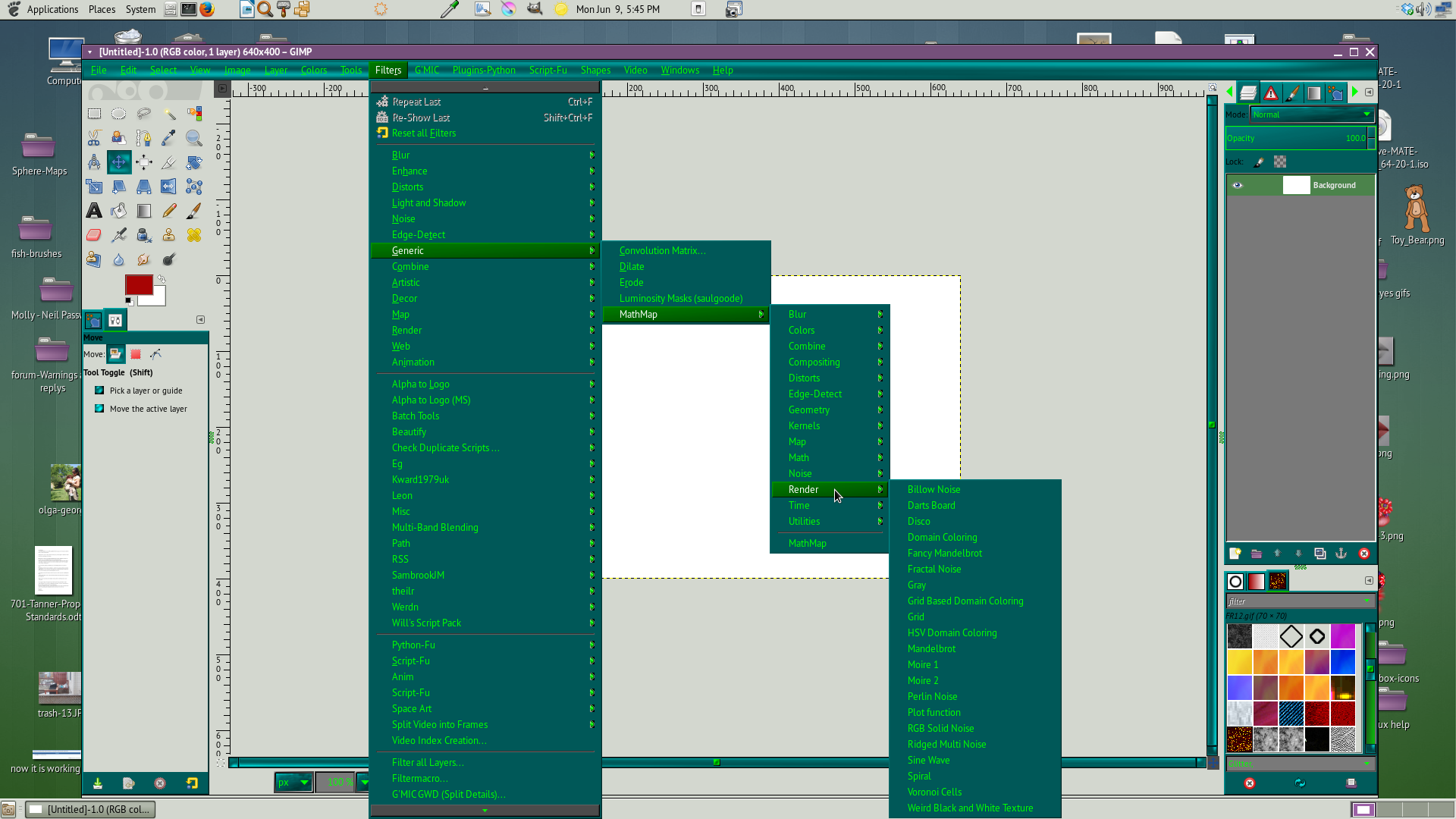
Wow, thanks Kevin, it looks great by adding those codes. Thanks again to you too Warrior for creating such a pretty theme.
Image

_________________
Image


Top
 Post subject: Re: Setting up themes in Gimp
PostPosted: Mon Jun 09, 2014 5:48 pm  (#24) 
Offline
GimpChat Member
User avatar

Joined: Jun 02, 2013
Posts: 2090
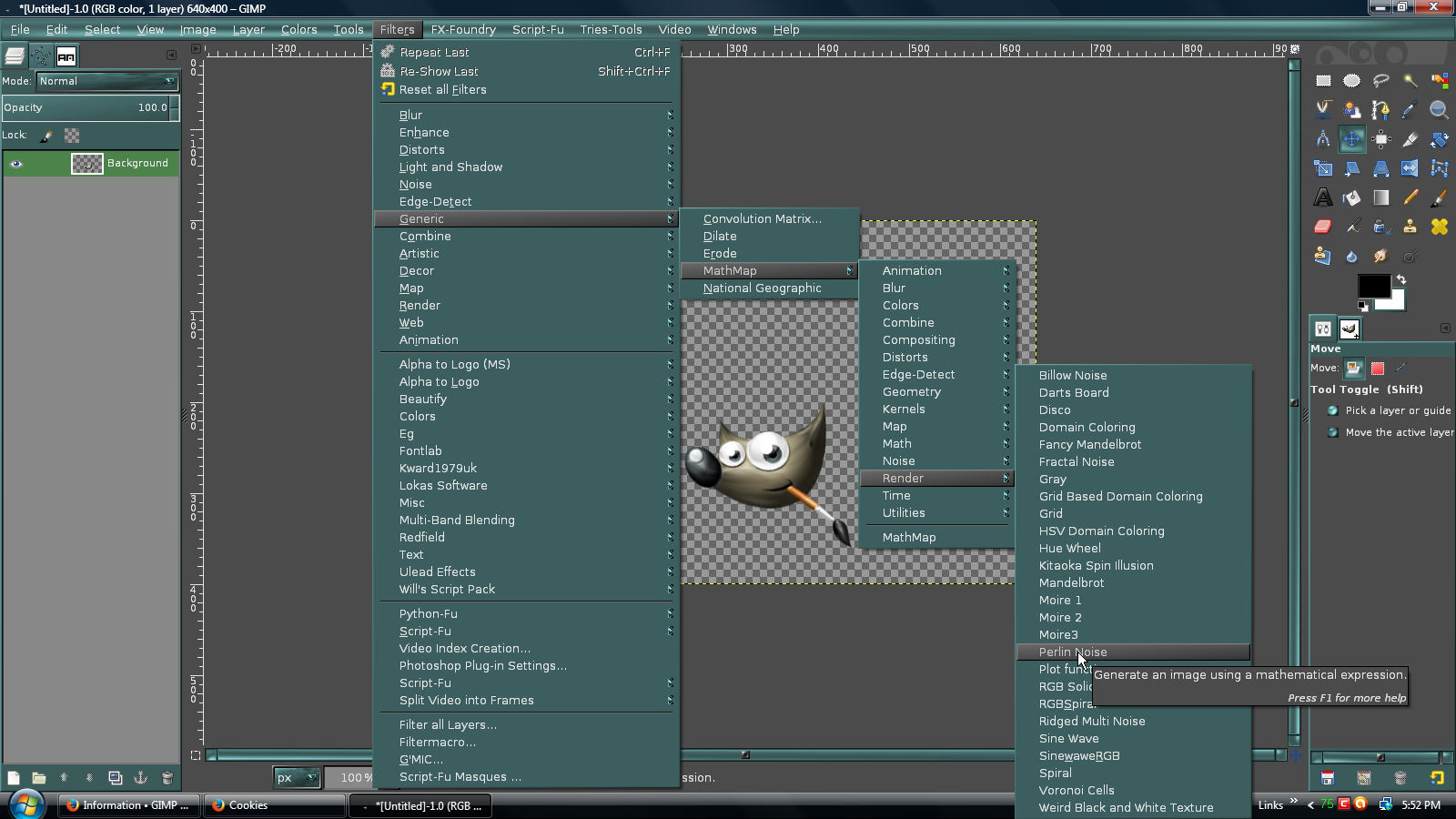
You're welcome Molly. I know it's not for everyone, but I really like the way that theme looks. I made a subtle blue one today.

_________________
Image


Top
 Post subject: Re: Setting up themes in Gimp
PostPosted: Mon Jun 09, 2014 5:55 pm  (#25) 
Offline
GimpChat Member
User avatar

Joined: Apr 07, 2010
Posts: 14182
If every one liked the same thing it would be a pretty boring world. I like change once in a while. Right now I love the colors in your theme , especially now that I can see the menus.

_________________
Image


Top
 Post subject: Re: Setting up themes in Gimp
PostPosted: Mon Jun 09, 2014 6:12 pm  (#26) 
Offline
GimpChat Member
User avatar

Joined: Jun 02, 2013
Posts: 2090
molly wrote:
If every one liked the same thing it would be a pretty boring world. I like change once in a while. Right now I love the colors in your theme , especially now that I can see the menus.

It is easy to read, haha. I made this today. Like I said, subtle:

Image

_________________
Image


Top
 Post subject: Re: Setting up themes in Gimp
PostPosted: Mon Jun 09, 2014 6:17 pm  (#27) 
Offline
GimpChat Member
User avatar

Joined: Apr 07, 2010
Posts: 14182
Very nice.

_________________
Image


Top
Post new topic Reply to topic  [ 27 posts ]  Go to page Previous  1, 2

All times are UTC - 5 hours [ DST ]


* Login  


Powered by phpBB3 © phpBB Group