It is currently Wed Sep 23, 2026 5:30 am


All times are UTC - 5 hours [ DST ]


Post new topic Reply to topic  [ 620 posts ]  Go to page Previous  1 ... 6, 7, 8, 9, 10, 11, 12 ... 31  Next
Author Message
 Post subject: Re: Environment Map Sharing Thread (Spherical)
PostPosted: Wed Jul 16, 2014 6:06 am  (#161) 
Offline
GimpChat Member
User avatar

Joined: Dec 08, 2013
Posts: 1088
:roll:
A few more in the zip


Attachments:
SEM-PaletteSet49.zip [1.03 MiB]
Downloaded 145 times
SEM-Navigator5b1.png
SEM-Navigator5b1.png [ 318.9 KiB | Viewed 6029 times ]

_________________
Image
Top
 Post subject: Re: Environment Map Sharing Thread (Spherical)
PostPosted: Wed Jul 16, 2014 6:25 am  (#162) 
Offline
Administrator
User avatar

Joined: Aug 10, 2012
Posts: 14207
Location: Native to NYC living in Arizona, Gimp 2.8 - 3.0, Win 11 PC.
Thanks for all the new E-maps you guys. I've got to try some of them out. :bigthup

_________________
Image
"A wise man learns more from a foolish question than a fool can learn from a wise answer"
Image


Top
 Post subject: Re: Environment Map Sharing Thread
PostPosted: Wed Jul 16, 2014 8:16 am  (#163) 
Offline
Administrator
User avatar

Joined: Aug 10, 2012
Posts: 14207
Location: Native to NYC living in Arizona, Gimp 2.8 - 3.0, Win 11 PC.
GnuTux wrote:
Here are a couple of more creations. For these I started with a photograph and simulated so called 'light probe' images using a script.

Photo taken in Nevada
Image

Light Probe Simulation
Image

Results with BRL Script
[ Image ]

Las Vegas Pool
Image

Light Probe Simulation
Image

Results with BRL Script
[ Image ]

Hey Tux, how exactly do you make these e-maps using an image?

_________________
Image
"A wise man learns more from a foolish question than a fool can learn from a wise answer"
Image


Top
 Post subject: Re: Environment Map Sharing Thread
PostPosted: Wed Jul 16, 2014 5:57 pm  (#164) 
Offline
GimpChat Member
User avatar

Joined: Dec 08, 2013
Posts: 1088
Wallace wrote:
GnuTux wrote:
Here are a couple of more creations. For these I started with a photograph and simulated so called 'light probe' images using a script.

Photo taken in Nevada
Image

Light Probe Simulation
Image

Results with BRL Script
[ Image ]

Las Vegas Pool
Image

Light Probe Simulation
Image

Results with BRL Script
[ Image ]

Hey Tux, how exactly do you make these e-maps using an image?


Wallace, I'm not sure about GnuTux - probably the sphere creator, but myself, i moved to Graechan's Manhatten script.

_________________
Image


Top
 Post subject: Re: Environment Map Sharing Thread
PostPosted: Wed Jul 16, 2014 8:39 pm  (#165) 
Offline
GimpChat Founder
User avatar

Joined: May 22, 2008
Posts: 5241
Location: Gimpville
Wallace wrote:
Hey Tux, how exactly do you make these e-maps using an image?

I split my response to another topic here.

_________________
“If you reach for the stars, you just might land on a decently sized hill.” - Stuart Hill


Top
 Post subject: Re: Environment Map Sharing Thread (Spherical)
PostPosted: Wed Jul 16, 2014 8:57 pm  (#166) 
Offline
GimpChat Member
User avatar

Joined: Dec 08, 2013
Posts: 1088
That is awesome. Thank you GnuTux ;-}

_________________
Image


Top
 Post subject: Re: Environment Map Sharing Thread
PostPosted: Wed Jul 16, 2014 9:09 pm  (#167) 
Offline
Administrator
User avatar

Joined: Aug 10, 2012
Posts: 14207
Location: Native to NYC living in Arizona, Gimp 2.8 - 3.0, Win 11 PC.
SysTemX wrote:
Wallace, I'm not sure about GnuTux - probably the sphere creator, but myself, i moved to Graechan's Manhatten script.

I don't see how I would be able to use an image in "sphere creator" to produce an e-map. Nonetheless I have used "Map Object" to create a sphere/circle from a given image. This method lacks something, but I can't seem to put my finger on what that is.
I'm also not familiar with "Graechan's Manhatten" script. I'm sure I must have seen it's use somewhere here on GC, but this too eludes me.

GnuTux wrote:
I split my response to another topic here.

I knew that running "Polar Coordinate" had something to do with it. ;)
Thanks Tux. :bigthup

_________________
Image
"A wise man learns more from a foolish question than a fool can learn from a wise answer"
Image


Top
 Post subject: Re: Environment Map Sharing Thread
PostPosted: Wed Jul 16, 2014 9:15 pm  (#168) 
Offline
GimpChat Member
User avatar

Joined: Dec 08, 2013
Posts: 1088
Wallace wrote:
SysTemX wrote:
Wallace, I'm not sure about GnuTux - probably the sphere creator, but myself, i moved to Graechan's Manhatten script.

I don't see how I would be able to use an image in "sphere creator" to produce an e-map. Nonetheless I have used "Map Object" to create a sphere/circle from a given image. This method lacks something, but I can't seem to put my finger on what that is.
I'm also not familiar with "Graechan's Manhatten" script. I'm sure I must have seen it's use somewhere here on GC, but this too eludes me.

GnuTux wrote:
I split my response to another topic here.

I knew that running "Polar Coordinate" had something to do with it. ;)
Thanks Tux. :bigthup


The script? http://gimpchat.com/viewtopic.php?f=9&t=9933

This is using the Diego "Globe from image", cannot remember file name sorry.


Attachments:
Sample189.gif
Sample189.gif [ 1.04 MiB | Viewed 5955 times ]

_________________
Image
Top
 Post subject: Re: Environment Map Sharing Thread
PostPosted: Wed Jul 16, 2014 9:53 pm  (#169) 
Offline
Administrator
User avatar

Joined: Aug 10, 2012
Posts: 14207
Location: Native to NYC living in Arizona, Gimp 2.8 - 3.0, Win 11 PC.
SysTemX wrote:

The script? viewtopic.php?f=9&t=9933

This is using the Diego "Globe from image", cannot remember file name sorry.

Thanks for the link. :bigthup

I made this e-map using the "light-probe-simulation scm".
Image

_________________
Image
"A wise man learns more from a foolish question than a fool can learn from a wise answer"
Image


Top
 Post subject: Re: Environment Map Sharing Thread (Spherical)
PostPosted: Wed Jul 16, 2014 10:57 pm  (#170) 
Offline
GimpChat Member
User avatar

Joined: Sep 24, 2010
Posts: 12845
Haven't posted my play (or can't remember if I did or not and am too lazy to peruse through all the entries; lol). Thanks again Tux. :)


Attachments:
Pretty Cool.png
Pretty Cool.png [ 234.96 KiB | Viewed 5937 times ]

_________________
Lyle

Psalm 109:8

Image
Top
 Post subject: Re: Environment Map Sharing Thread (Spherical)
PostPosted: Wed Jul 16, 2014 11:03 pm  (#171) 
Offline
GimpChat Founder
User avatar

Joined: May 22, 2008
Posts: 5241
Location: Gimpville
Nice results, Lyle. :bigthup

Appreciate the map, Wallace. It produces fiery results. :hehe

Image

_________________
“If you reach for the stars, you just might land on a decently sized hill.” - Stuart Hill


Top
 Post subject: Re: Environment Map Sharing Thread (Spherical)
PostPosted: Wed Jul 16, 2014 11:47 pm  (#172) 
Offline
Administrator
User avatar

Joined: Aug 10, 2012
Posts: 14207
Location: Native to NYC living in Arizona, Gimp 2.8 - 3.0, Win 11 PC.
GnuTux wrote:
Appreciate the map, Wallace. It produces fiery results. :hehe

:hehe Sure thing Tux. ;)

_________________
Image
"A wise man learns more from a foolish question than a fool can learn from a wise answer"
Image


Top
 Post subject: Re: Environment Map Sharing Thread (Spherical)
PostPosted: Fri Jul 18, 2014 10:10 am  (#173) 
Offline
Administrator
User avatar

Joined: Aug 10, 2012
Posts: 14207
Location: Native to NYC living in Arizona, Gimp 2.8 - 3.0, Win 11 PC.
Here's an Emap made from a gradient named "Browns".
Example Image
Image

Attachment:
Browns.png
Browns.png [ 79.01 KiB | Viewed 6443 times ]

_________________
Image
"A wise man learns more from a foolish question than a fool can learn from a wise answer"
Image


Top
 Post subject: Re: Environment Map Sharing Thread (Spherical)
PostPosted: Fri Jul 18, 2014 10:30 am  (#174) 
Offline
GimpChat Member
User avatar

Joined: Apr 07, 2010
Posts: 14182
Nice result Wallace.

_________________
Image


Top
 Post subject: Re: Environment Map Sharing Thread (Spherical)
PostPosted: Fri Jul 18, 2014 11:07 am  (#175) 
Offline
Administrator
User avatar

Joined: Aug 10, 2012
Posts: 14207
Location: Native to NYC living in Arizona, Gimp 2.8 - 3.0, Win 11 PC.
molly wrote:
Nice result Wallace.

Yeah thanks Molly, I was surprised by the results.

_________________
Image
"A wise man learns more from a foolish question than a fool can learn from a wise answer"
Image


Top
 Post subject: Re: Environment Map Sharing Thread (Spherical)
PostPosted: Fri Jul 18, 2014 9:08 pm  (#176) 
Offline
Administrator
User avatar

Joined: Aug 10, 2012
Posts: 14207
Location: Native to NYC living in Arizona, Gimp 2.8 - 3.0, Win 11 PC.
Here's an Emap made from an image that I used the "Light Probe Simulation" script on.
Image
Attachment:
Tropical-Sunset.png
Tropical-Sunset.png [ 349.87 KiB | Viewed 6408 times ]

_________________
Image
"A wise man learns more from a foolish question than a fool can learn from a wise answer"
Image


Top
 Post subject: Re: Environment Map Sharing Thread (Spherical)
PostPosted: Fri Jul 18, 2014 9:33 pm  (#177) 
Offline
GimpChat Founder
User avatar

Joined: May 22, 2008
Posts: 5241
Location: Gimpville
Those are very good results, Wallace. :yes

Have you tried running BRL, selecting "Run Interactive" in the Bevel - Slope Options dialog?

Doing that will allow you to choose between all the maps you have loaded into GIMP and preview them using the 3 different slopes with depths. The flat slope has both a smoothing option and a depth option. The other two only have depth options.

_________________
“If you reach for the stars, you just might land on a decently sized hill.” - Stuart Hill


Top
 Post subject: Re: Environment Map Sharing Thread (Spherical)
PostPosted: Fri Jul 18, 2014 10:34 pm  (#178) 
Offline
Administrator
User avatar

Joined: Aug 10, 2012
Posts: 14207
Location: Native to NYC living in Arizona, Gimp 2.8 - 3.0, Win 11 PC.
GnuTux wrote:
Those are very good results, Wallace. :yes

Have you tried running BRL, selecting "Run Interactive" in the Bevel - Slope Options dialog?

Doing that will allow you to choose between all the maps you have loaded into GIMP and preview them using the 3 different slopes with depths. The flat slope has both a smoothing option and a depth option. The other two only have depth options.

Yeah thanks Tux, it seems to be hit or miss when trying to find a decent image to make in to a light-probe.
I haven't used the "Interactive Mode" much, but I think I'll make a point of using it more often now. :bigthup

_________________
Image
"A wise man learns more from a foolish question than a fool can learn from a wise answer"
Image


Top
 Post subject: Re: Environment Map Sharing Thread (Spherical)
PostPosted: Fri Jul 18, 2014 11:02 pm  (#179) 
Offline
GimpChat Member
User avatar

Joined: Jun 02, 2013
Posts: 2090
Wallace wrote:
Here's an Emap made from a gradient named "Browns".
Example Image
Image

Attachment:
Browns.png

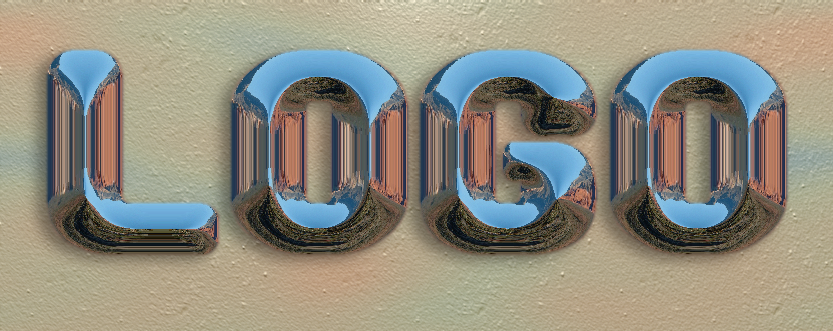
Pretty cool Wallace:

Image

_________________
Image


Top
 Post subject: Re: Environment Map Sharing Thread (Spherical)
PostPosted: Fri Jul 18, 2014 11:15 pm  (#180) 
Offline
Administrator
User avatar

Joined: Aug 10, 2012
Posts: 14207
Location: Native to NYC living in Arizona, Gimp 2.8 - 3.0, Win 11 PC.
The Warrior wrote:
Wallace wrote:
Here's an Emap made from a gradient named "Browns".
Example Image
Image

Attachment:
Browns.png

Pretty cool Wallace:

Thanks Warrior :bigthup
Nice "Gimp Text/Logo".
What was the Emap type used for the text, and did you go "interactive"?

_________________
Image
"A wise man learns more from a foolish question than a fool can learn from a wise answer"
Image


Top
Post new topic Reply to topic  [ 620 posts ]  Go to page Previous  1 ... 6, 7, 8, 9, 10, 11, 12 ... 31  Next

All times are UTC - 5 hours [ DST ]


* Login  


Powered by phpBB3 © phpBB Group