It is currently Mon Aug 31, 2026 3:17 pm


All times are UTC - 5 hours [ DST ]


Post new topic Reply to topic  [ 57 posts ]  Go to page Previous  1, 2, 3
Author Message
 Post subject: Re: Font with Lightning Bolt Tutorial
PostPosted: Sat Aug 16, 2014 6:46 pm  (#41) 
Offline
GimpChat Member
User avatar

Joined: Apr 07, 2010
Posts: 14182
:oops: Sorry, I got carried away. :oops:

_________________
Image


Top
 Post subject: Re: Font with Lightning Bolt Tutorial
PostPosted: Sat Aug 16, 2014 7:49 pm  (#42) 
Offline
Administrator
User avatar

Joined: Aug 10, 2012
Posts: 14182
Location: Native to NYC living in Arizona, Gimp 2.8 - 3.0, Win 11 PC.
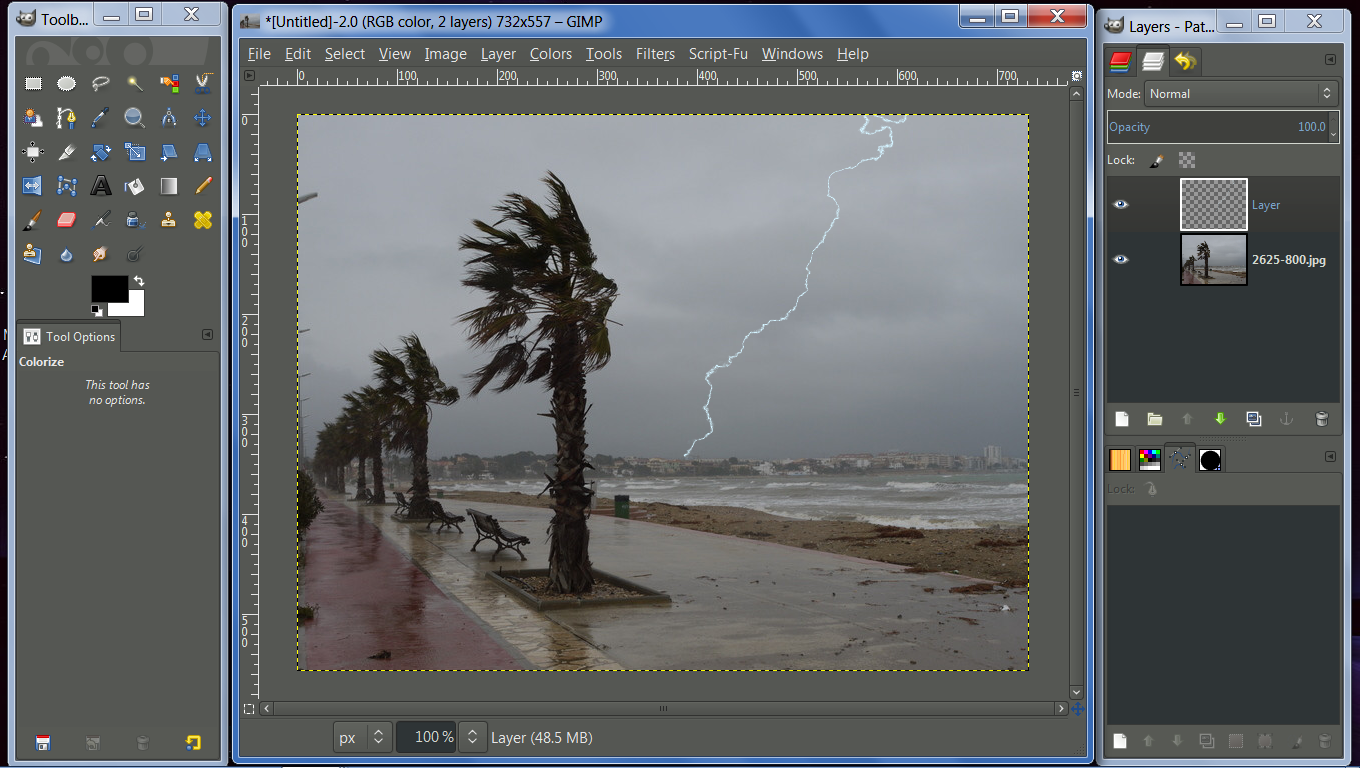
Try this...

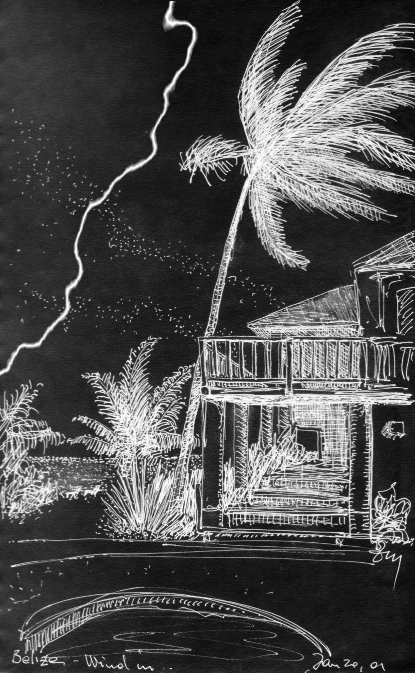
I used this image for my lightning bolt.
Image

***


Open an image for your lightning bolt and create a new layer on top of it and fill it with white.
You can also just open a new white canvas to create your lightning bolt on.
Image

Make a jagged black line, using a soft brush, going in the direction you want your bolt to follow.
Image

Use :fuzzsel (fuzzy select tool) and select either side of your black line and grow the selection by 2, then fill with black
Image
Image

Gaussian blur it by 90.
ImageImage

Go to, Filters → Render → Clouds → Difference Clouds and use the settings bellow.
Image

Then go to, Colors → Invert.
Image
Your image should look something like the image below by now.
Image

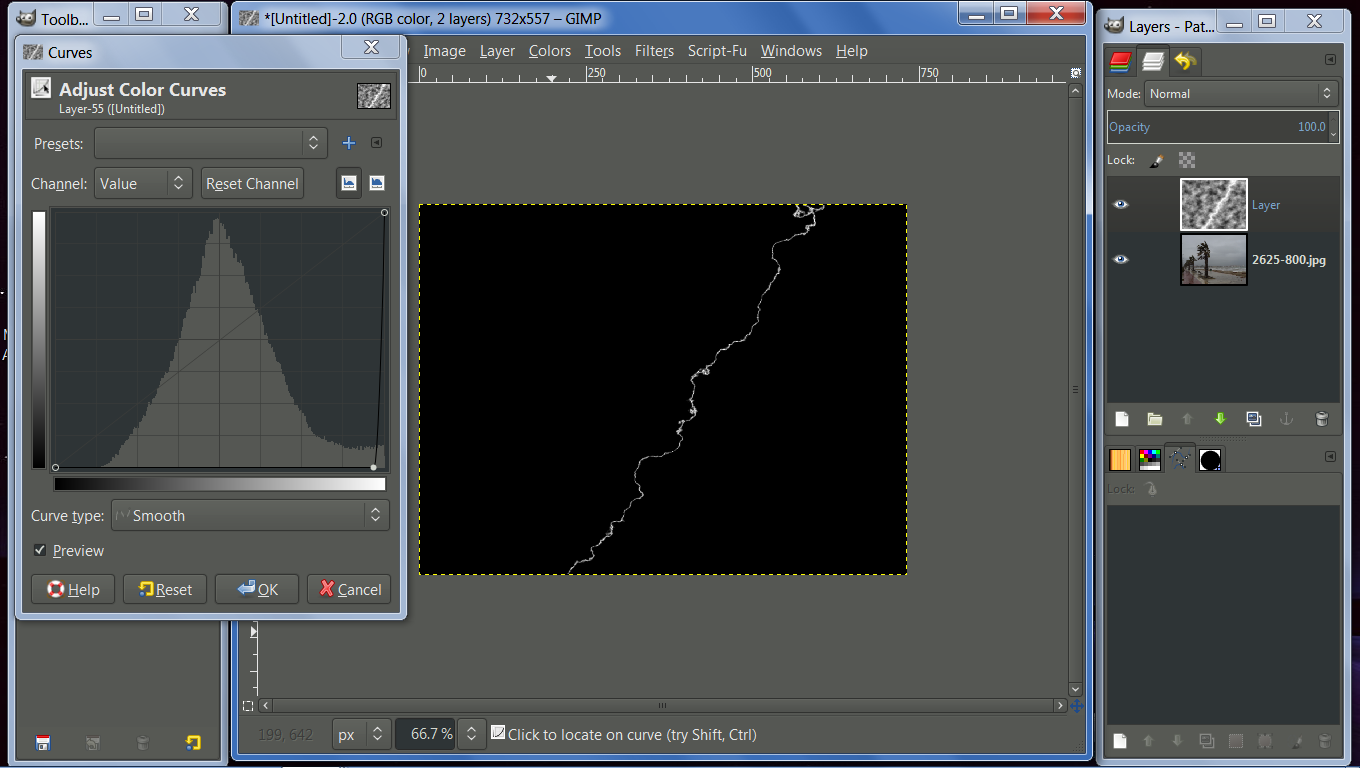
Now use, Colors → Curves and set the curve to something like what you see in the Curves dialog box below.
Image

Then go, Colors → Color to Alpha and send black to alpha.
Image

Image


Attachments:
How to Creat a Lightning Bolt Effect.pdf [1.99 MiB]
Downloaded 304 times

_________________
Image
"A wise man learns more from a foolish question than a fool can learn from a wise answer"
Image


Last edited by Wallace on Sun Aug 17, 2014 2:21 pm, edited 2 times in total.
Top
 Post subject: Re: Font with Lightning Bolt Tutorial
PostPosted: Sat Aug 16, 2014 8:39 pm  (#43) 
Offline
GimpChat Member
User avatar

Joined: Mar 10, 2014
Posts: 845
@Wallace - thank you for the tutorial

Image


Top
 Post subject: Re: Font with Lightning Bolt Tutorial
PostPosted: Sat Aug 16, 2014 8:50 pm  (#44) 
Offline
GimpChat Member
User avatar

Joined: Dec 10, 2013
Posts: 1004
Great tutorial Wallace. Beautiful outcome Marcello.

_________________
Image
Macbook Air - MacOS Sierra 10.12
McGimp 2.8.14
G'mic 1.6.5


Top
 Post subject: Re: Font with Lightning Bolt Tutorial
PostPosted: Sat Aug 16, 2014 8:52 pm  (#45) 
Offline
Administrator
User avatar

Joined: Aug 10, 2012
Posts: 14182
Location: Native to NYC living in Arizona, Gimp 2.8 - 3.0, Win 11 PC.
Marcello wrote:
@Wallace - thank you for the tutorial

[ Image ]

Sure thing Marcello. :bigthup
This short tut, which can be further refined. Gives a good base for the beginning of a really detailed lightning bolt effect.
It looks as though it worked out well for you.

Dalia wrote:
Great tutorial Wallace.

Thanks! :hi5

_________________
Image
"A wise man learns more from a foolish question than a fool can learn from a wise answer"
Image


Top
 Post subject: Re: Font with Lightning Bolt Tutorial
PostPosted: Sun Aug 17, 2014 1:46 am  (#46) 
Offline
GimpChat Member
User avatar

Joined: Dec 08, 2013
Posts: 1088
Thanks for the tutorial Wallace. Very cool.
A quick way to PDF a web page http://www.web2pdfconvert.com. Excellent.

_________________
Image


Top
 Post subject: Re: Font with Lightning Bolt Tutorial
PostPosted: Sun Aug 17, 2014 2:48 am  (#47) 
Offline
GimpChat Member
User avatar

Joined: May 17, 2014
Posts: 1568
Image

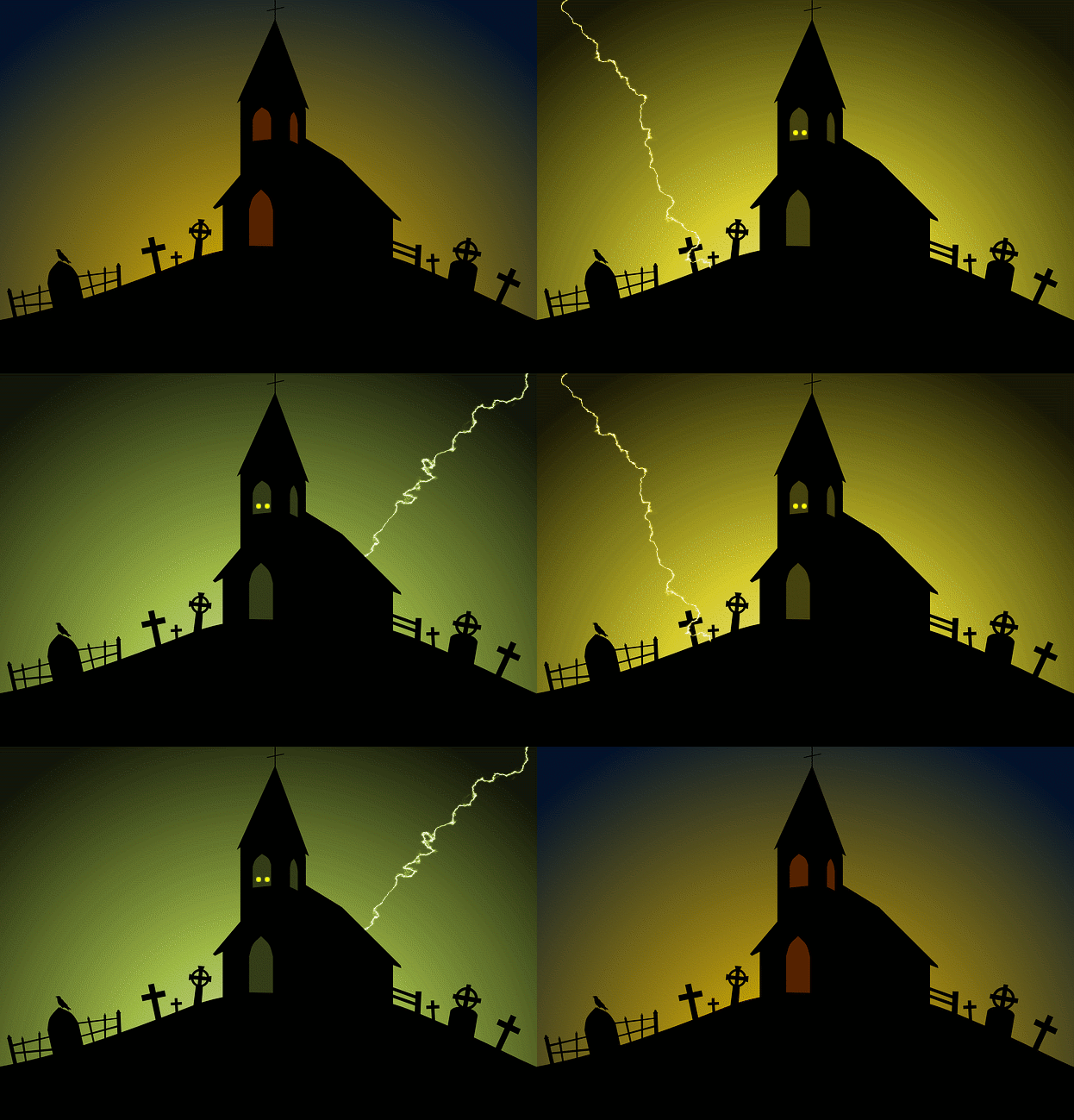
I added a little animation.


Thanks for the tut, Wallace!

_________________
Ella's gallery - YouTube


Top
 Post subject: Re: Font with Lightning Bolt Tutorial
PostPosted: Sun Aug 17, 2014 11:21 am  (#48) 
Offline
GimpChat Member
User avatar

Joined: Mar 10, 2014
Posts: 845
[quote="Ella Louise"]I added a little animation.
I like very much!

@ thank you Dalia


Top
 Post subject: Re: Font with Lightning Bolt Tutorial
PostPosted: Sun Aug 17, 2014 11:40 am  (#49) 
Offline
GimpChat Member
User avatar

Joined: Jan 10, 2013
Posts: 863
Marcelo, beautiful outcome. The image was very well chosen! :bigthup
Ella Louise, I think I saw in the window above two eyes flashing... :scram :melt
Beautiful animation, very creative! :bigthup

_________________
bbbbbbbbbbbImage
bbbbbbbbbbb Be patient, English is not my language.


Top
 Post subject: Re: Font with Lightning Bolt Tutorial
PostPosted: Sun Aug 17, 2014 1:14 pm  (#50) 
Offline
GimpChat Member
User avatar

Joined: Jan 13, 2011
Posts: 2648
Location: Poland
Very interesting Tutorial :jumpclap


Attachments:
TW.png
TW.png [ 195.54 KiB | Viewed 4060 times ]

_________________
Image
Top
 Post subject: Re: Font with Lightning Bolt Tutorial
PostPosted: Sun Aug 17, 2014 2:22 pm  (#51) 
Offline
Administrator
User avatar

Joined: Aug 10, 2012
Posts: 14182
Location: Native to NYC living in Arizona, Gimp 2.8 - 3.0, Win 11 PC.
MareroQ wrote:
Very interesting Tutorial :jumpclap

Thanks MareroQ, I'm glad you like it. :bigthup

_________________
Image
"A wise man learns more from a foolish question than a fool can learn from a wise answer"
Image


Top
 Post subject: Re: Font with Lightning Bolt Tutorial
PostPosted: Sun Aug 17, 2014 2:37 pm  (#52) 
Offline
GimpChat Member
User avatar

Joined: May 17, 2014
Posts: 1568
Akros wrote:
Ella Louise, I think I saw in the window above two eyes flashing... :scram :melt


Akros, you could be right :roll: :lol:


Image


Marcello, I love your outcome!

_________________
Ella's gallery - YouTube


Top
 Post subject: Re: Font with Lightning Bolt Tutorial
PostPosted: Sun Aug 17, 2014 2:41 pm  (#53) 
Offline
Administrator
User avatar

Joined: Aug 10, 2012
Posts: 14182
Location: Native to NYC living in Arizona, Gimp 2.8 - 3.0, Win 11 PC.
Ella Louise wrote:
Akros wrote:
Ella Louise, I think I saw in the window above two eyes flashing... :scram :melt


Akros, you could be right :roll: :lol:


[ Image ]


Marcello, I love your outcome!

Looks great Ella Louise. :jumpclap

_________________
Image
"A wise man learns more from a foolish question than a fool can learn from a wise answer"
Image


Top
 Post subject: Re: Font with Lightning Bolt Tutorial
PostPosted: Wed Aug 20, 2014 3:46 am  (#54) 
Offline
GimpChat Member
User avatar

Joined: Jan 10, 2013
Posts: 863
Ella Louise wrote:
Akros, you could be right :roll: :lol:
[ [url]Image[/url] ]

:shock:
My imagination is gaining wings! :weed
I better stop drinking Red Bull :sneak
Ella Louise when Issabelle back from vacation, she'll love this animation! :bigthup :hi5

_________________
bbbbbbbbbbbImage
bbbbbbbbbbb Be patient, English is not my language.


Top
 Post subject: Re: Font with Lightning Bolt Tutorial
PostPosted: Wed Aug 20, 2014 4:31 am  (#55) 
Offline
GimpChat Member
User avatar

Joined: Mar 01, 2014
Posts: 14161
Location: Spain, Aragón
Akros effectively, I really like that animation a lot but accompanied by all of you in GC. in such a lonely place. Never on my own! Never, Never. :)
Ella Louise, your outcome is perfect. :clap

_________________
Image

Gimp 2.10.30(samj) portable _ OS Windows 10 Home_ 64bits
Don’t be afraid to start over. It’s a new chance to rebuild what you want.


Top
 Post subject: Re: Font with Lightning Bolt Tutorial
PostPosted: Wed Aug 20, 2014 3:19 pm  (#56) 
Offline
GimpChat Member
User avatar

Joined: May 17, 2014
Posts: 1568
Some comments give me inspiration. And next I like to play a bit. So thank you, Wallace, Akros and Issabella.
Nice to see you back, Issabella.

Akros, your avatar doesn’t look as if he drank much Red Bull. He doesn’t has wings :puzzled

_________________
Ella's gallery - YouTube


Top
 Post subject: Re: Font with Lightning Bolt Tutorial
PostPosted: Wed Aug 20, 2014 4:06 pm  (#57) 
Offline
Administrator
User avatar

Joined: Aug 10, 2012
Posts: 14182
Location: Native to NYC living in Arizona, Gimp 2.8 - 3.0, Win 11 PC.
Ella Louise wrote:
Some comments give me inspiration. And next I like to play a bit. So thank you, Wallace, Akros and Issabella.
Nice to see you back, Issabella.

Akros, your avatar doesn’t look as if he drank much Red Bull. He doesn’t has wings :puzzled


:bigthup

_________________
Image
"A wise man learns more from a foolish question than a fool can learn from a wise answer"
Image


Top
Post new topic Reply to topic  [ 57 posts ]  Go to page Previous  1, 2, 3

All times are UTC - 5 hours [ DST ]


* Login  


Powered by phpBB3 © phpBB Group