It is currently Fri Nov 20, 2026 5:34 pm


All times are UTC - 5 hours [ DST ]


Post new topic Reply to topic  [ 47 posts ]  Go to page Previous  1, 2, 3  Next
Author Message
 Post subject: Re: making some patterns seamless
PostPosted: Thu Sep 11, 2014 3:10 pm  (#21) 
Offline
GimpChat Member
User avatar

Joined: Sep 22, 2012
Posts: 2089
Location: US
molly wrote:
Yes the transparent grid. That didn't have any pixels cuz it was a screen shot.
[ Image ]


Oh, I see now! :hehe
Map to Object > have the Transparent_background option checked?


Top
 Post subject: Re: making some patterns seamless
PostPosted: Thu Sep 11, 2014 3:36 pm  (#22) 
Offline
GimpChat Member
User avatar

Joined: Apr 07, 2010
Posts: 14182
How do I map to object a transparent image. I made a 400x400 transparent layer and mapped to object the layer, clicked transparent and nothing happened.

_________________
Image


Top
 Post subject: Re: making some patterns seamless
PostPosted: Thu Sep 11, 2014 5:31 pm  (#23) 
Offline
Administrator
User avatar

Joined: Aug 10, 2012
Posts: 14281
Location: Native to NYC living in Arizona, Gimp 2.8 - 3.0, Win 11 PC.
molly wrote:
How do I map to object a transparent image. I made a 400x400 transparent layer and mapped to object the layer, clicked transparent and nothing happened.


How did you map the image? ie. to sphere, plane etc... and did you make changes in the map object dialog that will affect the image?

_________________
Image
"A wise man learns more from a foolish question than a fool can learn from a wise answer"
Image


Top
 Post subject: Re: making some patterns seamless
PostPosted: Thu Sep 11, 2014 5:48 pm  (#24) 
Offline
GimpChat Member
User avatar

Joined: Apr 07, 2010
Posts: 14182
There was nothing to map except a transparent layer. It comes out with nothing cuz there is nothing there. I exported the layer to my desktop and tried to post it and the link posted but nothing was there.

_________________
Image


Top
 Post subject: Re: making some patterns seamless
PostPosted: Thu Sep 11, 2014 7:10 pm  (#25) 
Offline
Administrator
User avatar

Joined: Aug 10, 2012
Posts: 14281
Location: Native to NYC living in Arizona, Gimp 2.8 - 3.0, Win 11 PC.
molly wrote:
There was nothing to map except a transparent layer. It comes out with nothing cuz there is nothing there. I exported the layer to my desktop and tried to post it and the link posted but nothing was there.


You can't map an empty transparent layer. The filter needs something with colored pixels to map.
Was there an image there to be mapped, or is it what you're saying that it was an empty transparent layer?
Why would you want to do this anyway?

_________________
Image
"A wise man learns more from a foolish question than a fool can learn from a wise answer"
Image


Last edited by Wallace on Thu Sep 11, 2014 7:16 pm, edited 1 time in total.

Top
 Post subject: Re: making some patterns seamless
PostPosted: Thu Sep 11, 2014 7:15 pm  (#26) 
Offline
GimpChat Member
User avatar

Joined: Apr 07, 2010
Posts: 14182
I will show you tomorrow, my gimp has turned its lights out for the night.

_________________
Image


Top
 Post subject: Re: making some patterns seamless
PostPosted: Thu Sep 11, 2014 7:17 pm  (#27) 
Offline
Administrator
User avatar

Joined: Aug 10, 2012
Posts: 14281
Location: Native to NYC living in Arizona, Gimp 2.8 - 3.0, Win 11 PC.
molly wrote:
I will show you tomorrow, my gimp has turned its lights out for the night.

Okay... :hehe

_________________
Image
"A wise man learns more from a foolish question than a fool can learn from a wise answer"
Image


Top
 Post subject: Re: making some patterns seamless
PostPosted: Thu Sep 11, 2014 11:34 pm  (#28) 
Offline
GimpChat Member
User avatar

Joined: Nov 15, 2012
Posts: 949
Location: Mesa, AZ
She is dividing by zero.

_________________
Image

I now have a Tumblr, check it out!


Top
 Post subject: Re: making some patterns seamless
PostPosted: Fri Sep 12, 2014 6:52 am  (#29) 
Offline
GimpChat Member
User avatar

Joined: Apr 07, 2010
Posts: 14182
EK = smarty pants :teeth
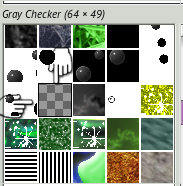
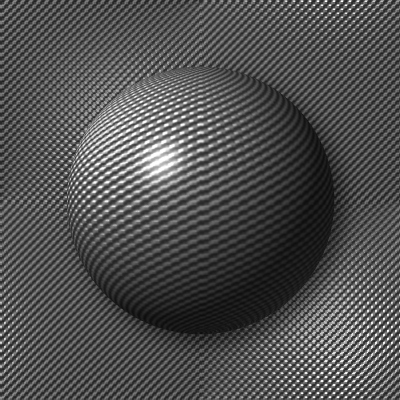
Here is an image of my gray checker pattern. Now, the problem is, I went everywhere through my pattern folder but it is not there. I wanted to post it.
I like to use it for a bumped up background pattern and change the colors and so on. Here is what it looks like in my patterns in Gimp but missing in my folder... why is that?
Image

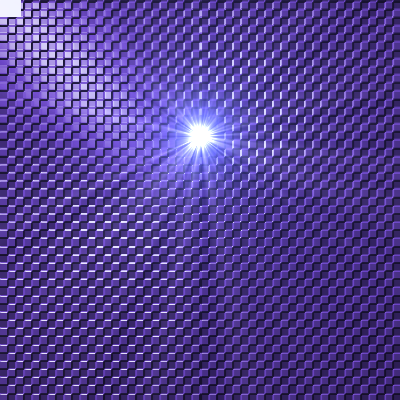
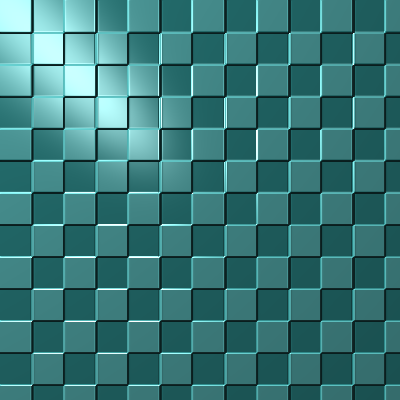
If I want to make a pattern, I open a 400x400 layer, paste the checkerboard from your patterns, then go to Lightning effects, Bump map tab, check enable bump mapping and set maxheight to 0.01, then colorize if you want.
Here is one for Wallace that I ran the supernova on.
Image

results
Image


My original question was I want to make this seamless so when I make it into a sphere, it doesn't have any joins.

_________________
Image


Top
 Post subject: Re: making some patterns seamless
PostPosted: Fri Sep 12, 2014 7:39 am  (#30) 
Offline
GimpChat Member
User avatar

Joined: Apr 07, 2010
Posts: 14182
gray-checkerboard for those who don't have it and want it. just go to light effects and bump and colorize. and you end up with this.
Image


Attachments:
gray-checkerboard.png
gray-checkerboard.png [ 1.63 KiB | Viewed 2440 times ]

_________________
Image
Top
 Post subject: Re: making some patterns seamless
PostPosted: Fri Sep 12, 2014 9:13 am  (#31) 
Offline
GimpChat Member
User avatar

Joined: Mar 10, 2014
Posts: 845
molly wrote:
Thanks Marcello, but I tried edit>fill with pattern seamless and it just turns the layer black. The resynthesizer just makes a bunch of squiggly shapes.

this is the correct use of these scripts

1. open a new trasparent layer
2. choose the pattern in the script menu and OK

in your way you overlay the existing pattern


Top
 Post subject: Re: making some patterns seamless
PostPosted: Fri Sep 12, 2014 12:47 pm  (#32) 
Offline
Administrator
User avatar

Joined: Aug 10, 2012
Posts: 14281
Location: Native to NYC living in Arizona, Gimp 2.8 - 3.0, Win 11 PC.
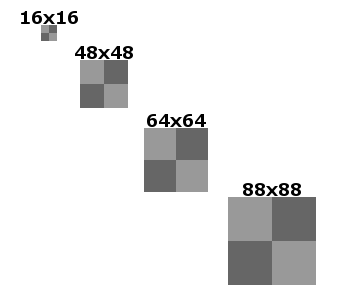
The 4 example patterns below will all make a seamless checkerboard pattern.
Image

_________________
Image
"A wise man learns more from a foolish question than a fool can learn from a wise answer"
Image


Top
 Post subject: Re: making some patterns seamless
PostPosted: Fri Sep 12, 2014 1:02 pm  (#33) 
Offline
GimpChat Member
User avatar

Joined: Apr 07, 2010
Posts: 14182
How do I separate them. they are all attached together.
I selected one and used it as a pattern but it doesn't look seamless.
Image

_________________
Image


Top
 Post subject: Re: making some patterns seamless
PostPosted: Fri Sep 12, 2014 1:49 pm  (#34) 
Offline
Administrator
User avatar

Joined: Aug 10, 2012
Posts: 14281
Location: Native to NYC living in Arizona, Gimp 2.8 - 3.0, Win 11 PC.
molly wrote:
How do I separate them. they are all attached together.
I selected one and used it as a pattern but it doesn't look seamless.
[ Image ]


You can create the checkerboard patterns as I've shown you in the example and apply the bump to them.
You won't be able to make the lighting effect that you applied to the pattern seamless.

_________________
Image
"A wise man learns more from a foolish question than a fool can learn from a wise answer"
Image


Top
 Post subject: Re: making some patterns seamless
PostPosted: Fri Sep 12, 2014 2:17 pm  (#35) 
Offline
GimpChat Member
User avatar

Joined: Apr 07, 2010
Posts: 14182
I just created an 8x8 checkerboard pattern with the default transparent colors. Here is the result
Image

_________________
Image


Top
 Post subject: Re: making some patterns seamless
PostPosted: Fri Sep 12, 2014 2:22 pm  (#36) 
Offline
Administrator
User avatar

Joined: Aug 10, 2012
Posts: 14281
Location: Native to NYC living in Arizona, Gimp 2.8 - 3.0, Win 11 PC.
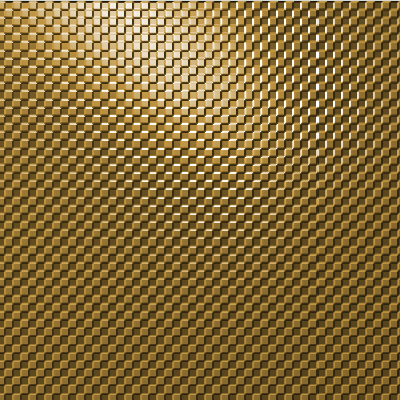
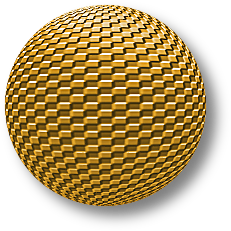
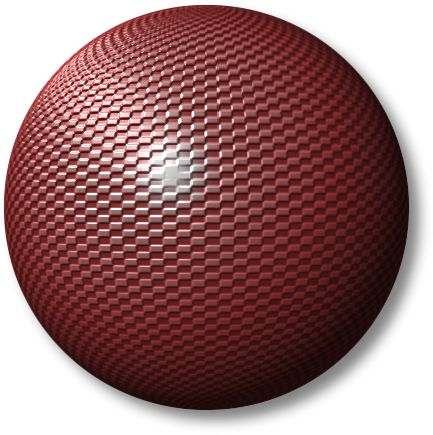
Here's a sphere made with your golden checkerboard pattern.
Image

_________________
Image
"A wise man learns more from a foolish question than a fool can learn from a wise answer"
Image


Top
 Post subject: Re: making some patterns seamless
PostPosted: Fri Sep 12, 2014 2:40 pm  (#37) 
Offline
GimpChat Member
User avatar

Joined: Apr 07, 2010
Posts: 14182
cool Wallace. I love that pattern when it is bumped.
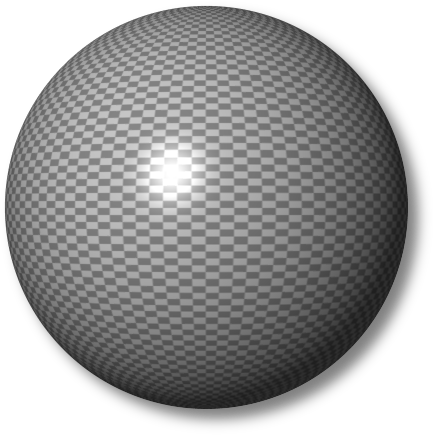
make one with the gray pattern and see if it is seamless for you.
I think the outer horizontal and vertical edges have to be cut in half in order for them to meet with no seem in a sphere.

_________________
Image


Top
 Post subject: Re: making some patterns seamless
PostPosted: Fri Sep 12, 2014 2:57 pm  (#38) 
Offline
Administrator
User avatar

Joined: Aug 10, 2012
Posts: 14281
Location: Native to NYC living in Arizona, Gimp 2.8 - 3.0, Win 11 PC.
Here is the pattern you're looking for.
Image
Attachment:
graychecker.zip [260 Bytes]
Downloaded 144 times

_________________
Image
"A wise man learns more from a foolish question than a fool can learn from a wise answer"
Image


Top
 Post subject: Re: making some patterns seamless
PostPosted: Fri Sep 12, 2014 3:02 pm  (#39) 
Offline
GimpChat Member
User avatar

Joined: Apr 07, 2010
Posts: 14182
Thank you Wallace, here it is bumped.
Image

_________________
Image


Top
 Post subject: Re: making some patterns seamless
PostPosted: Fri Sep 12, 2014 3:08 pm  (#40) 
Offline
Administrator
User avatar

Joined: Aug 10, 2012
Posts: 14281
Location: Native to NYC living in Arizona, Gimp 2.8 - 3.0, Win 11 PC.
molly wrote:
Thank you Wallace, here it is bumped.
[ Image ]

Nice one Molly. :bigthup
So I guess that is the pattern you were looking for after all.

_________________
Image
"A wise man learns more from a foolish question than a fool can learn from a wise answer"
Image


Top
Post new topic Reply to topic  [ 47 posts ]  Go to page Previous  1, 2, 3  Next

All times are UTC - 5 hours [ DST ]


* Login  


Powered by phpBB3 © phpBB Group