It is currently Thu Oct 15, 2026 6:04 pm


All times are UTC - 5 hours [ DST ]


Post new topic Reply to topic  [ 30 posts ]  Go to page Previous  1, 2
Author Message
 Post subject: Re: Is a Propogation Script Possible
PostPosted: Thu Jul 25, 2013 11:51 am  (#21) 
Offline
Script Coder
User avatar

Joined: Apr 23, 2010
Posts: 1553
Location: not from Guildford after all
I should explain that this is not a very well written script. I just did a brute-force transcription of the steps you described. If I were to write it as a "published" script, I would do things a bit different.

Nonetheless, I will address a few of your suppositions; just don't be too concerned if it doesn't make much sense.

PegLeg44 wrote:
(set! nb-levels (truncate nb-levels)) brings up the dialog box.

No, the dialog box is a result of the SF-ADJUSTMENT line at the end of the script. This line corrects a bug in GIMP that results in fractional values being supplied by a SF-ADJUSTMENT slider even if it is configured to supply integers. Since I switched from a slider widget to a numeric entry with UP/DOWN arrows, this line isn't even needed.

PegLeg44 wrote:
  (let ((levels (let loop ((count (- nb-levels 1))
                           (result '(0)) )
                  (if (zero? count)
                    (cdr (reverse result))
                    (loop (- count 1)
                          (cons (+ (/ 256 nb-levels)
                                   (car result) )
                                result ))))))

This code says figure out the iterations by the number set in the dialog.

Correct. It starts with "0" and adds the appropriate increment amount each time through the loop; creating a list in reverse order (it is common to add new items to the beginning of a list so that you don't have to "walk through" the entire list to find its end each time you add an item). When 'count' reaches zero, we reverse the list and strip the initial "0" (there is no need to dilate the original layer by "0").

--------------------------------------------------------------

PegLeg44 wrote:
    (let loop ((iterations (- nb-levels 1))
               (layers (list drawable)) )
      (if (zero? iterations)
        (map (lambda (layer low-output high-input)
               (gimp-levels layer HISTOGRAM-VALUE 0 high-input 1.0 low-output 255) )
             (cdr (reverse layers))
             levels
             (reverse levels) )

This tells the layers to change levels when called upon.

Yes. It would probably make more sense to calculate the high- and low-input for each level, rather than using the 'levels' list; but I'd already had a function to generate the correct levels available.

PegLeg44 wrote:
I'm going to play around with the all directions for the propogate and see if I can make it do this in various directions. I think there are 0 through 15 directrions to try.

Whether to propagate in each of the four directions is controlled by a binary digit in a 4-bit number. The weights of these digits are as follows:
    Right->Left = 1
    Bottom->Top = 2
    Left->Right = 4
    Top->Bottom = 8
The value of the argument should be the sum of the weights corresponding to the directions you want to propagate. For example, propagating vertically (bottom->top and top->bottom) would require an argument of 2+8, or "10". Propagating in all four directions requires 1+2+4+8, or "15".

_________________
Any sufficiently primitive technology is indistinguishable from a rock.


Top
 Post subject: Re: Is a Propogation Script Possible
PostPosted: Tue Jan 21, 2014 1:43 pm  (#22) 
Offline
Script Coder
User avatar

Joined: Jul 14, 2010
Posts: 697
I don't know how I missed this one before - Thanks SG!

This lets me create overhead pitch roof buildings very easily. I just have to draw different valued lines to represent the ridgeline of the roofs, then crop out the result to get flat edges, and run my thatching script against the flattened result! The script takes care of the pitch intersections perfectly :)

Here is an example of the input and output of this process...
Attachment:
test.jpg
test.jpg [ 297.61 KiB | Viewed 2323 times ]


Thanks pegleg for asking, and SG for creating!

-Rob A>

_________________
Image
Fantasy Cartography and Mapping by RobA


Top
 Post subject: Re: Is a Propogation Script Possible
PostPosted: Tue Jan 21, 2014 2:55 pm  (#23) 
Offline
GimpChat Member
User avatar

Joined: Apr 07, 2010
Posts: 14182
Those are soo perfect, even the shadows, You would think they were designed by an architect.

_________________
Image


Top
 Post subject: Re: Is a Propogation Script Possible
PostPosted: Wed Jan 22, 2014 9:11 am  (#24) 
Offline
Global Moderator
User avatar

Joined: May 16, 2010
Posts: 16201
Very nice Rob! :)


Top
 Post subject: Re: Is a Propogation Script Possible
PostPosted: Sun Dec 21, 2014 9:48 am  (#25) 
Offline
Script Coder
User avatar

Joined: Oct 25, 2010
Posts: 4812
saulgoode wrote:
Please try the following when you get a chance.

(script-fu-register "script-fu-sg-height-bevel"
"Height Bevel per Pegleg44"
"Adds beveled layers per Pegleg44"
"Saul Goode"
"Saul Goode"
"July 2013"
"*"
SF-IMAGE    "Image"    0
SF-DRAWABLE "Drawable" 0
)
(script-fu-menu-register "script-fu-sg-height-bevel"
  "<Image>/Filters/Decor/"
  )


SaulGoode has been reading your mind since July 2013 :)

_________________
Image


Top
 Post subject: Re: Is a Propogation Script Possible
PostPosted: Sun Dec 21, 2014 12:10 pm  (#26) 
Offline
Script Coder
User avatar

Joined: Oct 25, 2010
Posts: 4812
PegLeg44 wrote:
Hi everyone.

I will often times run through a process where I

1. Duplicate a Layer
2. Set the layer to Darken only Mode
3. Propogate the layer Using the Value Propogate with More Black as the only setting.
4. Do this 6 more times, creating layers that have the dark pixels spread out one pixel each time.
5. Then I take each of the 7 layers and use the curves on them to in efect make a bevel trailing out from the original image. I use the curves and drag the left slider node up to the levels of the dividend of the whole. The math would divide the 256 by 7 to get each layers setting. Know what I mean?

Here is what I am doing:

[ Image ]

This process is much like the Light to Height script but it uses darken only and propogates out in all directions.

Anyway if someone could show me how to make a script to do this it woud save me a lot of time. I do this often to give heightmap images a beveled edge to accomodate for a pencil shaped carving bit.

pegsli


Looks complicated, for this kind of things I do:
- Rectangle selection on black background
- Blend tool to fill selection with shaped black-to-white gradient
- Curves to flatten the top
- Then duplicate, and put top in Ligthen-only

Attachment:
Crossing.png
Crossing.png [ 131.77 KiB | Viewed 2166 times ]


Result:

Attachment:
Crossed.png
Crossed.png [ 457.74 KiB | Viewed 2166 times ]


Using the Curves tools (or Levels in the simple cases) gives you a complete control on the bevel appearance.

_________________
Image


Top
 Post subject: Re: Is a Propogation Script Possible
PostPosted: Sun Dec 21, 2014 5:18 pm  (#27) 
Offline
GimpChat Member
User avatar

Joined: Nov 16, 2011
Posts: 5127
Location: Metro Vancouver, BC
Nice way to use curves ofnuts. :bigthup

_________________
Image
Gimp 2.8.18, Linux, median user
Gimp Chat Tutorials Index
Spirit Bear (Kermode)


Top
 Post subject: Re: Is a Propogation Script Possible
PostPosted: Mon Dec 22, 2014 7:31 am  (#28) 
Offline
Global Moderator
User avatar

Joined: May 16, 2010
Posts: 16201
ofnuts wrote:
PegLeg44 wrote:
Hi everyone.

I will often times run through a process where I

1. Duplicate a Layer
2. Set the layer to Darken only Mode
3. Propogate the layer Using the Value Propogate with More Black as the only setting.
4. Do this 6 more times, creating layers that have the dark pixels spread out one pixel each time.
5. Then I take each of the 7 layers and use the curves on them to in efect make a bevel trailing out from the original image. I use the curves and drag the left slider node up to the levels of the dividend of the whole. The math would divide the 256 by 7 to get each layers setting. Know what I mean?

Here is what I am doing:

[ Image ]

This process is much like the Light to Height script but it uses darken only and propogates out in all directions.

Anyway if someone could show me how to make a script to do this it woud save me a lot of time. I do this often to give heightmap images a beveled edge to accomodate for a pencil shaped carving bit.

pegsli


Looks complicated, for this kind of things I do:
- Rectangle selection on black background
- Blend tool to fill selection with shaped black-to-white gradient
- Curves to flatten the top
- Then duplicate, and put top in Ligthen-only

Attachment:
The attachment Crossing.png is no longer available


Result:

Attachment:
The attachment Crossed.png is no longer available


Using the Curves tools (or Levels in the simple cases) gives you a complete control on the bevel appearance.

A little play on your effect Ofnuts. :) XCF attached.
Image


Attachments:
cross-RD.xcf [251 KiB]
Downloaded 92 times
Top
 Post subject: Re: Is a Propogation Script Possible
PostPosted: Mon Dec 22, 2014 12:34 pm  (#29) 
Offline
GimpChat Member
User avatar

Joined: Feb 14, 2012
Posts: 426
The unique thing about this filter is that it bevels height of pixels according to the color.

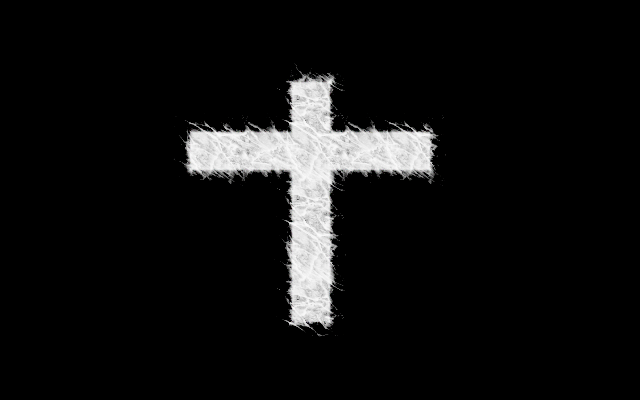
Cross with gradient in it:

Image

Cross with Height Bevel Filter:

Image

Cross with Height Bevel and Embossed:

Image

I don't know what it means "saulgoode has been reading your mind since July 2013"


Top
 Post subject: Re: Is a Propogation Script Possible
PostPosted: Mon Dec 22, 2014 1:12 pm  (#30) 
Offline
Script Coder
User avatar

Joined: Oct 25, 2010
Posts: 4812
PegLeg44 wrote:
I don't know what it means "saulgoode has been reading your mind since July 2013"

See the copyright line in the script :)

_________________
Image


Top
Post new topic Reply to topic  [ 30 posts ]  Go to page Previous  1, 2

All times are UTC - 5 hours [ DST ]


cron

* Login  


Powered by phpBB3 © phpBB Group