It is currently Wed Nov 18, 2026 5:31 pm


All times are UTC - 5 hours [ DST ]


Post new topic Reply to topic  [ 52 posts ]  Go to page Previous  1, 2, 3  Next
Author Message
 Post subject: Re: from daylight to moonlight
PostPosted: Sat Dec 27, 2014 11:04 pm  (#21) 
Offline
GimpChat Member
User avatar

Joined: Jan 20, 2013
Posts: 14835
Location: roma, italy
Hi Sally
what do you think about this simple script?
Probably too simple...

_________________
"Where am I ?"


Top
 Post subject: Re: from daylight to moonlight
PostPosted: Sun Dec 28, 2014 3:55 am  (#22) 
Offline
GimpChat Member
User avatar

Joined: Apr 26, 2014
Posts: 3842
Location: belgium
I put from daylight to moonlilight script in my scripts folder
but where can I find it in my gimp filters?


Top
 Post subject: Re: from daylight to moonlight
PostPosted: Sun Dec 28, 2014 4:15 am  (#23) 
Offline
Administrator
User avatar

Joined: Aug 10, 2012
Posts: 14277
Location: Native to NYC living in Arizona, Gimp 2.8 - 3.0, Win 11 PC.
gimper66 wrote:
I put from daylight to moonlilight script in my scripts folder
but where can I find it in my gimp filters?

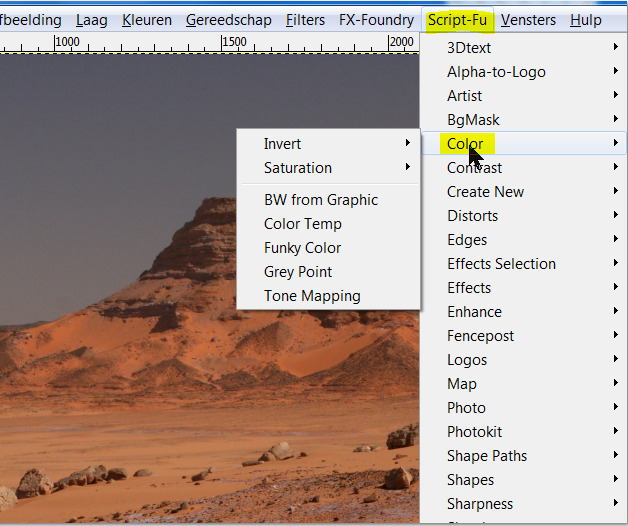
Try here, (see image below) ...
Image

_________________
Image
"A wise man learns more from a foolish question than a fool can learn from a wise answer"
Image


Top
 Post subject: Re: from daylight to moonlight
PostPosted: Sun Dec 28, 2014 4:28 am  (#24) 
Offline
GimpChat Member
User avatar

Joined: Dec 15, 2014
Posts: 185
Location: France
Thank you Dinasset, it works fine. :coolthup

_________________
Image


Top
 Post subject: Re: from daylight to moonlight
PostPosted: Sun Dec 28, 2014 5:25 am  (#25) 
Offline
GimpChat Member
User avatar

Joined: Apr 26, 2014
Posts: 3842
Location: belgium
Image
Image
Image
Image

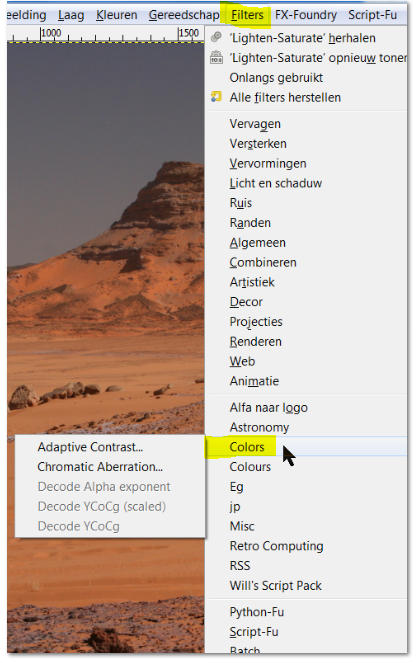
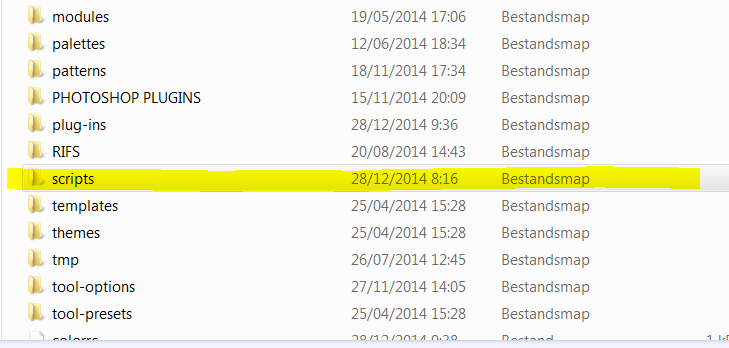
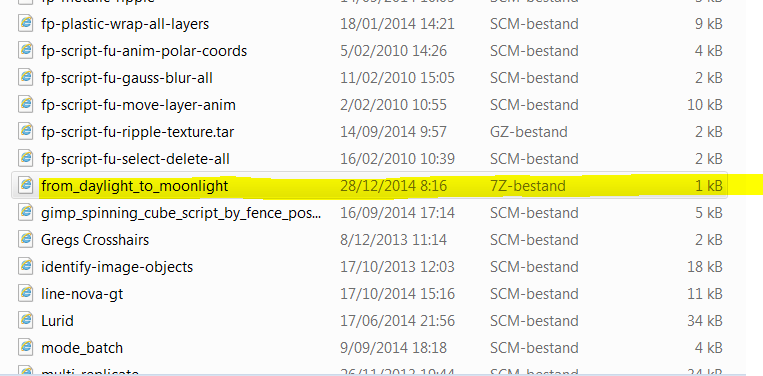
as you can see it's in my scripts folder
but I can not find it


Top
 Post subject: Re: from daylight to moonlight
PostPosted: Sun Dec 28, 2014 5:58 am  (#26) 
Offline
GimpChat Member
User avatar

Joined: Jan 20, 2013
Posts: 14835
Location: roma, italy
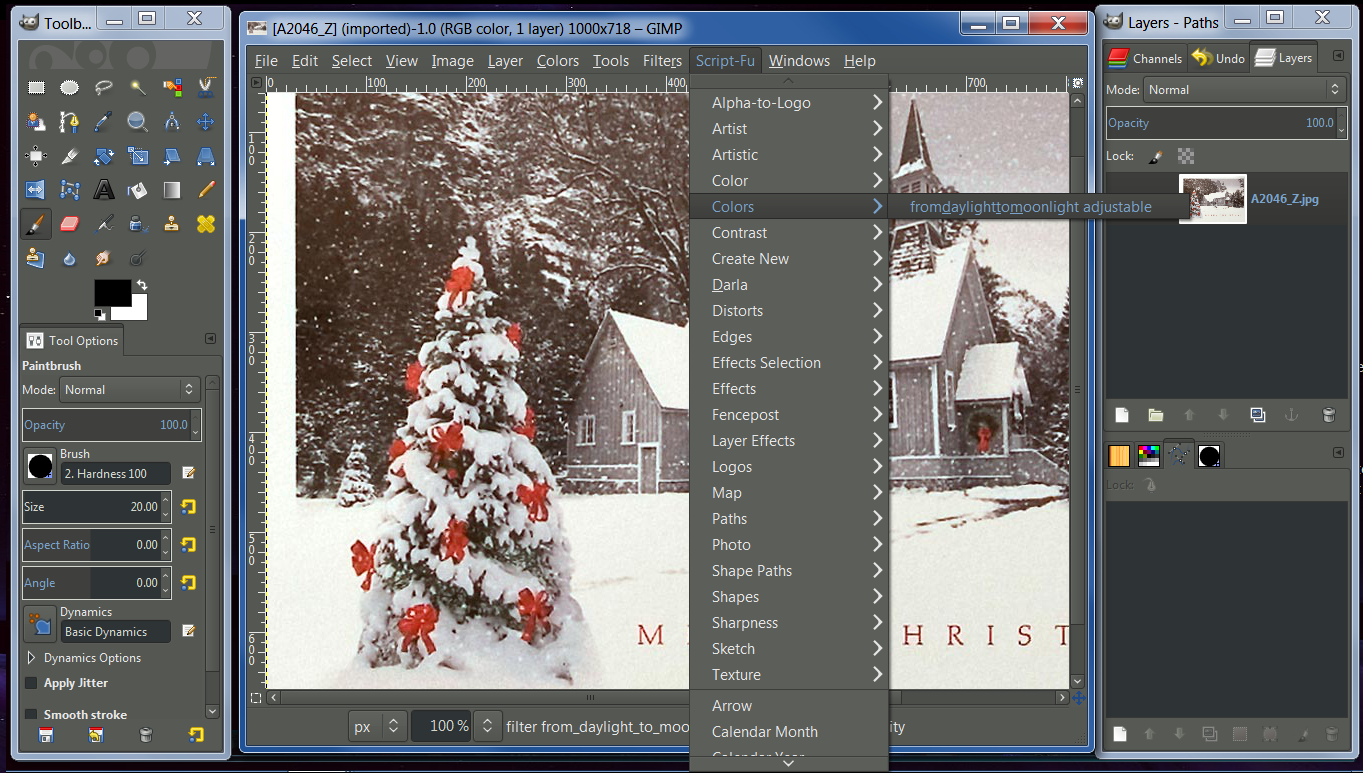
full menu path is:
"<Image>/Script-Fu/Colors/from_daylight_to_moonlight adjustable"
remember when you add a new script to "refresh" the scripts ; note that the first time it can appear at the bottom of the specified menu (Colors in this case)

edit: I see your problem: you put it in your folder without unzipping it first!

_________________
"Where am I ?"


Top
 Post subject: Re: from daylight to moonlight
PostPosted: Sun Dec 28, 2014 6:43 am  (#27) 
Offline
GimpChat Member
User avatar

Joined: Apr 26, 2014
Posts: 3842
Location: belgium
I had the christmas bleus still in my eyes
dinnaset you were right,I had not unzipped
I've found it now and it works perfect


Image

Image

thanks for the fast reaction

gimper66


Top
 Post subject: Re: from daylight to moonlight
PostPosted: Sun Dec 28, 2014 7:00 am  (#28) 
Offline
Script Coder
User avatar

Joined: Dec 27, 2014
Posts: 508
Good script! Useful not just for photos but for all sorts of artwork too.


Top
 Post subject: Re: from daylight to moonlight
PostPosted: Sun Dec 28, 2014 8:11 am  (#29) 
Offline
GimpChat Member
User avatar

Joined: Apr 26, 2014
Posts: 3842
Location: belgium
Image


Top
 Post subject: Re: from daylight to moonlight
PostPosted: Sun Dec 28, 2014 4:36 pm  (#30) 
Offline
GimpChat Member
User avatar

Joined: May 27, 2011
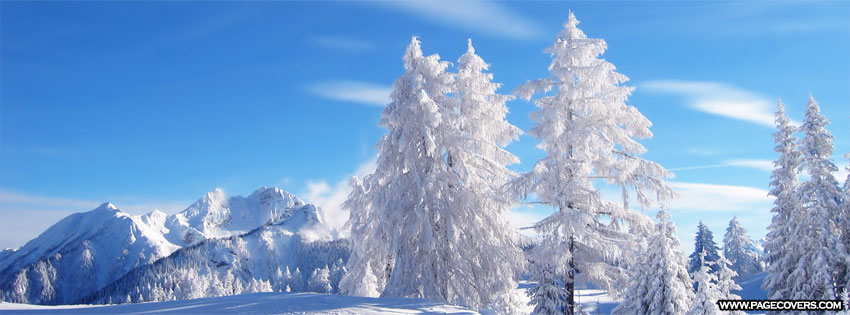
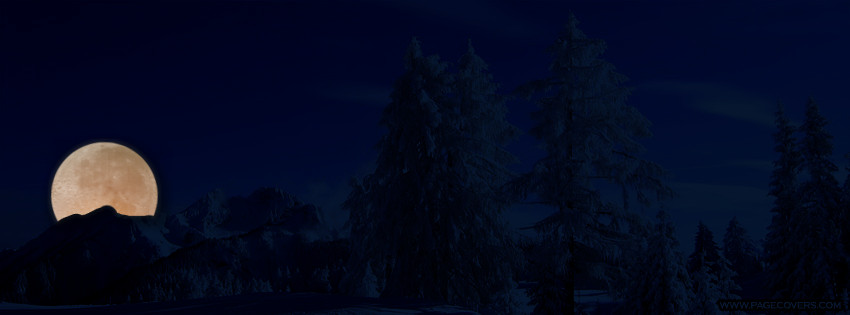
Posts: 707
Great script!!

Thank You

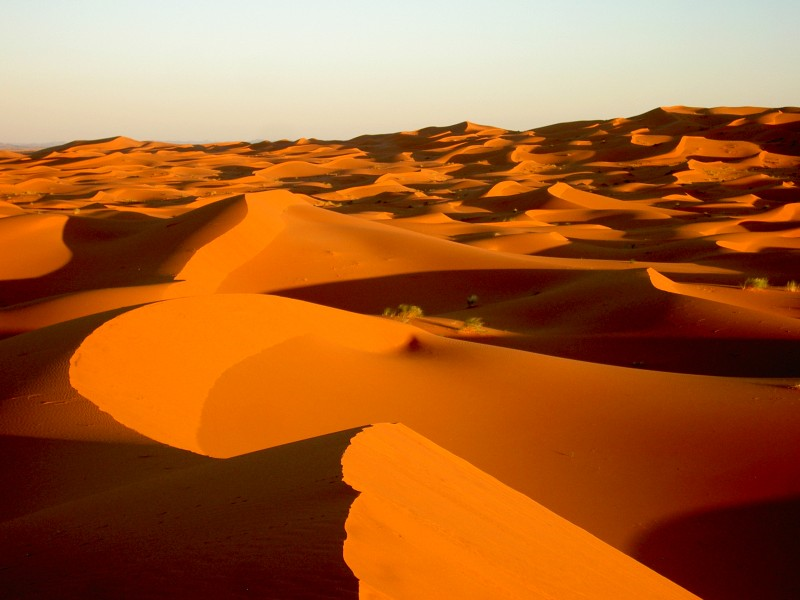
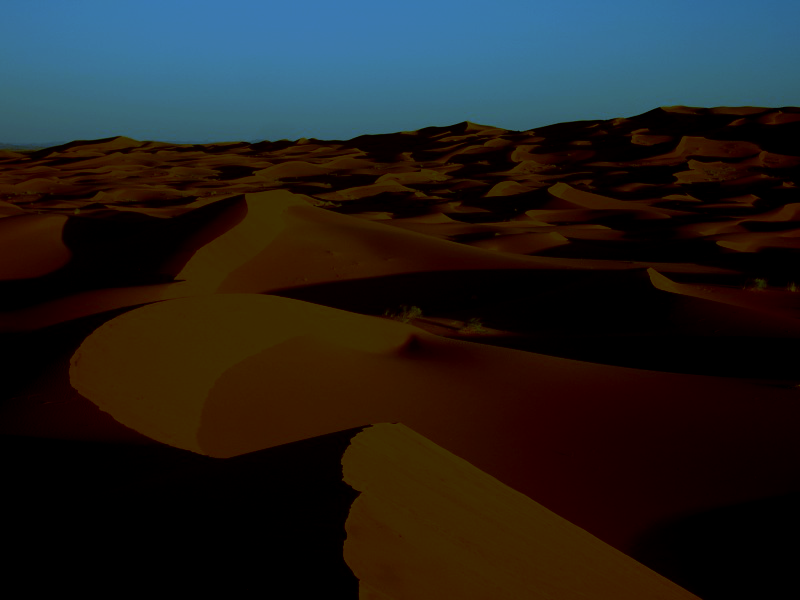
From:
Image

To:

Image

I also Hope You All had a wonderful Christmas.Wishing Everyone a Happy and prosper New Year.


Top
 Post subject: Re: from daylight to moonlight
PostPosted: Sun Dec 28, 2014 4:56 pm  (#31) 
Offline
GimpChat Member
User avatar

Joined: Apr 07, 2010
Posts: 14182
Very nice Pirate, you have a Happy New year too.

_________________
Image


Top
 Post subject: Re: from daylight to moonlight
PostPosted: Sun Dec 28, 2014 6:34 pm  (#32) 
Offline
Script Coder
User avatar

Joined: Feb 18, 2011
Posts: 4826
Location: Bendigo Vic. Australia
Pirate you could try increasing the Luminosity setting

_________________
Image
No matter how much you push the envelope, it'll still be stationery.


Top
 Post subject: Re: from daylight to moonlight
PostPosted: Mon Dec 29, 2014 12:44 am  (#33) 
Offline
GimpChat Member
User avatar

Joined: Jan 20, 2013
Posts: 14835
Location: roma, italy
thanks Pirate (try also Graechan's suggestion)
and ... forza Juve!

_________________
"Where am I ?"


Top
 Post subject: Re: from daylight to moonlight
PostPosted: Mon Dec 29, 2014 12:46 am  (#34) 
Offline
GimpChat Member
User avatar

Joined: Jan 20, 2013
Posts: 14835
Location: roma, italy
gimper66 wrote:
[ Image ]

like a Christmas night in the desert! fascinating...

_________________
"Where am I ?"


Top
 Post subject: Re: from daylight to moonlight
PostPosted: Mon Dec 29, 2014 8:47 am  (#35) 
Offline
GimpChat Member
User avatar

Joined: Mar 01, 2014
Posts: 14253
Location: Spain, Aragón
Dinasset, What a nice script! I had to try just now! Thank you my friend :clap :clap :clap


Attachments:
IMG_2403.JPG
IMG_2403.JPG [ 384.06 KiB | Viewed 2386 times ]
IMG_2403-fromdaylightto moonlight.JPG
IMG_2403-fromdaylightto moonlight.JPG [ 293.24 KiB | Viewed 2386 times ]

_________________
Image

Gimp 2.10.36 (samj) portable _ OS Windows 10 Home_ 64bits
Don’t be afraid to start over. It’s a new chance to rebuild what you want.
Top
 Post subject: Re: from daylight to moonlight
PostPosted: Mon Dec 29, 2014 8:51 am  (#36) 
Offline
GimpChat Member
User avatar

Joined: Jan 20, 2013
Posts: 14835
Location: roma, italy
I think that what is nice here is the Gimp-chat community!...
it's a very little and simple script, just to save 2-3 clicks to Conbagui, hehehe...

_________________
"Where am I ?"


Top
 Post subject: Re: from daylight to moonlight
PostPosted: Mon Dec 29, 2014 8:54 am  (#37) 
Offline
GimpChat Member
User avatar

Joined: Jan 20, 2013
Posts: 14835
Location: roma, italy
is the girl your granddaughter Alicia, Issabella? new pictures coming from your journey?

_________________
"Where am I ?"


Top
 Post subject: Re: from daylight to moonlight
PostPosted: Mon Dec 29, 2014 9:01 am  (#38) 
Offline
GimpChat Member
User avatar

Joined: Mar 01, 2014
Posts: 14253
Location: Spain, Aragón
Yes, I agree with you, the best is our Gimp Chat Community. :yes
Alicia is in the photo, she is growing so fast! I took some photos of her in spite of her not stopping moving a second. hehehe

_________________
Image

Gimp 2.10.36 (samj) portable _ OS Windows 10 Home_ 64bits
Don’t be afraid to start over. It’s a new chance to rebuild what you want.


Top
 Post subject: Re: from daylight to moonlight
PostPosted: Mon Dec 29, 2014 2:56 pm  (#39) 
Offline
GimpChat Member
User avatar

Joined: Apr 26, 2014
Posts: 3842
Location: belgium
Image

look grandma it starts snowing


Top
 Post subject: Re: from daylight to moonlight
PostPosted: Mon Dec 29, 2014 3:09 pm  (#40) 
Offline
GimpChat Member
User avatar

Joined: Mar 01, 2014
Posts: 14253
Location: Spain, Aragón
Gimper how nice what you did!!! Thank you so much. :cool :bigthup

_________________
Image

Gimp 2.10.36 (samj) portable _ OS Windows 10 Home_ 64bits
Don’t be afraid to start over. It’s a new chance to rebuild what you want.


Top
Post new topic Reply to topic  [ 52 posts ]  Go to page Previous  1, 2, 3  Next

All times are UTC - 5 hours [ DST ]


* Login  


Powered by phpBB3 © phpBB Group