It is currently Fri Aug 28, 2026 3:49 am


All times are UTC - 5 hours [ DST ]


Post new topic Reply to topic  [ 14 posts ] 
Author Message
 Post subject: Butterfly Plugins
PostPosted: Mon Dec 29, 2014 9:48 pm  (#1) 
Offline
GimpChat Member
User avatar

Joined: Jul 06, 2013
Posts: 2662
Location: California
I'm wondering what the butterfly plugins do. They are listed under filters>distorts. I use Gimp 2.8.10 on Windows 64 Bit.


Share on Facebook Share on Twitter Share on Orkut Share on Digg Share on MySpace Share on Delicious Share on Technorati
Top
 Post subject: Re: Butterfly Plugins
PostPosted: Mon Dec 29, 2014 10:17 pm  (#2) 
Offline
Administrator
User avatar

Joined: Aug 10, 2012
Posts: 14177
Location: Native to NYC living in Arizona, Gimp 2.8 - 3.0, Win 11 PC.
I can't find this plugin anywhere. I don't have it on my Gimp 2.8.10

_________________
Image
"A wise man learns more from a foolish question than a fool can learn from a wise answer"
Image


Top
 Post subject: Re: Butterfly Plugins
PostPosted: Mon Dec 29, 2014 11:57 pm  (#3) 
Offline
GimpChat Member
User avatar

Joined: Jul 06, 2013
Posts: 2662
Location: California
Wallace wrote:
I can't find this plugin anywhere. I don't have it on my Gimp 2.8.10


Hmm.... I have them. They are Butterfly, Butterfly Version 2, Butterfly Wings by Lylejk, & Butterfly Wings V2. I just wonder what they do and how to get them to work.


Top
 Post subject: Re: Butterfly Plugins
PostPosted: Tue Dec 30, 2014 12:08 am  (#4) 
Offline
GimpChat Member
User avatar

Joined: Jun 02, 2013
Posts: 2090
mackenzieh wrote:
Wallace wrote:
I can't find this plugin anywhere. I don't have it on my Gimp 2.8.10


Hmm.... I have them. They are Butterfly, Butterfly Version 2, Butterfly Wings by Lylejk, & Butterfly Wings V2. I just wonder what they do and how to get them to work.

Those sound more like brushes to me.

_________________
Image


Top
 Post subject: Re: Butterfly Plugins
PostPosted: Tue Dec 30, 2014 12:10 am  (#5) 
Offline
Administrator
User avatar

Joined: Aug 10, 2012
Posts: 14177
Location: Native to NYC living in Arizona, Gimp 2.8 - 3.0, Win 11 PC.
mackenzieh wrote:
Wallace wrote:
I can't find this plugin anywhere. I don't have it on my Gimp 2.8.10


Hmm.... I have them. They are Butterfly, Butterfly Version 2, Butterfly Wings by Lylejk, & Butterfly Wings V2. I just wonder what they do and how to get them to work.

Don't got it and don't know what it does. Sounds like something Lyle might know about.

_________________
Image
"A wise man learns more from a foolish question than a fool can learn from a wise answer"
Image


Top
 Post subject: Re: Butterfly Plugins
PostPosted: Tue Dec 30, 2014 1:20 am  (#6) 
Offline
GimpChat Member
User avatar

Joined: Jul 06, 2013
Posts: 2662
Location: California
The Warrior wrote:
mackenzieh wrote:
Wallace wrote:
I can't find this plugin anywhere. I don't have it on my Gimp 2.8.10


Hmm.... I have them. They are Butterfly, Butterfly Version 2, Butterfly Wings by Lylejk, & Butterfly Wings V2. I just wonder what they do and how to get them to work.

Those sound more like brushes to me.


they aren't brushes. I have them in my scripts folder on my C drive as scm files


Top
 Post subject: Re: Butterfly Plugins
PostPosted: Tue Dec 30, 2014 1:28 am  (#7) 
Offline
GimpChat Member
User avatar

Joined: Nov 16, 2011
Posts: 5127
Location: Metro Vancouver, BC
Can you zip them up and attach them here?

_________________
Image
Gimp 2.8.18, Linux, median user
Gimp Chat Tutorials Index
Spirit Bear (Kermode)


Top
 Post subject: Re: Butterfly Plugins
PostPosted: Tue Dec 30, 2014 2:13 am  (#8) 
Offline
Script Coder
User avatar

Joined: Feb 18, 2011
Posts: 4826
Location: Bendigo Vic. Australia
The butterfly scripts were written by Samj using the Twist plugin

Attachment:
Butterfly scripts.zip [15.18 KiB]
Downloaded 200 times

_________________
Image
No matter how much you push the envelope, it'll still be stationery.


Top
 Post subject: Re: Butterfly Plugins
PostPosted: Tue Dec 30, 2014 2:18 am  (#9) 
Offline
GimpChat Member
User avatar

Joined: Jul 06, 2013
Posts: 2662
Location: California
So how do they work?


Top
 Post subject: Re: Butterfly Plugins
PostPosted: Tue Dec 30, 2014 2:35 am  (#10) 
Offline
Script Coder
User avatar

Joined: Feb 18, 2011
Posts: 4826
Location: Bendigo Vic. Australia
just try them out on a image I'll lok for the initial post for you
found it Butterfly_Wings_by_Lylejk.scm (with "Twist" plug-in version 2.1)
Image

_________________
Image
No matter how much you push the envelope, it'll still be stationery.


Top
 Post subject: Re: Butterfly Plugins
PostPosted: Tue Dec 30, 2014 3:43 am  (#11) 
Offline
GimpChat Member
User avatar

Joined: Jul 06, 2013
Posts: 2662
Location: California
I installed them and they are now working.


Top
 Post subject: Re: Butterfly Plugins
PostPosted: Tue Dec 30, 2014 7:08 am  (#12) 
Offline
GimpChat Member
User avatar

Joined: Sep 24, 2010
Posts: 12838
First, you need to have the required plugins; see post before for details.

http://gimpchat.com/viewtopic.php?f=23&t=2519

_________________
Lyle

Psalm 109:8

Image


Top
 Post subject: Re: Butterfly Plugins
PostPosted: Tue Dec 30, 2014 10:35 am  (#13) 
Offline
GimpChat Member
User avatar

Joined: Mar 10, 2014
Posts: 845
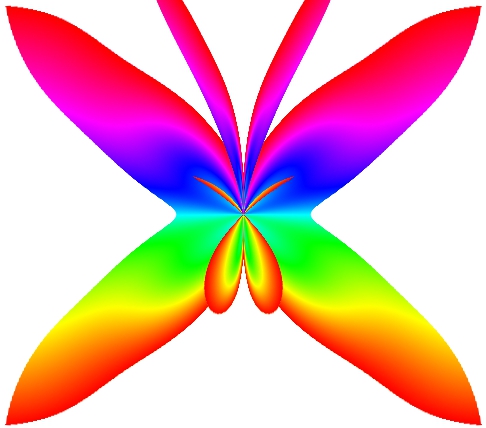
here some tests from A to G
Image


Last edited by Marcello on Tue Dec 30, 2014 11:22 am, edited 1 time in total.

Top
 Post subject: Re: Butterfly Plugins
PostPosted: Tue Dec 30, 2014 11:21 am  (#14) 
Offline
GimpChat Member
User avatar

Joined: Mar 10, 2014
Posts: 845
Con.Matrix - effect A

Image


Top
Post new topic Reply to topic  [ 14 posts ] 

All times are UTC - 5 hours [ DST ]


* Login  


Powered by phpBB3 © phpBB Group