It is currently Sat Nov 07, 2026 5:04 pm


All times are UTC - 5 hours [ DST ]


Post new topic Reply to topic  [ 7 posts ] 
Author Message
 Post subject: Circles texture
PostPosted: Sat Jan 03, 2015 12:24 pm  (#1) 
Offline
GimpChat Member
User avatar

Joined: Oct 24, 2014
Posts: 49
With this scribble (or something similar, I don't remember what I used exactly :) ):
Image
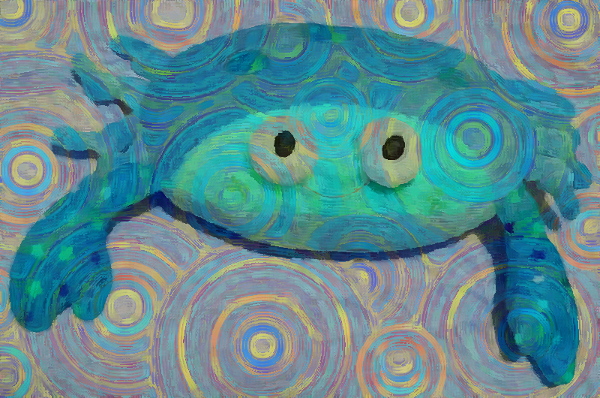
and a photo, I made this:
Image

I don't remember each step but basically:
With G'mic: used the texture as a warp map and as overlay layer; Lylejk's Painting (iteration=1); erased and/or blurred some areas; values and colour correction.


Simplifying:
-Duplicate the original
-Draw some circle (or some radial gradient) in a new layer, this time I used a blue-yellow gradient
-Overlay, merge the circles with the layer below
-G'mic, custom code (similar to the original filter by Lylejk) the result is size-dependent:
--gimp_lylejk_stencil 6,7.5,0.75,0
    -smooth[-1] 300,0.26,1,0,7
    -blend_edges[0,-1] 1
    -gimp_kuwahara 1,5,0

-Adjust the opacity of the filtered layer, adjust the colours, done.
Image


Share on Facebook Share on Twitter Share on Orkut Share on Digg Share on MySpace Share on Delicious Share on Technorati
Top
 Post subject: Re: Circles texture
PostPosted: Sat Jan 03, 2015 5:36 pm  (#2) 
Offline
GimpChat Member
User avatar

Joined: Aug 30, 2012
Posts: 2174
Corvo - Nice work, I like the circle pattern you have created and believe it's able to stand alone as a great piece of artwork all by itself. The adding of the photo is really well done and reminds me of the painting style of Vincent van Gogh, Also thanks for the brief explanation of how your results where achieved.

_________________
Image


Top
 Post subject: Re: Circles texture
PostPosted: Sat Jan 03, 2015 11:39 pm  (#3) 
Offline
Global Moderator
User avatar

Joined: Apr 01, 2012
Posts: 8498
Location: On the other side of your screen
I like this. Wish my imagination was as good.

_________________
Image
Free Fun Photo Editing & resources
Poems from the Lord
Gimp Newby
Gimp version 3.2.6 and GMIC-Qt 4.0.2 OS :- Windows 10 Home 64


Top
 Post subject: Re: Circles texture
PostPosted: Sun Jan 04, 2015 6:05 pm  (#4) 
Offline
GimpChat Member
User avatar

Joined: Oct 24, 2014
Posts: 49
Thank you. ^^

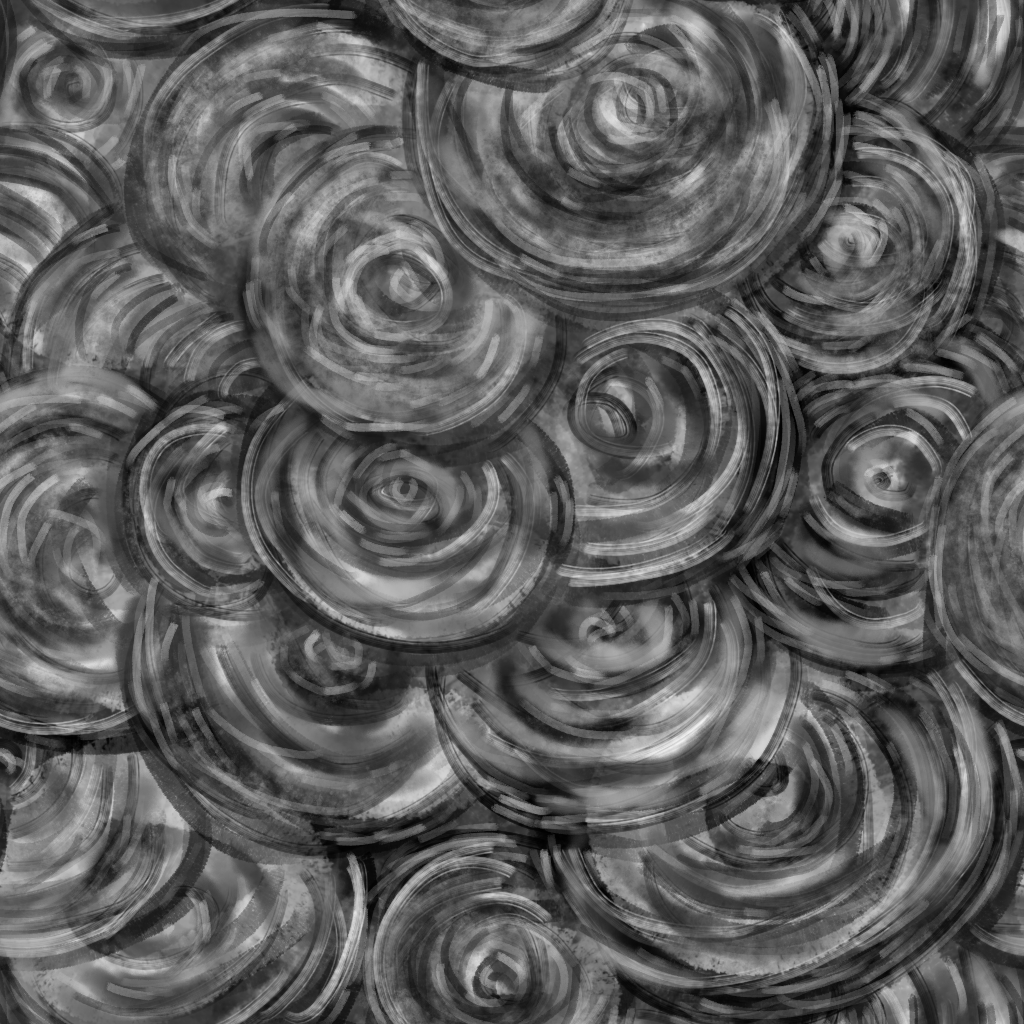
@he4rty, to do something that resemble Van Gogh this texture is better:
Image
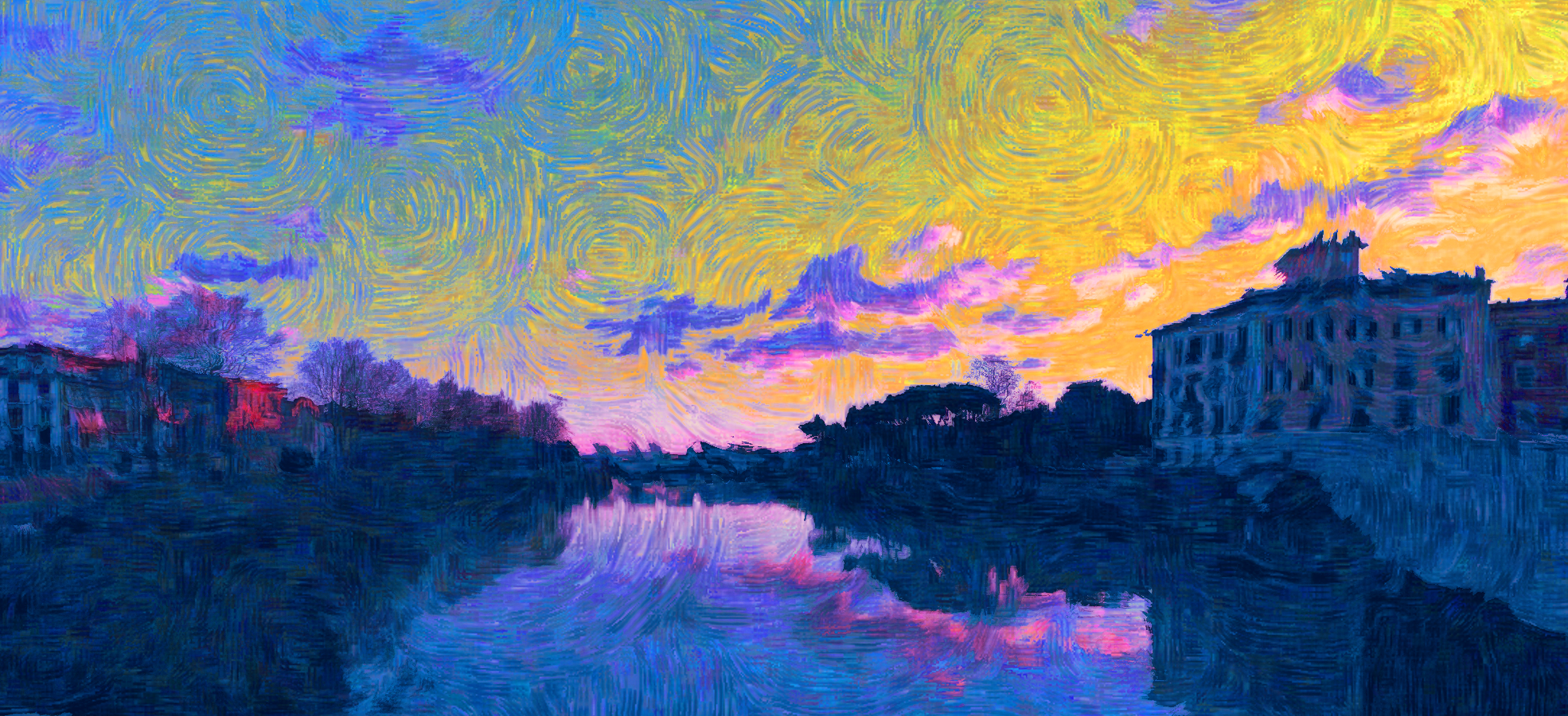
Result:
Image
Some erasing here and there and some manual correction are always needed to get a decent result; not a lot of work, drawing the dots for the texture was more time consuming :hehe .
Obviously circles and spirals don't make sense when the image has straight lines. ^^'


Top
 Post subject: Re: Circles texture
PostPosted: Sun Jan 04, 2015 9:15 pm  (#5) 
Offline
GimpChat Member
User avatar

Joined: Aug 30, 2012
Posts: 2174
Corvo wrote:
Thank you. ^^

@he4rty, to do something that resemble Van Gogh this texture is better:
[ Image ]
Result:
[ Image ]
Some erasing here and there and some manual correction are always needed to get a decent result; not a lot of work, drawing the dots for the texture was more time consuming :hehe .
Obviously circles and spirals don't make sense when the image has straight lines. ^^'


Really nice results and again the texture is a good piece of artwork on it's own.

_________________
Image


Top
 Post subject: Re: Circles texture
PostPosted: Mon Jan 05, 2015 11:13 am  (#6) 
Offline
GimpChat Member
User avatar

Joined: Sep 22, 2012
Posts: 2089
Location: US
he4rty wrote:
Really nice results and again the texture is a good piece of artwork on it's own.


Totally agree. Very inspirational artwork.


Top
 Post subject: Re: Circles texture
PostPosted: Sun Jan 11, 2015 5:37 am  (#7) 
Offline
Global Moderator
User avatar

Joined: Apr 01, 2012
Posts: 8498
Location: On the other side of your screen
he4rty wrote:
Really nice results and again the texture is a good piece of artwork on it's own.


:bigthup

_________________
Image
Free Fun Photo Editing & resources
Poems from the Lord
Gimp Newby
Gimp version 3.2.6 and GMIC-Qt 4.0.2 OS :- Windows 10 Home 64


Top
Post new topic Reply to topic  [ 7 posts ] 

All times are UTC - 5 hours [ DST ]


* Login  


Powered by phpBB3 © phpBB Group