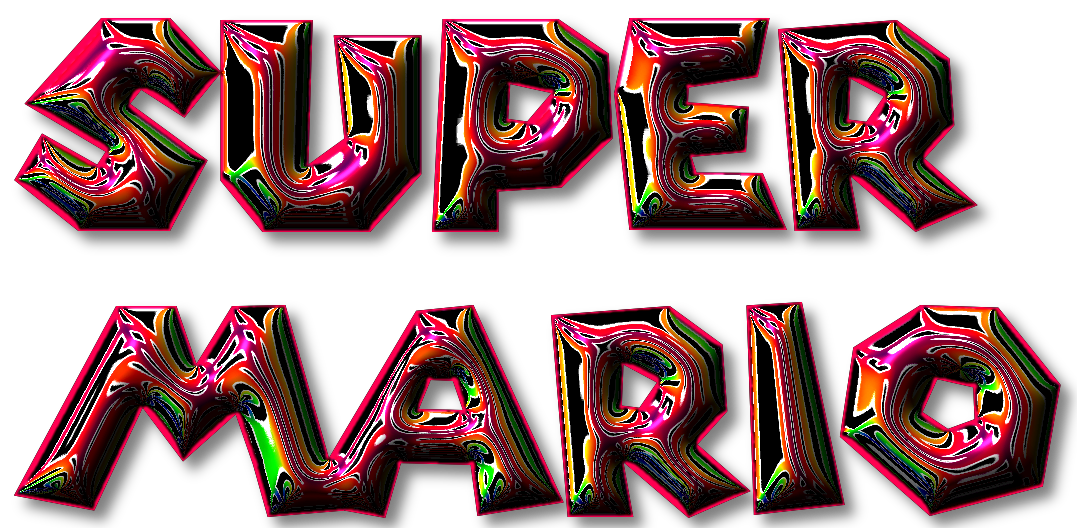
It is currently Mon Jun 15, 2026 6:32 pm


All times are UTC - 5 hours [ DST ]


Post new topic Reply to topic  [ 1370 posts ]  Go to page Previous  1 ... 49, 50, 51, 52, 53, 54, 55 ... 69  Next
Author Message
 Post subject: Re: Bevel Reflect Logo V1.6
PostPosted: Tue Feb 24, 2015 9:42 pm  (#1021) 
Offline
GimpChat Member
User avatar

Joined: Jun 02, 2013
Posts: 2090
jontait2 wrote:
:tyspin :bigthup Thank you for that Warrior, that is interesting.


No problem, glad to help.

_________________
Image


Top
 Post subject: Re: Bevel Reflect Logo V1.6
PostPosted: Tue Feb 24, 2015 9:48 pm  (#1022) 
Offline
GimpChat Founder
User avatar

Joined: May 22, 2008
Posts: 5241
Location: Gimpville
Marcello wrote:
GnuTux, beautiful results!
here my playing
[ Image ]

Nice one, Marcello. Smooth results, with a nice background. That's a cool font too. Which is it?

The Warrior wrote:
This one was the basis of it: http://www.gimpchat.com/viewtopic.php?f ... 00#p144694
I also had overlays of some transparent emaps I made: http://www.gimpchat.com/viewtopic.php?f=12&t=10670

I was gonna ask the same question as jontait2. :hehe

In your results, that emap produced an effect reminiscent of iridescent carnival glass. I really like it. Also, the use of the results of emaps, made from gradients with transparent sections, as overlays, is an interesting technique. :cool

_________________
“If you reach for the stars, you just might land on a decently sized hill.” - Stuart Hill


Top
 Post subject: Re: Bevel Reflect Logo V1.6
PostPosted: Tue Feb 24, 2015 10:30 pm  (#1023) 
Offline
Script Coder
User avatar

Joined: Dec 27, 2014
Posts: 508
GnuTux wrote:
In your results, that emap produced an effect reminiscent of iridescent carnival glass. I really like it. Also, the use of the results of emaps, made from transparent gradients, as overlays, is an interesting technique. :cool
Yes I think you might be onto something there ..it's the combination of Wallace's "PS Style 1" spherical emap and Warrior's transparent overlay which has produced something special.

PS.
Apologies for this one ..pure fluke ..was just experimenting with Wallace's "PS Style 1" emap and happened to overlay it with the second of these two patterns by Gino D (which was itself baed on a stencil by He4arty) :
viewtopic.php?f=11&t=8861&hilit=labyrinth&start=50#p115808

and it produced this:
Image


Top
 Post subject: Re: Bevel Reflect Logo V1.6
PostPosted: Wed Feb 25, 2015 5:12 am  (#1024) 
Offline
GimpChat Member
User avatar

Joined: Apr 07, 2010
Posts: 14182
Wow, that is gorgeous. jontait2

_________________
Image


Top
 Post subject: Re: Bevel Reflect Logo V1.6
PostPosted: Wed Feb 25, 2015 5:18 am  (#1025) 
Offline
GimpChat Member
User avatar

Joined: Jan 20, 2013
Posts: 14831
Location: roma, italy
GnuTux,
congrats!
you deserve a special Gimp-chat prize:
- over 100 pages
- over 1000 replies
- over 30.000 views
wow...wow...wow!

_________________
"Where am I ?"


Top
 Post subject: Re: Bevel Reflect Logo V1.6
PostPosted: Wed Feb 25, 2015 6:12 am  (#1026) 
Offline
GimpChat Member
User avatar

Joined: Apr 07, 2010
Posts: 14182
You got that right dinasset, that has to be a record. I agree 100%

_________________
Image


Top
 Post subject: Re: Bevel Reflect Logo V1.6
PostPosted: Wed Feb 25, 2015 7:25 am  (#1027) 
Offline
GimpChat Member
User avatar

Joined: Apr 07, 2010
Posts: 14182
Image

Image

_________________
Image


Top
 Post subject: Re: Bevel Reflect Logo V1.6
PostPosted: Wed Feb 25, 2015 10:24 am  (#1028) 
Offline
GimpChat Member
User avatar

Joined: Mar 10, 2014
Posts: 845
Quote:
Nice one, Marcello. Smooth results, with a nice background. That's a cool font too. Which is it?

Thank you, the font is PERCIVAL THIN


Top
 Post subject: Re: Bevel Reflect Logo V1.6
PostPosted: Wed Feb 25, 2015 10:33 am  (#1029) 
Offline
GimpChat Founder
User avatar

Joined: May 22, 2008
Posts: 5241
Location: Gimpville
jontait2 wrote:
Apologies for this one ..pure fluke ..was just experimenting with Wallace's "PS Style 1" emap and happened to overlay it with the second of these two patterns by Gino D (which was itself baed on a stencil by He4arty) :

Great results. Looks like text wrapped in colorful, shiny foil. :bigthup

Molly, your results are super nice, too.

Thanks, Marcello. I'll grab that one. :hehe

dinasset, it is a long thread and a lot GC members contributed. They deserve mucho kudos!

_________________
“If you reach for the stars, you just might land on a decently sized hill.” - Stuart Hill


Top
 Post subject: Re: Bevel Reflect Logo V1.6
PostPosted: Wed Feb 25, 2015 10:45 am  (#1030) 
Offline
GimpChat Member
User avatar

Joined: Mar 10, 2014
Posts: 845
GnuTux, in the field of Gothis fonts I like also WALBAUMFRAKTUR
Image

I can't stop....
Image


Top
 Post subject: Re: Bevel Reflect Logo V1.6
PostPosted: Wed Feb 25, 2015 12:51 pm  (#1031) 
Offline
Administrator
User avatar

Joined: Aug 10, 2012
Posts: 14019
Location: Native to NYC living in Arizona, Gimp 2.8 - 3.0, Win 11 PC.
Marcello wrote:
GnuTux, in the field of Gothis fonts I like also WALBAUMFRAKTUR
Image

I can't stop....
Image

I like those fonts Marcello.
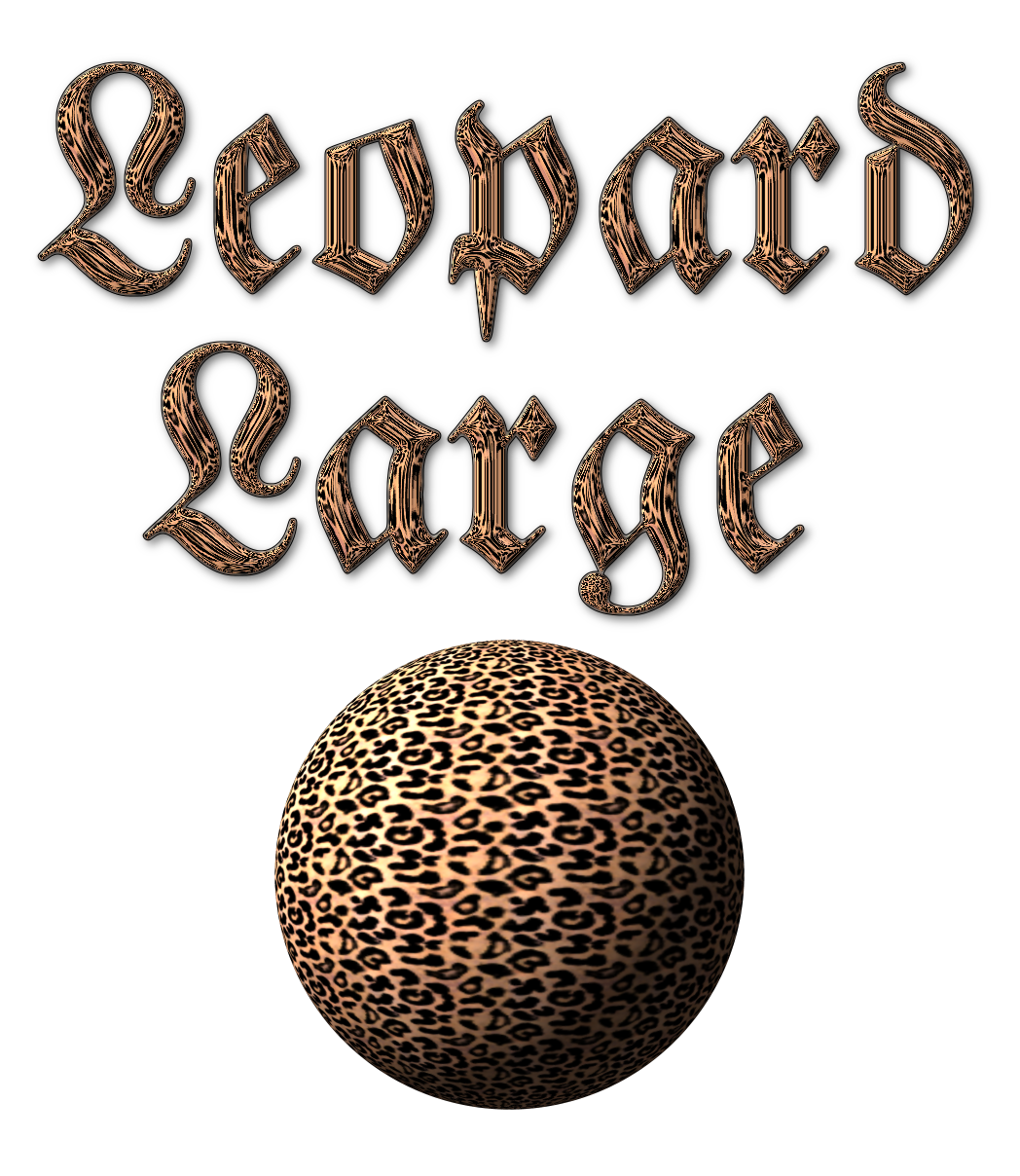
I used the Percival Regular font to make this one and ran the BRL from, Filter>Alpha to Logo>BRL, with interactive selected and Round 2 bevel type.

Image


I also run BRL on the Walbaum-Fraktur font, with the same bevel type, (Round 2) at a depth of 250 for the large Leopard E-Map and 175 Depth for the Small Leopard E-Map.
Image
Image


And finally here's a Camo E-Map, ran the same way as the others above, except I used the Round 2 Bevel type at it's default settings.
Image

_________________
Image
"A wise man learns more from a foolish question than a fool can learn from a wise answer"
Image


Top
 Post subject: Re: Bevel Reflect Logo V1.6
PostPosted: Wed Feb 25, 2015 1:56 pm  (#1032) 
Offline
GimpChat Member
User avatar

Joined: Apr 07, 2010
Posts: 14182
nice

_________________
Image


Top
 Post subject: Re: Bevel Reflect Logo V1.6
PostPosted: Wed Feb 25, 2015 2:50 pm  (#1033) 
Offline
GimpChat Founder
User avatar

Joined: May 22, 2008
Posts: 5241
Location: Gimpville
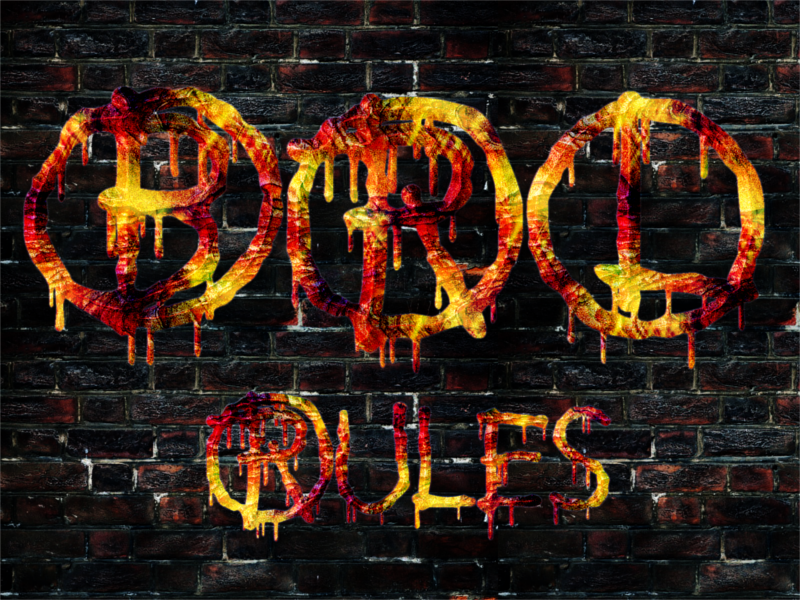
:ditto Animal print patterns are pretty cool.
_________________
“If you reach for the stars, you just might land on a decently sized hill.” - Stuart Hill


Top
 Post subject: Re: Bevel Reflect Logo V1.6
PostPosted: Wed Feb 25, 2015 3:13 pm  (#1034) 
Offline
Global Moderator
User avatar

Joined: Oct 02, 2014
Posts: 4962
Location: Sydney Australia
Yes BRL and patterns rule ...

Image

_________________
Image

Respect should be offered freely but hard earned


Top
 Post subject: Re: Bevel Reflect Logo V1.6
PostPosted: Wed Feb 25, 2015 3:41 pm  (#1035) 
Offline
Administrator
User avatar

Joined: Aug 10, 2012
Posts: 14019
Location: Native to NYC living in Arizona, Gimp 2.8 - 3.0, Win 11 PC.
I was just wondering how you guy are running patterns using BRL?

_________________
Image
"A wise man learns more from a foolish question than a fool can learn from a wise answer"
Image


Top
 Post subject: Re: Bevel Reflect Logo V1.6
PostPosted: Wed Feb 25, 2015 4:00 pm  (#1036) 
Offline
GimpChat Member
User avatar

Joined: Mar 10, 2014
Posts: 845
Wallace, thk for the info; nice samples!


Top
 Post subject: Re: Bevel Reflect Logo V1.6
PostPosted: Wed Feb 25, 2015 4:17 pm  (#1037) 
Offline
Administrator
User avatar

Joined: Aug 10, 2012
Posts: 14019
Location: Native to NYC living in Arizona, Gimp 2.8 - 3.0, Win 11 PC.
Marcello wrote:
Wallace, thk for the info; nice samples!

You're welcome and thanks Molly and Marcello. :bigthup
I still need to know how to run BRL using patterns. I'm under the impression that this can be done, am I incorrect?

_________________
Image
"A wise man learns more from a foolish question than a fool can learn from a wise answer"
Image


Top
 Post subject: Re: Bevel Reflect Logo V1.6
PostPosted: Wed Feb 25, 2015 5:05 pm  (#1038) 
Offline
GimpChat Member
User avatar

Joined: Jun 02, 2013
Posts: 2090
Wallace wrote:
Marcello wrote:
Wallace, thk for the info; nice samples!

You're welcome and thanks Molly and Marcello. :bigthup
I still need to know how to run BRL using patterns. I'm under the impression that this can be done, am I incorrect?

I just alpha to selection the finished BRL, new layer, fill with pattern, and set the blend to overlay, etc.

_________________
Image


Top
 Post subject: Re: Bevel Reflect Logo V1.6
PostPosted: Wed Feb 25, 2015 5:13 pm  (#1039) 
Offline
Administrator
User avatar

Joined: Aug 10, 2012
Posts: 14019
Location: Native to NYC living in Arizona, Gimp 2.8 - 3.0, Win 11 PC.
The Warrior wrote:
Wallace wrote:
Marcello wrote:
Wallace, thk for the info; nice samples!

You're welcome and thanks Molly and Marcello. :bigthup
I still need to know how to run BRL using patterns. I'm under the impression that this can be done, am I incorrect?

I just alpha to selection the finished BRL, new layer, fill with pattern, and set the blend to overlay, etc.

So am I "going bonkers", thinking I can run BRL using patterns? Image

_________________
Image
"A wise man learns more from a foolish question than a fool can learn from a wise answer"
Image


Top
 Post subject: Re: Bevel Reflect Logo V1.6
PostPosted: Wed Feb 25, 2015 5:20 pm  (#1040) 
Offline
Script Coder
User avatar

Joined: Feb 18, 2011
Posts: 4826
Location: Bendigo Vic. Australia
Wallace you were thinking of EnviroLogo

_________________
Image
No matter how much you push the envelope, it'll still be stationery.


Top
Post new topic Reply to topic  [ 1370 posts ]  Go to page Previous  1 ... 49, 50, 51, 52, 53, 54, 55 ... 69  Next

All times are UTC - 5 hours [ DST ]


* Login  


Powered by phpBB3 © phpBB Group