It is currently Sat Sep 12, 2026 7:46 am


All times are UTC - 5 hours [ DST ]


Post new topic Reply to topic  [ 42 posts ]  Go to page Previous  1, 2, 3  Next
Author Message
 Post subject: Re: G'MIC Finger paint Tutorial
PostPosted: Mon Mar 02, 2015 5:54 am  (#21) 
Offline
GimpChat Member
User avatar

Joined: Mar 15, 2014
Posts: 115
Location: Brooklyn, NY
Hello dinasset,

Indeed it does. Hair lock and Finger paint are related in that the latter part of their pipelines are very nearly identical: they both harness -smooth to extrude randomly positioned colored dots into skinny long lines under the control of a map made by -diffusiontensors. They differ mainly in how the diffusion tensor map is built. Finger paint derives the map from the image to be finger painted, Hairlock from a 'skeleton' image. The coloring of the random dots for Hair lock come from GUI settings; the coloring comes from the image in Finger paint. They are more alike than they differ and they were more or less written in tandem last summer when my tutorial writing was marching through the anisotropic smoothing machinery in G'MIC.

There is still a lot that can be mined in that area. Yesterday I was sketching out a filter to produce a Hedcut effect that is aware of the geometry of the image, a problem which -structuretensors routinely solves for anisotropic smoothing. Currently I have a mess of gmic commands that share ancestry with Hair locks and Finger paint which seem promising as a faux hedcut effect, as this close up of a portrait of Jean Cocteau as a young man suggests:

Image

Need a few more dreary rainy-day March Sundays before I might bring it home though. Perhaps you should hope for bad weather this month on the Atlantic seaboard ;) It's progress will be a topic of another thread here.

Garry


Top
 Post subject: Re: G'MIC Finger paint Tutorial
PostPosted: Mon Mar 02, 2015 6:51 am  (#22) 
Offline
GimpChat Member
User avatar

Joined: Jan 03, 2011
Posts: 1656
Garry, this looks fantastic!


Top
 Post subject: Re: G'MIC Finger paint Tutorial
PostPosted: Mon Mar 02, 2015 8:10 am  (#23) 
Offline
GimpChat Member
User avatar

Joined: Jan 20, 2013
Posts: 14835
Location: roma, italy
very impressive, Garry!
have good raining days....

_________________
"Where am I ?"


Top
 Post subject: Re: G'MIC Finger paint Tutorial
PostPosted: Mon Mar 02, 2015 11:03 am  (#24) 
Offline
GimpChat Member
User avatar

Joined: Nov 16, 2011
Posts: 5127
Location: Metro Vancouver, BC
Garry wrote:
Need a few more dreary rainy-day March Sundays before I might bring it home though. Perhaps you should hope for bad weather this month on the Atlantic seaboard ;) It's progress will be a topic of another thread here.
I don't wish 'rainy-day' weather (we get our share on the West coast), only more Hedcut; your G'MIC insight is most welcome. :bigthup

_________________
Image
Gimp 2.8.18, Linux, median user
Gimp Chat Tutorials Index
Spirit Bear (Kermode)


Top
 Post subject: Re: G'MIC Finger paint Tutorial
PostPosted: Sat Mar 07, 2015 8:52 am  (#25) 
Offline
GimpChat Member
User avatar

Joined: Mar 01, 2014
Posts: 14186
Location: Spain, Aragón
Thank you so much Garry for your filters, hints and your interest in this forum. I've been applying some of your filters for a few days.
I find them wonderful and getting nice results I like so much. :tyspin :hi5 :coolthup
Here some of them applying fingerpaint and others applying hedcut method.


Attachments:
barco-vela-fingerpaint+infrared.jpg
barco-vela-fingerpaint+infrared.jpg [ 613.1 KiB | Viewed 3540 times ]
barco-vela-fingerpaint+graffity.jpg
barco-vela-fingerpaint+graffity.jpg [ 459.65 KiB | Viewed 3540 times ]
barco-vela-fingerpaint+deco.jpg
barco-vela-fingerpaint+deco.jpg [ 622.02 KiB | Viewed 3540 times ]

_________________
Image

Gimp 2.10.30(samj) portable _ OS Windows 10 Home_ 64bits
Don’t be afraid to start over. It’s a new chance to rebuild what you want.


Last edited by Issabella on Sat Mar 07, 2015 1:22 pm, edited 1 time in total.
Top
 Post subject: Re: G'MIC Finger paint Tutorial
PostPosted: Sat Mar 07, 2015 8:54 am  (#26) 
Offline
GimpChat Member
User avatar

Joined: Mar 01, 2014
Posts: 14186
Location: Spain, Aragón
More about fingerpaint. :)


Attachments:
barco-vela-fingerpaint+squiggly.jpg
barco-vela-fingerpaint+squiggly.jpg [ 701.89 KiB | Viewed 3540 times ]
barco-vela-fingerpaint+water.jpg
barco-vela-fingerpaint+water.jpg [ 637.3 KiB | Viewed 3540 times ]
barco-vela-fingerpaint+spotify.jpg
barco-vela-fingerpaint+spotify.jpg [ 1.15 MiB | Viewed 3540 times ]

_________________
Image

Gimp 2.10.30(samj) portable _ OS Windows 10 Home_ 64bits
Don’t be afraid to start over. It’s a new chance to rebuild what you want.
Top
 Post subject: Re: G'MIC Finger paint Tutorial
PostPosted: Sat Mar 07, 2015 8:56 am  (#27) 
Offline
GimpChat Member
User avatar

Joined: Mar 01, 2014
Posts: 14186
Location: Spain, Aragón
These are applying hedcut. :)


Attachments:
chinese-princess-1024-hedcut-1.00.jpg
chinese-princess-1024-hedcut-1.00.jpg [ 404.5 KiB | Viewed 3539 times ]
chinese-princess-1024-hedcut-1.00+multiply.jpg
chinese-princess-1024-hedcut-1.00+multiply.jpg [ 492.61 KiB | Viewed 3539 times ]
chinese-princess-1024-hedcut-1.00+value.jpg
chinese-princess-1024-hedcut-1.00+value.jpg [ 616.67 KiB | Viewed 3539 times ]

_________________
Image

Gimp 2.10.30(samj) portable _ OS Windows 10 Home_ 64bits
Don’t be afraid to start over. It’s a new chance to rebuild what you want.
Top
 Post subject: Re: G'MIC Finger paint Tutorial
PostPosted: Sat Mar 07, 2015 8:57 am  (#28) 
Offline
GimpChat Member
User avatar

Joined: Mar 01, 2014
Posts: 14186
Location: Spain, Aragón
and more... :)


Attachments:
nuevo rostro mujer-Hedcut2-1.00,0.50,0.65,0.00,0.50.jpg
nuevo rostro mujer-Hedcut2-1.00,0.50,0.65,0.00,0.50.jpg [ 322.03 KiB | Viewed 3537 times ]
nuevo rostro mujer-Hedcut2-1.00,0.50,0.65,0.00,0.50+overlay.jpg
nuevo rostro mujer-Hedcut2-1.00,0.50,0.65,0.00,0.50+overlay.jpg [ 308.04 KiB | Viewed 3537 times ]

_________________
Image

Gimp 2.10.30(samj) portable _ OS Windows 10 Home_ 64bits
Don’t be afraid to start over. It’s a new chance to rebuild what you want.
Top
 Post subject: Re: G'MIC Finger paint Tutorial
PostPosted: Sat Mar 07, 2015 8:59 am  (#29) 
Offline
GimpChat Member
User avatar

Joined: Mar 01, 2014
Posts: 14186
Location: Spain, Aragón
;)


Attachments:
In the rain-hedcut-0.90.JPG
In the rain-hedcut-0.90.JPG [ 948.92 KiB | Viewed 3537 times ]
In the rain-hedcut-0.90+overlay.JPG
In the rain-hedcut-0.90+overlay.JPG [ 984.46 KiB | Viewed 3537 times ]

_________________
Image

Gimp 2.10.30(samj) portable _ OS Windows 10 Home_ 64bits
Don’t be afraid to start over. It’s a new chance to rebuild what you want.
Top
 Post subject: Re: G'MIC Finger paint Tutorial
PostPosted: Sat Mar 07, 2015 10:16 pm  (#30) 
Offline
Global Moderator
User avatar

Joined: Oct 02, 2014
Posts: 5042
Location: Sydney Australia
OK Issabella, you have tempted me into this 'fingerpaint' filter, so here are a couple of my first attempts from photos I took on the Baltic Waterway.

Image

Image

I need to get a better understanding of the settings and their nuances ... but interesting stuff.

_________________
Image

Respect should be offered freely but hard earned


Top
 Post subject: Re: G'MIC Finger paint Tutorial
PostPosted: Sun Mar 08, 2015 1:22 am  (#31) 
Offline
GimpChat Member
User avatar

Joined: Jan 20, 2013
Posts: 14835
Location: roma, italy
good to see you in this challenge, OMG!
yesterday i was tempted to write down : "why OMG is not here in the game?"
now you are
have a look also to the other Garry's filter (hedcut)

_________________
"Where am I ?"


Top
 Post subject: Re: G'MIC Finger paint Tutorial
PostPosted: Sun Mar 08, 2015 2:44 am  (#32) 
Offline
GimpChat Member
User avatar

Joined: Mar 01, 2014
Posts: 14186
Location: Spain, Aragón
What fantastic your outcomes, very interesting and nice. I'm so happy you are in this topic too. :) :hi5

_________________
Image

Gimp 2.10.30(samj) portable _ OS Windows 10 Home_ 64bits
Don’t be afraid to start over. It’s a new chance to rebuild what you want.


Top
 Post subject: Re: G'MIC Finger paint Tutorial
PostPosted: Sun Mar 08, 2015 3:24 am  (#33) 
Offline
GimpChat Member
User avatar

Joined: Mar 01, 2014
Posts: 14186
Location: Spain, Aragón
I find this photo fantastic for applying this filter on. What do you all think? :)


Attachments:
From vitadadonna.com-Van GoghStyle.jpg
From vitadadonna.com-Van GoghStyle.jpg [ 1.64 MiB | Viewed 3654 times ]

_________________
Image

Gimp 2.10.30(samj) portable _ OS Windows 10 Home_ 64bits
Don’t be afraid to start over. It’s a new chance to rebuild what you want.
Top
 Post subject: Re: G'MIC Finger paint Tutorial
PostPosted: Sun Mar 08, 2015 8:39 pm  (#34) 
Offline
Global Moderator
User avatar

Joined: Oct 02, 2014
Posts: 5042
Location: Sydney Australia
@Grosood (Garry) - thank you very much for your comments in your other filter thread; I will try that filter next!!.

@Dinasset - yes I am here and now I am here I am totally absorbed in this wonderful filter ... still learning to use its options!!

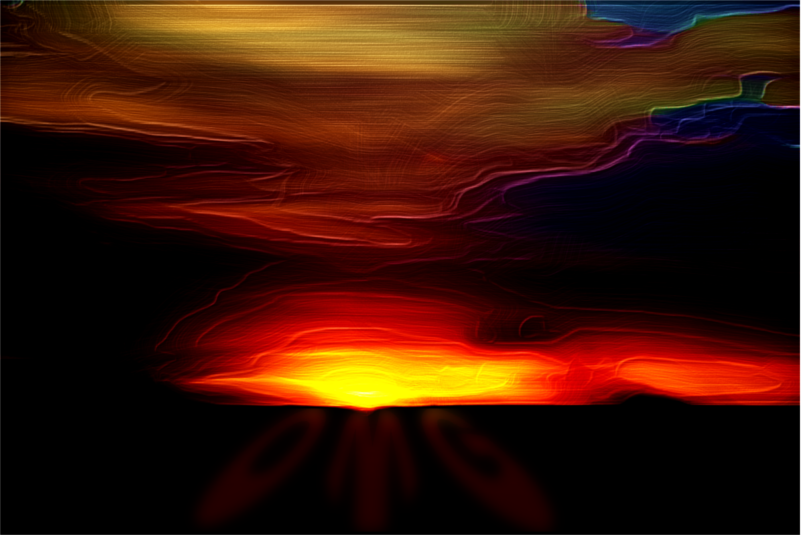
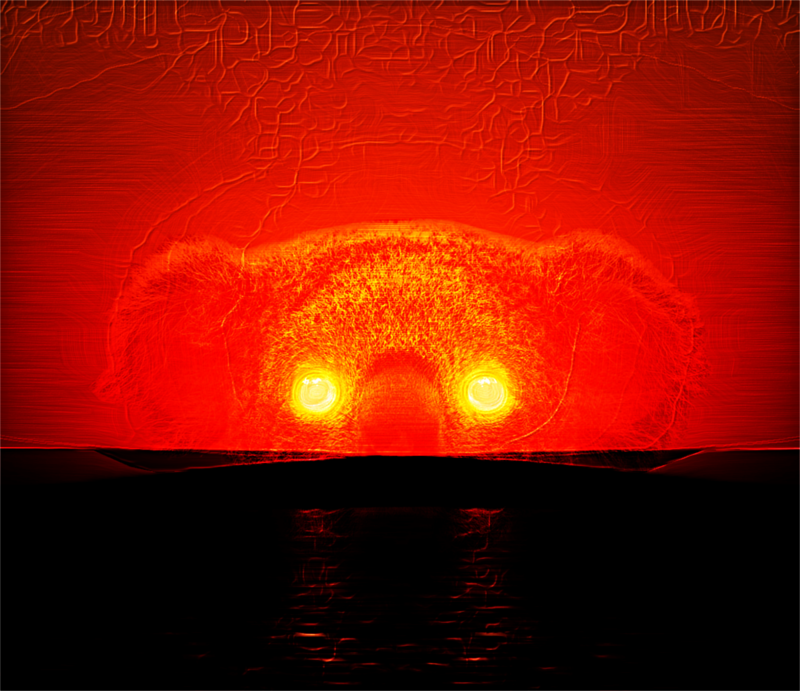
@Issabella - thanks; your flowers look great and I intended to try a few out this morning but I got stuck on sunsets ;)

So here are some sunsets; across the plains north of Kakadu National Park, with smoke across the sun (really!) ...

Image

... a very low setting sun at Shark Bay in West Australia ...

Image

... and one type not seeen outside Australia, two suns setting together, called Koala Sunset ...

Image

_________________
Image

Respect should be offered freely but hard earned


Top
 Post subject: Re: G'MIC Finger paint Tutorial
PostPosted: Mon Mar 09, 2015 12:29 am  (#35) 
Offline
GimpChat Member
User avatar

Joined: Jan 20, 2013
Posts: 14835
Location: roma, italy
surreal outcomes! interesting use
(the horizontal reflected one may be called: the eyes of the sky...)
good job

_________________
"Where am I ?"


Top
 Post subject: Re: G'MIC Finger paint Tutorial
PostPosted: Mon Mar 09, 2015 1:54 am  (#36) 
Offline
Global Moderator
User avatar

Joined: Oct 02, 2014
Posts: 5042
Location: Sydney Australia
Surreal huh ... well that probably describes me to a tee! Thanks Dinasset, in reality I never have any idea of my target outcome, I keep trying things untill I find something I like :hehe

So I finally got to a flower photo this evening, a misty pink grevillea, one that I had previously 'wisped' using Graechan's script and then I finger painted it ...

Image

I am hoping that the fun police do not contact me soon, just having so much fun learning GIMP and its plug-ins!

_________________
Image

Respect should be offered freely but hard earned


Top
 Post subject: Re: G'MIC Finger paint Tutorial
PostPosted: Mon Mar 09, 2015 1:59 am  (#37) 
Offline
Script Coder
User avatar

Joined: Feb 18, 2011
Posts: 4826
Location: Bendigo Vic. Australia
OMG loved your Koala sunset :paint :coolthup

_________________
Image
No matter how much you push the envelope, it'll still be stationery.


Top
 Post subject: Re: G'MIC Finger paint Tutorial
PostPosted: Mon Mar 09, 2015 5:44 pm  (#38) 
Offline
Global Moderator
User avatar

Joined: Oct 02, 2014
Posts: 5042
Location: Sydney Australia
Tried finger painting some more plant photos this morning; most of mine are close ups and Dinasset I think you are right, I seem to be trying to make them into something quite different!!

Anyway just a couple of examples, a budding Crowea and a flowering Lechenaultia.

Image

Image

... and a popular landscape too..

Image

Terrific script Garry, I should probably go and read your tutorial/instructions for it properly now :oops: but instead I am going to move on to hedcut and blur by colour ... time is too short!

_________________
Image

Respect should be offered freely but hard earned


Top
 Post subject: Re: G'MIC Finger paint Tutorial
PostPosted: Tue Mar 10, 2015 4:06 am  (#39) 
Offline
GimpChat Member
User avatar

Joined: Mar 01, 2014
Posts: 14186
Location: Spain, Aragón
I agree with you OMG, Garry's filter is awesome. :yes
I like your outcomes OMG, like always they are wonderful and you give them a very nice personal touch. :paint :coolthup

_________________
Image

Gimp 2.10.30(samj) portable _ OS Windows 10 Home_ 64bits
Don’t be afraid to start over. It’s a new chance to rebuild what you want.


Top
 Post subject: Re: G'MIC Finger paint Tutorial
PostPosted: Sun Mar 22, 2015 3:28 pm  (#40) 
Offline
Global Moderator
User avatar

Joined: Oct 02, 2014
Posts: 5042
Location: Sydney Australia
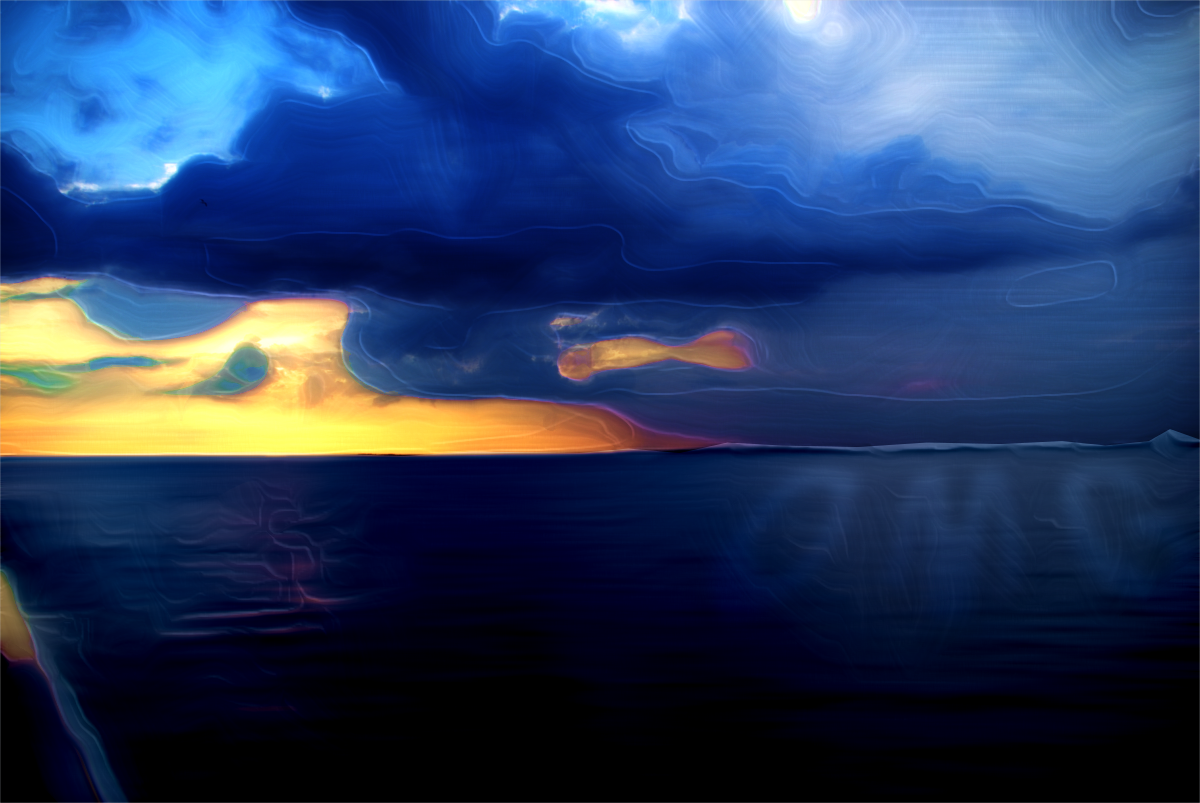
Currently Tropical Cyclone Nathan is battering the coastal areas of our Northern Territory; Its the second major cyclone in the last few weeks.

An intrepid photographer posted a photo from last night's sunset at Nhulumby, right in the centre of the storm now, but eerily calm at that time as the dark clouds were already rolling in.

I love sunsets and used this image for some more finger painting ... lets hope everybody stays safe up there ...

Image

Image

_________________
Image

Respect should be offered freely but hard earned


Top
Post new topic Reply to topic  [ 42 posts ]  Go to page Previous  1, 2, 3  Next

All times are UTC - 5 hours [ DST ]


* Login  


Powered by phpBB3 © phpBB Group