It is currently Fri Jul 03, 2026 3:10 am


All times are UTC - 5 hours [ DST ]


Post new topic Reply to topic  [ 327 posts ]  Go to page Previous  1 ... 10, 11, 12, 13, 14, 15, 16, 17  Next
Author Message
 Post subject: Re: Logo Toolbox V2.2 (Updated)
PostPosted: Sun Mar 29, 2015 4:16 am  (#241) 
Offline
GimpChat Founder
User avatar

Joined: May 22, 2008
Posts: 5241
Location: Gimpville
Logo Toolbox has been updated to V2.2.

Fixed Bug in Glass Fills/Gradient Glass Fill
Add Adjustable Glass Depth for Correct Glass Effect
Added Options for Blend Shape & Reverse Blend
Clarify and Simplify Fill Method Dialog

These options:
Image

Produce this result:
Image

As usual, the update is available on GIMP Scripts.

_________________
“If you reach for the stars, you just might land on a decently sized hill.” - Stuart Hill


Top
 Post subject: Re: Logo Toolbox V2.2 (Updated)
PostPosted: Sun Mar 29, 2015 4:24 am  (#242) 
Offline
GimpChat Member
User avatar

Joined: Apr 07, 2010
Posts: 14182
Thank you for another cool update Tux.

_________________
Image


Top
 Post subject: Re: Logo Toolbox V2.2 (Updated)
PostPosted: Sun Mar 29, 2015 5:56 am  (#243) 
Offline
GimpChat Founder
User avatar

Joined: May 22, 2008
Posts: 5241
Location: Gimpville
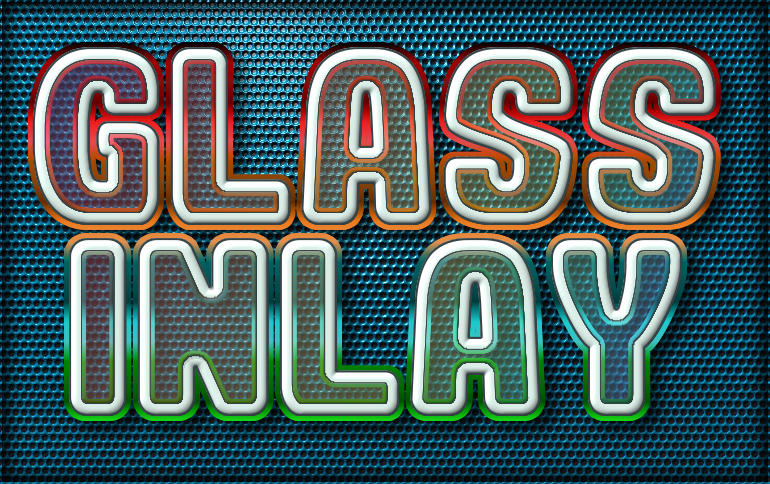
Thanks Molly. Playing around with gradient colored glass fills. :hehe

Image

_________________
“If you reach for the stars, you just might land on a decently sized hill.” - Stuart Hill


Top
 Post subject: Re: Logo Toolbox V2.2 (Updated)
PostPosted: Sun Mar 29, 2015 6:28 am  (#244) 
Offline
GimpChat Member
User avatar

Joined: Apr 07, 2010
Posts: 14182
very nice.

_________________
Image


Top
 Post subject: Re: Logo Toolbox V2.2 (Updated)
PostPosted: Sun Mar 29, 2015 6:30 am  (#245) 
Offline
Global Moderator
User avatar

Joined: May 16, 2010
Posts: 16076
Image

_________________
Image


Top
 Post subject: Re: Logo Toolbox V2.2 (Updated)
PostPosted: Sun Mar 29, 2015 8:26 am  (#246) 
Offline
GimpChat Founder
User avatar

Joined: May 22, 2008
Posts: 5241
Location: Gimpville
Cool results, Rod! :hi5

One more gradient glass outcome. :smiley2

Image

_________________
“If you reach for the stars, you just might land on a decently sized hill.” - Stuart Hill


Top
 Post subject: Re: Logo Toolbox V2.2 (Updated)
PostPosted: Sun Mar 29, 2015 8:43 am  (#247) 
Offline
GimpChat Member
User avatar

Joined: Apr 07, 2010
Posts: 14182
Looks Great... Tux
Image

_________________
Image


Top
 Post subject: Re: Logo Toolbox V2.2 (Updated)
PostPosted: Sun Mar 29, 2015 9:52 am  (#248) 
Offline
GimpChat Founder
User avatar

Joined: May 22, 2008
Posts: 5241
Location: Gimpville
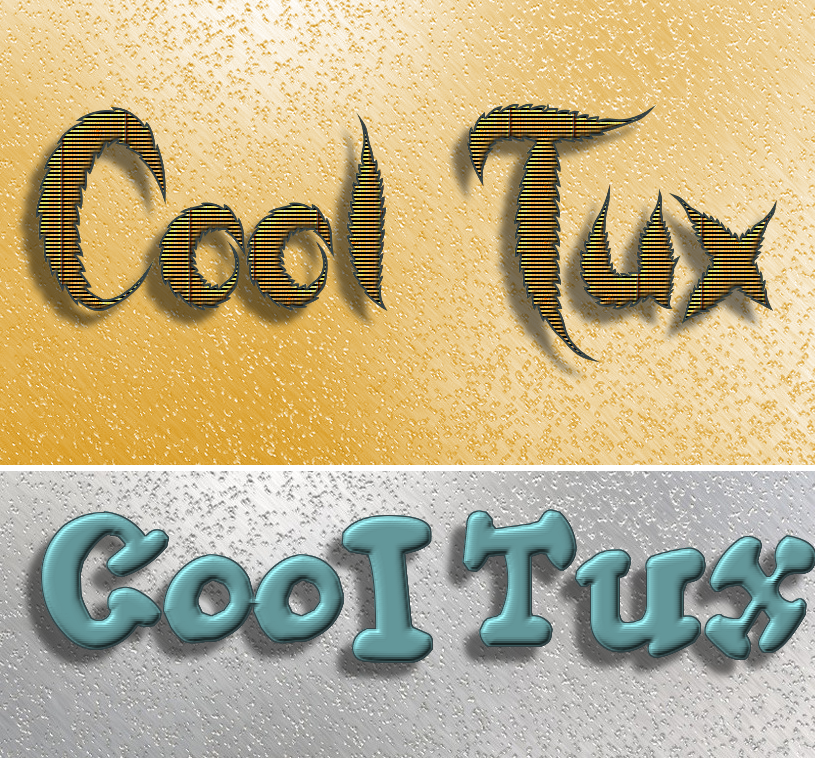
Good results, Molly. The 1st one is cool. :cool

_________________
“If you reach for the stars, you just might land on a decently sized hill.” - Stuart Hill


Top
 Post subject: Re: Logo Toolbox V2.2 (Updated)
PostPosted: Sun Mar 29, 2015 1:36 pm  (#249) 
Offline
Global Moderator
User avatar

Joined: May 16, 2010
Posts: 16076
GnuTux wrote:
Good results, Molly. The 1st one is cool. :cool

Almost looks like Text Embroider was used on that one. :)

_________________
Image


Top
 Post subject: Re: Logo Toolbox V2.2 (Updated)
PostPosted: Sun Mar 29, 2015 4:01 pm  (#250) 
Offline
GimpChat Member
User avatar

Joined: Apr 07, 2010
Posts: 14182
@Rod. that was my scan lines pattern I used for that one.

_________________
Image


Top
 Post subject: Re: Logo Toolbox V2.2 (Updated)
PostPosted: Sun Mar 29, 2015 9:54 pm  (#251) 
Offline
Script Coder
User avatar

Joined: Feb 18, 2011
Posts: 4826
Location: Bendigo Vic. Australia
GnuTux although selected at the bottom I didn't get a drop shadow when extrusion is set?

_________________
Image
No matter how much you push the envelope, it'll still be stationery.


Top
 Post subject: Re: Logo Toolbox V2.2 (Updated)
PostPosted: Sun Mar 29, 2015 10:10 pm  (#252) 
Offline
GimpChat Founder
User avatar

Joined: May 22, 2008
Posts: 5241
Location: Gimpville
Thanks for testing this release, Graechan. You're right. In the Alpha to Logo procedure, I accidentally switched the Drop Shadow & Reverse Blend toggle. It should be.

SF-TOGGLE     _"Add Drop Shadow"       TRUE
SF-TOGGLE     _"Reverse Blend"         FALSE


It's correct in the Create Logo procedure. I'll get it fixed. Thanks again!

_________________
“If you reach for the stars, you just might land on a decently sized hill.” - Stuart Hill


Top
 Post subject: Re: Logo Toolbox V2.2 (Updated)
PostPosted: Mon Mar 30, 2015 1:11 am  (#253) 
Offline
Script Coder
User avatar

Joined: Feb 18, 2011
Posts: 4826
Location: Bendigo Vic. Australia
all OK now, but why finish alpha-to-logo with a selection

_________________
Image
No matter how much you push the envelope, it'll still be stationery.


Top
 Post subject: Re: Logo Toolbox V2.3 (Bug Fix + More Feature Updates)
PostPosted: Mon Mar 30, 2015 9:20 am  (#254) 
Offline
GimpChat Founder
User avatar

Joined: May 22, 2008
Posts: 5241
Location: Gimpville
Graechan wrote:
all OK now, but why finish alpha-to-logo with a selection

Well, I don't really want to toss users' selections and I keep the alpha to selection because I often run more than one operation using the same selection. As a compromise, I've added a "keep selection" toggle, allowing users to make their own choice.

Since there was a transposition bug in the last release, I thought I'd add a few more features in Version 2.3.

Added An Outline/Edge Shadow Option (good for glass effects).
Added Shadow Blur Radius Option
Added Option To Keep Selection
General UI Improvements (default layout, colors, options order)

For the next update, I'd like to add a variety of bevels.

Download Logo Toolbox V2.3 From GIMP Scripts.

Image

_________________
“If you reach for the stars, you just might land on a decently sized hill.” - Stuart Hill


Top
 Post subject: Re: Logo Toolbox V2.3 (Bug Fix + More Feature Updates)
PostPosted: Mon Mar 30, 2015 9:53 am  (#255) 
Offline
GimpChat Member
User avatar

Joined: Apr 07, 2010
Posts: 14182
Cool Tux... I love that transparent glass look. thanks again for the update.

_________________
Image


Top
 Post subject: Re: Logo Toolbox V2.3 (Bug Fix + More Feature Updates)
PostPosted: Mon Mar 30, 2015 10:13 am  (#256) 
Offline
Global Moderator
User avatar

Joined: May 16, 2010
Posts: 16076
Cool Tux. Thanks! :)

_________________
Image


Top
 Post subject: Re: Logo Toolbox V2.3 (Bug Fix + More Feature Updates)
PostPosted: Mon Mar 30, 2015 9:43 pm  (#257) 
Offline
Script Coder
User avatar

Joined: Feb 18, 2011
Posts: 4826
Location: Bendigo Vic. Australia
Great updates GnuTux :bigthup :tyspin
I've been getting re-aquainted with the toolbox 2.2 and now 2.3
It's a must have script for Gimp,
capable of producing a myriad of different Logo's from the 1 Menu and then adjusting them from another

_________________
Image
No matter how much you push the envelope, it'll still be stationery.


Top
 Post subject: Re: Logo Toolbox V2.3 (Bug Fix + More Feature Updates)
PostPosted: Mon Mar 30, 2015 10:26 pm  (#258) 
Offline
GimpChat Founder
User avatar

Joined: May 22, 2008
Posts: 5241
Location: Gimpville
Thanks, Graechan. :pengy

You're right. While you can create a one click logo with LT, the intention is to provide several tools in one script that can be used to assist in the creation of logos and other digital artworks. I find many of the options here real time savers. :hehe

_________________
“If you reach for the stars, you just might land on a decently sized hill.” - Stuart Hill


Top
 Post subject: Re: Logo Toolbox V2.3 (Bug Fix + More Feature Updates)
PostPosted: Tue Mar 31, 2015 1:43 am  (#259) 
Offline
GimpChat Member
User avatar

Joined: Mar 01, 2014
Posts: 14053
Location: Spain, Aragón
Thank you GnuTux for another fantastic script. :tyspin :bigthup
I haven't got a glass outcome yet, but I'm trying it. :) I love all of your samples.


Attachments:
T.B.I..JPG
T.B.I..JPG [ 258.02 KiB | Viewed 4043 times ]

_________________
Image

Gimp 2.10.30(samj) portable _ OS Windows 10 Home_ 64bits
Don’t be afraid to start over. It’s a new chance to rebuild what you want.
Top
 Post subject: Re: Logo Toolbox V2.3 (Bug Fix + More Feature Updates)
PostPosted: Sat Jun 20, 2015 12:25 pm  (#260) 
Offline
GimpChat Member
User avatar

Joined: Jun 19, 2015
Posts: 9
here's my results so far :)


Image

_________________
Image


Top
Post new topic Reply to topic  [ 327 posts ]  Go to page Previous  1 ... 10, 11, 12, 13, 14, 15, 16, 17  Next

All times are UTC - 5 hours [ DST ]


* Login  


Powered by phpBB3 © phpBB Group