It is currently Thu Jun 04, 2026 1:50 am


All times are UTC - 5 hours [ DST ]


Post new topic Reply to topic  [ 44 posts ]  Go to page Previous  1, 2, 3  Next
Author Message
 Post subject: Re: Replicate-in-rings
PostPosted: Fri Apr 10, 2015 5:57 pm  (#21) 
Offline
GimpChat Member
User avatar

Joined: Oct 24, 2014
Posts: 49
Guys, some of your images are trippy. XD
Downloaded. Thank you jontait2. ^^


Top
 Post subject: Re: Replicate-in-rings
PostPosted: Fri Apr 10, 2015 6:37 pm  (#22) 
Offline
GimpChat Member
User avatar

Joined: Nov 16, 2011
Posts: 5127
Location: Metro Vancouver, BC
Offset angle & Rotate motif examples, which are very subtle depending on the source.

Image

Canvas: 144px (trivial; 144 is the first perfect square in the Fibonacci sequence)
L1 (motif): 34px Yin Yang, Layer cropped, centred
L2: Defaults (6,3,50,0,0,0,1,1,1,1,0,0)
L3: + Offset angle 45° (6,3,50,45,0,0,1,1,1,1,0,0)
L4: + Offset angle 90° (6,3,50,90,0,0,1,1,1,1,0,0)
L5: Defaults + Rotate motifs (6,3,50,0,0,0,1,1,1,1,1,0)
L6: + Rotate & Offset 45° (6,3,50,45,0,0,1,1,1,1,1,0)
L7: + Rotate & Offset 90° (6,3,50,90,0,0,1,1,1,1,1,0)

_________________
Image
Gimp 2.8.18, Linux, median user
Gimp Chat Tutorials Index
Spirit Bear (Kermode)


Top
 Post subject: Re: Replicate-in-rings
PostPosted: Sat Apr 11, 2015 3:36 pm  (#23) 
Offline
Global Moderator
User avatar

Joined: Oct 02, 2014
Posts: 4960
Location: Sydney Australia
Thought I would have another play so created a quick, simple motif using Ofnuts path generator and again tried some random settings - maybe i should try to learn what results each parameter provides but this way I get some good surprises ... ;)

Image

Image

Image

Still using my "Wallace purple' gradient for these :)

_________________
Image

Respect should be offered freely but hard earned


Top
 Post subject: Re: Replicate-in-rings
PostPosted: Sat Apr 11, 2015 3:37 pm  (#24) 
Offline
GimpChat Member
User avatar

Joined: Apr 07, 2010
Posts: 14182
wow that center one looks like basket weaving, nice

_________________
Image


Top
 Post subject: Re: Replicate-in-rings
PostPosted: Sat Apr 11, 2015 8:39 pm  (#25) 
Offline
GimpChat Member
User avatar

Joined: Sep 24, 2010
Posts: 12775
Definitely cool result OMG. :)

_________________
Lyle

Psalm 109:8

Image


Top
 Post subject: Re: Replicate-in-rings
PostPosted: Sat Apr 11, 2015 8:57 pm  (#26) 
Offline
Script Coder
User avatar

Joined: Feb 18, 2011
Posts: 4826
Location: Bendigo Vic. Australia
:ditto
OMG oldmangrumpy or OhMyGosh? the jury is still out, you have taken a remarkable script and created simply marvelous results

_________________
Image
No matter how much you push the envelope, it'll still be stationery.


Top
 Post subject: Re: Replicate-in-rings
PostPosted: Sat Apr 11, 2015 11:10 pm  (#27) 
Offline
Global Moderator
User avatar

Joined: Oct 02, 2014
Posts: 4960
Location: Sydney Australia
Molly, Lyle & Graechan - thanks guys; I appreciate your kind words but, as always, I just use the wonderful tools the scripters provide. Oh yes and I have lots of fun too!

_________________
Image

Respect should be offered freely but hard earned


Top
 Post subject: Re: Replicate-in-rings
PostPosted: Sun Apr 12, 2015 12:38 am  (#28) 
Offline
GimpChat Member
User avatar

Joined: Jan 13, 2011
Posts: 2637
Location: Poland
Thanks Jontait2 :clap
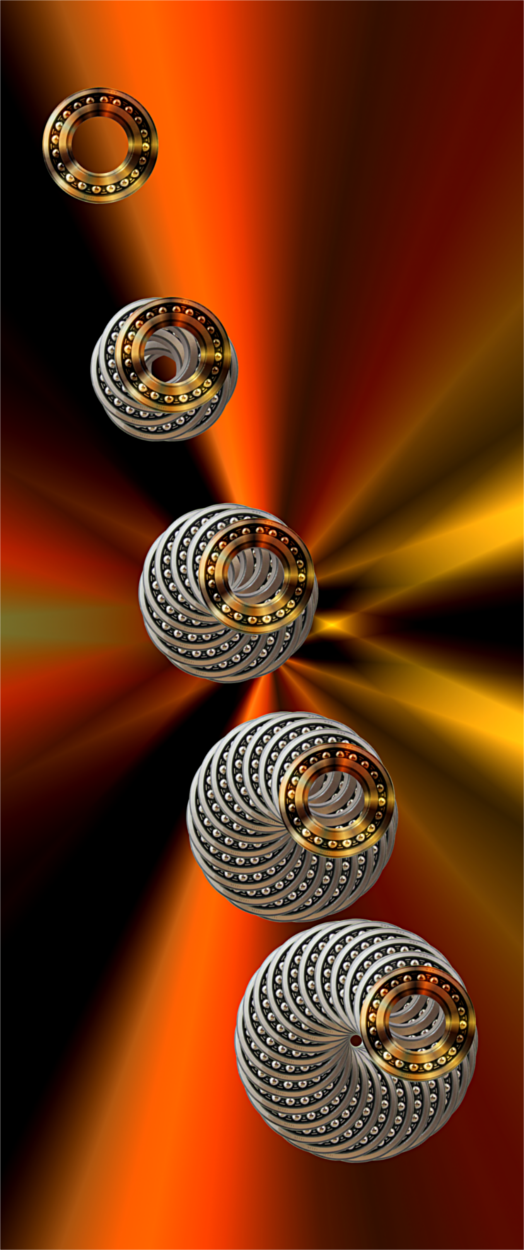
My tests:


Attachments:
1.png
1.png [ 1.09 MiB | Viewed 3700 times ]
2.png
2.png [ 1.17 MiB | Viewed 3700 times ]
3.png
3.png [ 1.04 MiB | Viewed 3700 times ]

_________________
Image
Top
 Post subject: Re: Replicate-in-rings
PostPosted: Sun Apr 12, 2015 6:33 am  (#29) 
Offline
Global Moderator
User avatar

Joined: Oct 02, 2014
Posts: 4960
Location: Sydney Australia
This is such an intruiging script; I could play with it for hours (and in fact I have!)

It also looks as though MareroQ and I came up with a similar approach (an excellent one of course) ... I used a brush created from the fur of my old Borzoi and did just a simple teatment with the script. But it is so effective in the individual combination of various layers, of which there were only 5 anyway.

Image

Image

Image

I applied the recommended 'seam mending' technique to each layer - just like magic as Jontait2 implies - so thanks again Jontait2 for providing so much enjoyment. :bigthup

_________________
Image

Respect should be offered freely but hard earned


Top
 Post subject: Re: Replicate-in-rings
PostPosted: Sun Apr 12, 2015 7:08 am  (#30) 
Offline
Script Coder
User avatar

Joined: Dec 27, 2014
Posts: 508
Good results OMG and MareroQ.

I'm sure there's plenty more mileage to be got out of this little script.. the basic idea is very simple, but with the number of variables allowed and the almost infinite variety of motifs that might be used, who knows.


Top
 Post subject: Re: Replicate-in-rings
PostPosted: Sun Apr 12, 2015 8:05 am  (#31) 
Offline
Script Coder
User avatar

Joined: Dec 27, 2014
Posts: 508
Here's another try with hypocycloids, this time the motif was first treated with BRL (alpha-to-logo) using Wallace's "PS Style 1" emap (which has just the right light disposition to produce metallic sheen effects), then replicate-in-rings (6x3), coloured with a bilinear full-spectrum, second replicate-in-rings (6x3), finally curves adjusted.
(I haven't got it quite the way I want it yet, but it's getting closer...)

Image


Top
 Post subject: Re: Replicate-in-rings
PostPosted: Sun Apr 12, 2015 11:29 pm  (#32) 
Offline
Global Moderator
User avatar

Joined: Oct 02, 2014
Posts: 4960
Location: Sydney Australia
@Jontait2 - hope you don't mind be also using some BRL motifs with your entertaining script; keeps me occupied for ages!

Some variations on this theme -

Image

Image

_________________
Image

Respect should be offered freely but hard earned


Top
 Post subject: Re: Replicate-in-rings
PostPosted: Mon Apr 13, 2015 11:25 am  (#33) 
Offline
GimpChat Member
User avatar

Joined: Mar 01, 2014
Posts: 14006
Location: Spain, Aragón
Thank you so much jontait2 for your script. :tyspin
After seeing what my friends have done my try is very poor but at least I've tried it. :) I think I'll try it more times.


Attachments:
Mylittlegirl.JPG
Mylittlegirl.JPG [ 695.14 KiB | Viewed 3606 times ]

_________________
Image

Gimp 2.10.30(samj) portable _ OS Windows 10 Home_ 64bits
Don’t be afraid to start over. It’s a new chance to rebuild what you want.
Top
 Post subject: Re: Replicate-in-rings
PostPosted: Mon Apr 13, 2015 11:55 am  (#34) 
Offline
GimpChat Member
User avatar

Joined: Mar 01, 2014
Posts: 14006
Location: Spain, Aragón
Two new outcomes. :)


Attachments:
NewObject.JPG
NewObject.JPG [ 681.81 KiB | Viewed 3601 times ]
Silverballs.JPG
Silverballs.JPG [ 963.89 KiB | Viewed 3601 times ]

_________________
Image

Gimp 2.10.30(samj) portable _ OS Windows 10 Home_ 64bits
Don’t be afraid to start over. It’s a new chance to rebuild what you want.
Top
 Post subject: Re: Replicate-in-rings
PostPosted: Mon Apr 13, 2015 10:18 pm  (#35) 
Offline
Global Moderator
User avatar

Joined: Oct 02, 2014
Posts: 4960
Location: Sydney Australia
Hey issabella its nice to see you back and posting typically elegant images - good ones!

I just cannot stop playing with such a versatile script - in fact probably because I had so many images open this morning GIMP crashed and of course I had saved nothing at the time :oops:

Anyway first set of 'standard' pics -
Image

Image

_________________
Image

Respect should be offered freely but hard earned


Top
 Post subject: Re: Replicate-in-rings
PostPosted: Mon Apr 13, 2015 10:22 pm  (#36) 
Offline
Global Moderator
User avatar

Joined: Oct 02, 2014
Posts: 4960
Location: Sydney Australia
And some more to which I added some colour -

Image

Image

Image

_________________
Image

Respect should be offered freely but hard earned


Top
 Post subject: Re: Replicate-in-rings
PostPosted: Tue Apr 14, 2015 3:55 am  (#37) 
Offline
GimpChat Member
User avatar

Joined: Mar 01, 2014
Posts: 14006
Location: Spain, Aragón
Wow OMG! very attractive results. :clap
Thanks again jontait2 for your nice script with so many possibilities to create appealing outcomes as OMG gets. :) But I'd like to ask you if your script could get a spiral form, too. Could it be possible to get it with any specific settings? Thanks in advance jontait2. I love your script. :coolthup :bigthup

_________________
Image

Gimp 2.10.30(samj) portable _ OS Windows 10 Home_ 64bits
Don’t be afraid to start over. It’s a new chance to rebuild what you want.


Top
 Post subject: Re: Replicate-in-rings
PostPosted: Tue Apr 14, 2015 4:04 am  (#38) 
Offline
Script Coder
User avatar

Joined: Dec 27, 2014
Posts: 508
Issabella wrote:
I'd like to ask you if your script could get a spiral form, too.

I'll have a think about it Issabella.


Top
 Post subject: Re: Replicate-in-rings
PostPosted: Tue Apr 14, 2015 4:13 am  (#39) 
Offline
Global Moderator
User avatar

Joined: Oct 02, 2014
Posts: 4960
Location: Sydney Australia
Thank you Issabella and again thanks to Jontait2 for this amazing, flexible script!

One of my results today just demanded some extra attention; it was originally going to be a pendant but here are some gemstone earrings for you Issabella ...

Image

Oh and if you squint these results almost look as though they are spiraling ;) ...

Image

_________________
Image

Respect should be offered freely but hard earned


Top
 Post subject: Re: Replicate-in-rings
PostPosted: Tue Apr 14, 2015 5:13 am  (#40) 
Offline
GimpChat Member
User avatar

Joined: Mar 01, 2014
Posts: 14006
Location: Spain, Aragón
Thank you jontait for your interest in my suggestion if possible. You did an useful versatile script. :tyspin

the earrings are lovely and I love them. Thank you OMG, they are beautiful. I'm going to keep them as a present yours. :tyspin :)

_________________
Image

Gimp 2.10.30(samj) portable _ OS Windows 10 Home_ 64bits
Don’t be afraid to start over. It’s a new chance to rebuild what you want.


Top
Post new topic Reply to topic  [ 44 posts ]  Go to page Previous  1, 2, 3  Next

All times are UTC - 5 hours [ DST ]


* Login  


Powered by phpBB3 © phpBB Group