It is currently Fri Jul 24, 2026 3:09 am


All times are UTC - 5 hours [ DST ]


Post new topic Reply to topic  [ 575 posts ]  Go to page Previous  1 ... 7, 8, 9, 10, 11, 12, 13 ... 29  Next
Author Message
 Post subject: Re: Random Art Prompt [currently: primary color]
PostPosted: Sun May 24, 2015 7:54 pm  (#181) 
Offline
Global Moderator
User avatar

Joined: Oct 02, 2014
Posts: 5005
Location: Sydney Australia
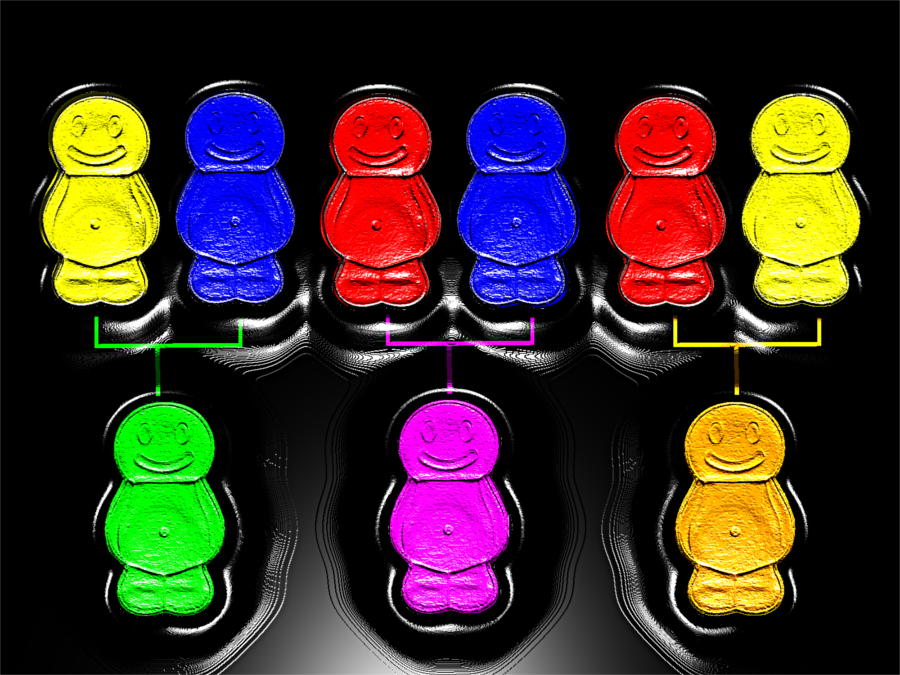
Well this threead is really 'pumping' right now, so here is another .. a jelly baby family tree ...

Image

_________________
Image

Respect should be offered freely but hard earned


Top
 Post subject: Re: Random Art Prompt [currently: primary color]
PostPosted: Sun May 24, 2015 7:59 pm  (#182) 
Offline
GimpChat Member
User avatar

Joined: Apr 08, 2010
Posts: 5420
Location: Northwest Ohio
very clever omg, I can see this in a kids art book to teach mixing secondary colors!


Top
 Post subject: Re: Random Art Prompt [currently: primary color]
PostPosted: Sun May 24, 2015 8:14 pm  (#183) 
Offline
Script Coder
User avatar

Joined: May 07, 2014
Posts: 4513
Location: Canada
awesome jelly babies...
you should have made the babies a little smaller.
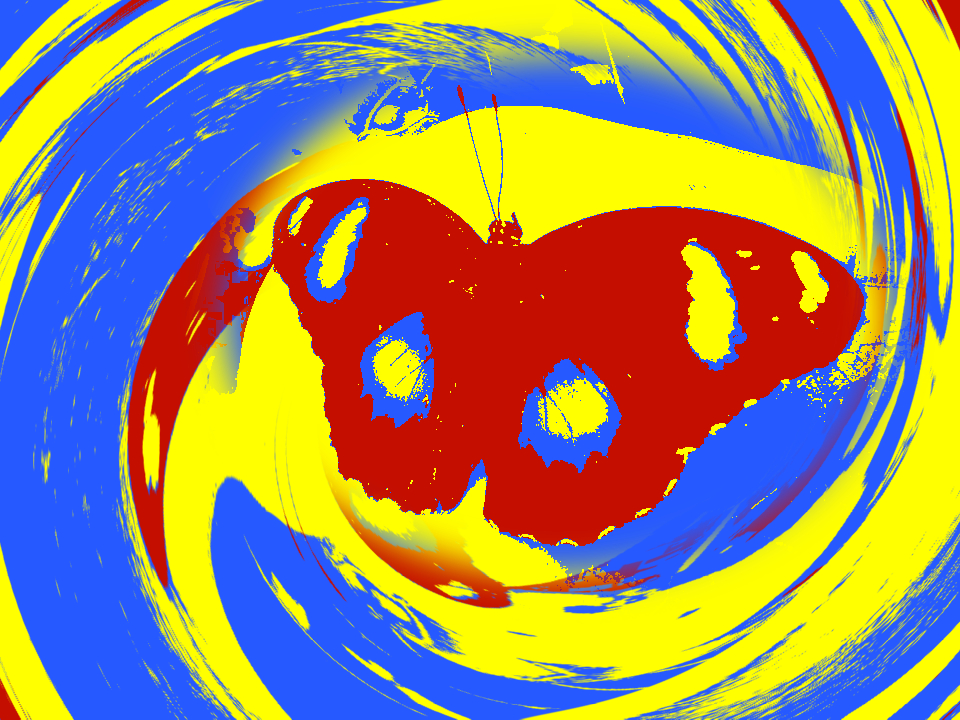
another play with selecting channels and bucket filling using primary colors and twirl too as i was applying twirl from the other Weee.... thread
Image
another with actual primary but using dark red, medium blue and bright yellow...so that it has different tones to represent the image better.
Image

_________________
TinT


Top
 Post subject: Re: Random Art Prompt [currently: primary color]
PostPosted: Sun May 24, 2015 9:31 pm  (#184) 
Offline
GimpChat Member
User avatar

Joined: Oct 06, 2013
Posts: 143
Heehee everything's so hot it's cool

_________________
Image


Top
 Post subject: Re: Random Art Prompt [currently: primary color]
PostPosted: Sun May 24, 2015 9:55 pm  (#185) 
Offline
Global Moderator
User avatar

Joined: Oct 02, 2014
Posts: 5005
Location: Sydney Australia
@Trandoductin - thanks, I would have made the babies smaller but we have only one standard size mould for making jelly babies!! :roll:

_________________
Image

Respect should be offered freely but hard earned


Top
 Post subject: Re: Random Art Prompt [currently: primary color]
PostPosted: Sun May 24, 2015 9:58 pm  (#186) 
Offline
Script Coder
User avatar

Joined: May 07, 2014
Posts: 4513
Location: Canada
good point :hehe

_________________
TinT


Top
 Post subject: Re: Random Art Prompt [currently: primary color]
PostPosted: Mon May 25, 2015 12:35 am  (#187) 
Offline
Global Moderator
User avatar

Joined: Oct 02, 2014
Posts: 5005
Location: Sydney Australia
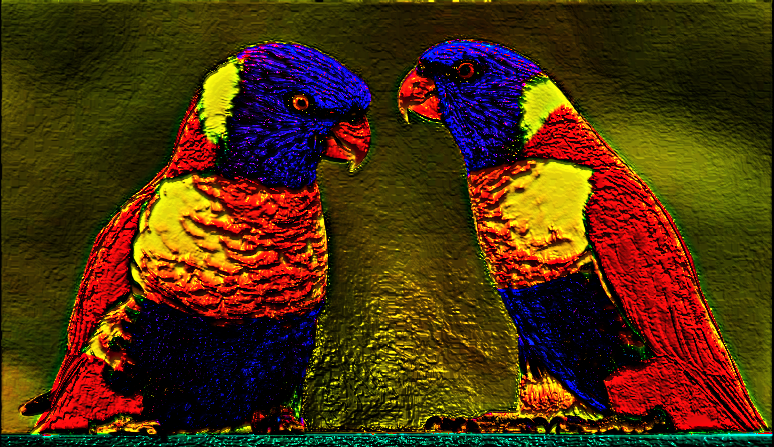
@Griatch - because I am having so much fun with your new 'random prompt' and after Sallyanne introducing some colourful birds, I took some liberties with our beautiful rainbow lorikeets ...

Image

_________________
Image

Respect should be offered freely but hard earned


Top
 Post subject: Re: Random Art Prompt [currently: primary color]
PostPosted: Mon May 25, 2015 8:51 am  (#188) 
Offline
Global Moderator
User avatar

Joined: Apr 01, 2012
Posts: 8433
Location: On the other side of your screen
Here is my second go at Primary colours. Still having fun with some filters.
Image

_________________
Image
Free Fun Photo Editing & resources
Poems from the Lord
Gimp Newby
Gimp version 3.2.4 and GMIC-Qt 4.2.0 OS :- Windows 10 Home 64


Top
 Post subject: Re: Random Art Prompt [currently: primary color]
PostPosted: Mon May 25, 2015 9:14 am  (#189) 
Offline
Global Moderator
User avatar

Joined: Apr 01, 2012
Posts: 8433
Location: On the other side of your screen
Image

Good job with the butterflies tran:)

_________________
Image
Free Fun Photo Editing & resources
Poems from the Lord
Gimp Newby
Gimp version 3.2.4 and GMIC-Qt 4.2.0 OS :- Windows 10 Home 64


Top
 Post subject: Re: Random Art Prompt [currently: primary color]
PostPosted: Mon May 25, 2015 10:58 am  (#190) 
Offline
GimpChat Member
User avatar

Joined: Sep 24, 2010
Posts: 12811
Just RGB (well, some addition pizzazz too). :)


Attachments:
image10.png
image10.png [ 1.36 MiB | Viewed 1766 times ]

_________________
Lyle

Psalm 109:8

Image
Top
 Post subject: Re: Random Art Prompt [currently: primary color]
PostPosted: Mon May 25, 2015 11:51 am  (#191) 
Offline
Script Coder
User avatar

Joined: May 07, 2014
Posts: 4513
Location: Canada
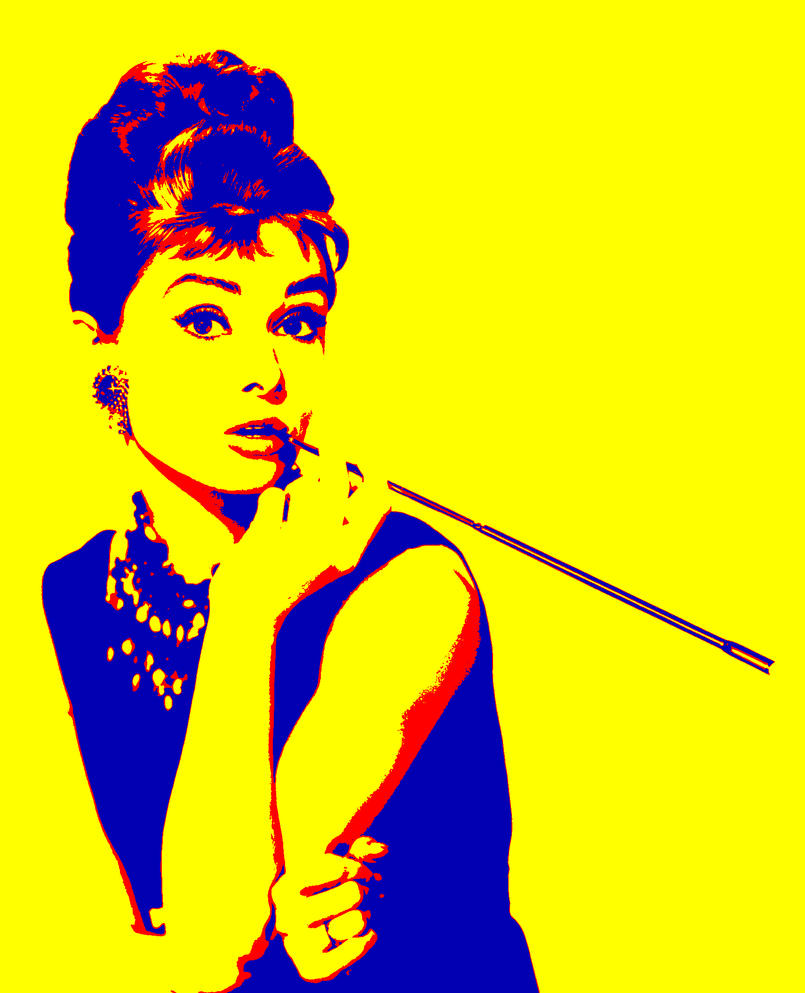
it's fun to convert photographs into primary colors images.
1. Gaussian blur radius 5px, Adjust contrast and brightness so that image looks more contrasty.
2. Image->Mode->Indexed (Generate optimum palette with maximum number of colors set to 3). Convert.
3. Image->Mode->RGB (so that we can now use other colors to bucket fill it.
4. Select by color tool, select the darkest color of our image, create a new layer, bucket fill it with dark blue.
5. Select by color tool, select the medium tone color of our image, create a new layer, bucket fill it with red
6. Select by color tool, select the lightest color of our image, create new layer, bucket fill it with yellow
Image
Image
Image


I guess you could use a dark red and medium blue instead of a dark blue and medium red. As long as you have 3 colors of different tones, I think it should be okay. Yellow should be the brightest tone. I just chose blue to be my darkest color because when i selected pure blue, pure red and pure yellow, they came out to be darkest to lightest when you desaturate using luminosity...so to emphasize the dark tone i made my blue a little darker blue.

_________________
TinT


Top
 Post subject: Re: Random Art Prompt [currently: primary color]
PostPosted: Mon May 25, 2015 12:18 pm  (#192) 
Offline
Administrator
User avatar

Joined: Aug 10, 2012
Posts: 14129
Location: Native to NYC living in Arizona, Gimp 2.8 - 3.0, Win 11 PC.
:jumpclap Image :jumpclap

_________________
Image
"A wise man learns more from a foolish question than a fool can learn from a wise answer"
Image


Top
 Post subject: Re: Random Art Prompt [currently: primary color]
PostPosted: Mon May 25, 2015 12:22 pm  (#193) 
Offline
Script Coder
User avatar

Joined: May 07, 2014
Posts: 4513
Location: Canada
now everyone knows your favorite color :hehe
The secret is out

_________________
TinT


Top
 Post subject: Re: Random Art Prompt [currently: primary color]
PostPosted: Mon May 25, 2015 12:28 pm  (#194) 
Offline
Administrator
User avatar

Joined: Aug 10, 2012
Posts: 14129
Location: Native to NYC living in Arizona, Gimp 2.8 - 3.0, Win 11 PC.
trandoductin wrote:
now everyone knows your favorite color :hehe
The secret is out

Yes, and it was never really a secret. It is my "Primary Color", as per the Random Art Prompt directive. :paint

_________________
Image
"A wise man learns more from a foolish question than a fool can learn from a wise answer"
Image


Top
 Post subject: Re: Random Art Prompt [currently: primary color]
PostPosted: Mon May 25, 2015 1:18 pm  (#195) 
Offline
GimpChat Member
User avatar

Joined: Sep 24, 2010
Posts: 12811
My favorite's green; the color of nature. Red for hair. A lady w/ green eyes and red hair is my dream date; reminds me of Christmas. ;)

:)

_________________
Lyle

Psalm 109:8

Image


Top
 Post subject: Re: Random Art Prompt [currently: primary color]
PostPosted: Mon May 25, 2015 1:18 pm  (#196) 
Offline
GimpChat Member
User avatar

Joined: Jan 20, 2013
Posts: 14831
Location: roma, italy
source: one of my photo
3 layers:
- original desaturated as BG
- background area as bicolor gradient Yellow-Turquoise: mode Color
- foreground roses as monocolor Magenta: mode Color

here the outcome

Attachment:
1981_Dia_665-CMY.jpg
1981_Dia_665-CMY.jpg [ 243.24 KiB | Viewed 2996 times ]

_________________
"Where am I ?"


Top
 Post subject: Re: Random Art Prompt [currently: primary color]
PostPosted: Mon May 25, 2015 2:42 pm  (#197) 
Offline
Script Coder
User avatar

Joined: May 07, 2014
Posts: 4513
Location: Canada
another try with John Lennon...
primary colours and hatching.
Image

_________________
TinT


Top
 Post subject: Re: Random Art Prompt [currently: primary color]
PostPosted: Mon May 25, 2015 3:50 pm  (#198) 
Offline
GimpChat Member
User avatar

Joined: Nov 16, 2011
Posts: 5127
Location: Metro Vancouver, BC
Nice one trandoductin. :bigthup
Colors are great and the way you mixed the hatch.

_________________
Image
Gimp 2.8.18, Linux, median user
Gimp Chat Tutorials Index
Spirit Bear (Kermode)


Top
 Post subject: Re: Random Art Prompt [currently: primary color]
PostPosted: Mon May 25, 2015 4:29 pm  (#199) 
Offline
Script Coder
User avatar

Joined: May 07, 2014
Posts: 4513
Location: Canada
thanks!
now if only there's premade hatched patterns i could use... I basically made those hatches myself by drawing a 45 degree path and another 45 degree the other way, and horizontal, i can probably do a vertical...but i don't know how to do other hatches of other angles because it has to be repeatable pattern like seamless and... I tried using gradient fill with repeat triangular but using that i have no control over thickness of the hatch.
basically, i look at one of the rgb's value of the gray scale, divide it by 255 and then so if the color in grey scale is (43,43,43) i divide it 43/255 and i get 0.16 so i make it 1.6 pixel stroke path on a 10 by 10 grid I don't know if fractions of pixels work but i hope they do somehow and use that 10x10 as a pattern.
I wonder if there's an easier way that also gives that kind of control over a hatch...if there is i might try to redo an image in more tones and use more hatches in gray scale, and then maybe even more colors with more hatches :). I am curious as to how well it might turn out but i don't know how :(

I know this is a primary color thread but before i primary colored it, i thought the gray scale looks kind'a neat....
Image
a gray scale image with more tones (If i knew how to do more hatches pattern) would be cool to see.

_________________
TinT


Last edited by trandoductin on Mon May 25, 2015 4:52 pm, edited 1 time in total.

Top
 Post subject: Re: Random Art Prompt [currently: primary color]
PostPosted: Mon May 25, 2015 4:50 pm  (#200) 
Offline
GimpChat Member
User avatar

Joined: Nov 16, 2011
Posts: 5127
Location: Metro Vancouver, BC
Look for the two Stripes patterns, I think they are originally with Gimp.
I've also attached a set of patterns, I find handy, called Black & White. They all have transparency so stacking and rotating multiple types yields interesting results.
Distort => Newsprint on these types of patterns is worth a go.


Attachments:
File comment: Black & White pattern set
10_Black&White.7z [457 Bytes]
Downloaded 65 times

_________________
Image
Gimp 2.8.18, Linux, median user
Gimp Chat Tutorials Index
Spirit Bear (Kermode)
Top
Post new topic Reply to topic  [ 575 posts ]  Go to page Previous  1 ... 7, 8, 9, 10, 11, 12, 13 ... 29  Next

All times are UTC - 5 hours [ DST ]


* Login  


Powered by phpBB3 © phpBB Group