It is currently Sat Jul 25, 2026 8:03 am


All times are UTC - 5 hours [ DST ]


Post new topic Reply to topic  [ 575 posts ]  Go to page Previous  1 ... 8, 9, 10, 11, 12, 13, 14 ... 29  Next
Author Message
 Post subject: Re: Random Art Prompt [currently: primary color]
PostPosted: Mon May 25, 2015 4:53 pm  (#201) 
Offline
GimpChat Member
User avatar

Joined: Apr 27, 2010
Posts: 1506
Location: Sweden
People's creativity really flows in this thread, it's interesting to see how different prompts give so varied amounts of responses.

@trandoductin
Cool variation on my facial image. You are right that the original is almost negative-ish, it was made it so tricky to draw too. Inverting it like you shows the image "as it should be" in a way!
.
Griatch

_________________


Top
 Post subject: Re: Random Art Prompt [currently: primary color]
PostPosted: Mon May 25, 2015 5:17 pm  (#202) 
Offline
Script Coder
User avatar

Joined: May 07, 2014
Posts: 4515
Location: Canada
Odinbc wrote:
Look for the two Stripes patterns, I think they are originally with Gimp.
I've also attached a set of patterns, I find handy, called Black & White. They all have transparency so stacking and rotating multiple types yields interesting results.
Distort => Newsprint on these types of patterns is worth a go.

Thank you for the patterns. I tried it out, transparency is good.
But I was hoping if there was a way to quickly tell gimp to fill it with stroke of a certain angle and specify a thickness of a certain percentage. That way you could easily match it with the shade of the gray scale image.

_________________
TinT


Top
 Post subject: Re: Random Art Prompt [currently: primary color]
PostPosted: Mon May 25, 2015 6:15 pm  (#203) 
Offline
GimpChat Member
User avatar

Joined: Nov 16, 2011
Posts: 5127
Location: Metro Vancouver, BC
Try Render => Pattern => Grid, you can easily make custom width line patterns. Just break the chain in the dialog, set either horizontal or vertical to [0] and (depending on canvas size),consider using percentage [%] in the Grid dialog. Transform if need be.

Additional option: G'MIC => Deformation => Random
Image

_________________
Image
Gimp 2.8.18, Linux, median user
Gimp Chat Tutorials Index
Spirit Bear (Kermode)


Top
 Post subject: Re: Random Art Prompt [currently: primary color]
PostPosted: Mon May 25, 2015 7:23 pm  (#204) 
Offline
Script Coder
User avatar

Joined: Dec 27, 2014
Posts: 508
Yes, Tin, you can use Filters>Render>Pattern>Grid as Odin said.
Remember to make the hatch layer large enough to cover your entire image even after the hatch layer has been rotated otherwise you get odd cropping like below.
BTW, I know it doesn't quite fit with the theme (primary color) but I think I prefer it without the blue:

Image


Top
 Post subject: Re: Random Art Prompt [currently: primary color]
PostPosted: Mon May 25, 2015 7:34 pm  (#205) 
Offline
Script Coder
User avatar

Joined: May 07, 2014
Posts: 4515
Location: Canada
nice one!
I like it more without the blue as well. It has a nice feel to it.

_________________
TinT


Top
 Post subject: Re: Random Art Prompt [currently: primary color]
PostPosted: Mon May 25, 2015 8:45 pm  (#206) 
Offline
Global Moderator
User avatar

Joined: Oct 02, 2014
Posts: 5006
Location: Sydney Australia
@Trandoductin & @Jontait2, I really like the John Lennon 'hatching' images - must give it a try.

In the meantime some more primary colour images from nature -

A coloured kookaburra ...
Image

... and Cradle Mountain in Tasmania
Image

_________________
Image

Respect should be offered freely but hard earned


Top
 Post subject: Re: Random Art Prompt [currently: primary color]
PostPosted: Mon May 25, 2015 9:24 pm  (#207) 
Offline
Script Coder
User avatar

Joined: May 07, 2014
Posts: 4515
Location: Canada
ooooh i really like the mountain one.

_________________
TinT


Top
 Post subject: Re: Random Art Prompt [currently: primary color]
PostPosted: Mon May 25, 2015 11:17 pm  (#208) 
Offline
Global Moderator
User avatar

Joined: Oct 02, 2014
Posts: 5006
Location: Sydney Australia
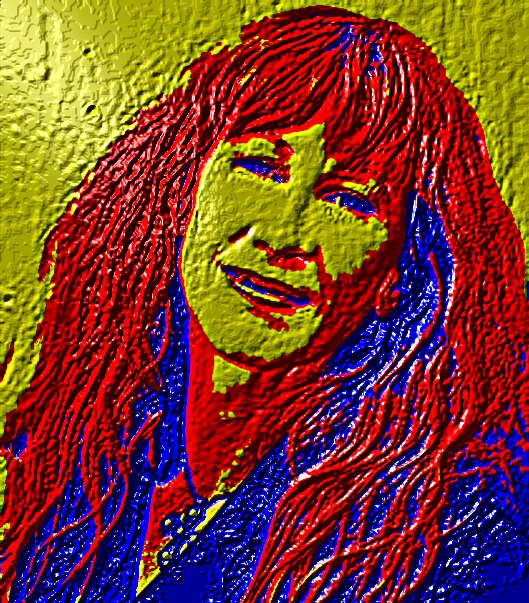
Thank you Trandoductin not just for the compliment but also for your 'mini tutorial' above to obtain a tri-colour image/portrait.

I tried it out on one of my favourite singers, Loreena Mckennit, and it worked well; then I just also ran it through 'lighting effects' slightly bumping it against the original photo ... hope you like the result!

Image

_________________
Image

Respect should be offered freely but hard earned


Top
 Post subject: Re: Random Art Prompt [currently: primary color]
PostPosted: Mon May 25, 2015 11:35 pm  (#209) 
Offline
Script Coder
User avatar

Joined: May 07, 2014
Posts: 4515
Location: Canada
pretty bumpy cool... yeah i like the reducing colors method much more than posterize since you seem to have more control over it telling it how many colors you want.

You should check out this script i just made and see if that helps you with hatching i didn't feel like having to create the grid and having to manually rotate and manipulate it..to me the only fun part is figuring out what colors/angle/width to use...that's left for creativity...so I hope.

_________________
TinT


Top
 Post subject: Re: Random Art Prompt [currently: primary color]
PostPosted: Mon May 25, 2015 11:35 pm  (#210) 
Offline
GimpChat Member
User avatar

Joined: Aug 28, 2012
Posts: 3060
Location: Idk where I am.
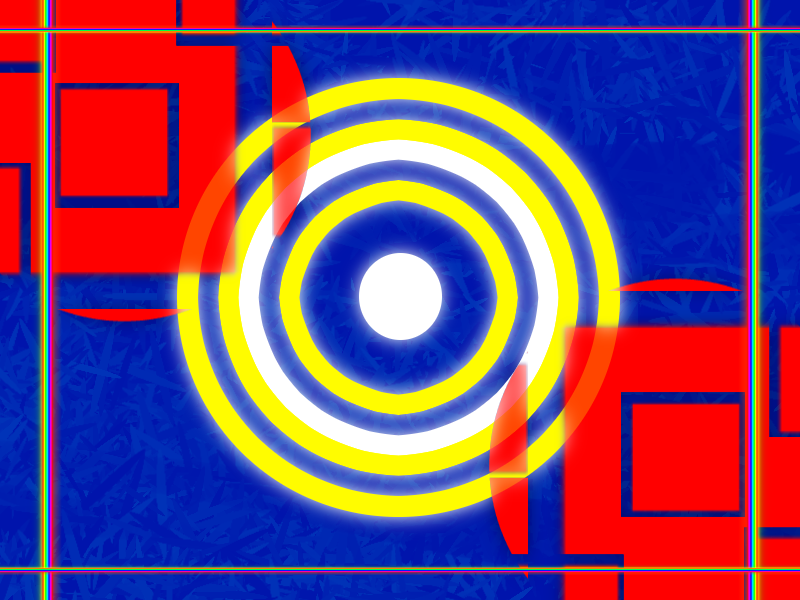
Please don't ask what this is I just wanted to post something since I've failed twice in a row. xD

Image

_________________
Image
Reality is a lovely place...But I wouldn't wanna live there.


Top
 Post subject: Re: Random Art Prompt [currently: primary color]
PostPosted: Mon May 25, 2015 11:49 pm  (#211) 
Offline
GimpChat Member
User avatar

Joined: Aug 28, 2012
Posts: 3060
Location: Idk where I am.
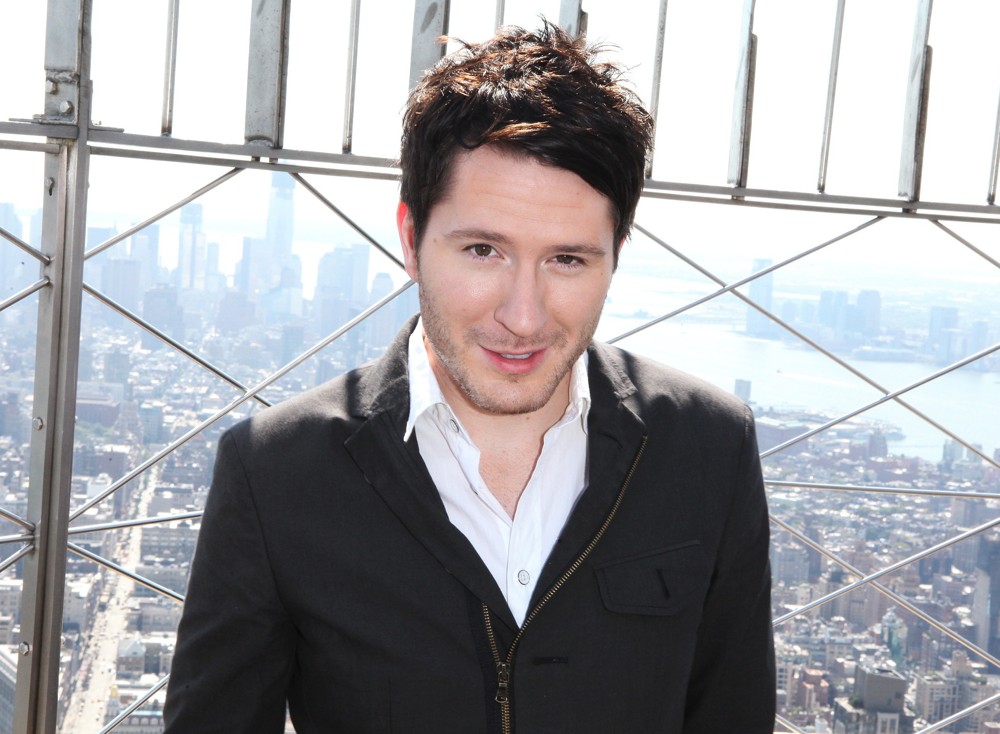
Figured I'd do something I never do so I decided to play with some filters...

Original Picture

For those who don't know who preytel he is, it's Adam Young who is Owl City (It's not a band! >.<).

Image

_________________
Image
Reality is a lovely place...But I wouldn't wanna live there.


Top
 Post subject: Re: Random Art Prompt [currently: primary color]
PostPosted: Tue May 26, 2015 12:02 am  (#212) 
Offline
Script Coder
User avatar

Joined: May 07, 2014
Posts: 4515
Location: Canada
Mokonafan wrote:
Please don't ask what this is I just wanted to post something since I've failed twice in a row. xD

[ Image ]


it looks like some weird high tech video game. like it.

_________________
TinT


Top
 Post subject: Re: Random Art Prompt [currently: primary color]
PostPosted: Wed May 27, 2015 12:54 am  (#213) 
Offline
GimpChat Member
User avatar

Joined: Apr 18, 2015
Posts: 9
Mokonafan wrote:
For those who don't know who preytel he is, it's Adam Young who is Owl City (It's not a band! >.<).


Aaah, I knew I knew that face, even in primary colors! :) Nice one!


Top
 Post subject: Re: Random Art Prompt [currently: primary color]
PostPosted: Wed May 27, 2015 10:50 am  (#214) 
Offline
GimpChat Member
User avatar

Joined: Aug 28, 2012
Posts: 3060
Location: Idk where I am.
Thanks. :D

_________________
Image
Reality is a lovely place...But I wouldn't wanna live there.


Top
 Post subject: Re: Random Art Prompt [currently: primary color]
PostPosted: Wed May 27, 2015 3:02 pm  (#215) 
Offline
GimpChat Member
User avatar

Joined: Apr 27, 2010
Posts: 1506
Location: Sweden
Nice outcomes people, seems the art prompt is successful in luring people into trying out techniques they might not usually try. :)
.
Griatch

_________________


Top
 Post subject: Re: Random Art Prompt [currently: primary color]
PostPosted: Wed May 27, 2015 7:37 pm  (#216) 
Offline
Script Coder
User avatar

Joined: May 07, 2014
Posts: 4515
Location: Canada
This thread is responsible for sending me to the hatching scripts.

_________________
TinT


Top
 Post subject: Re: Random Art Prompt [currently: primary color]
PostPosted: Wed May 27, 2015 8:46 pm  (#217) 
Offline
Global Moderator
User avatar

Joined: Oct 02, 2014
Posts: 5006
Location: Sydney Australia
@Trandoductin - this one came out of me originally playing with your scripts, but was an accident (of which I have a lot in GIMP) ...

Image

@Griatch - I hope you were expecting another scrabble image for this prompt ...

Image

_________________
Image

Respect should be offered freely but hard earned


Top
 Post subject: Re: Random Art Prompt [currently: primary color]
PostPosted: Wed May 27, 2015 8:54 pm  (#218) 
Offline
Script Coder
User avatar

Joined: May 07, 2014
Posts: 4515
Location: Canada
cool accident....the curves all connect and make that pattern...i don't think i can plan for that if i tried to reproduce it

_________________
TinT


Top
 Post subject: Re: Random Art Prompt [currently: primary color]
PostPosted: Wed May 27, 2015 9:08 pm  (#219) 
Offline
Global Moderator
User avatar

Joined: Oct 02, 2014
Posts: 5006
Location: Sydney Australia
Tran - no, that pattern comes from GMIC>contours>edge offsets'; I actually overlayed the wrong layer but I liked the outcome!

_________________
Image

Respect should be offered freely but hard earned


Top
 Post subject: Re: Random Art Prompt [currently: primary color]
PostPosted: Wed May 27, 2015 9:26 pm  (#220) 
Offline
Script Coder
User avatar

Joined: May 07, 2014
Posts: 4515
Location: Canada
oh :hehe it all makes sense now

_________________
TinT


Top
Post new topic Reply to topic  [ 575 posts ]  Go to page Previous  1 ... 8, 9, 10, 11, 12, 13, 14 ... 29  Next

All times are UTC - 5 hours [ DST ]


* Login  


Powered by phpBB3 © phpBB Group