It is currently Wed Nov 18, 2026 1:05 am


All times are UTC - 5 hours [ DST ]


Post new topic Reply to topic  [ 30 posts ]  Go to page Previous  1, 2
Author Message
 Post subject: Re: How to Change Color of Menu Font Within a Theme.[SOLVED]
PostPosted: Mon Jun 08, 2015 9:01 pm  (#21) 
Offline
Administrator
User avatar

Joined: Aug 10, 2012
Posts: 14276
Location: Native to NYC living in Arizona, Gimp 2.8 - 3.0, Win 11 PC.
Odinbc wrote:
There must be a way to make GTK themes work better on Windows.
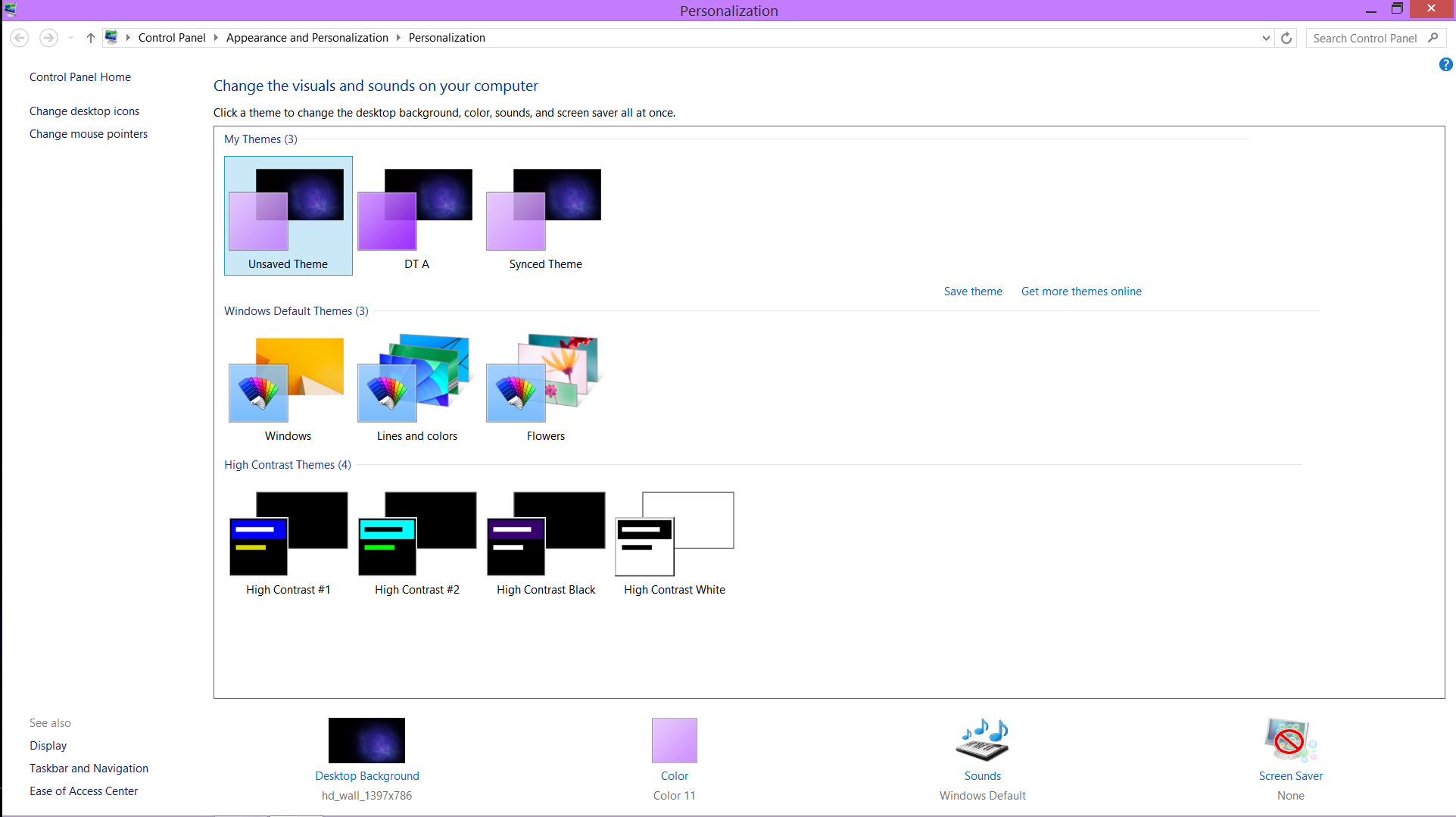
I'm pretty sure your issue is connected with Windows system. Play with your Personalize properties.

You may be right. I was using this same Gimp theme with windows 7. I haven't found any way in win 8.1 to yet make any changes to my windows theme as you suggest. Even when using the default theme.

_________________
Image
"A wise man learns more from a foolish question than a fool can learn from a wise answer"
Image


Top
 Post subject: Re: How to Change Color of Menu Font Within a Theme.[SOLVED]
PostPosted: Mon Jun 08, 2015 9:05 pm  (#22) 
Offline
GimpChat Member
User avatar

Joined: Nov 16, 2011
Posts: 5127
Location: Metro Vancouver, BC
Isn't it the Desktop context menu?

_________________
Image
Gimp 2.8.18, Linux, median user
Gimp Chat Tutorials Index
Spirit Bear (Kermode)


Top
 Post subject: Re: How to Change Color of Menu Font Within a Theme.[SOLVED]
PostPosted: Mon Jun 08, 2015 9:12 pm  (#23) 
Offline
Administrator
User avatar

Joined: Aug 10, 2012
Posts: 14276
Location: Native to NYC living in Arizona, Gimp 2.8 - 3.0, Win 11 PC.
Odinbc wrote:
Isn't it the Desktop context menu?

Desktop context menu? :puzzled What's that? All I have is this personalization thing.
Image

_________________
Image
"A wise man learns more from a foolish question than a fool can learn from a wise answer"
Image


Top
 Post subject: Re: How to Change Color of Menu Font Within a Theme.[SOLVED]
PostPosted: Tue Jun 09, 2015 1:33 am  (#24) 
Offline
Script Coder
User avatar

Joined: Jun 22, 2010
Posts: 1171
Location: Here and there
Wallace wrote:
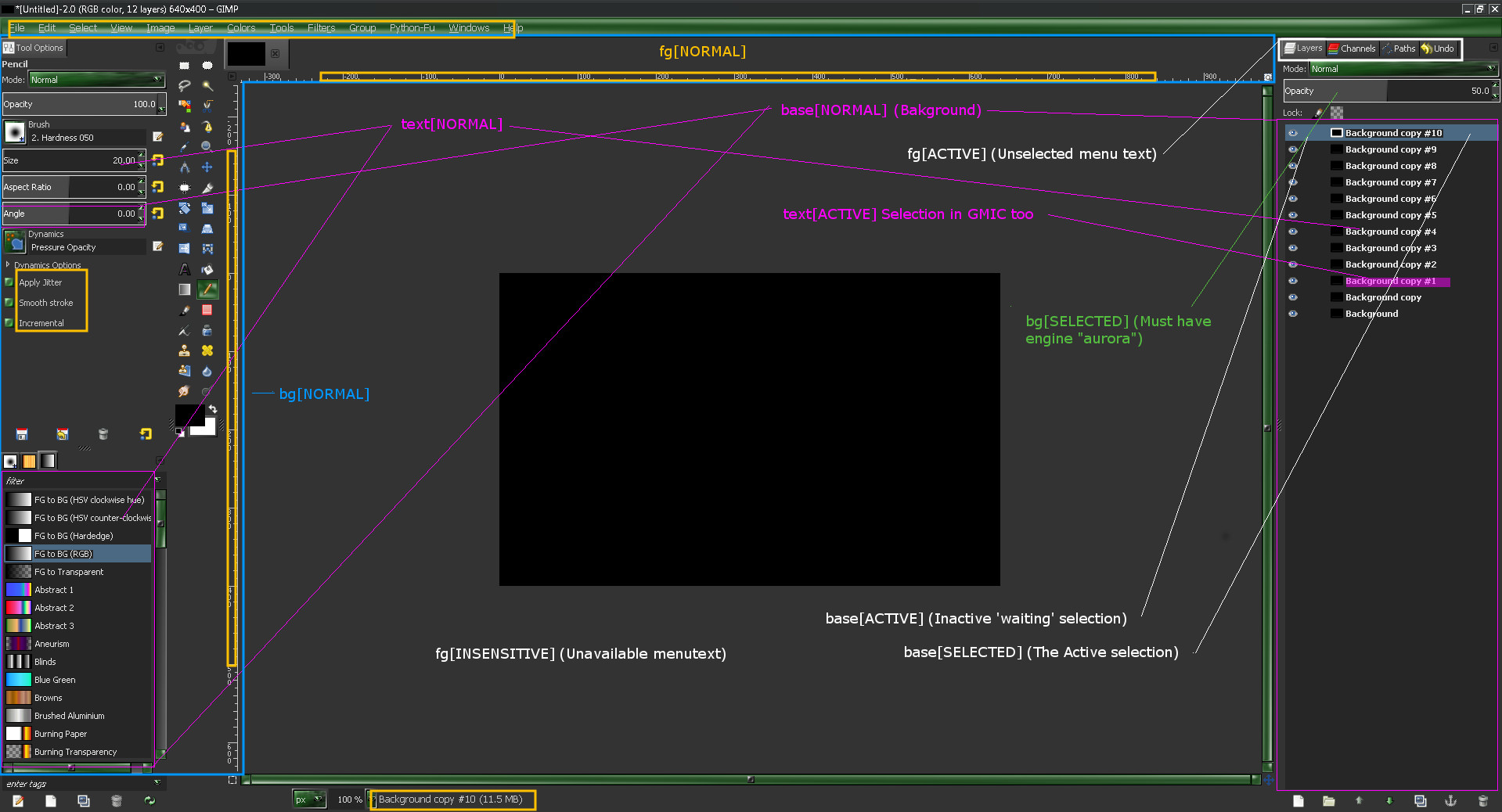
I would like it to look this way on my machine. I don't understand why it doesn't.


As I said earlier in this thread - the theme requires that you have the aurora theme engine, which doesn't come with the standard Windows GIMP installation.

I've tried to copy the libaurora.dll from a Partha portable installation, but it doesn't noticeably work, so I recommend replacing the reference to the aurora engine in the gtkrc file and using the pixmap engine instead:
#  engine "aurora"
#  {
#     menubarstyle      = 2 # 0 = flat, 1 = gradient, 2 = sunken
#     curvature       = 6.2
#     arrowsize       = 1 # controls combo_arrow circle size.  Diameter set by (11 + 2 * arrowsize)
#     old_arrowstyle  = FALSE #set to TRUE for original circled arrows
#     animation       = TRUE # FALSE = disabled, TRUE = enabled
#  }
  engine "pixmap" {}


Attachment:
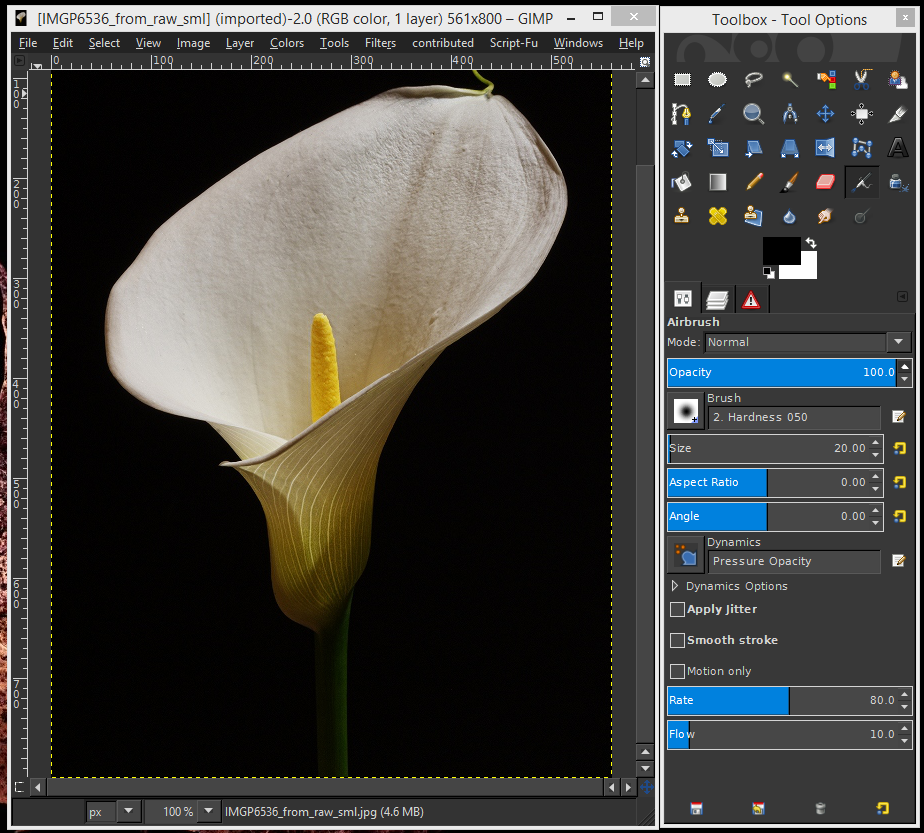
Untitled.png
Untitled.png [ 649.2 KiB | Viewed 2337 times ]


Kevin


Top
 Post subject: Re: How to Change Color of Menu Font Within a Theme.[SOLVED]
PostPosted: Tue Jun 09, 2015 2:00 am  (#25) 
Offline
GimpChat Member

Joined: Sep 09, 2012
Posts: 143
Here is a lazy quickie for now that can be improved on i'm sure. :)
Anyway, i got just about all my wishes come true so i can focus on Gimp and stuff. :)

One question about GreenHeart though.
It seems to me that there are graphics images for the sliders, but ive never seen those in my life on the actual theme, am i suppose to or not? how? :)

Image


Top
 Post subject: Re: How to Change Color of Menu Font Within a Theme.[SOLVED]
PostPosted: Tue Jun 09, 2015 1:39 pm  (#26) 
Offline
Administrator
User avatar

Joined: Aug 10, 2012
Posts: 14276
Location: Native to NYC living in Arizona, Gimp 2.8 - 3.0, Win 11 PC.
paynekj wrote:
Wallace wrote:
I would like it to look this way on my machine. I don't understand why it doesn't.


As I said earlier in this thread - the theme requires that you have the aurora theme engine, which doesn't come with the standard Windows GIMP installation.

I've tried to copy the libaurora.dll from a Partha portable installation, but it doesn't noticeably work, so I recommend replacing the reference to the aurora engine in the gtkrc file and using the pixmap engine instead:
#  engine "aurora"
#  {
#     menubarstyle      = 2 # 0 = flat, 1 = gradient, 2 = sunken
#     curvature       = 6.2
#     arrowsize       = 1 # controls combo_arrow circle size.  Diameter set by (11 + 2 * arrowsize)
#     old_arrowstyle  = FALSE #set to TRUE for original circled arrows
#     animation       = TRUE # FALSE = disabled, TRUE = enabled
#  }
  engine "pixmap" {}


Attachment:
Untitled.png


Kevin

I don't quite follow what you're suggesting I do.
Am I to copy the coding and paste it somewhere in the Aurora-Midnight gtkrc theme file?

_________________
Image
"A wise man learns more from a foolish question than a fool can learn from a wise answer"
Image


Top
 Post subject: Re: How to Change Color of Menu Font Within a Theme.[SOLVED]
PostPosted: Tue Jun 09, 2015 2:34 pm  (#27) 
Offline
Script Coder
User avatar

Joined: Jun 22, 2010
Posts: 1171
Location: Here and there
Wallace wrote:
I don't quite follow what you're suggesting I do.
Am I to copy the coding and paste it somewhere in the Aurora-Midnight gtkrc theme file?


That is what was I was suggesting, but here it is done for you.

Kevin


Attachments:
gtkrc.7z [2.54 KiB]
Downloaded 118 times
Top
 Post subject: Re: How to Change Color of Menu Font Within a Theme.[SOLVED]
PostPosted: Tue Jun 09, 2015 3:03 pm  (#28) 
Offline
Administrator
User avatar

Joined: Aug 10, 2012
Posts: 14276
Location: Native to NYC living in Arizona, Gimp 2.8 - 3.0, Win 11 PC.
paynekj wrote:
Wallace wrote:
I don't quite follow what you're suggesting I do.
Am I to copy the coding and paste it somewhere in the Aurora-Midnight gtkrc theme file?


That is what was I was suggesting, but here it is done for you.

Kevin

:wow Thanks paynekj!
I'm guessing that I should replace my Aurora-Midnight gtkrc theme file with this new one that you made, is this correct?


I went and replaced the old Aurora-Midnight gtkrc theme file with the one you uploaded.
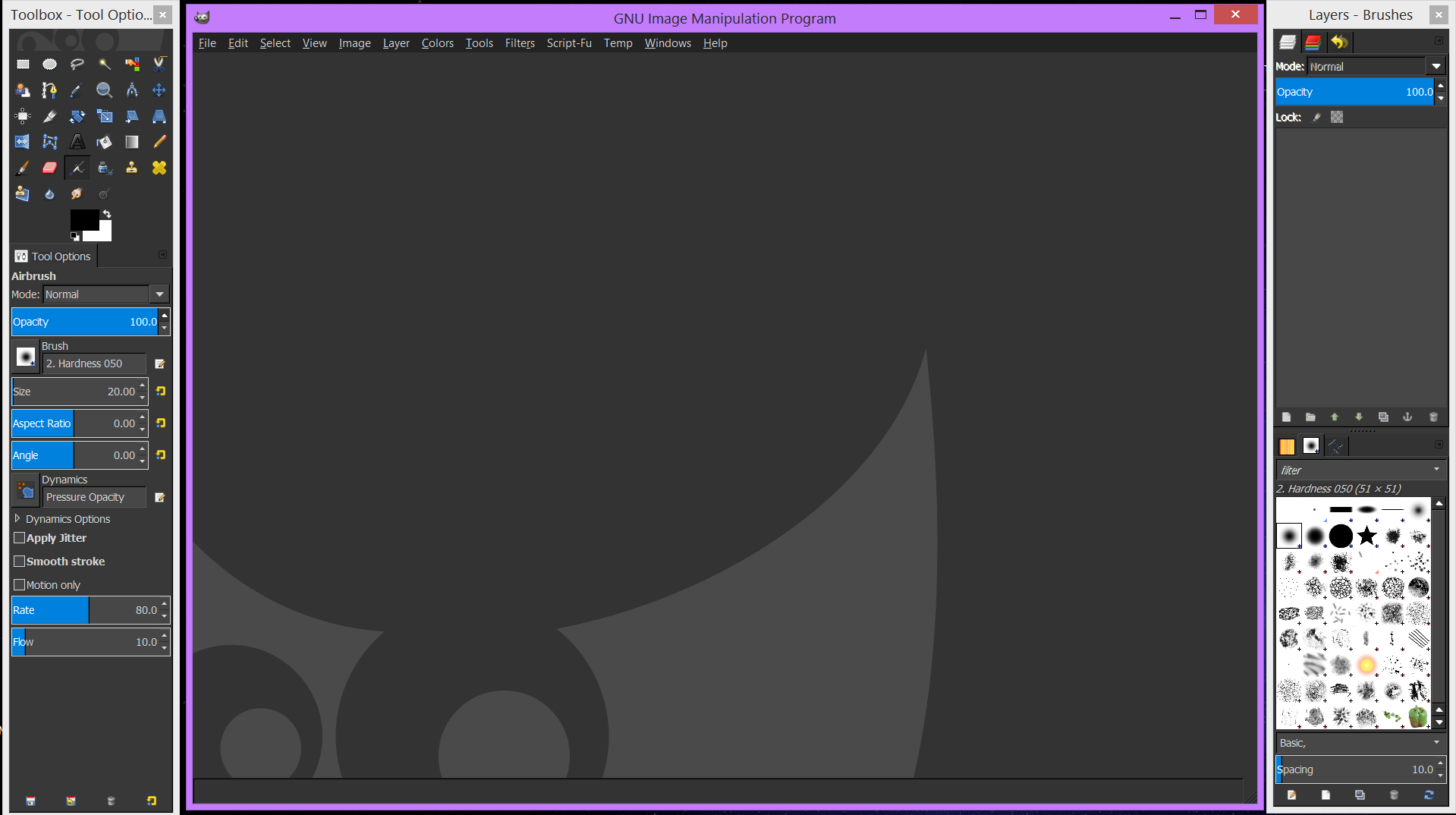
All is well in Gimp Land now. :jumpclap
Image

_________________
Image
"A wise man learns more from a foolish question than a fool can learn from a wise answer"
Image


Top
 Post subject: Re: How to Change Color of Menu Font Within a Theme.[SOLVED]
PostPosted: Tue Jun 09, 2015 3:47 pm  (#29) 
Offline
GimpChat Member
User avatar

Joined: Mar 16, 2015
Posts: 613
Location: On Earth,specifically Queensland,Australia
Thanks, Wallace, for the lovely theme. I thought themes were only for Windows users until Odinbc mentioned it worked in linux. I have to use a light theme generally as some sites like Facebook won't work properly with a dark theme and it gets tedious to keep changing the personalisation.

_________________
Image


Top
 Post subject: Re: How to Change Color of Menu Font Within a Theme.[SOLVED]
PostPosted: Tue Jun 09, 2015 4:15 pm  (#30) 
Offline
Administrator
User avatar

Joined: Aug 10, 2012
Posts: 14276
Location: Native to NYC living in Arizona, Gimp 2.8 - 3.0, Win 11 PC.
Kimba wrote:
Thanks, Wallace, for the lovely theme. I thought themes were only for Windows users until Odinbc mentioned it worked in linux. I have to use a light theme generally as some sites like Facebook won't work properly with a dark theme and it gets tedious to keep changing the personalisation.

Your welcome, but It's not a theme that I made. I can't take credit for it's creation and it's been around for a while now.

_________________
Image
"A wise man learns more from a foolish question than a fool can learn from a wise answer"
Image


Top
Post new topic Reply to topic  [ 30 posts ]  Go to page Previous  1, 2

All times are UTC - 5 hours [ DST ]


* Login  


Powered by phpBB3 © phpBB Group