It is currently Tue Nov 03, 2026 9:26 am


All times are UTC - 5 hours [ DST ]


Post new topic Reply to topic  [ 50 posts ]  Go to page Previous  1, 2, 3
Author Message
 Post subject: Re: CarTOONize
PostPosted: Tue Dec 21, 2010 3:07 am  (#41) 
Offline
Global Moderator
User avatar

Joined: May 16, 2010
Posts: 16229
Image

_________________
Image


Top
 Post subject: Re: CarTOONize
PostPosted: Tue Dec 21, 2010 10:15 am  (#42) 
Offline
Script Coder
User avatar

Joined: Jul 14, 2010
Posts: 697
Rod wrote:
Yeah i had a problem when i downloaded carTOONize 2
So i just deleted the carTOONize 2 and it worked again.Weird though being named different it seems they both would have worked.


Even though the file names are different they register in gimp with the same name, so once the first one is loaded the second will fail and not show up.

-Rob A>

_________________
Image
Fantasy Cartography and Mapping by RobA


Top
 Post subject: Re: CarTOONize
PostPosted: Fri Dec 24, 2010 12:10 pm  (#43) 
Offline
Retired Staff
User avatar

Joined: May 22, 2008
Posts: 6946
Location: Somewhere in GIMP
Image


They just don't make mice like they used to. Tastes funny.
Image

_________________
Image
World War IV will be fought with sticks and stones. - Albert Einstein


Top
 Post subject: Re: CarTOONize
PostPosted: Fri Dec 24, 2010 12:56 pm  (#44) 
Offline
GimpChat Member
User avatar

Joined: Apr 07, 2010
Posts: 14182
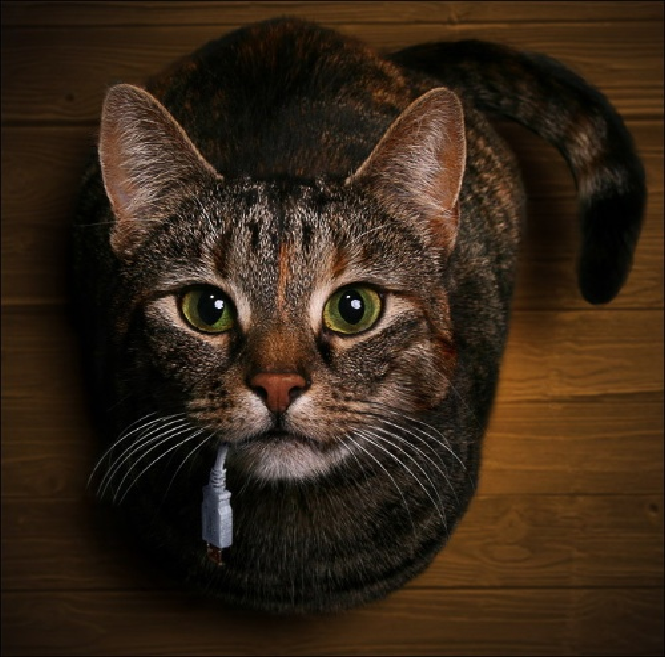
That looks like my Benji.....

_________________
Image


Top
 Post subject: Re: CarTOONize
PostPosted: Fri Dec 24, 2010 4:29 pm  (#45) 
Offline
Former Member
User avatar

Joined: Nov 17, 2010
Posts: 618
Location: Rockford, IL
Nice one Oregonian!

Love how the photo was took, I'd be mad if that was my usb cord though.


Top
 Post subject: Re: CarTOONize
PostPosted: Thu Mar 31, 2011 11:23 am  (#46) 
Offline
New Member

Joined: Mar 31, 2011
Posts: 3
I'm new to Gimp Fu-scripts ---- I would like to run CarTOONize from the commandline --- does anyone know how the commandline parameters are entered?

I tried something like this but it doesn't work:

gimp-console-2.6 -i -b "(cartoonize "inputFILE.jpg" "drawableFILE.png" TRUE 'Selective Gaussian Blur Smoothing' 14 TRUE 10 4 FALSE FALSE)" -b "(gimp-quit 0)"


Top
 Post subject: Re: CarTOONize
PostPosted: Thu Mar 31, 2011 11:40 am  (#47) 
Offline
Script Coder
User avatar

Joined: Jun 22, 2010
Posts: 1171
Location: Here and there
one obvious thing that is wrong with your command line are the double quotes - you can't nest them without escaping them. and I'm not at all sure you can use the TRUE/FALSE constants. Try:
gimp-console-2.6 -i -b "(cartoonize \"inputFILE.jpg\" \"drawableFILE.png\" 1 'Selective Gaussian Blur Smoothing' 14 1 10 4 0 0)" -b "(gimp-quit 0)"


Top
 Post subject: Re: CarTOONize
PostPosted: Thu Mar 31, 2011 12:28 pm  (#48) 
Offline
New Member

Joined: Mar 31, 2011
Posts: 3
Paynekj

Thanks --- yeah -- I tried numerical values instead of TRUE/FALSE but that produces an error as well------ I'm not even sure I have the right number of parameters..... in particular I'm not sure I'm supposed to add the 'drawable' file parameter or not (the 2nd parameter)...


Top
 Post subject: Re: CarTOONize
PostPosted: Thu Mar 31, 2011 1:51 pm  (#49) 
Offline
Script Coder
User avatar

Joined: Jun 22, 2010
Posts: 1171
Location: Here and there
Oops. Teach me to try answering without looking at the script :oops:

It's not designed to be called from the command line as it needs image and drawable references.

I've attached a wrapper script to enable it to be called from the command line:

Which on my Windows machine I do like this
"C:\Program Files\GIMP-2.6.7\bin\gimp-console-2.6.exe" -i -d --verbose -b "(script-fu-CarTOONize_Wrapper \"fred.jpg\" \"fred_cartoon.jpg\" 1 0 14 1 10 4 0 0)" -b "(gimp-quit 0)"

Where fred.jpg is the source file and fred_cartoon.jpg is the destination file

Kevin


Attachments:
File comment: Cartoonise wrapper
CarTOONize_Wrapper.scm [2.65 KiB]
Downloaded 143 times
Top
 Post subject: Re: CarTOONize
PostPosted: Thu Mar 31, 2011 2:40 pm  (#50) 
Offline
New Member

Joined: Mar 31, 2011
Posts: 3
Kevin,

This works great !! I really appreciate the help and the quick response ----- this was very instructive...

thanks


Top
Post new topic Reply to topic  [ 50 posts ]  Go to page Previous  1, 2, 3

All times are UTC - 5 hours [ DST ]


* Login  


Powered by phpBB3 © phpBB Group