It is currently Tue Jul 28, 2026 8:44 pm


All times are UTC - 5 hours [ DST ]


Post new topic Reply to topic  [ 654 posts ]  Go to page Previous  1, 2, 3, 4, 5, 6, 7 ... 33  Next
Author Message
 Post subject: Re: deep dream generator art - post your results here
PostPosted: Wed Sep 09, 2015 11:34 pm  (#61) 
Offline
GimpChat Member
User avatar

Joined: Aug 16, 2012
Posts: 4271
Location: Göteborg, Sweden
trandoductin: :bowdown i don't understand a word you say about how you got that done, but i'm all the more impressed for that :). last evening me and erisian watched the video you linked to and were discussing how it might have been done and this morning when i wake up it's already been solved.

2-ton: i agree about the jewel tones. i think you need an image with the right kind of colours to begin with, dark shades. i haven't really tested this properly, but looking at the results i get i think that's what it takes.

edit: here's a test image. as you can see, the black square got better colours showing up. i think overall the black, medium grey and purple squares were most interesting, i'm quite disappointed with the red (dark shade, medium low saturation) and the pink squares (bright shade, high saturation). the other squares were more or less what i expected.
Image


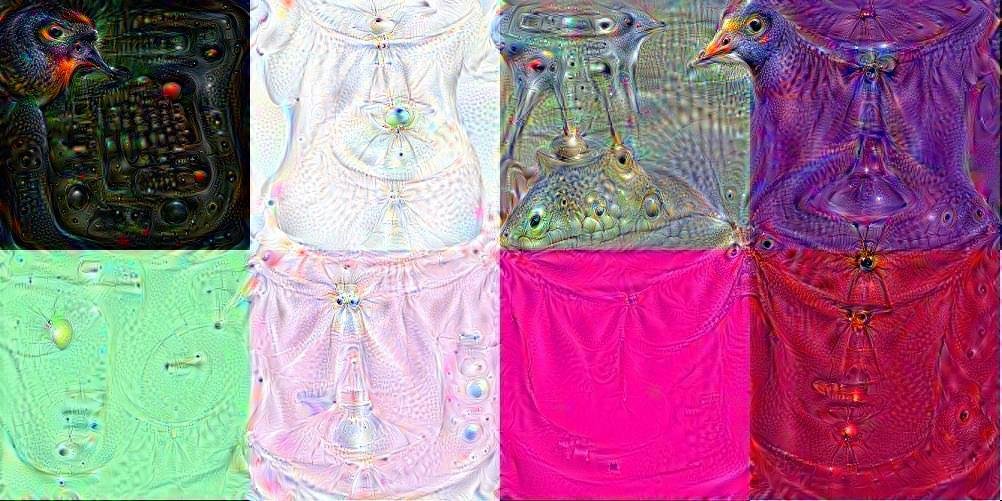
i'm sitting on a lot of stuff now that i never seem to have time to post. here's the latest one anyway, a collage relying heavily on deep dream and 3d fractals (not my own, erisian let me use his). it's called "tribal chieftan of u-santu"
Image
and here's a fake painted one, "the sherlock of disturbing dreams"
Image

thee are more paisleys in waiting, and some other simple shapes that turned out really nice and there's a cool seamless texture and lots of things that i never seem to get time to post!

_________________


Last edited by AnMal on Thu Sep 10, 2015 12:01 am, edited 2 times in total.

Top
 Post subject: Re: deep dream generator art - post your results here
PostPosted: Wed Sep 09, 2015 11:52 pm  (#62) 
Offline
GimpChat Member
User avatar

Joined: Mar 16, 2015
Posts: 613
Location: On Earth,specifically Queensland,Australia
This is quite cool. You can,t use png tho it has to be a jpeg.


Attachments:
dream_27d8d449c3.jpg
dream_27d8d449c3.jpg [ 318.48 KiB | Viewed 5973 times ]

_________________
Image
Top
 Post subject: Re: deep dream generator art - post your results here
PostPosted: Wed Sep 09, 2015 11:56 pm  (#63) 
Offline
Script Coder
User avatar

Joined: May 07, 2014
Posts: 4524
Location: Canada
[quote="AnMal"]trandoductin: :bowdown i don't understand a word you say about how you got that done, but i'm all the more impressed for that :). last evening me and erisian watched the video you linked to and were discussing how it might have been done and this morning when i wake up it's already been solved.

you take your original image name it something like input_1.jpg
feed input_1.jpg into deepdream on the website, save result as dream_1.jpg
open dream_1.jpg in GIMP, scale layer to 110%, export as input_2.jpg,
feed input_2.jpg into deepdream on on the website, save result as dream_2.jpg
Now you have 2 files (dream_1.jpg and dream_2.jpg...that's 2 frames).
Repeat as many times as you like to get more frames.

_________________
TinT


Top
 Post subject: Re: deep dream generator art - post your results here
PostPosted: Thu Sep 10, 2015 12:09 am  (#64) 
Offline
GimpChat Member
User avatar

Joined: Aug 16, 2012
Posts: 4271
Location: Göteborg, Sweden
kimba: wooow! i love how that paisley pattern turned out! but you can certainly use png, both as input and as output. i do it all the time. the output default i sa jpg though, so you have to do something about that yourself, exactly what to do depends on your os, i think.
trandoductin: oh dear. is that how stupid i seem here on gimp chat?! :oops: i'll try to shape up and sound as intelligent as i know i am :hehe . i meant: i don't understand a word you say about how you got around all that tedious manual labour of the process.the upscaling and refeeding was clear as day from the beginning of yours and lyle's discussion.

_________________


Top
 Post subject: Re: deep dream generator art - post your results here
PostPosted: Thu Sep 10, 2015 12:52 am  (#65) 
Offline
Script Coder
User avatar

Joined: May 07, 2014
Posts: 4524
Location: Canada
:oops: sorry i wasn't sure which part you meant. I tend to over explain...please don't take it as me thinking you're unintelligent..it's just when i read instructions i prefer to have over explained then under-explain if that's a word.

the automation part?
I downloaded a tool called GhostMouse. When that tool runs, it has a record button, a play button, and a stop button.
I hit record then manually do the steps describe switching between gimp and the web browser.
instead of typing in filenames for example 001_input.jpg and dream_001.jpg, I created a spreadsheet on google(before recording of course).

on the spread sheet.
- for the first column i start with 1 and 2 as the first two cells then drag the bottom right corner or column 1, row 2 down to how ever many frames/rows i want and it populates all numbers upward to that number of rows (for example down to row 200).
- then in the second column, I put =concat("000",A1) in the first row, then drag the bottom right corner of that cell down to row 200.
- then in the third column, I put =concat(RIGHT(B1,3),"_input.jpg"), then drag the bottom right corner of that cell down to row 200 (now i have all my input file names generated in 3rd column)
- then in the fourth column, I put =concat(concat("dream_",right(B1,3)),".jpg"), then drag the bottom right corner of that cell down to 200 (now i have all my output file names generated in 4th column)
- I then insert a blank row on top, and select the 4 column first empty row to pretend like i am on the output file this way when i start recording my actions i can just move between cells using arrow keys and work downward.

Then i click the record button in GhostMouse.
And then i do what i need to do that i want GhostMouse to repeat next time.
like opening up an image in gimp (I already tried opening the image before recording in the folder that i want output files to save to before recording) and made sure that the names were decending in order so that if i pick the first file it would always select the lastest dream_00X.jpg file.
i then layer scale blah blah blah ...
then before exporting the file, i would switch to my spreadsheet (in the browser) and move to the next row in column 3 (using arrow keys not mouse), copy that filename to use in the exporting of gimp so i don't have to type in a filename i just paste a value in there.
then close the file in gimp so that next time i repeat my actions everything would be in the same starting point.
switch to browser with deepdream already open and already generated an image (because i want it to be repeatable) click on top left corner to get the starting page, waited 3 seconds, click on button on page and pasted the same filename already copied as exported file and then waited 15 seconds (maybe a little longer just to be sure in case internet is slow sometimes) go to my browser tab with spreadsheet, move to column4(using keyboard) copy output file name, go back to deepdream result page, and save as then pasted the copied filename in there.
and then click stop button in GhostMouse
I then close down GhostMouse, it asks to save, I click YES and give it a filename.rms and saved to my desktop.
I then edit the .rms file using a text editor
I deleted the last 3 lines that says something like
{LMouse down (530,449)}
{Delay 0.09}
{LMouse up (530,449)}
since that's the action for when I clicked on the Stop button in GhostMouse (I don't want that repeated).
I then copied the whole thing, pasted it as many times as I want, in my case 200 times (I don't think there's a way to repeat how many times you want to play in GhostMouse other than pasting it multiple times at least i don't know how)
I then save the .rms close it.
and now double click the .rms file it automatically opens up GhostMouse.
I then click play and watch it go to work for a couple of frames making sure it works then leave the computer for hours and come back when it's done.

I would share the .rms file if it made sense but because each computer is different and i have different things opened in different locations on the screen, the .rms won't be of use to anyone but on the same screen and apps opened as when it was recorded.

Hope that explained enough to get you going if you wanted to do something similar... If I was doing another one I'd definitely let it run overnight.... 15 seconds here and 15 seconds there adds up so it takes the same amount of time as if you were sitting there doing it manually yourself but it works... I am sure there's an easier way if that deepdream page had like an API or something and you could program it it'd probably take much less time.

_________________
TinT


Top
 Post subject: Re: deep dream generator art - post your results here
PostPosted: Thu Sep 10, 2015 1:51 pm  (#66) 
Offline
GimpChat Member
User avatar

Joined: Aug 16, 2012
Posts: 4271
Location: Göteborg, Sweden
trandoductin: thank you :)! i had no idea such things were even possible, so maybe i'm not that intelligent after all. anyway, i've saved your last post (as well as the ones were you and lyle discuss right after your video) for future reference. i don't think i could make an animation the length of yours on this laptop, but hopefully i can sell the idea to erisian and then we'll try this on his laptop, which is less of a steam engine. again thanks for sharing your method, i learned heaps from that.

_________________


Top
 Post subject: Re: deep dream generator art - post your results here
PostPosted: Thu Sep 10, 2015 2:49 pm  (#67) 
Offline
Script Coder
User avatar

Joined: May 07, 2014
Posts: 4524
Location: Canada
AnMal wrote:
trandoductin: thank you :)! i had no idea such things were even possible, so maybe i'm not that intelligent after all. anyway, i've saved your last post (as well as the ones were you and lyle discuss right after your video) for future reference. i don't think i could make an animation the length of yours on this laptop, but hopefully i can sell the idea to erisian and then we'll try this on his laptop, which is less of a steam engine. again thanks for sharing your method, i learned heaps from that.

I knew such thing was possible because they had some tool called "recorder" or something way back in Windows 3.1 days. I used to play with it. I just didn't know what tools are available now. I had to try different ones and "GhostMouse" was the 3rd tool that I tried that worked and was simple enough for me that didn't require me to learn a whole new scripting language.

_________________
TinT


Top
 Post subject: Re: deep dream generator art - post your results here
PostPosted: Thu Sep 10, 2015 6:38 pm  (#68) 
Offline
Script Coder
User avatar

Joined: May 07, 2014
Posts: 4524
Location: Canada
white filled blank 500x500 image
deep dreamed 72 times.
Image

after you generate your dream there's a button on center top of page that says "Rare Deep Dream".
I clicked on that and it says they have a more evolved dream generator and that you just submit your email so i did that..let's wait and see what comes out of that.

_________________
TinT


Top
 Post subject: Re: deep dream generator art - post your results here
PostPosted: Thu Sep 10, 2015 9:31 pm  (#69) 
Offline
GimpChat Member
User avatar

Joined: Apr 08, 2010
Posts: 5420
Location: Northwest Ohio
I wish the generator had a 'repeat' button! I saw that button and clicked on it too but I didn't send my email. I am anxious to see what it is all about.


Top
 Post subject: Re: deep dream generator art - post your results here
PostPosted: Fri Sep 11, 2015 10:55 am  (#70) 
Offline
GimpChat Member
User avatar

Joined: Apr 08, 2010
Posts: 5420
Location: Northwest Ohio
Interesting info about deep dreamer, looks like the code is open source. Article on Deep Dream


Top
 Post subject: Re: deep dream generator art - post your results here
PostPosted: Fri Sep 11, 2015 11:40 am  (#71) 
Offline
GimpChat Member
User avatar

Joined: Aug 16, 2012
Posts: 4271
Location: Göteborg, Sweden
2-ton: i'll second that! it's getting tiresome to just refeed the images all the time.

here's something i did today - "the owls are not what they seem!"
Image


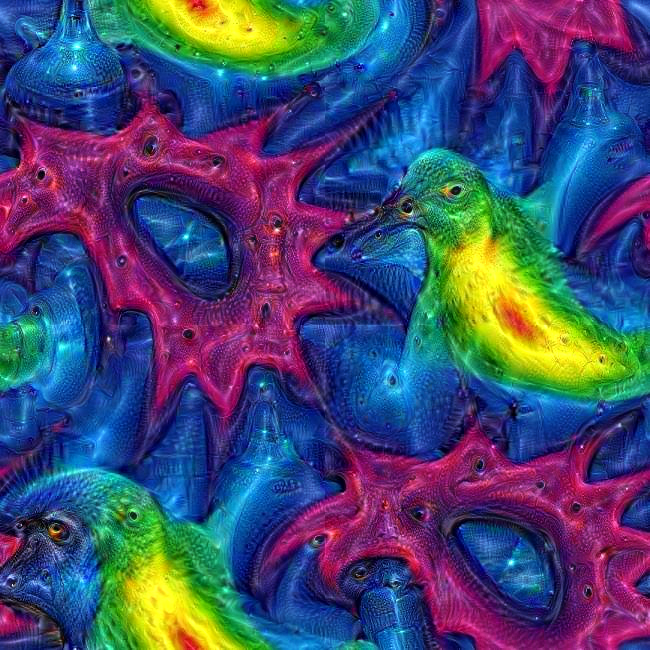
and here are some seamless patterns:
ImageImageImage

_________________


Last edited by AnMal on Fri Sep 11, 2015 12:19 pm, edited 1 time in total.

Top
 Post subject: Re: deep dream generator art - post your results here
PostPosted: Fri Sep 11, 2015 11:53 am  (#72) 
Offline
GimpChat Member
User avatar

Joined: Apr 08, 2010
Posts: 5420
Location: Northwest Ohio
I downloaded the mac deep dreaming beta, I'll be trying it out tonight.
I love your owl with the birds, lol.


Top
 Post subject: Re: deep dream generator art - post your results here
PostPosted: Fri Sep 11, 2015 12:04 pm  (#73) 
Offline
Script Coder
User avatar

Joined: May 07, 2014
Posts: 4524
Location: Canada
AnMal wrote:
2-ton: i'll second that! it's getting tiresome to just refeed the images all the time.

here's something i did today - "the owls are not what they seem!"
Image

cool your owl has a miniture bird on its head...well and the other ones peeking out of its body.

_________________
TinT


Top
 Post subject: Re: deep dream generator art - post your results here
PostPosted: Fri Sep 11, 2015 12:14 pm  (#74) 
Offline
GimpChat Member
User avatar

Joined: Apr 07, 2010
Posts: 14182
Love your owl AnMal, very colorful.

_________________
Image


Top
 Post subject: Re: deep dream generator art - post your results here
PostPosted: Fri Sep 11, 2015 12:23 pm  (#75) 
Offline
GimpChat Member
User avatar

Joined: Aug 16, 2012
Posts: 4271
Location: Göteborg, Sweden
thank you all :)! i got distracted by a cup of tea that my fiancé unexpectedly brought me, so it took me a while to finish my edit with the seamless patterns, but now they're there.

2-ton: you mean there is something you can actually download and have on your own computer?! where is it?

_________________


Top
 Post subject: Re: deep dream generator art - post your results here
PostPosted: Fri Sep 11, 2015 12:41 pm  (#76) 
Offline
Script Coder
User avatar

Joined: May 07, 2014
Posts: 4524
Location: Canada
https://github.com/google/deepdream
Maybe a python expert can instruct us on how we'd use these files...
I tried looking at the files but have no idea what to do with them since I am very beginners at python (mostly knowledge about http://www.codeskulptor.org/). I don't even have python installed on my computer.

_________________
TinT


Top
 Post subject: Re: deep dream generator art - post your results here
PostPosted: Fri Sep 11, 2015 1:01 pm  (#77) 
Offline
GimpChat Member
User avatar

Joined: Aug 16, 2012
Posts: 4271
Location: Göteborg, Sweden
trandoductin: i found [url=this page]http://www.makeuseof.com/tag/create-artificial-fever-dreams-googles-deepdream/[/url], with other instructions - they sounded scaringly techhie to me, though. i failed to set up virtualbox on my old laptop once, i don't think there's any use even trying on this one. but wouldn't that bee a good way for you to get around your python problem?

here is my latest finished one - yesterday i made a rodiliused peony, but i wasn't happy with the look of it and deep dreamed it instead. then i masked off most of the deep dream image and just left some of the little critters.

Image

_________________


Top
 Post subject: Re: deep dream generator art - post your results here
PostPosted: Fri Sep 11, 2015 1:39 pm  (#78) 
Offline
Script Coder
User avatar

Joined: May 07, 2014
Posts: 4524
Location: Canada
AnMal wrote:
trandoductin: i found [url=this page]http://www.makeuseof.com/tag/create-artificial-fever-dreams-googles-deepdream/[/url], with other instructions - they sounded scaringly techhie to me, though. i failed to set up virtualbox on my old laptop once, i don't think there's any use even trying on this one. but wouldn't that bee a good way for you to get around your python problem?

here is my latest finished one - yesterday i made a rodiliused peony, but i wasn't happy with the look of it and deep dreamed it instead. then i masked off most of the deep dream image and just left some of the little critters.

Image

thanks for the link, i'll try it.

_________________
TinT


Top
 Post subject: Re: deep dream generator art - post your results here
PostPosted: Fri Sep 11, 2015 2:22 pm  (#79) 
Offline
GimpChat Member
User avatar

Joined: Sep 24, 2010
Posts: 12818
AnMal wrote:
thank you all :)! i got distracted by a cup of tea that my fiancé unexpectedly brought me, so it took me a while to finish my edit with the seamless patterns, but now they're there.

2-ton: you mean there is something you can actually download and have on your own computer?! where is it?


Well congrats to you AnMal. Don't want to assume who your fiancé is but I believe his name here begins with and E. ;)

:)

_________________
Lyle

Psalm 109:8

Image


Top
 Post subject: Re: deep dream generator art - post your results here
PostPosted: Fri Sep 11, 2015 2:30 pm  (#80) 
Offline
GimpChat Member
User avatar

Joined: Sep 24, 2010
Posts: 12818
2-ton wrote:
Interesting info about deep dreamer, looks like the code is open source. Article on Deep Dream


Now that they released the code, maybe someone here a lot savvy with compilers can do one for Windows. :)

_________________
Lyle

Psalm 109:8

Image


Top
Post new topic Reply to topic  [ 654 posts ]  Go to page Previous  1, 2, 3, 4, 5, 6, 7 ... 33  Next

All times are UTC - 5 hours [ DST ]


* Login  


Powered by phpBB3 © phpBB Group