newtogimp: no need to refer to yourself as dumb, when you're obviously not

. don't worry, if some of the other members here seem to know a lot that you don't know it's because they've spent a lot of time learning and most of them have also got good help here.
i'm quite sure that particular effect features in one of conbagui's tutorials, so take another look in that link odinbc posted. he (or whoever it was wrote the tutorial) did this without the bevel reflect technique.
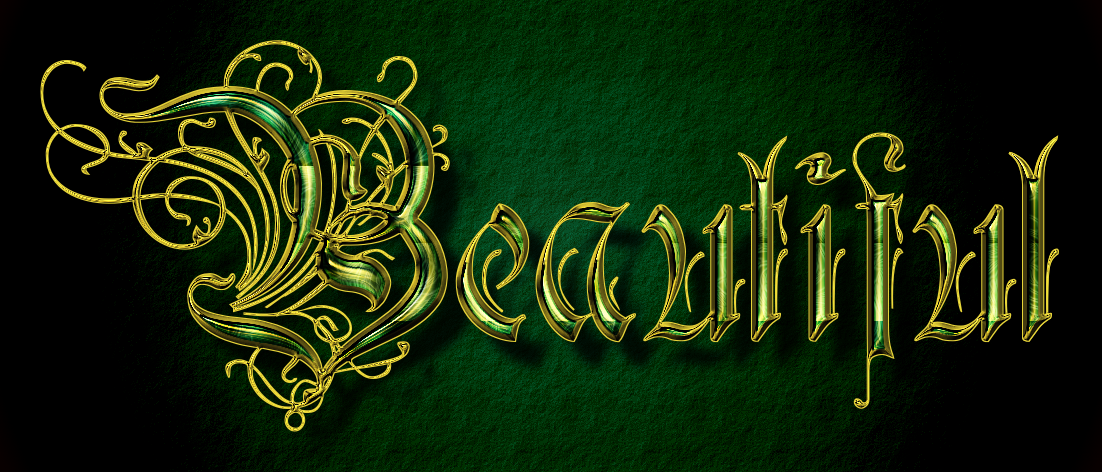
now, about the bevel reflect technique: you will need two different things installed to do what warrior did above. first, you need the
ml bevel reflect plug-in, which you just install into your
plug-ins folder. then, if you want to do exactly what he did, you will need gnu-tux's
bevel reflect logo script, which you download into your
scripts folder. on top of that, you will need a good emap (in this case gold).
an emap is simply an image (and in the case of the ml bevel reflect plug-in, a spherical image) that the plug-in uses to create the actual effect with reflections. you can download a suitable one in this thread:
environment map sharing thread - it's a long thread and there are a lot of beautiful emaps to choose from, so don't drown in them
. just download one and remember where it is saved (i have a separate subfolder called emaps in my image folder), so you can load the right one when you run the bevel reflect logo filter.
after you have all this in correct folders, you may still need some help to get the same result warrior got. the bevel reflect logo support thread is here:
http://gimpchat.com/viewtopic.php?f=9&t=9650&hilit=bevel+reflect+logo and if you read that through you may well find you have the answers you need, if not just ask again. good luck!
 Login
 Register
 Tweets
 FAQ
 Advanced Search





 Thank you for the info.




 wallace says exactly what i said but more neatly. listen to him.

