It is currently Tue Sep 15, 2026 3:28 pm


All times are UTC - 5 hours [ DST ]


Post new topic Reply to topic  [ 28 posts ]  Go to page 1, 2  Next
Author Message
 Post subject: Need help with my Canon camera[SOLVED] Thanks guys
PostPosted: Mon Nov 09, 2015 11:25 am  (#1) 
Offline
GimpChat Member
User avatar

Joined: Apr 07, 2010
Posts: 14182
Hi all you camera guru's out there... Kevin, Wooble etc. I have a Canon camera and I cannot find the settings to change the picture sizes. I would like to use my photos in emails and they are just too large in size (MB's)
Could someone help me find where to change the default to something smaller, thanks in advance

Image


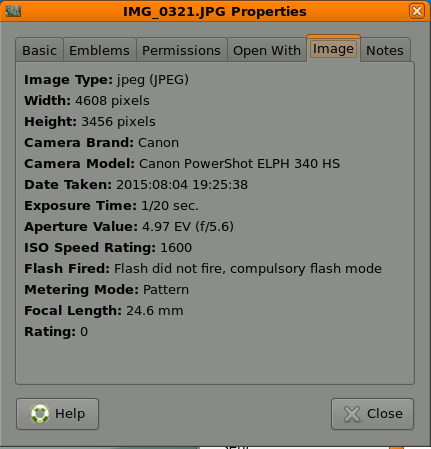
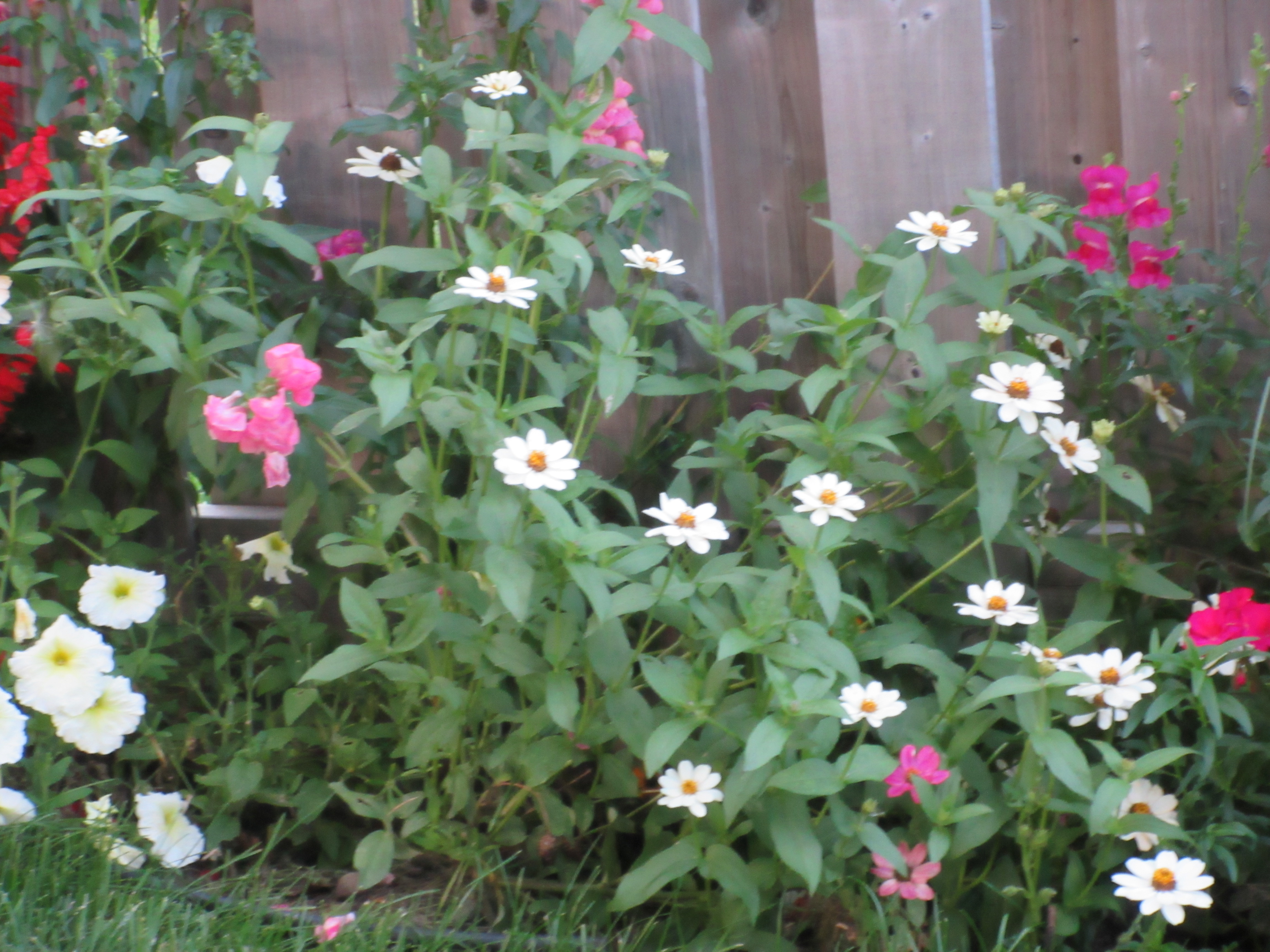
These are the properties for the picture above


Image

_________________
Image


Share on Facebook Share on Twitter Share on Orkut Share on Digg Share on MySpace Share on Delicious Share on Technorati
Top
 Post subject: Re: Need help with my Canon camera
PostPosted: Mon Nov 09, 2015 12:06 pm  (#2) 
Offline
Script Coder
User avatar

Joined: Jun 22, 2010
Posts: 1171
Location: Here and there
Are you trying to e-mail them direct from the camera, or are you downloading them onto a computer first?

I ask because I always try to capture the pictures as big as the camera will allow and resize them on the computer to suit the target audience.

Attachment:
Untitled.png
Untitled.png [ 716.9 KiB | Viewed 2426 times ]


Kevin


Last edited by paynekj on Mon Nov 09, 2015 12:12 pm, edited 1 time in total.

Top
 Post subject: Re: Need help with my Canon camera
PostPosted: Mon Nov 09, 2015 12:10 pm  (#3) 
Offline
GimpChat Member
User avatar

Joined: Apr 07, 2010
Posts: 14182
I download them to my computer, I thought that I could change the size in the camera but I couldn't figure out how to do that.

_________________
Image


Top
 Post subject: Re: Need help with my Canon camera
PostPosted: Mon Nov 09, 2015 12:22 pm  (#4) 
Offline
GimpChat Member
User avatar

Joined: Nov 15, 2014
Posts: 875
molly,
Just looked at the user manual on-line (p35).
It says to press "Func Set" button;
choose "L" in the menu:
Select appropriate resolution;
"S" for e-mailing images.

However, as said by paynekj, I always save the images to computer at the maximum resolution, in my case in RAW. When I want to e-mail an image I pull it into GIMP and use save-for-web to downsize and compress it. That way, I can always go back to my original image and reprocess it.

david.


Top
 Post subject: Re: Need help with my Canon camera
PostPosted: Mon Nov 09, 2015 12:52 pm  (#5) 
Offline
GimpChat Member
User avatar

Joined: Apr 07, 2010
Posts: 14182
Thank you David, I will look and see if I can find those settings. Would I be able to save those settings as default?
I am not a camera buff, I just like point and shoot so what I am saying I wouldn't need them that large unless I was going to frame them or something like that.

I just tried that and I couldn't find any L to select from the Menu

_________________
Image


Top
 Post subject: Re: Need help with my Canon camera
PostPosted: Mon Nov 09, 2015 1:15 pm  (#6) 
Offline
Script Coder
User avatar

Joined: Apr 23, 2010
Posts: 1553
Location: not from Guildford after all
molly wrote:
I just tried that and I couldn't find any L to select from the Menu

The "L" is not found in the Menu, it is found by pressing the Func. Set button in the middle of the ring; a line of icons appears on the left edge of the screen and you press the bottom of the ring (i.e., cursor down) until you get to the "L" icon (it should be just below the "4:3" aspect icon). Press the right side of the ring to change the setting.

_________________
Any sufficiently primitive technology is indistinguishable from a rock.


Top
 Post subject: Re: Need help with my Canon camera
PostPosted: Mon Nov 09, 2015 1:25 pm  (#7) 
Offline
GimpChat Member
User avatar

Joined: Apr 07, 2010
Posts: 14182
All I get on the left side is FHD and OFF I can't get get a menu with 4:3 or anything like that Saul

_________________
Image


Top
 Post subject: Re: Need help with my Canon camera
PostPosted: Mon Nov 09, 2015 1:45 pm  (#8) 
Offline
Script Coder
User avatar

Joined: Apr 23, 2010
Posts: 1553
Location: not from Guildford after all
molly wrote:
All I get on the left side is FHD and OFF I get get a menu with 4:3 or anything like that Saul

It sounds as though you might be in movie mode, not still photo mode.

_________________
Any sufficiently primitive technology is indistinguishable from a rock.


Top
 Post subject: Re: Need help with my Canon camera
PostPosted: Mon Nov 09, 2015 1:46 pm  (#9) 
Offline
GimpChat Member
User avatar

Joined: Apr 07, 2010
Posts: 14182
How do I get out of that?

_________________
Image


Top
 Post subject: Re: Need help with my Canon camera
PostPosted: Mon Nov 09, 2015 1:52 pm  (#10) 
Offline
Script Coder
User avatar

Joined: Apr 23, 2010
Posts: 1553
Location: not from Guildford after all
I don't have that model of camera but it appears to be the top right button on the back of the camera that toggles movie mode (if I am reading page 15 of this PDF correctly).

_________________
Any sufficiently primitive technology is indistinguishable from a rock.


Top
 Post subject: Re: Need help with my Canon camera
PostPosted: Mon Nov 09, 2015 2:13 pm  (#11) 
Offline
GimpChat Member
User avatar

Joined: Apr 07, 2010
Posts: 14182
Ok, I found that, which setting should I choose?

_________________
Image


Top
 Post subject: Re: Need help with my Canon camera
PostPosted: Mon Nov 09, 2015 2:41 pm  (#12) 
Offline
GimpChat Member
User avatar

Joined: Apr 07, 2010
Posts: 14182
I think that red button just turns the movie on or off.

I pulled a picture into gimp and I can't find save - for web

_________________
Image


Top
 Post subject: Re: Need help with my Canon camera
PostPosted: Mon Nov 09, 2015 2:50 pm  (#13) 
Offline
GimpChat Member
User avatar

Joined: Apr 07, 2010
Posts: 14182
I pulled a picture into Gimp and I can't find where it says save - for web

_________________
Image


Top
 Post subject: Re: Need help with my Canon camera
PostPosted: Mon Nov 09, 2015 5:15 pm  (#14) 
Offline
Administrator
User avatar

Joined: Aug 10, 2012
Posts: 14204
Location: Native to NYC living in Arizona, Gimp 2.8 - 3.0, Win 11 PC.
molly wrote:
I pulled a picture into Gimp and I can't find where it says save - for web

There's a plugin for that Molly, it's called Save for Web.

Use this link to get the Save for Web plugin from the Gimp Registry...

_________________
Image
"A wise man learns more from a foolish question than a fool can learn from a wise answer"
Image


Top
 Post subject: Re: Need help with my Canon camera
PostPosted: Mon Nov 09, 2015 5:21 pm  (#15) 
Offline
GimpChat Member
User avatar

Joined: Apr 07, 2010
Posts: 14182
I didn't know that

_________________
Image


Top
 Post subject: Re: Need help with my Canon camera
PostPosted: Mon Nov 09, 2015 9:44 pm  (#16) 
Offline
Administrator
User avatar

Joined: Aug 10, 2012
Posts: 14204
Location: Native to NYC living in Arizona, Gimp 2.8 - 3.0, Win 11 PC.
molly wrote:
I didn't know that

It's there alright.
Would I lie to you Molly?

_________________
Image
"A wise man learns more from a foolish question than a fool can learn from a wise answer"
Image


Top
 Post subject: Re: Need help with my Canon camera
PostPosted: Tue Nov 10, 2015 5:00 am  (#17) 
Offline
GimpChat Member
User avatar

Joined: Nov 15, 2014
Posts: 875
molly,

If you install gimp-plugin-registry you will have save-for-web plus many other useful plugins.
There are versions for Linux and Windows.

david.


Top
 Post subject: Re: Need help with my Canon camera
PostPosted: Tue Nov 10, 2015 5:55 am  (#18) 
Offline
GimpChat Member
User avatar

Joined: Apr 07, 2010
Posts: 14182
Thank you david I got it but I am waiting to find out how to compile it for Fedora. I think the instructions on it is for another version of Linux

Okay, I downloaded the save to web script to my windows version 10 on my other drive. I can now see it under File - Save for Web. This is what happens when I open this same picture.
How do I change the size for it to be the correct size for emails?
Image

_________________
Image


Top
 Post subject: Re: Need help with my Canon camera
PostPosted: Tue Nov 10, 2015 8:41 am  (#19) 
Offline
Administrator
User avatar

Joined: Aug 10, 2012
Posts: 14204
Location: Native to NYC living in Arizona, Gimp 2.8 - 3.0, Win 11 PC.
molly wrote:
Thank you david I got it but I am waiting to find out how to compile it for Fedora. I think the instructions on it is for another version of Linux

Okay, I downloaded the save to web script to my windows version 10 on my other drive. I can now see it under File - Save for Web. This is what happens when I open this same picture.
How do I change the size for it to be the correct size for emails?
[ Image ]

A good size for email is around 640x480 JPEG, or somewhere near this size.

I was using the Save for Web plugin, with and image that was 7408X9161 and I was not able to us the plugin with this size image.
I scaled it down using Image>Scale Image, to 3091X3822 and then I was able to us the plugin.

_________________
Image
"A wise man learns more from a foolish question than a fool can learn from a wise answer"
Image


Last edited by Wallace on Tue Nov 10, 2015 9:04 am, edited 1 time in total.

Top
 Post subject: Re: Need help with my Canon camera
PostPosted: Tue Nov 10, 2015 8:46 am  (#20) 
Offline
GimpChat Member
User avatar

Joined: Apr 07, 2010
Posts: 14182
Cool but that seems like an odd size, 640 x 480 looks fine, I think. I am not up on these things, I have always been a point and shoot person.

_________________
Image


Top
Post new topic Reply to topic  [ 28 posts ]  Go to page 1, 2  Next

All times are UTC - 5 hours [ DST ]


* Login  


Powered by phpBB3 © phpBB Group