It is currently Wed Jul 15, 2026 2:39 am


All times are UTC - 5 hours [ DST ]


Post new topic Reply to topic  [ 330 posts ]  Go to page Previous  1 ... 7, 8, 9, 10, 11, 12, 13 ... 17  Next
Author Message
 Post subject: Re: DIEGO_Mosaic_Lyle_Style
PostPosted: Mon Mar 21, 2016 12:53 am  (#181) 
Offline
GimpChat Member

Joined: May 12, 2015
Posts: 4693
Thank you, OMG. I have a few of these views from a vacation taken when our children were young. The rocks are out in the ocean and we were out in a boat, stopped to watch the sunset. Husband & son climbed out to sit on the rocks.


Top
 Post subject: Re: DIEGO_Mosaic_Lyle_Style
PostPosted: Mon Mar 21, 2016 12:56 am  (#182) 
Offline
GimpChat Member
User avatar

Joined: Jan 20, 2013
Posts: 14831
Location: roma, italy
2-ton wrote:
This file, isn't it one I need??? I have not even tried to install the zip file as yet.
[ Image ]

The main filter you want to try (my DIEGO_Mosaic_Lyle_Style_SE) is a .py and this goes into the plug-ins folder (this probably confused Issabella);
the used helper by RobA is a .scm and goes into the script folder.
It seem (from your words) that you have problem with the RobA script: I attach it here again without the (Rod) suffix, maybe this caused the problem:
Attachment:
mosaic-tile-helper.scm [5.41 KiB]
Downloaded 103 times

it is not zipped, thus you do not need to unzip it

My filter instead (special edition) is here, this one is zipped and must be unzipped before placing it into the plug-ins folder:

deleted: pls use the official update 1.1 from Gimp Scripts & Plug-ins
good luck

_________________
"Where am I ?"


Last edited by dinasset on Tue Mar 22, 2016 7:54 am, edited 1 time in total.

Top
 Post subject: Re: DIEGO_Mosaic_Lyle_Style
PostPosted: Mon Mar 21, 2016 1:20 am  (#183) 
Offline
GimpChat Member
User avatar

Joined: Jan 20, 2013
Posts: 14831
Location: roma, italy
important for 2-ton
the last copy of the .scm I attached is my copy, so once installed it will show up as
"<Image>/Filters/Artistic/_Mosaic Tile Helper"

_________________
"Where am I ?"


Top
 Post subject: Re: DIEGO_Mosaic_Lyle_Style
PostPosted: Mon Mar 21, 2016 11:03 am  (#184) 
Offline
GimpChat Member
User avatar

Joined: Dec 10, 2013
Posts: 1004
It works for mac. Was working on oldmangrumpy's brumbies tutorial last night and found that I had two folders for plugins and scripts :roll: Fixed the issue and now this plugin as well as others work beautifully. Thank you dinasset for this marvelous plugin.

My first (yes, I'll be playing with this today)

Image

_________________
Image
Macbook Air - MacOS Sierra 10.12
McGimp 2.8.14
G'mic 1.6.5


Top
 Post subject: Re: DIEGO_Mosaic_Lyle_Style
PostPosted: Mon Mar 21, 2016 11:09 am  (#185) 
Offline
GimpChat Member
User avatar

Joined: Jan 20, 2013
Posts: 14831
Location: roma, italy
it's wonderful, Dalia! thanks for sharing

_________________
"Where am I ?"


Top
 Post subject: Re: DIEGO_Mosaic_Lyle_Style
PostPosted: Mon Mar 21, 2016 5:58 pm  (#186) 
Offline
GimpChat Member
User avatar

Joined: Dec 10, 2013
Posts: 1004
Wallace isn't the only one experiencing intermittant issues. Last night it ran beautifully. I just tried to run it and got:

Image

UPDATE...UPDATE...


Tried again with different image and it worked.

Image

_________________
Image
Macbook Air - MacOS Sierra 10.12
McGimp 2.8.14
G'mic 1.6.5


Top
 Post subject: Re: DIEGO_Mosaic_Lyle_Style
PostPosted: Mon Mar 21, 2016 9:16 pm  (#187) 
Offline
GimpChat Member
User avatar

Joined: Apr 08, 2010
Posts: 5420
Location: Northwest Ohio
thanks for the files, I will download and try again soon!

This is so odd, the scm file will NOT go into my scripts folder...it just pops back to the download folder, or pops over to some other folder. Crazy.


Top
 Post subject: Re: DIEGO_Mosaic_Lyle_Style
PostPosted: Tue Mar 22, 2016 12:07 am  (#188) 
Offline
GimpChat Member
User avatar

Joined: Jan 20, 2013
Posts: 14831
Location: roma, italy
Unfortunately I do not know Mac environment, from a Windows user's viewpoint I do not understand how a piece of software "can't go into a folder", it's the user (Windows) who moves that piece of code into the folder; which then may not appear in Gimp (different problem), but it's still in the folder where it has been placed....
Every environment has its own phantom trolls....
Sorry for your situation 2-ton, I was waiting on your outcomes...

_________________
"Where am I ?"


Top
 Post subject: Re: DIEGO_Mosaic_Lyle_Style
PostPosted: Tue Mar 22, 2016 12:11 am  (#189) 
Offline
GimpChat Member
User avatar

Joined: Jan 20, 2013
Posts: 14831
Location: roma, italy
Dalia wrote:
Wallace isn't the only one experiencing intermittant issues. Last night it ran beautifully. I just tried to run it and got:

[ Image ]

UPDATE...UPDATE...


Tried again with different image and it worked.

[ Image ]

This one is very marvellous too.
Sorry for your intermittent errors.
Such "random" errors seem to be a generalized problem nowadays, also on Win users; something to do with Gimp/G'mic last versions? I don't know (certainly not an OS problem, beeing spread on different types of OS)

_________________
"Where am I ?"


Top
 Post subject: Re: DIEGO_Mosaic_Lyle_Style
PostPosted: Tue Mar 22, 2016 1:45 am  (#190) 
Offline
GimpChat Member
User avatar

Joined: Mar 01, 2014
Posts: 14053
Location: Spain, Aragón
Dalia, you did such awesome images and results. I love this filter because the results are spectacular. :coolthup :bump

_________________
Image

Gimp 2.10.30(samj) portable _ OS Windows 10 Home_ 64bits
Don’t be afraid to start over. It’s a new chance to rebuild what you want.


Top
 Post subject: Re: DIEGO_Mosaic_Lyle_Style
PostPosted: Tue Mar 22, 2016 2:15 am  (#191) 
Offline
GimpChat Member
User avatar

Joined: Jul 06, 2013
Posts: 2662
Location: California
Where can I find the updated version of this script? What does the Mosaic Tile helper do? It's not giving me results that I want.
This is what I get:
Image


Top
 Post subject: Re: DIEGO_Mosaic_Lyle_Style
PostPosted: Tue Mar 22, 2016 4:01 am  (#192) 
Offline
GimpChat Member
User avatar

Joined: Jan 20, 2013
Posts: 14831
Location: roma, italy
mackenzieh wrote:
Where can I find the updated version of this script?
What does the Mosaic Tile helper do?
It's not giving me results that I want.
This is what I get:
[ Image ]

download what I put on post #183, that's all (my filter and the helper)

_________________
"Where am I ?"


Top
 Post subject: Re: DIEGO_Mosaic_Lyle_Style
PostPosted: Tue Mar 22, 2016 4:25 am  (#193) 
Offline
GimpChat Member
User avatar

Joined: Jan 20, 2013
Posts: 14831
Location: roma, italy
post-scriptum.
I know that the "official" site says that there are those requirements, but they were added by Rod because of what he found executing the filter in his environment (so said he to me when I asked).
In fact, the only needed is the RobA mosaic-tile-helper.scm(as many users here may confirm), in addition to G'MIC which is nowadays a commonly installed plug-in in Gimp environments

_________________
"Where am I ?"


Top
 Post subject: Re: DIEGO_Mosaic_Lyle_Style
PostPosted: Tue Mar 22, 2016 4:30 am  (#194) 
Offline
GimpChat Member
User avatar

Joined: Jan 20, 2013
Posts: 14831
Location: roma, italy
mackenzieh wrote:
Where can I find the updated version of this script? What does the Mosaic Tile helper do? It's not giving me results that I want.
This is what I get:
[ Image ]

the result you show occurs when:
1-you run directly only the RobA mosaic-tile-helper.scm
2-you do not create a selection before running it(and RobA assumes the image boundaries as selection's margin).
Once the filter is called by my plug-in (or any other similar), there is always one selection active and RobA's script nicely creates all the required paths at the required distance)

_________________
"Where am I ?"


Top
 Post subject: Re: DIEGO_Mosaic_Lyle_Style
PostPosted: Tue Mar 22, 2016 4:54 am  (#195) 
Offline
GimpChat Member
User avatar

Joined: Jul 06, 2013
Posts: 2662
Location: California
dinasset wrote:
mackenzieh wrote:
Where can I find the updated version of this script? What does the Mosaic Tile helper do? It's not giving me results that I want.
This is what I get:
[ Image ]

the result you show occurs when:
1-you run directly only the RobA mosaic-tile-helper.scm
2-you do not create a selection before running it(and RobA assumes the image boundaries as selection's margin).
Once the filter is called by my plug-in (or any other similar), there is always one selection active and RobA's script nicely creates all the required paths at the required distance)


Thanks for the explanation, Diego. I wasn't aware that a selection had to be created first.


Top
 Post subject: Re: DIEGO_Mosaic_Lyle_Style
PostPosted: Tue Mar 22, 2016 5:12 am  (#196) 
Offline
GimpChat Member
User avatar

Joined: Jan 20, 2013
Posts: 14831
Location: roma, italy
did you try again my filter?

_________________
"Where am I ?"


Top
 Post subject: Re: DIEGO_Mosaic_Lyle_Style
PostPosted: Tue Mar 22, 2016 5:21 am  (#197) 
Offline
GimpChat Member
User avatar

Joined: Jul 06, 2013
Posts: 2662
Location: California
dinasset wrote:
did you try again my filter?


Your filter the Mosaic Lyle Style SE works fine. It is the Mosaic Tile Helper that I'm confused with. How does it work and does it need to be used with in conjunction with another filter.


Top
 Post subject: Re: DIEGO_Mosaic_Lyle_Style
PostPosted: Tue Mar 22, 2016 5:25 am  (#198) 
Offline
GimpChat Member
User avatar

Joined: Jan 20, 2013
Posts: 14831
Location: roma, italy
OK.
In fact, that filter is a "helper".

_________________
"Where am I ?"


Top
 Post subject: Re: DIEGO_Mosaic_Lyle_Style
PostPosted: Tue Mar 22, 2016 5:27 am  (#199) 
Offline
GimpChat Member
User avatar

Joined: May 17, 2014
Posts: 1566
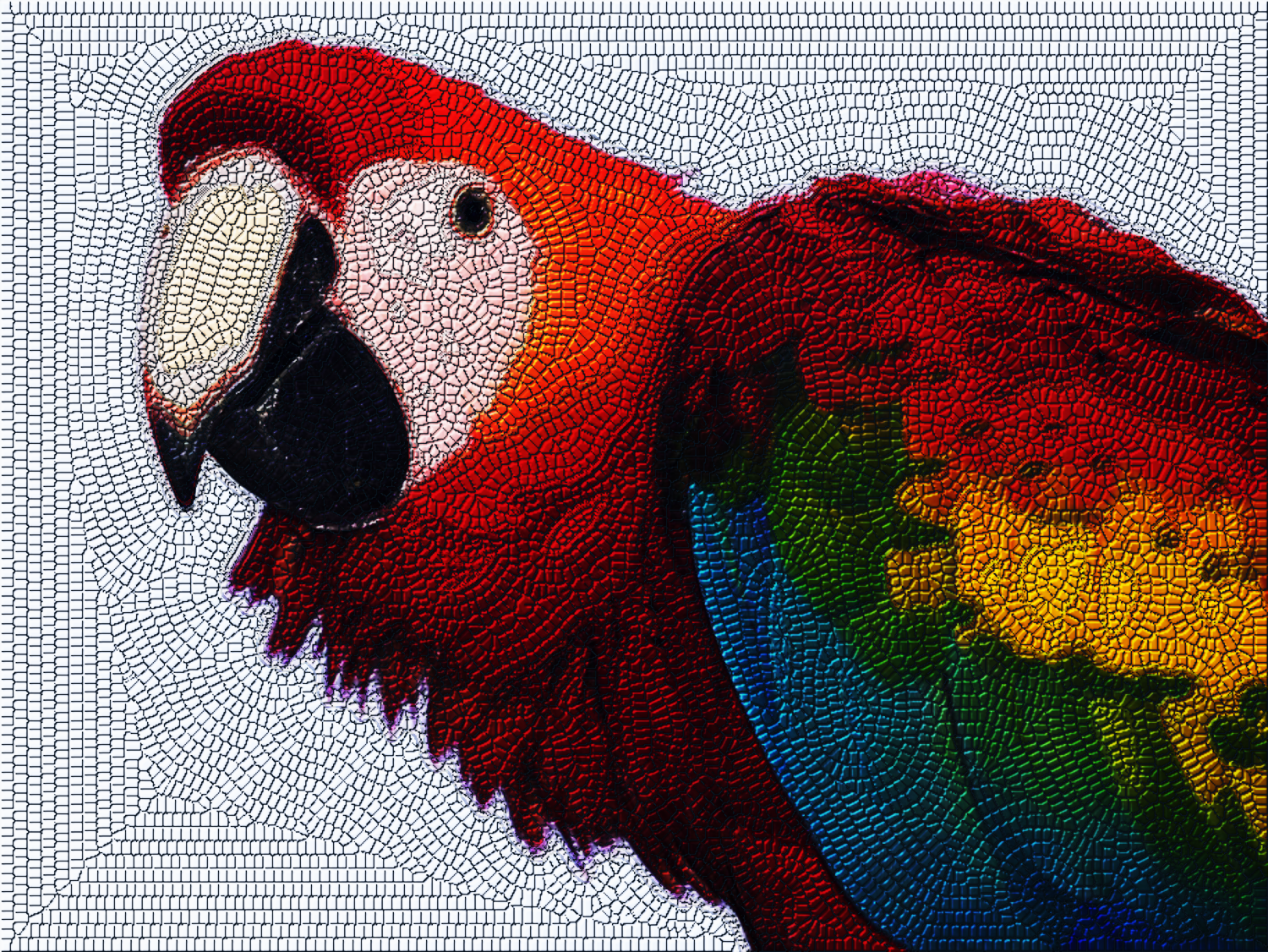
Image


dinasset, your plug-in is very successful. So many beautiful outcomes to see here!

_________________
Ella's gallery - YouTube


Top
 Post subject: Re: DIEGO_Mosaic_Lyle_Style
PostPosted: Tue Mar 22, 2016 5:29 am  (#200) 
Offline
GimpChat Member
User avatar

Joined: Jan 20, 2013
Posts: 14831
Location: roma, italy
...and you are one of the best contributors!
Always nice choices.

_________________
"Where am I ?"


Top
Post new topic Reply to topic  [ 330 posts ]  Go to page Previous  1 ... 7, 8, 9, 10, 11, 12, 13 ... 17  Next

All times are UTC - 5 hours [ DST ]


* Login  


Powered by phpBB3 © phpBB Group