It is currently Fri Sep 04, 2026 3:21 pm


All times are UTC - 5 hours [ DST ]


Post new topic Reply to topic  [ 11 posts ] 
Author Message
 Post subject: Making a double arrow point line in GIMP
PostPosted: Wed May 26, 2010 1:41 am  (#1) 
Offline
Global Moderator
User avatar

Joined: May 16, 2010
Posts: 16169
i wonder if there is a script out there for doing this, something you can adjust the points possibly?
this would be awesome for doing tricks like creating certain objects without having to draw all the points yourself. =(
The other program has this implemented in the line tool
using this you can create objects like this...fairly easy.
i created this in GIMP but it would be nice to be able to create a double arrow line or rectangle in one step. =)
Image

_________________
Image


Share on Facebook Share on Twitter Share on Orkut Share on Digg Share on MySpace Share on Delicious Share on Technorati
Top
 Post subject: Re: Making a double arrow point line in GIMP
PostPosted: Wed May 26, 2010 9:31 am  (#2) 
Offline
Retired Staff
User avatar

Joined: May 22, 2008
Posts: 6946
Location: Somewhere in GIMP
I'm not understanding how you went from arrow points to your image?

_________________
Image
World War IV will be fought with sticks and stones. - Albert Einstein


Top
 Post subject: Re: Making a double arrow point line in GIMP
PostPosted: Wed May 26, 2010 11:09 pm  (#3) 
Offline
Global Moderator
User avatar

Joined: May 16, 2010
Posts: 16169
sorry...should have explained that.
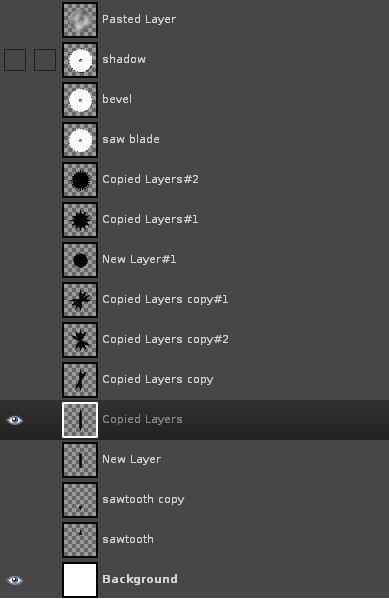
here is a rough layout of the xcf
i drew out with the polygon select tool an arrow tip...copied it to another layer and created a rectangle between both tips...making a line with two arrow points like this.

ImageImage

as you can see it could have been much better...once you create the double arrow line you just criss cross them at certain degrees and then cut the tips of the arrows off and that gives you your sawblade tips...then you have to twirl them to get the sawblade effect.

i hope thats understandable..sorry for the confusion =)

_________________
Image


Top
 Post subject: Re: Making a double arrow point line in GIMP
PostPosted: Wed May 26, 2010 11:14 pm  (#4) 
Offline
Retired Staff
User avatar

Joined: May 22, 2008
Posts: 6946
Location: Somewhere in GIMP
Well it makes sense to me now. I'll have to give that a try. Thanks for the explanation.

_________________
Image
World War IV will be fought with sticks and stones. - Albert Einstein


Top
 Post subject: Re: Making a double arrow point line in GIMP
PostPosted: Wed May 26, 2010 11:17 pm  (#5) 
Offline
Global Moderator
User avatar

Joined: May 16, 2010
Posts: 16169
making those arrow brushes may have been my answer though...takes alot of work out of it.
thanks for those! =)

_________________
Image


Top
 Post subject: Re: Making a double arrow point line in GIMP
PostPosted: Wed May 26, 2010 11:26 pm  (#6) 
Offline
Retired Staff
User avatar

Joined: May 22, 2008
Posts: 6946
Location: Somewhere in GIMP
Oh! You used them for that? Good idea!

_________________
Image
World War IV will be fought with sticks and stones. - Albert Einstein


Top
 Post subject: Re: Making a double arrow point line in GIMP
PostPosted: Thu May 27, 2010 12:15 am  (#7) 
Offline
Global Moderator
User avatar

Joined: May 16, 2010
Posts: 16169
actually i tried but they seem to be too fuzzy on the edges so i made a double arrow brush.
should work fine...i attached it here if anyone wants it.set your grid at 25x25 pixels. 450x450 canvas size.Use snap to grid to center it.

Image


Attachments:
File comment: set the brush to size 1.00 and it works great for a canvas at 450x450.
centers perfectly.

DArrow8.gbr [48.86 KiB]
Downloaded 285 times

_________________
Image
Top
 Post subject: Re: Making a double arrow point line in GIMP
PostPosted: Thu May 27, 2010 12:38 am  (#8) 
Offline
Global Moderator
User avatar

Joined: May 16, 2010
Posts: 16169
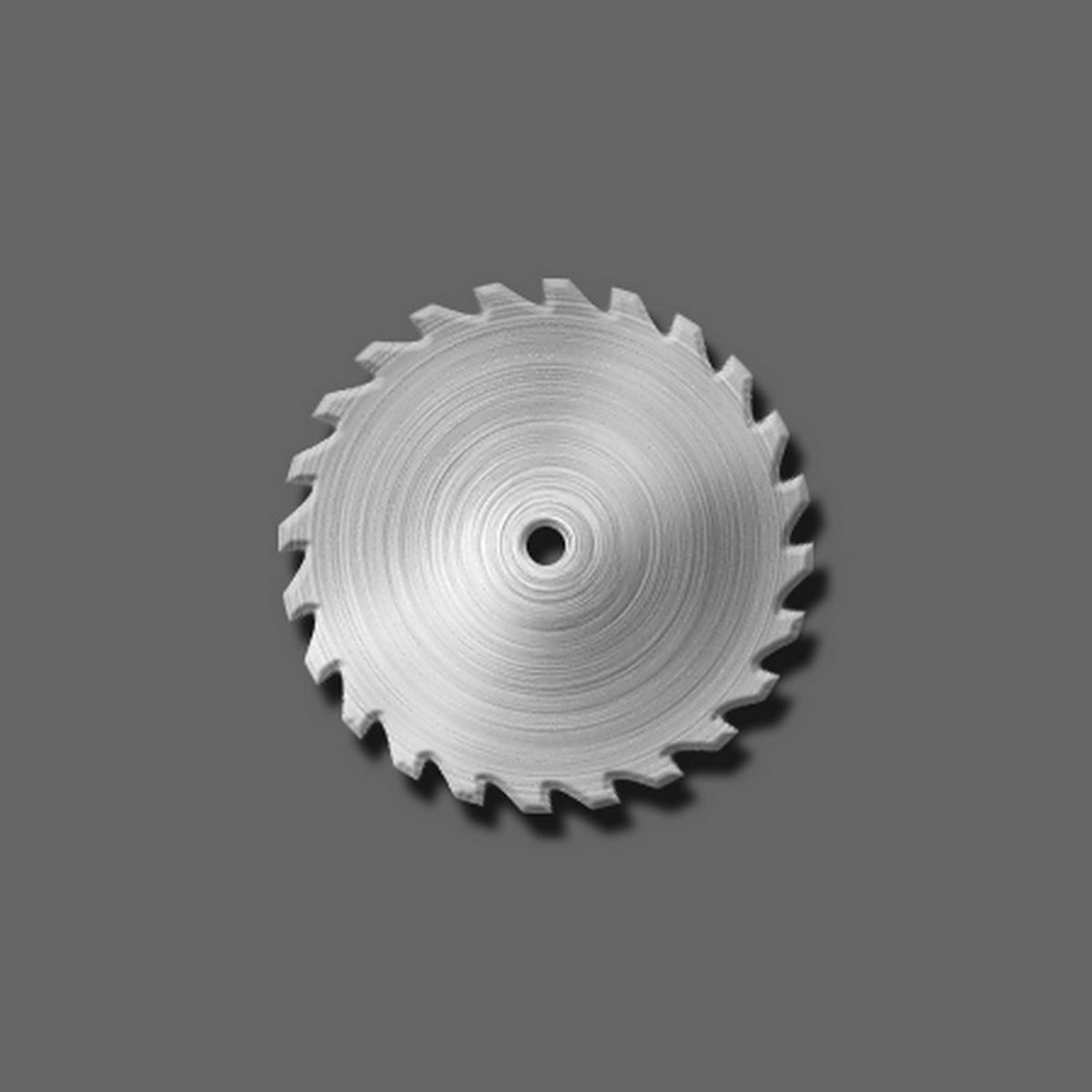
ok...worked pretty well , needs more teeth i think though =P
and maybe some more definition in it.

Image

_________________
Image


Top
 Post subject: Re: Making a double arrow point line in GIMP
PostPosted: Thu May 27, 2010 2:17 am  (#9) 
Offline
GimpChat Member

Joined: May 18, 2010
Posts: 14
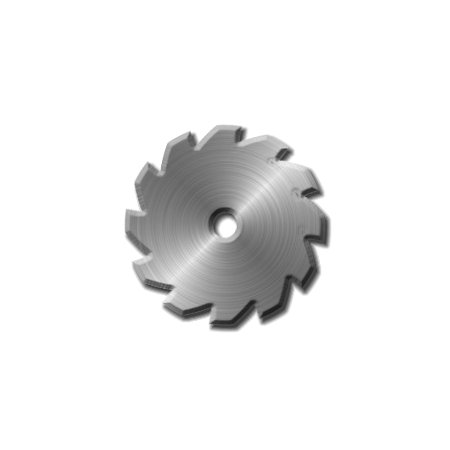
you can do round things like this using the polar coordinates filter ... try it
Image


Top
 Post subject: Re: Making a double arrow point line in GIMP
PostPosted: Thu May 27, 2010 4:27 am  (#10) 
Offline
Global Moderator
User avatar

Joined: May 16, 2010
Posts: 16169
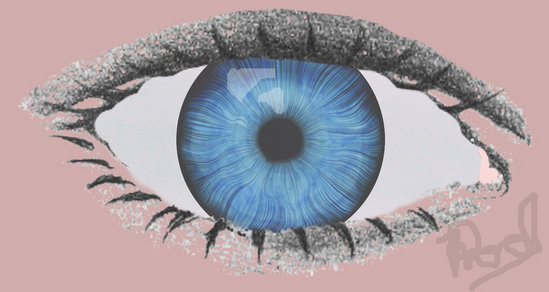
thx Jenx...i used that tool to make my eye...i wanted the saw-blade to look as real as possible.
i will have to try and see if that will work though. =)


Image

_________________
Image


Top
 Post subject: Re: Making a double arrow point line in GIMP
PostPosted: Thu May 27, 2010 3:40 pm  (#11) 
Offline
GimpChat Member
User avatar

Joined: Apr 08, 2010
Posts: 5420
Location: Northwest Ohio
love the sparkles on the blade tips!
love the gel-looking cornea...great lighting!


Top
Post new topic Reply to topic  [ 11 posts ] 

All times are UTC - 5 hours [ DST ]


* Login  


Powered by phpBB3 © phpBB Group